BugJar | Lua Error Browser
- By
Lua error viewer that shows every error at once in a sortable table, grouped by count and blamed to the right addon.
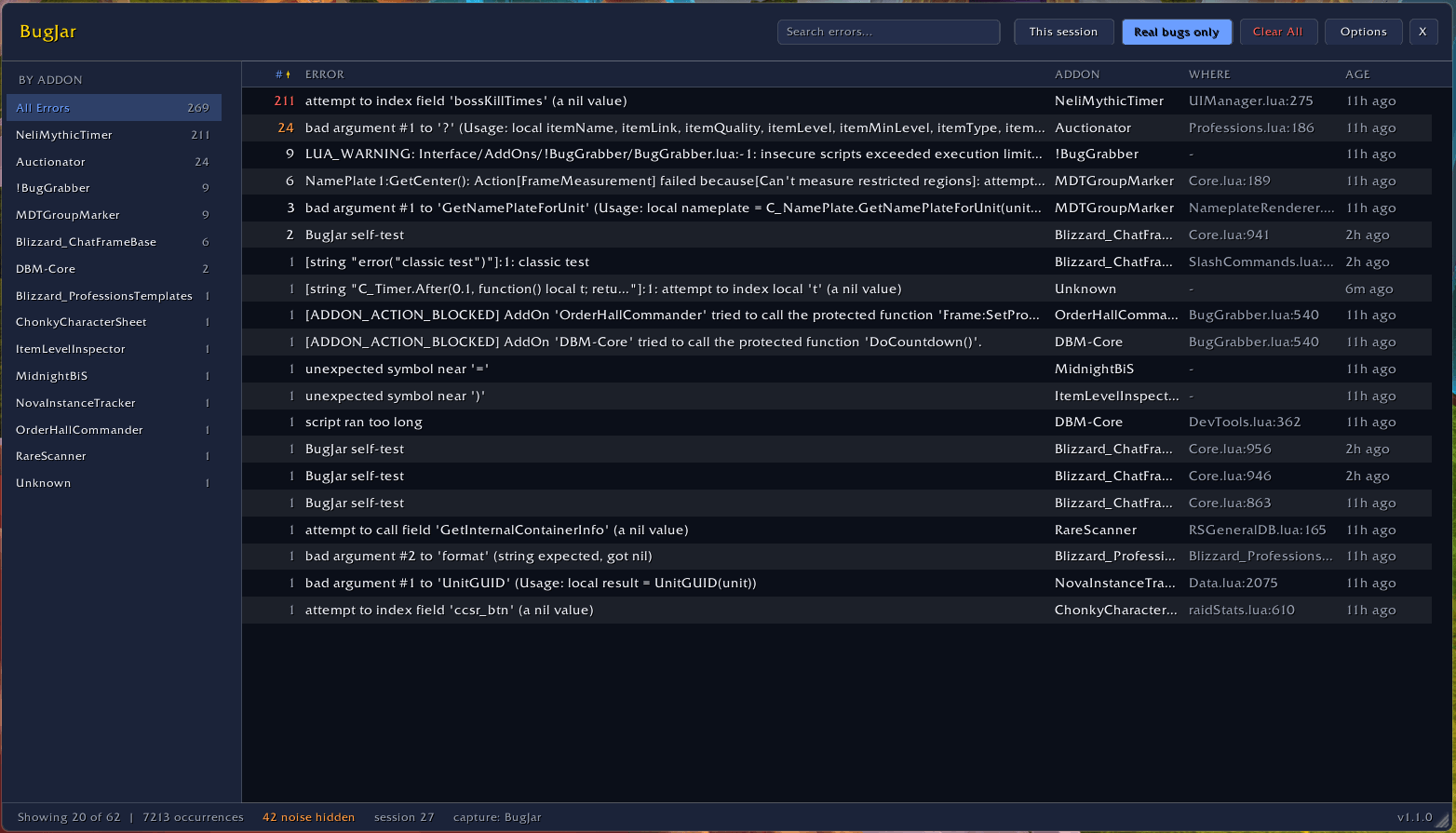
Main Panel
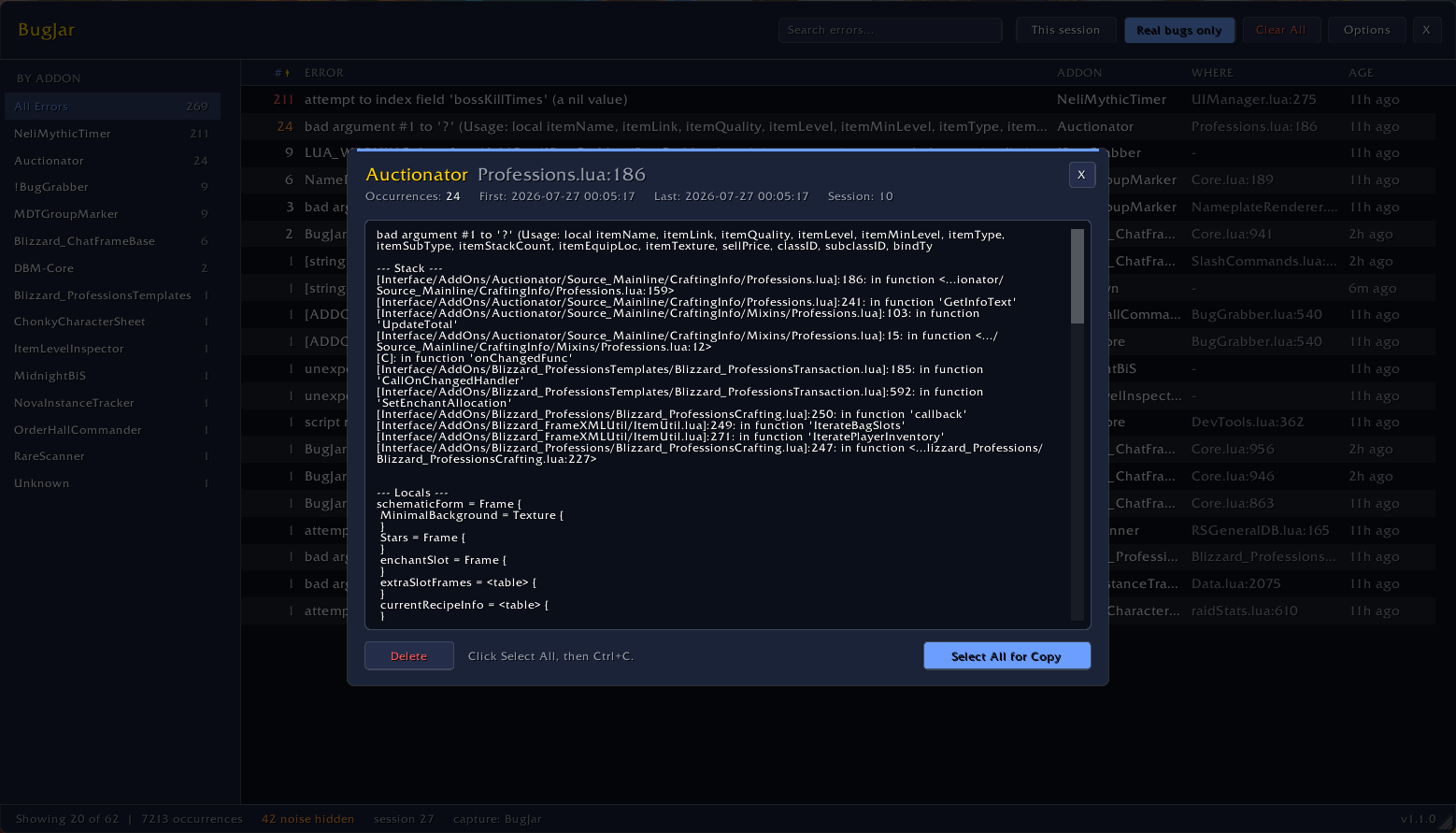
Details
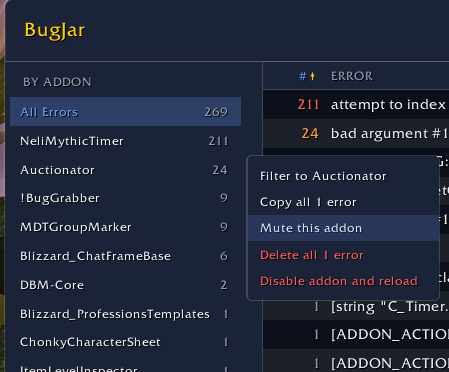
Addon specific right click options
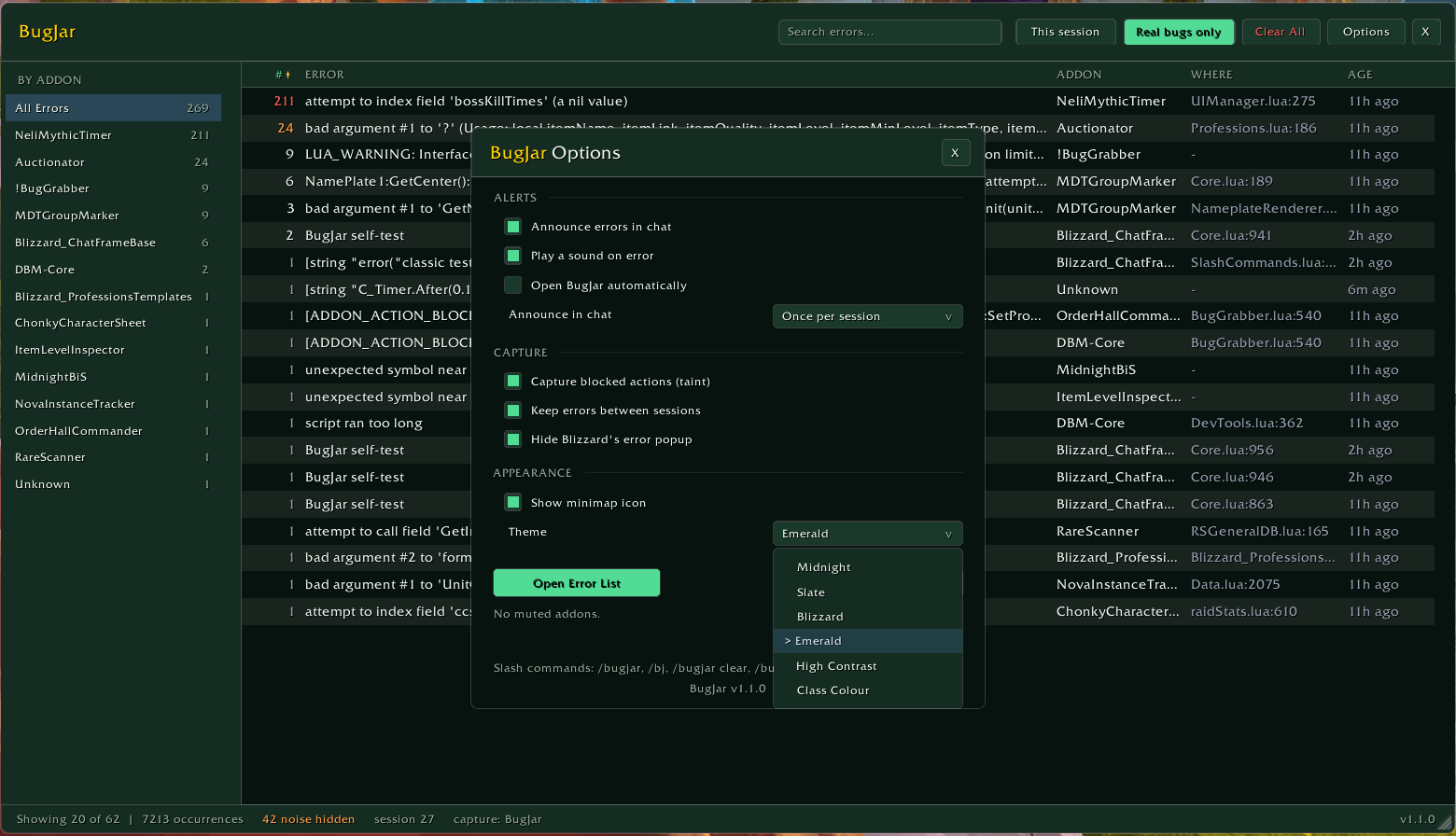
Themes
Description
BugJar | Lua Error Browser
BugJar is a Lua error viewer for World of Warcraft. It records the errors your addons throw and shows them in one sortable table, so you can see what is breaking, which addon is responsible, and how often it is happening. Repeated errors are grouped into a single entry with a count rather than filling the list.
Works on Midnight (retail, including 12.1), Mists of Pandaria Classic, Burning Crusade Classic / Anniversary, and Classic Era.
Built for the Midnight error flood
Patch 12.0 changed what addons may read, and error lists are now buried under "secret value" and "tainted by" messages that are API fallout rather than anyone's bug. BugJar sorts those into their own bucket. Real bugs only is on by default, so what you see is the errors somebody can actually fix, and the status bar always says how many are hidden.
It also handles a stack that comes back protected, which is what happens in raids and Mythic+. Those errors get recorded instead of silently lost.
Act on what you find
Right-click any addon in the sidebar to copy all its errors as one report, mute it so a known-broken addon stops drowning the other sixty, delete its errors, or disable the addon and reload.
If you are tracking bugs across several addons, turn on Keep addons listed after clearing. An addon that has errored then holds its place in the sidebar showing 0 once its errors are deleted, so you keep a record of everything that has faulted while you work through reporting them. Right-click a 0 row to forget it, or clear the whole list from Options.
Features
- Repeated errors collapse into one row with a count, blamed to the addon that caused it
- Sidebar of every source, plus search and sorting on any column
- Optionally keeps addons listed after their errors are cleared, so the sidebar is a record of everything that has faulted rather than only what is broken now
- Filters for the current session and for real bugs only, both on by default, with hidden counts shown in the status bar
- Detail view with message, stack, locals and build, and one-click select-all for copying
- Optionally hides Blizzard's own Lua error popup
- Captures blocked and forbidden actions (taint)
- Rate limited, so an error storm cannot freeze your client
- Minimap button with counts and worst offenders on hover
No dependencies. BugJar records errors itself, and it detects other error-capture addons and reads from them rather than competing for the error handler, so running one alongside it is safe.
Commands
/bugjar        Open the error list (or /bj)
/bugjar config Open options
/bugjar clear  Delete all captured errors
Installation
Install through the CurseForge app, or drop the BugJar folder into your client's Interface/AddOns/ directory. Type /bugjar once it is loaded.
Bug reports and feature ideas are welcome in the comments.
BugJar | Lua Error Browser Team