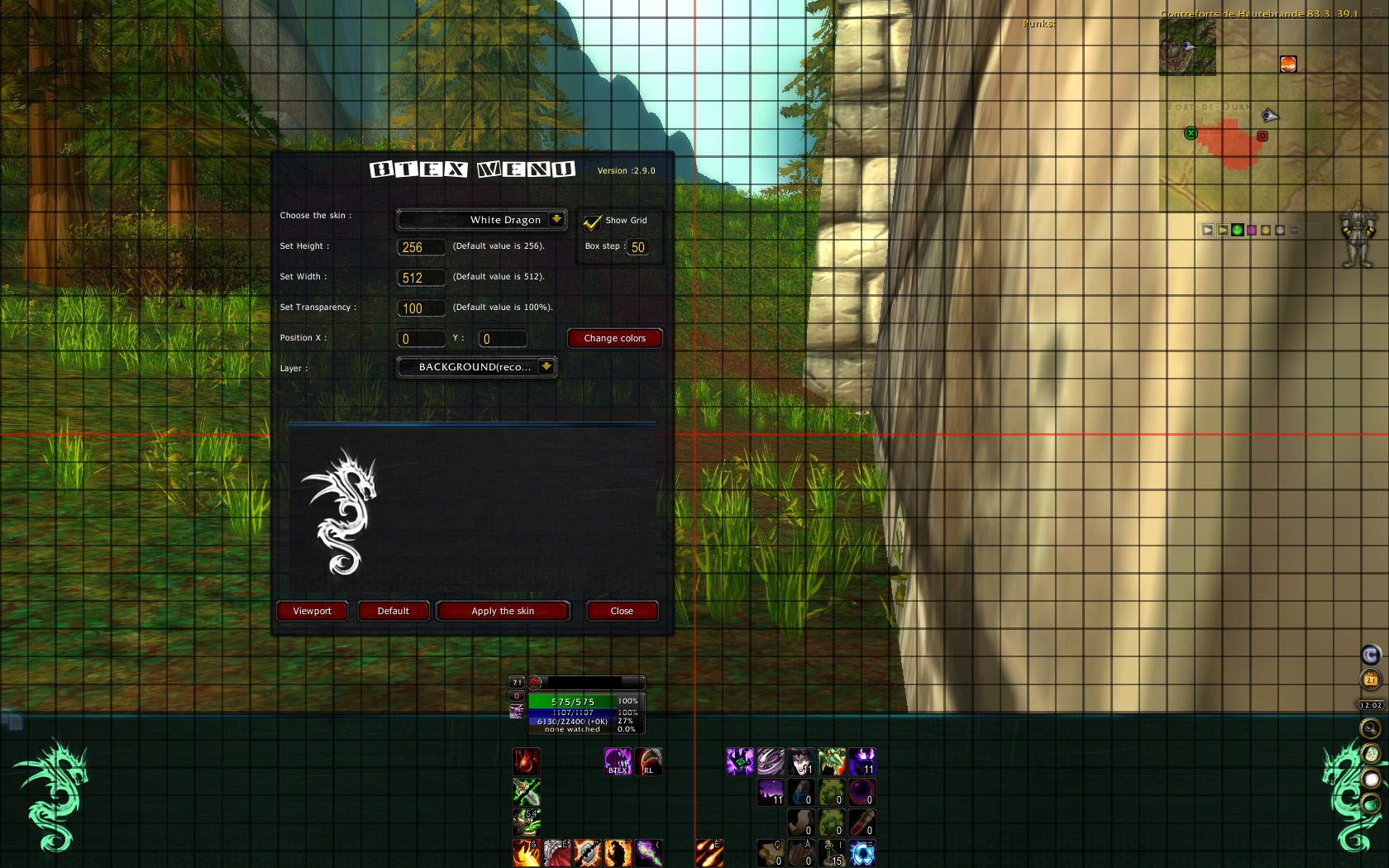
Btex menu with grid enabled
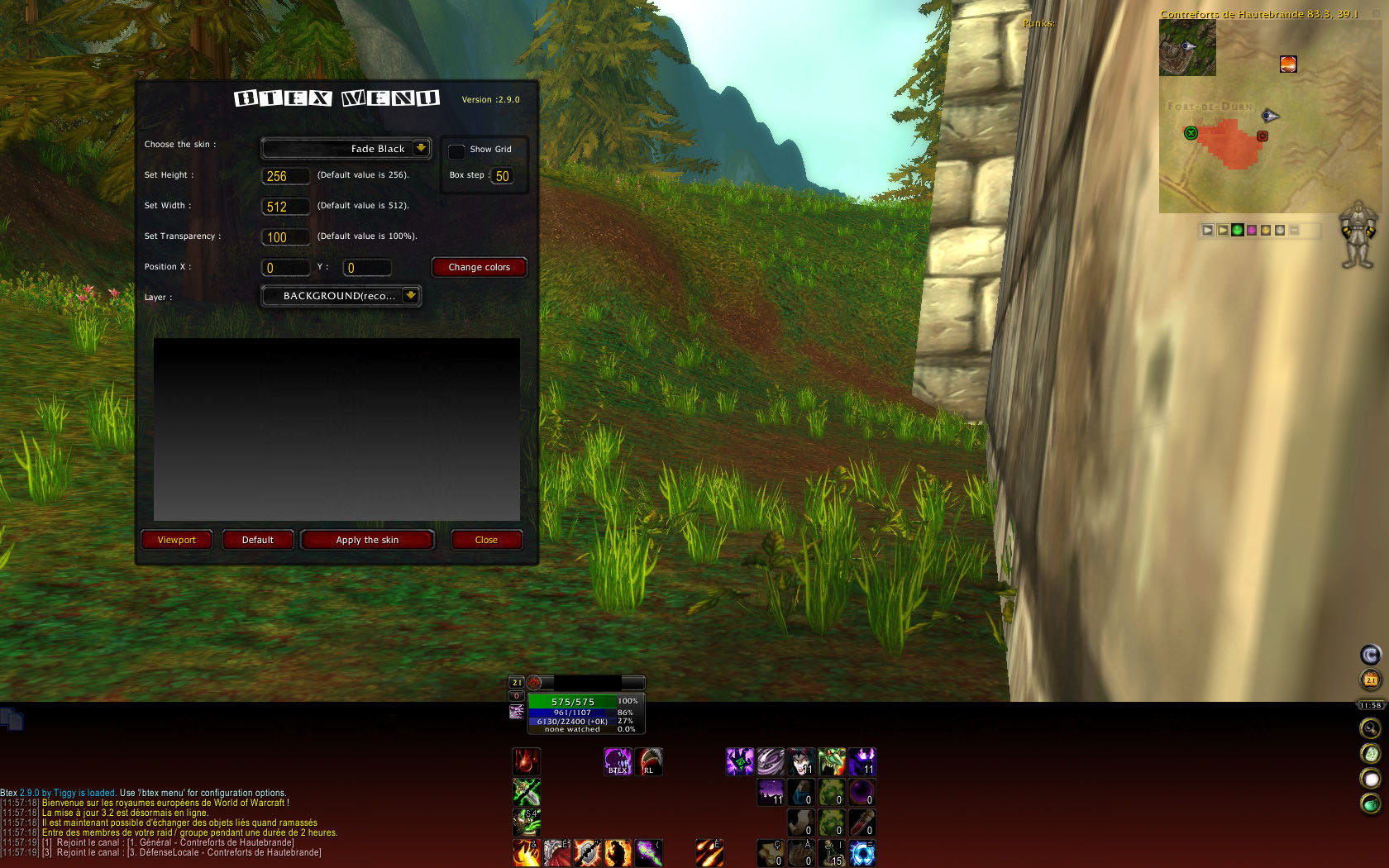
Btex Menu with colors overlay
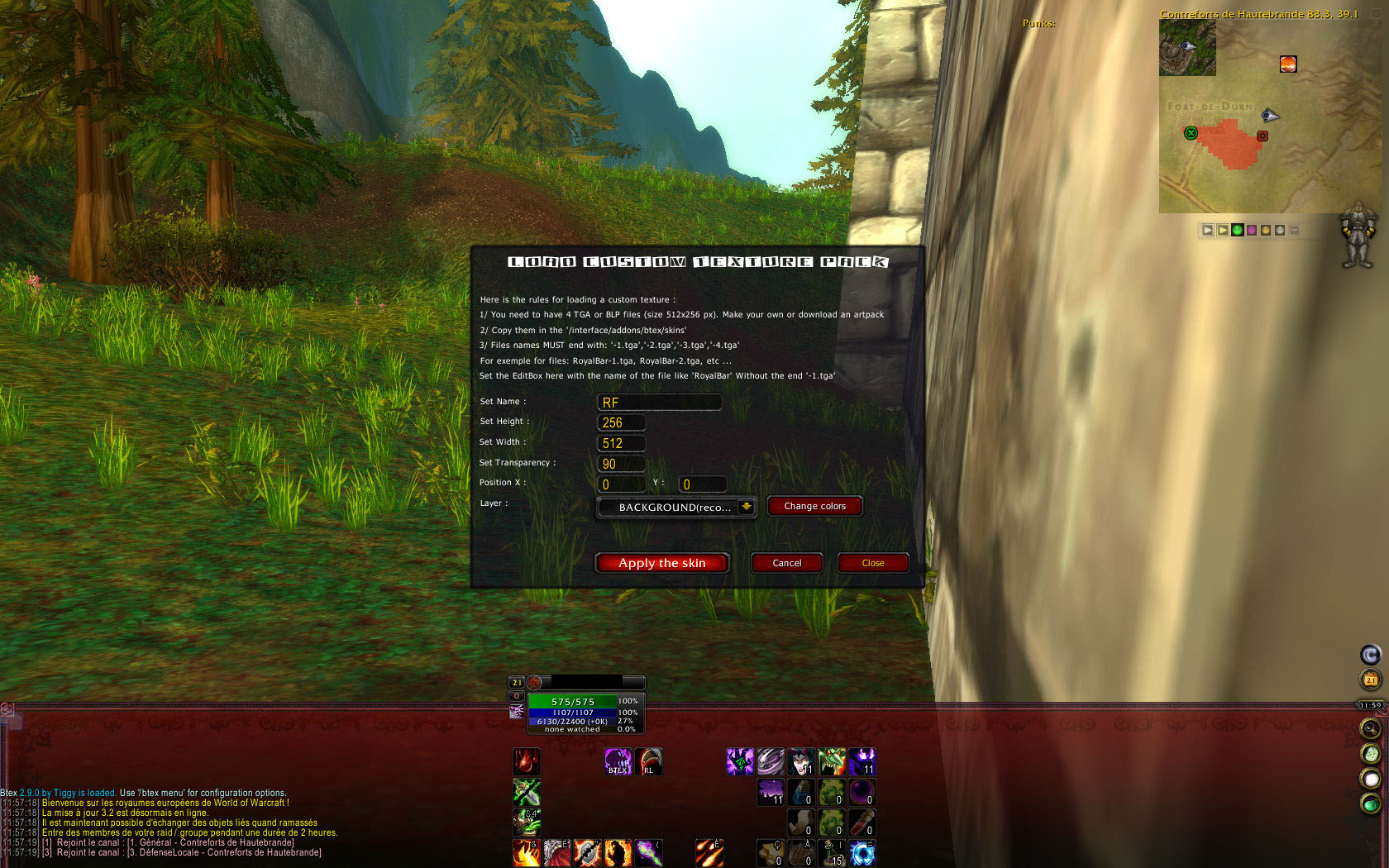
Btex Load custom skin
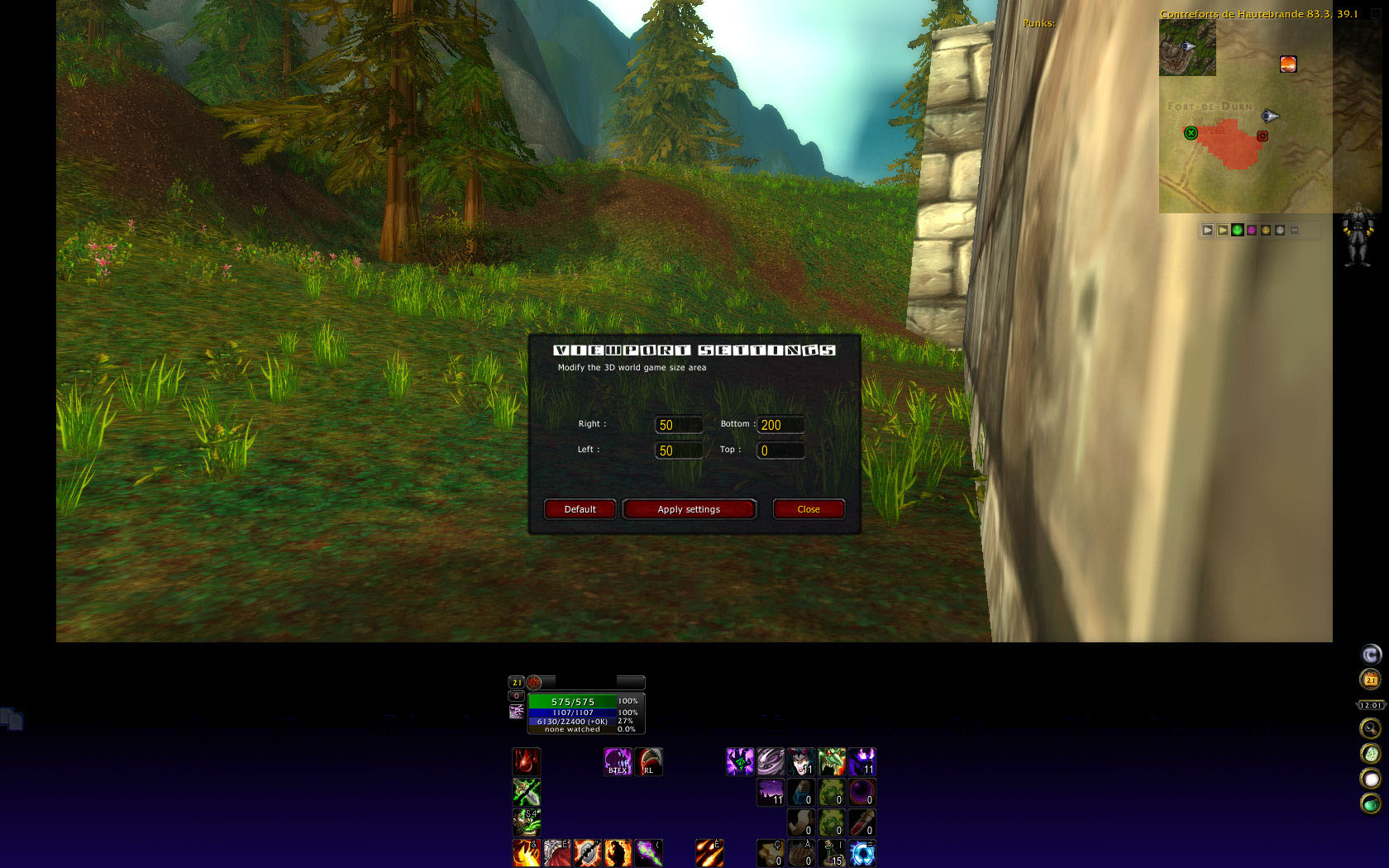
Btex viewport

Alchemy skin

Memory usage
Description
BTex
What is it? :
Btex (for 'Bottom TEXture') is a very lightweight addon for World Of Warcraft providing Background texture at the bottom of the screen and was created by Tiggy.
It contains a package of pre-made skins, a simple menu for settings skins, texture height,width,transparency,colors, positions, viewport,etc ..
What can it do? :
- Put a texture of your choice on the bottom of the screen via menu options (use /bx menu or /btex menu),
- Set height/width/transparency/position/colors/layer of your texture,
- Use any other TGA/BLP texture file or any other 'pack' of skin,
- Display a grid to setup your interface correctly,
- Modify the 3D rendering area with viewport function,
- Work in any resolution,
- Low memory usage & standalone addon (no libs or dependency are needed.
Ready to use skins :
| Skins with the addon | ||
|---|---|---|
| Dark Shadow serie | Simple Black | Fade Black |
| Warcraft Classic | Ice Dragon | Ice Dragon remake (Xaphiroth) |
| Wall | White Dragon | ElvUI |
undefinedWARNING IF YOU ARE UPDATING BTEX: backup your Interface\Btex\Skin folder if you use custom skin !
Skins package known to work (Thanks to all artists sharing artwork !):
You can download and use this skins too (copy them to /Interface/Addons/btex/skins/ and just use "Custom skins" then type the name of the file u want to use without the "-1.tga" :
| Skins by | ||
|---|---|---|
| Duxy | Brandon87 | RosyBijou |
| Jaimie | Chemmy | Bloodfest |
undefinedMaking your own skins :undefined
| Download | |
|---|---|
| BTexUI | BornabeUI |
When done, make 4 tga like this :
- image must be in RGB,
- Width and height must be a 512x256,
- Color depth must be 24-bit (8x8x8),
- 8-bit alpha channel must be present (thus making a 32 bit depth),
- Image must be uncompressed,
- Image must be TGA or BLP
How can i share my artwork ? :
Create an account on wowinterface, then upload it there as a plugin under Plug-Ins & Patches
Translation :
| Languages | ||
|---|---|---|
| enUS | frFR | deDE |
| ruRU | zhTW | zhCN |
FAQ :
How do I run menu config ? type /Btex Menu or /Bx in the chat windows, or use the minimap button.
Why the download is so big ? it's because it contain many images.
How do i load custom skins? Copy TGA or BLP files to /interface/btex/skins/ directory, and use the "custom texture" options on the top dropdown menu. Write name file without the end "-1.tga".
Example: for 'blabla' skin, you have 4 tga named blabla-1.tga, blabla-2.tga. Write 'blabla' in the custom name.
Do the skin support transparency ? yes. Via images files and via WOW API.
Can i use BLP file? Yes. use custom load skin, and do like with any other tga file.
A development of Tiggy's excellent addon
Original file/addon can be found here : Tiggy's Btex
BTex Team

Owner