Broker: PlayerCoords
- By
A featherweight Data Broker plugin showing coordinates, zone, subzone, coordinates, sanctuary status and continent.
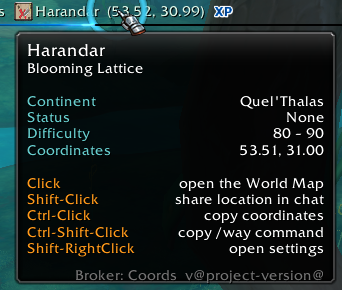
Broker Tooltip shows main features of the addon. Click interaction is with the broker display. Displayed information is configurable in Addon settings.
2026-05-12_070901_Wow.png
2026-05-12_070943_Wow.png
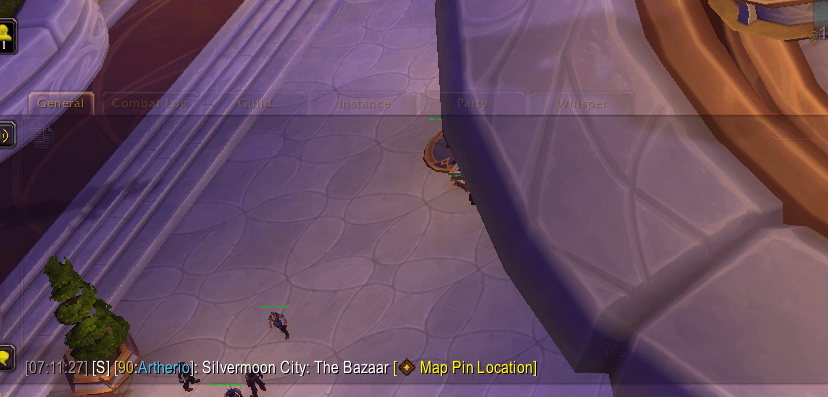
2026-05-12_071139_Wow.png
Description
Broker: Coords
A featherweight zone + coordinates display with a tooltip that earns its keep. Zone, subzone, coords, and 8-point compass facing on the bar; continent, PvP status, Mythic+ key level, Delve tier, and instance item level vs. recommended in the tooltip — plus one-click World Map, chat waypoint sharing, and clipboard copy of coordinates or a ready-to-paste /way command.
Use it from your broker bar or from the built-in minimap button — both are first-class entry points, and either can be toggled off if you only want one. No broker bar host? No problem. Have one already (Arcana, ElvUI, Bazooka, TitanPanel…)? Drop the minimap icon and use the bar entry instead.
Retail only. Requires Midnight (Interface 120005+); a broker bar host is optional.
Features
- Broker bar text: zone name, optional subzone, coordinates, and optional 8-point compass direction (N / NE / E …)
- Configurable precision: 0, 1, or 2 decimal places on all coordinate displays
- Throttled updates: smooth coordinate refresh while moving (fast / normal / slow), event-driven when standing still
- Optional minimap button: on by default, one-toggle off in settings for those keeping the minimap edge clear; drag-to-reposition via LibDBIcon
- Minimap coordinate overlay: optional small coordinate readout at the bottom of the minimap
- World map cursor coordinates: live coordinates under the cursor while the world map is open
- Rich tooltip: zone header, continent, PvP status, tiered difficulty (Mythic+ key level, Delve tier), instance item level vs. recommended, and interaction hints
- Click interactions: open world map, share waypoint in chat, copy coordinates or
/waycommand to clipboard - Native Settings panel: all options in WoW's built-in AddOns settings (Escape → Options → AddOns → Broker: Coords)
Installation
The recommended path is a package manager: CurseForge app, WowUp, or the Wago app — search for "Broker: Coords" and one-click install.
For manual installation:
- Download the latest release zip from GitHub Releases, CurseForge, or Wago.io
- Extract the
Broker_PlayerCoordsfolder into your addons directory:- Windows:
World of Warcraft\_retail_\Interface\AddOns\ - macOS:
Applications/World of Warcraft/_retail_/Interface/AddOns/
- Windows:
- Restart World of Warcraft or
/reload
Click Interactions
Interactions work identically on the broker bar entry and the minimap button — whichever you keep visible:
- Left-click — Toggle the World Map
- Shift-Left-click — Insert a waypoint hyperlink into the active chat box
- Ctrl-Left-click — Copy
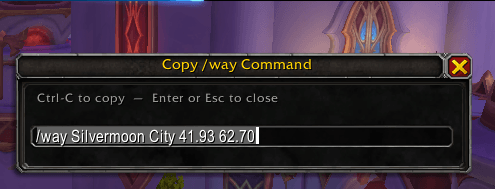
Zone X.XX, Y.YYto the system clipboard (dialog fallback ifC_Clipboardis unavailable) - Ctrl-Shift-Left-click — Copy a
/waycommand to the system clipboard (Blizzard waypoint / TomTom-compatible format) - Shift-Right-click — Open the Settings panel
Configuration
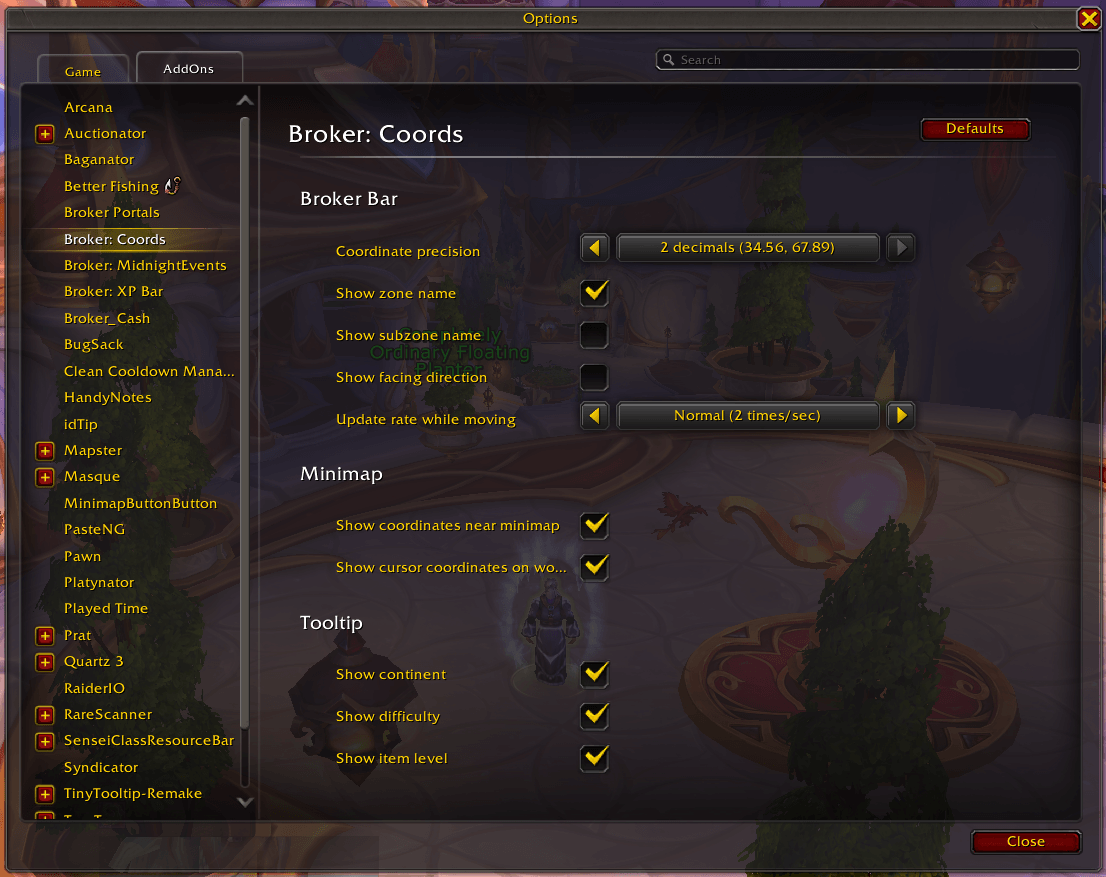
Open the settings panel via Shift-Right-click on the broker button, or via Escape → Options → AddOns → Broker: Coords.
Broker Bar
- Coordinate precision (default: 2 decimals) — Number of decimal places shown everywhere (0, 1, or 2)
- Show zone name (default: On) — Display the current zone in the broker text
- Show subzone name (default: Off) — Append the subzone (e.g. "Stormwind: Trade District")
- Show facing direction (default: Off) — Append an 8-point compass label after the coordinates
- Update rate while moving (default: Normal, 2×/sec) — How often coordinates refresh during movement
Minimap
- Show minimap button (default: On) — Show the Broker: Coords minimap button. Most users with a broker bar host (Arcana, ElvUI, Bazooka, etc.) prefer turning this off to keep the minimap edge clear.
- Show coordinates near minimap (default: Off) — Small coordinate overlay at the bottom of the minimap
- Show cursor coordinates on world map (default: On) — Live coordinates under your cursor on the world map
Tooltip
- Show continent (default: On) — Continent name row in the tooltip
- Show difficulty (default: On) — Zone or instance difficulty row (with M+ key level / Delve tier)
- Show item level (default: On) — Equipped iLvl vs. recommended (instances only, when data is available)
Technical Details
File Structure
Broker_PlayerCoords.toc— Addon metadata and load orderCore.lua— Broker object, event handling, tooltip, click logicSettings.lua— Saved-variable defaults and Settings panel registrationLocales/Locales.xml— Locale file manifest (enUS baseline)Libs/— bundled libraries: LibStub, CallbackHandler-1.0, LibDataBroker-1.1, LibDBIcon-1.0
Events Handled
ADDON_LOADED— Initialize saved variables, register LibDBIcon, build Settings panelPLAYER_ENTERING_WORLD— Force coordinate refresh on login / instance transitionsZONE_CHANGED/ZONE_CHANGED_INDOORS/ZONE_CHANGED_NEW_AREA— Refresh zone text and coordinatesPLAYER_STARTED_MOVING/PLAYER_STOPPED_MOVING— Switch between throttled OnUpdate polling and immediate refresh
Saved Variables
Broker_PlayerCoordsDB— all settings plus the LibDBIcon minimap position sub-table (minimapIcon)
Compatibility
- WoW Version: Retail (Midnight, Interface 120005+)
- Dependencies: LibStub, CallbackHandler-1.0, LibDataBroker-1.1, LibDBIcon-1.0 (all bundled)
- Broker display: optional — any LDB-compatible host works (Arcana, ElvUI, Bazooka, Broker2FuBar, TitanPanel, etc.). If you don't run one, the built-in minimap button is a full-equivalent entry point on its own.
Contributing
Issues and pull requests are welcome.
License
Licensed under GPL-2.0. The full license text is in the LICENSE file in the source distribution.
Changelog
See CHANGELOG.md for the full version history. The notes for each release are also posted with the download on CurseForge and Wago.
Broker: PlayerCoords Team