Server time example result
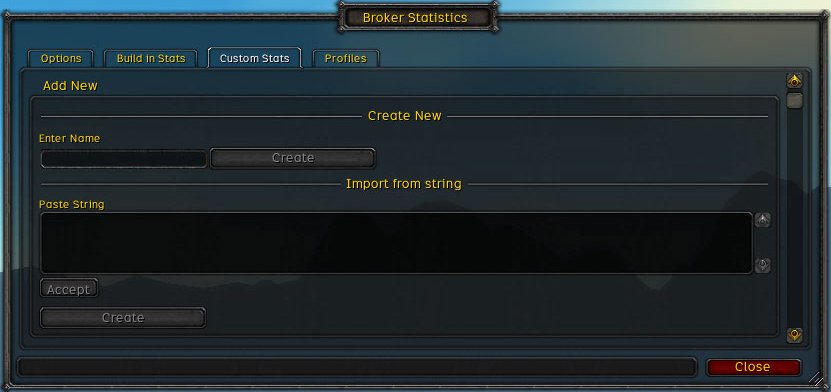
Add new custom
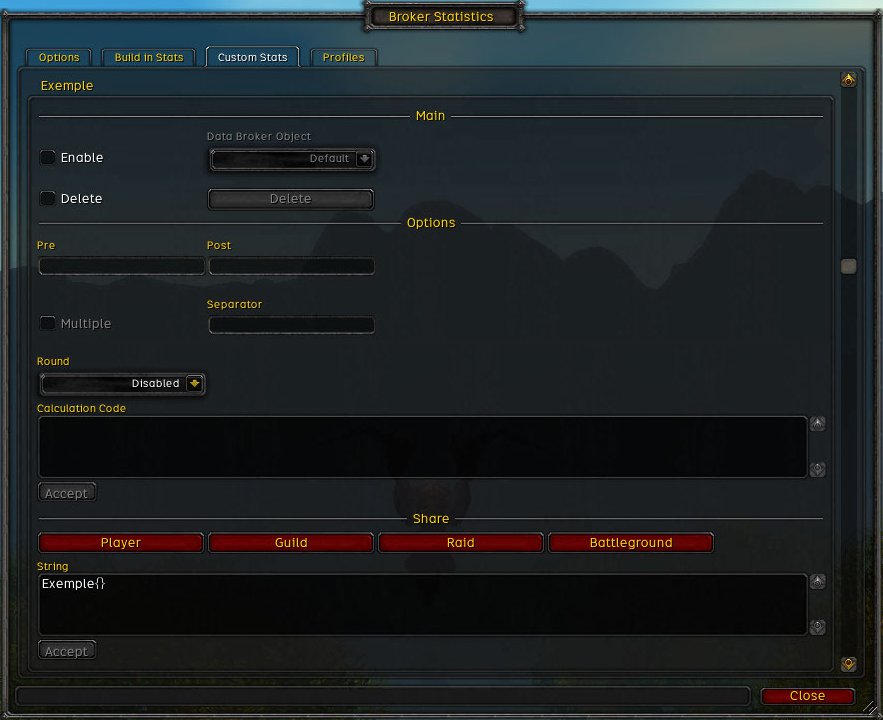
Empty custom
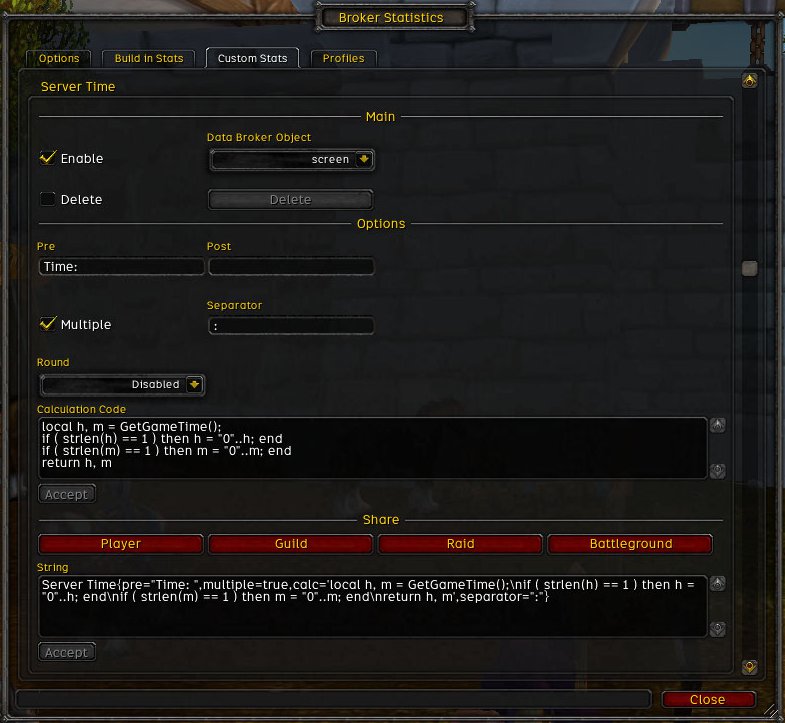
Server time example
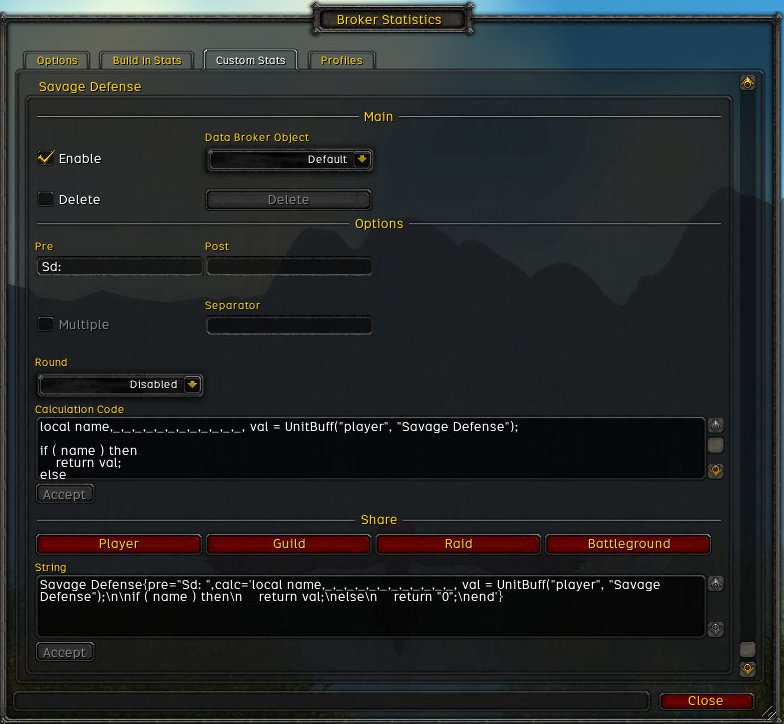
Savage Defense Example

Savage Defense example result inactiv

Broker Statistics example
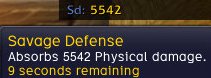
Savage Defense example result activ

Example with icons and statistics colored.
Combat mana regen | Healing power | Intellect | Spell haste | Spirit
Description
What is it?
A Data Broker plugin that will display some statistics (agility, attack power, spell power, haste, etc) on a Data Broker display, with the ability to create your own ones.
Features
- Display statistics on a Data Broker display
- Ability to pause the updater in one click
- Drop-down menu for quick access to statistics
- Came with a lot of built in statistics
- Create custom statistics
- Choose icon displayed in front of each statistic
- Choose statistics color
- Share, export, import custom statistics
- Add other Data Broker objects and select wich statistics to display on
- Choose icons for Data Broker objects
- Save configuration depending on specialisation
- This only affect statistics and Data Broker objects
- By default it did not take in count your specialization
- First mode will only take in count your specialization name
- The second one will take in count the name and points spent
- Ability to use/copy/delete specialization profiles
- Alert system when a statistic reach a specified value (visual and sound)
- Ability to sort statistics on the Data Broker display
Usage
First you will need a Data Broker display, I suggest using Bazooka.
Install the addon (orly?), access the configuration (Data Broker object, command line or Blizzard interface options), select a/some statistic(s) in the list, and voila.
Adding a new Data Broker object
In the configuration panel, whithin the "Data Broker" tab you got a "Add New" category, just enter the name and click create, it will appear in the "Custom objects" category just below.
Adding a new custom statistic
Simple custom statistic HowTo page
Importing/Exporting a custom statistic
To import a new custom statistic you just have to paste it in the "Paste String" input box located within the "Custom Stats" tab, and click the create button.
To export a custom statistic just copy the string located in the "Share" section of a custom statistic.
Receiving a custom statistic
You first need to accept incoming share request by unchecking the desired share method in the "Options" tab. And then another player can share his custom stats with you.
Command line
/bs /stats /brokerstats
They do the same thing, opening the configuration panel.
Credits
The alert system uses textures and sounds from Power Auras Classic.
Advice
When importing or receiving a custom statistic you must trust the person giving it to you, be aware that the code will be executed on your client. And while there is not threat for your account you can still get griefed/scammed.
Notes
If you find an error or have a suggestion please use the tickets page on WowAce, You can also help with localization.
Please share your custom statistics creations on the addon forum.
The Broker Statistics Team