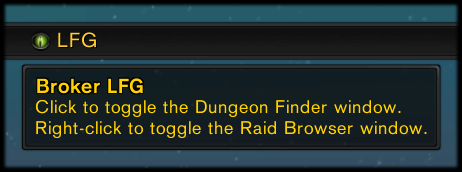
Broker LFG on a bar-style DataBroker display, with the tooltip visible.
Description
Basic LFG button for your DataBroker display.
- Click to open the Dungeon Finder.
- Right click to open the PVP window.
- Middle click, or Shift click, to open the Pet Journal.
- Alt click to open the Raid Finder.
- Ctrl click to open the Scenarios window.
While you are queued, or in an LFG/LFR group, battleground, or scenario, right-click opens the menu instead, and you can use Shift-Right-Click to open the PVP window.
Known Issues
Due to Blizzard restrictions, you will not be able to leave battleground queues before they pop while using this addon. I have no ETA on a resolution.
Language Support
- Works in all languages.
- Translated into English, Deutsch, Español, Français, Italiano, Português, Русский, 한국어, 简体中文, and 正體中文.
- To add or update translations for any locale, enter them on the CurseForge project page and then send me a PM to let me know you’ve made changes.
Feedback
If you are reporting a bug, please make sure you have the latest version of the addon from this page, and then include detailed instructions I can follow to reproduce the bug myself, which Broker display you are using, whether the bug still happens when all other addons are disabled, and the exact text of the accompanying error message (if any).
Broker LFG Team


Owner