
Brainrot Flyer
- By
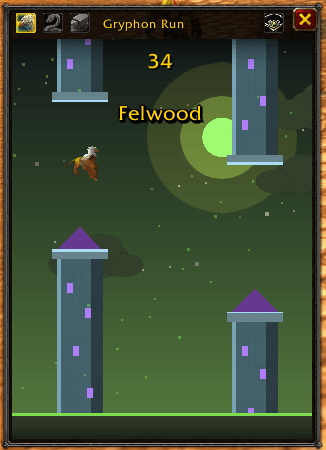
gryphon-run-felwood.png
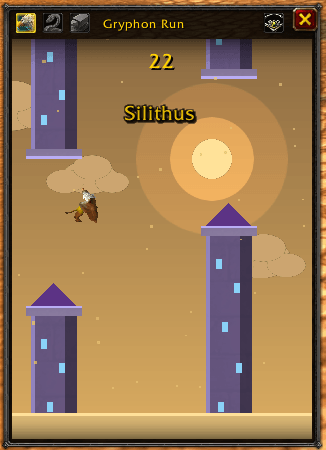
gryphon-run-silithus.png
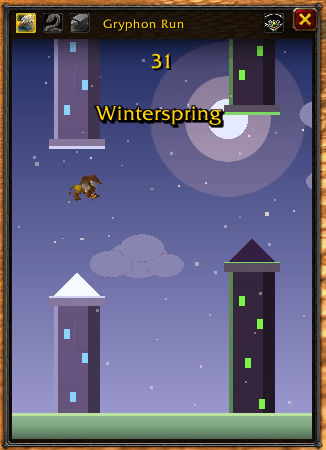
gryphon-run-winterspring.png
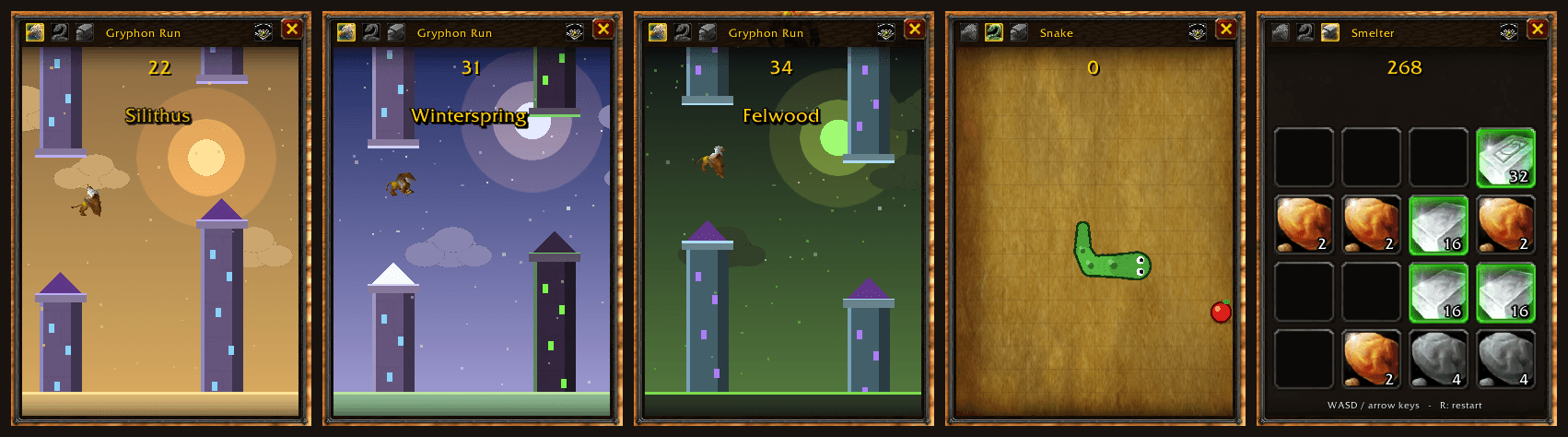
overview.png
smelter.png
Description
Flight paths are the longest loading screens in the game. Brainrot Flyer fills them.
As soon as you take off with a flight master, a small chooser appears: YouTube Shorts or one of three minigames. Switch any time: while Shorts runs, a small bar leads back to the games, and the game window has a Shorts button. When you land, Shorts and the chooser close by themselves. The game window stays open so you can finish your run.
What you get
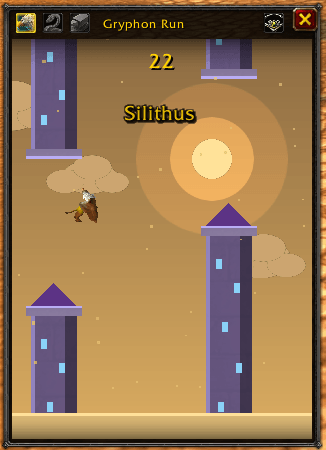
- Gryphon Run: flap a 3D gryphon through the gaps between stone towers. The run is a journey through every zone of your continent, starting where you are. Sky, weather and towers change with each zone.
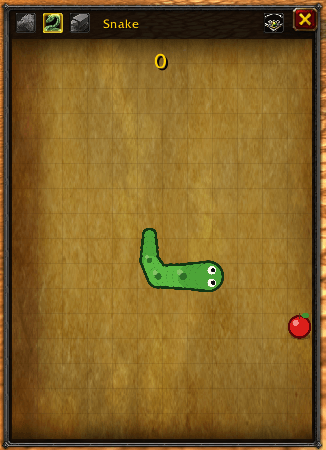
- Snake: the classic, with WASD or the arrow keys.
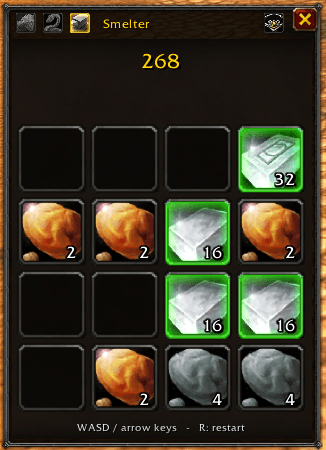
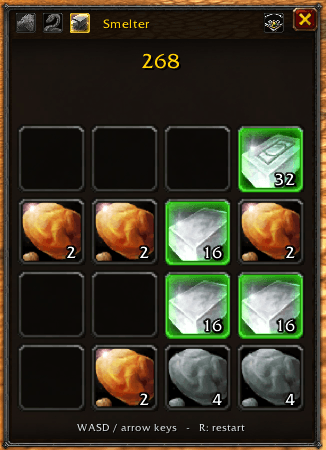
- Smelter: slide ore and bars around the forge and merge equal ones into better metal. Your board is kept between flights.
- Shorts: a YouTube Shorts window next to the game for the length of the flight (needs the optional companion app, see below).
High scores are saved per game. The game window can be moved and resized. The addon is in English.
Leaderboard
Type /bf top or click the crown in the game window to see the best players of each game. Taking part is optional and needs the companion app: on its first start it shows its privacy notice and asks whether to send your characters' best scores (name, realm, score). You can change it later in the app's window. New scores appear after the next /reload or login.
Commands
/bf: open the chooser (Shorts or a game)/bf games: open or close the game window/bf shorts: start or stop Shorts/bf ask,video,game,both: what happens on takeoff: chooser (default), Shorts, minigame, or both/bf gryphon,snake,smelter: open a game directly/bf top: leaderboard of the current game/bf scale 0.5-2,/bf reset: size and position of the game window/bf help: all commands
Shorts and the companion app
The three minigames work with the addon alone.
An addon cannot play video or open a browser, so the Shorts option needs a small companion app for Windows. During a flight the addon shows three tiny colored squares in the top-left corner of the game window. The companion app looks at those three pixels and opens or closes a browser window with YouTube Shorts.
The companion app only reads those pixels from the screen (and, if you join the leaderboard, the addon's saved scores). It does not send any input to the game, does not read game memory and does not change game files. It is a single Python file using only the standard library, and its source code is public.
The companion app has a small window that shows whether WoW is found and whether Shorts is on, and where you turn the leaderboard on or off. The download package contains the addon, the companion app and an installer, all as plain text. It needs Python 3.8 or newer from python.org. The app does not start with Windows: start it from the desktop shortcut when you want Shorts.
Without the companion app the Shorts button does nothing. Everything else works.
Good to know
- While the game window is open, WASD, the arrow keys and Space go to the minigame instead of your character.
- For Shorts, WoW has to run in windowed or "Windowed (Fullscreen)" mode, and the Shorts window must not cover the top-left corner of the game.
- The companion app requires Windows 10/11, Python 3.8+ and Microsoft Edge or Chrome.
Source code, companion app and install instructions: gitlab.com/MagieAlex/Brainrot-Flyer
Brainrot Flyer Team
