# BossWatch
Modern, fully configurable boss frames for WoW Retail (Midnight 12.0) and MoP Classic 5.5.
What it does
BossWatch replaces Blizzard's default boss target frames with a custom, fully configurable replacement. One zip covers
both retail and MoP Classic (multi-TOC). The options panel is built in the modern WoW UI style with search, collapsible sections, a resizable window, and live preview.
Features
Frames
- Custom boss frames (up to 5) with portrait, health & power bars, integrated cast bar, auras and target highlight
- Smooth health bar animation (interpolated, with secret-value taint guard for Midnight bosses)
- Absorbs / shields overlay drawn over the HP bar
- Target highlight border with optional pulse animation (static / class / reaction colors)
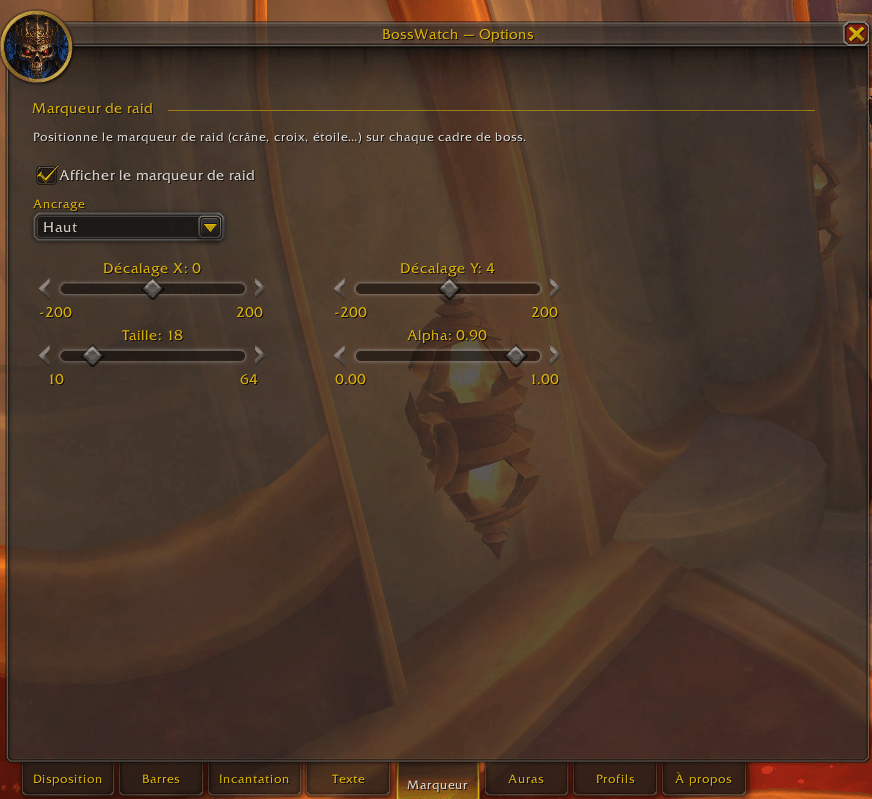
- Raid target icon overlay on each frame, freely positioned
- 3 or 4 block layout — name overlaid on HP bar (compact) or on its own row above
- Off-screen auto-recovery — frames clamp to current
UIParent bounds on load (e.g. after switching from a larger monitor to a smaller one)
Cast bar
- Spell name, icon, optional detached layout
- Custom texture / position / icon placement
- Detached mode with its own anchor / width / offsets
Auras
- Modern API (
C_UnitAuras.GetUnitAuraInstanceIDs + GetAuraDataByAuraInstanceID) with native Blizzard sort priority
- Legacy
UnitAura fallback for older Classic clients
- Filters: HARMFUL / HELPFUL × ALL / MINE / NOT_MINE / BOSS_ONLY
- Stack count, cooldown swipe, configurable timer placement (inside / above / below)
- Tooltip on hover — standard Blizzard tooltip when you mouse over an aura icon
Click actions on boss frames
- Shift+Click cycles raid markers (skull → cross → star → …)
- Ctrl+Click sets focus
- Standard click targets the boss
- Combat-safe (secure attributes are applied out of combat)
Options panel
- Tabbed layout with search bar (matches across all tabs land on a Results page)
- Collapsible sections with per-section reset button (🔄)
- Resizable window (drag the bottom-right grip; size + position saved account-wide)
- Auto-flow — right-column controls slide along the right edge when you widen the panel
- Bottom tabs wrap onto multiple rows when the panel is too narrow
- Side tabs on the left edge let you instantly switch between sister addons of the
*Watch family (BossWatch / TankWatch / SplitWatch), with seamless window position handoff
- Profile system — per-character with import/export (clipboard b64 strings)
- Minimap icon (LibDBIcon, toggleable)
Cross-client
- One zip, two clients — multi-TOC packages retail (
BossWatch.toc) and MoP Classic (BossWatch-Mists.toc) together
- Classic banner at the top of the options panel reminds users on Classic that the UI hasn't been fully tested in encounters yet — please report bugs
- Handles WoW Midnight secret-tagged unit values (HP / Power / cast info / auras / raid markers on hostile bosses) — no Lua spam, graceful fallbacks everywhere
Installation
Via addon manager (recommended)
Search for
BossWatch in
CurseForge,
Wago,
WoWUp, or your manager of choice. The same zip works on both retail and MoP Classic.
Manual
- Download the latest release from the Releases page
- Extract the
BossWatch folder into either:
World of Warcraft/_retail_/Interface/AddOns/World of Warcraft/_classic_/Interface/AddOns/
- Restart WoW or
/reload
Slash commands
| Command |
Description |
/bossw (or /bosswatch) |
Open the options panel |
/bossw mover |
Toggle the drag handle to reposition the boss container |
/bossw test N |
Simulate N bosses (0 to 5) with HP drain, casts and auras |
/bossw auras [unit] |
Debug: dump all auras on bosses (or given unit) with secret-tagged field detection |
/bossw reset |
Wipe all settings and reload the UI |
Configuration
Open the options with
/bossw. Tabs (bottom):
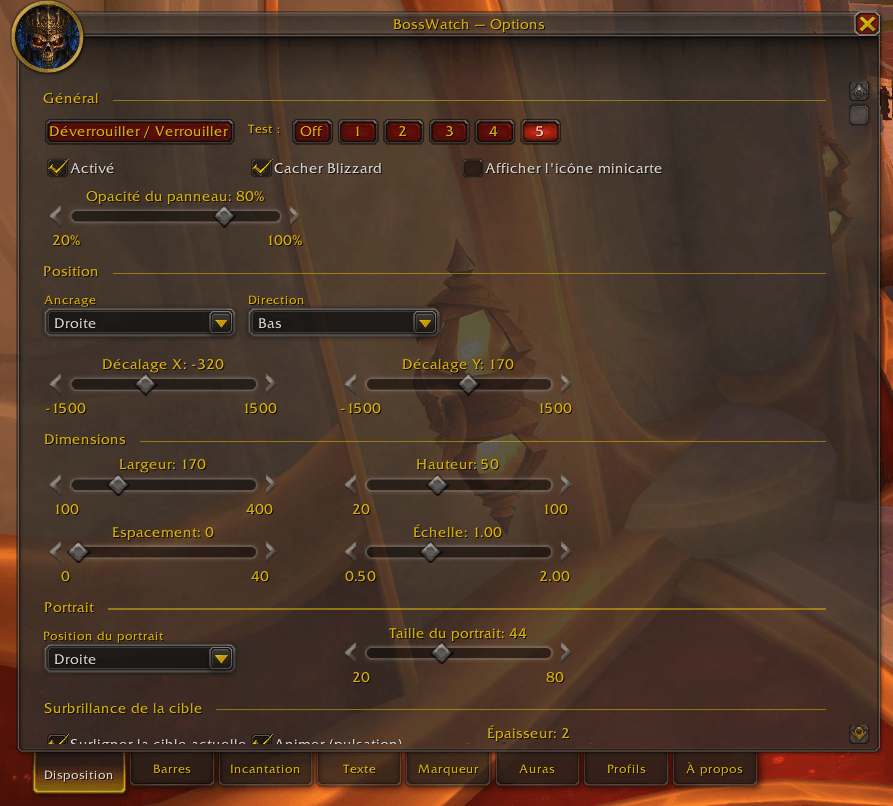
- Disposition — anchor, size, spacing, scale, portrait position, mover, test mode, target highlight, click actions, smooth bars
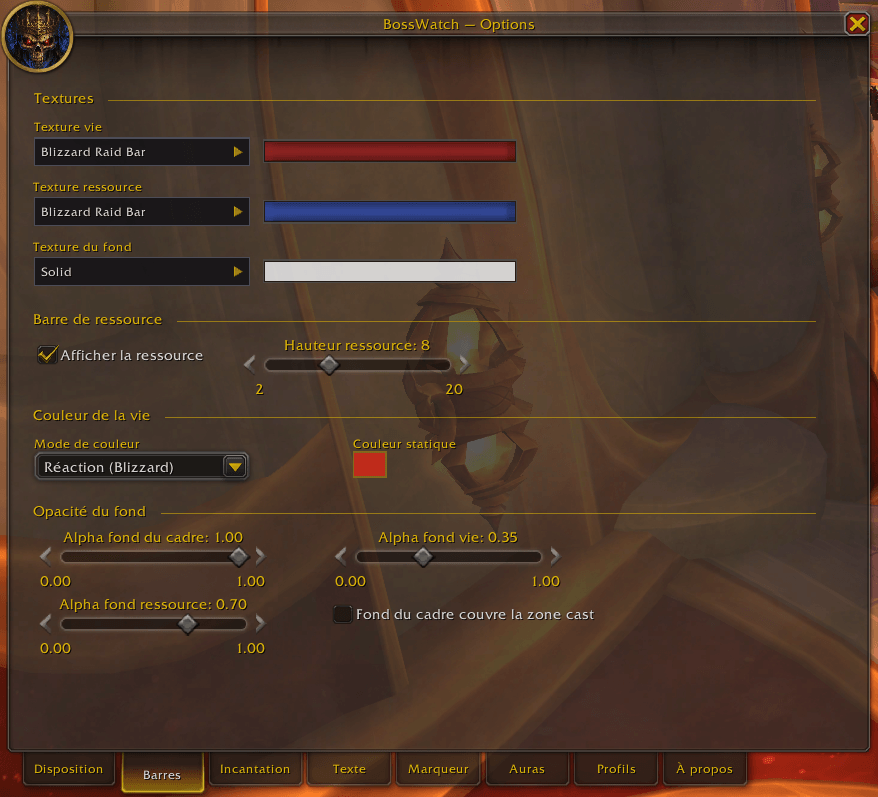
- Barres — health/power/absorb textures, color mode, background alphas
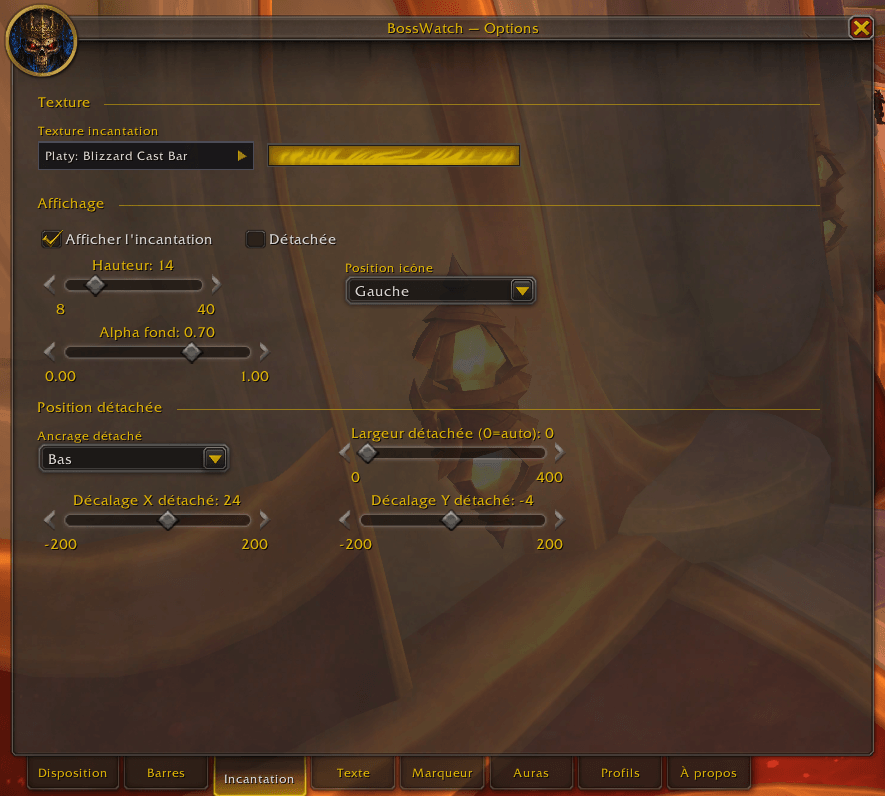
- Incantation — cast bar texture, icon position, detached layout
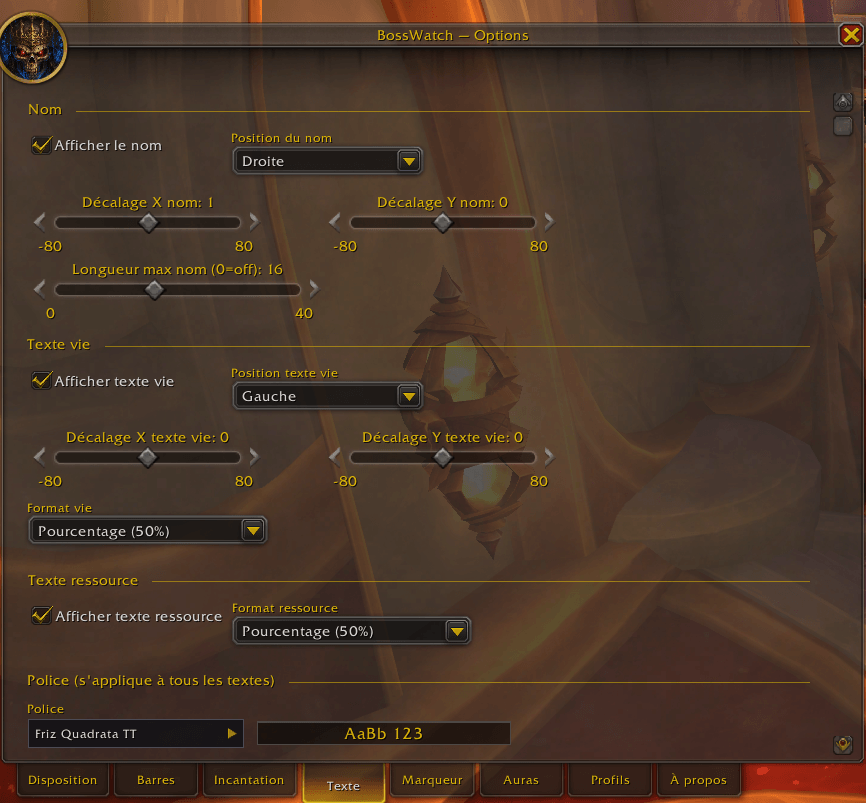
- Texte — name, HP, power text positioning + format, global font selector
- Marqueur — raid target icon placement on each frame
- Auras — filter, source, max count, size, anchoring, stacks, timer placement, tooltip on hover
- Profils — per-character profiles, import / export
- À propos — version, links, slash commands, full changelog history
Localization
| Locale |
Status |
English (enUS) |
✓ Complete (fallback) |
French (frFR) |
✓ Complete |
German (deDE) |
◔ Partial |
Spanish (esES) |
◔ Partial |
Italian (itIT) |
◔ Partial |
Brazilian Portuguese (ptBR) |
◔ Partial |
Want to contribute / complete a locale? Copy
Locales/frFR.lua, change the
GetLocale() check, translate the values (keep the keys identical), and open a PR.
Bundled libraries
(All also declared as
externals: in
.pkgmeta for clean packaging.)
Sister addons
BossWatch is part of the
*Watch family — addons that share UI conventions, side-tabs for cross-addon switching, and a unified visual language:
- TankWatch — tank visibility helpers + boss debuff stack tracking
- SplitWatch (in progress) — auto-balanced raid splits for split-mechanic fights
Install any sister addon and a side tab appears automatically on BossWatch's options panel.
Changelog
Full version history is in
CHANGELOG.md. It's also accessible in-game from the
À propos tab of the options panel.
Issues & feedback
- Bugs / suggestions: GitHub issues
- Real-time support, discussion, release announcements: Discord — BossWatch & TankWatch community
License
MIT — feel free to fork, modify, and contribute back.
Made with ❤ for the WoW Retail and MoP Classic communities.