


BossPrep
- By
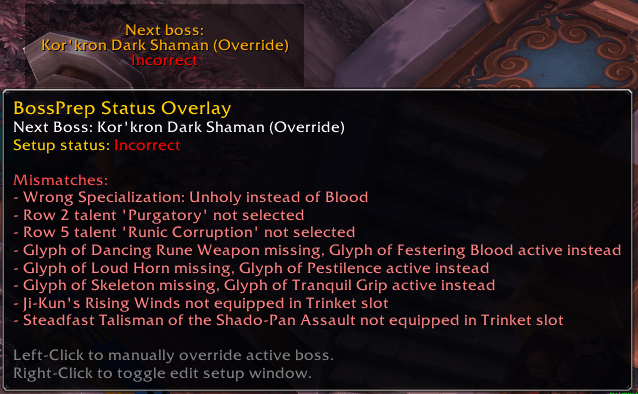
BossPrep automatically tracks raid encounters and alerts you if your talents, glyphs, or gear loadout don't match your configured setup before the pull.
ss2.png
ss5.png
ss1.png
ss3.png
ss4.png
Description
BossPrep — Raid Setup & Talent Advisor
Never pull a boss with the wrong talents, glyphs, or gear again!
BossPrep is a lightweight, intelligent World of Warcraft raid preparation advisor that tracks your character's specialization, talents, major/minor glyphs, weapons, and trinkets per boss encounter. It monitors raid progress in real time and alerts you before combat begins if your active setup doesn't match your configured boss strategy.
✨ Key Features
🛡️ 1. Dynamic Boss Setup Profiles
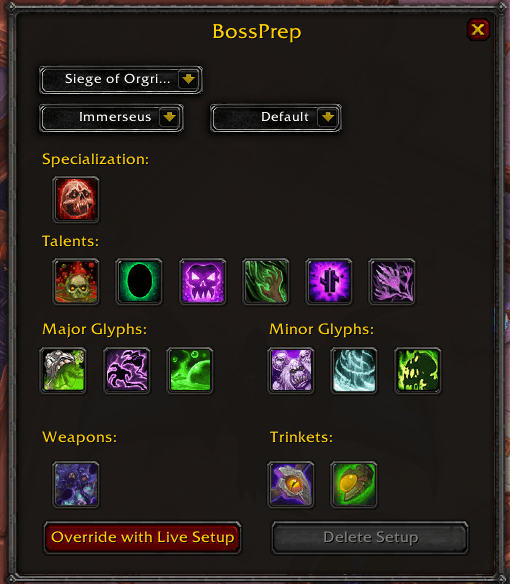
- Custom Boss Profiles: Save unique talent rows (Tiers 15–90), major & minor glyph combinations, and weapon/trinket loadouts for every boss in the Encounter Journal.
- Character-Specific Assignments: Configure per-character setups or use a global Default baseline profile that automatically applies to unconfigured bosses.
- One-Click Live Setup Capture: Instantly capture your character's currently equipped spec, talents, glyphs, and trinkets/weapons into any setup profile with a single click.
⚠️ 2. Real-Time Setup Analyzer & Severe Alert Panel
- Smart Mismatch Detection: BossPrep checks your active talents, socketed glyphs, equipped weapons, and trinkets against the upcoming boss.
- Combat Target Warning Panel: When targeting, focusing, or hovering over a boss with an incorrect setup, BossPrep displays a prominent center-screen warning detailing exactly what needs to be changed (e.g. "Clear Talent: Row 4", "Missing Glyph: Glyph of Animal Bond", "Equip: Assurance of Consequence").
- In-Combat Auto-Mute: Alerts automatically hide during combat lockdown to prevent UI clutter.
📌 3. Setup Status Overlay (Next Boss Panel)
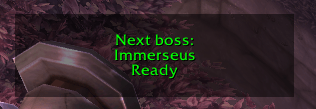
- Next Boss Tracker: Automatically tracks raid lockout progress via "UPDATE_INSTANCE_INFO" and displays your status for the next undefeated boss.
- Interactive Quick Menu: Left-click the overlay to manually override the active boss selection; right-click to open the configuration editor window.
- Custom Scaling & Positioning: Movable, lockable, and scalable status window (50% to 200%).
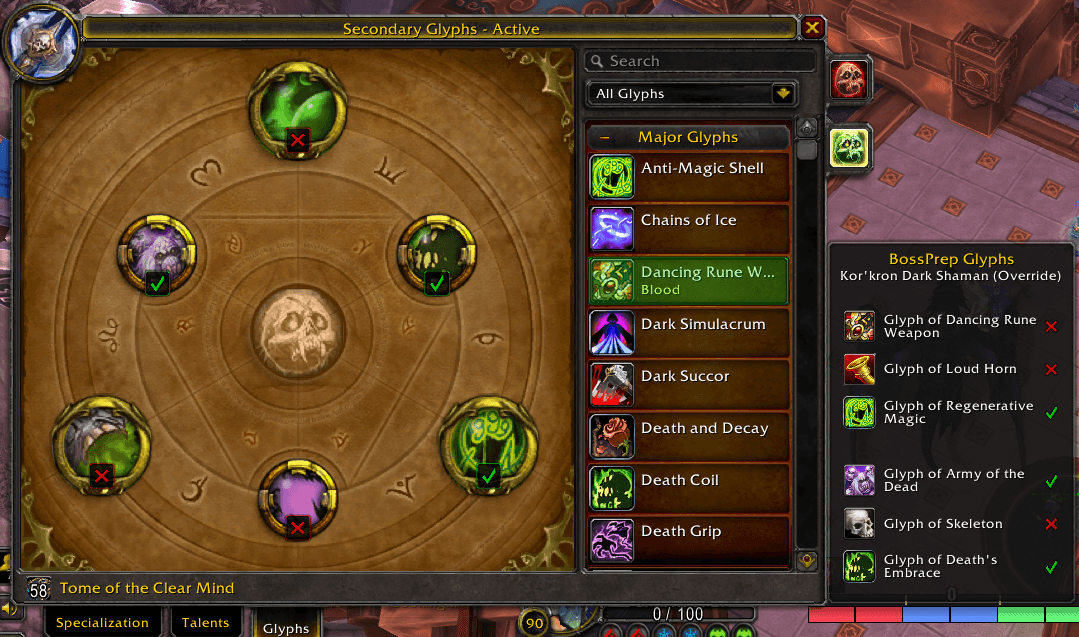
📜 4. Blizzard Talent & Glyph UI Integration
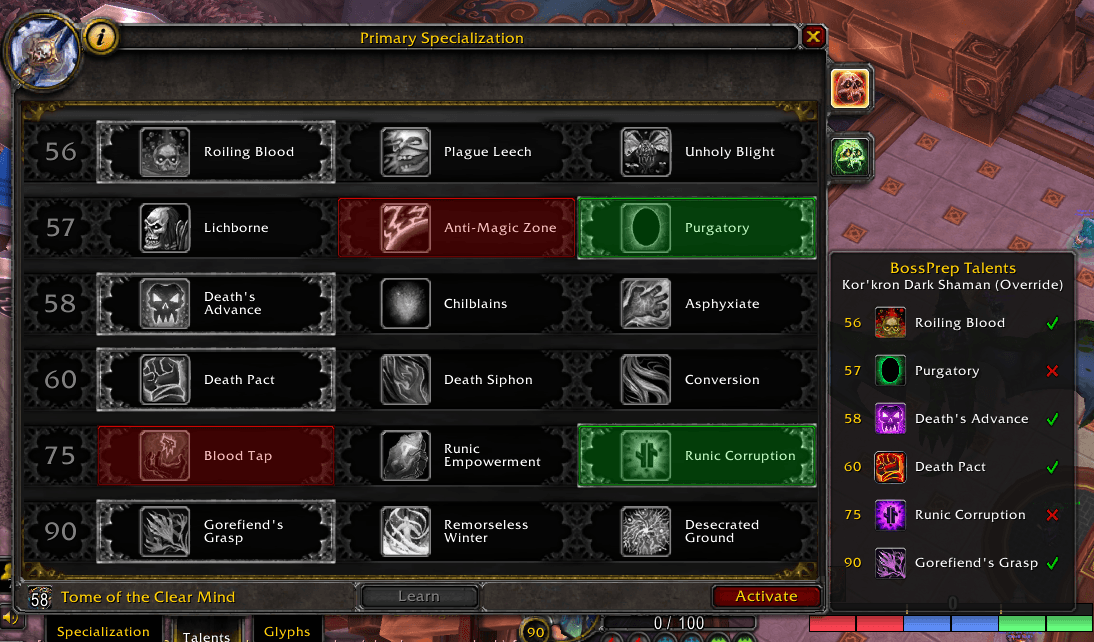
- Side Helper Panels: Attaches integrated side panels to Blizzard’s native Talent and Glyph windows displaying the required setup for the active boss.
- Visual Socket & Button Highlights: Directly highlights the specific talent buttons and glyph items in your spellbook that you need to learn or socket for the upcoming encounter.
BossPrep Team

