
Boost Announcer Pro
- By
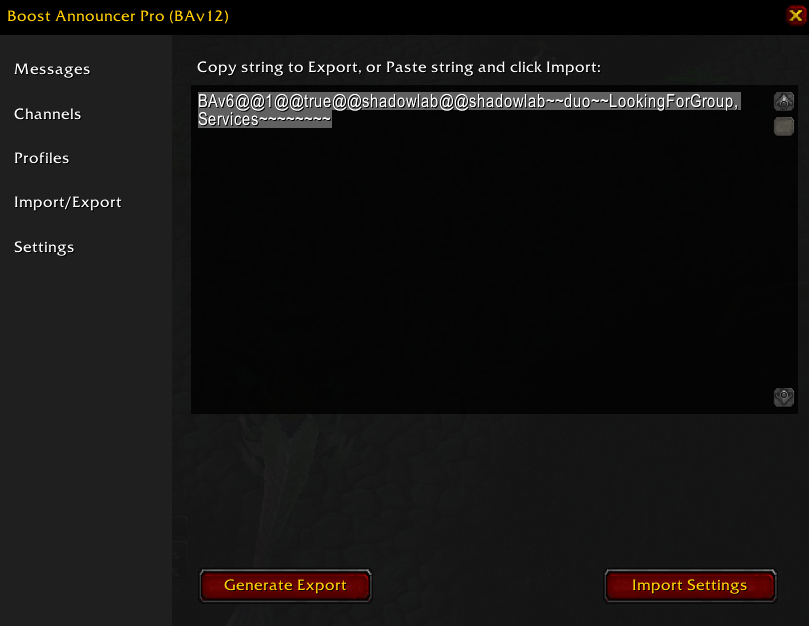
Generate a string to easily share your customized profiles and messages with friends, or transfer them between your characters.
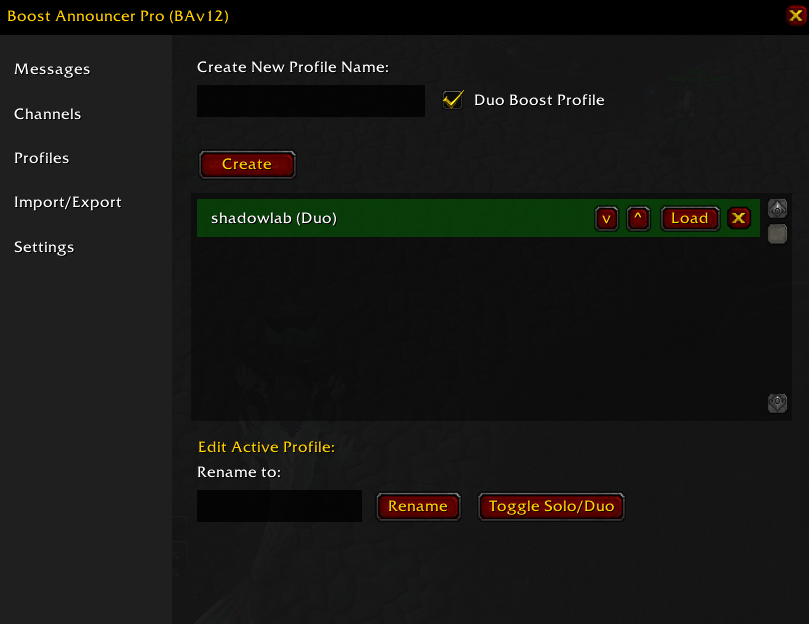
Create, edit, and organize unlimited profiles for different dungeons. Easily toggle between Solo and Duo boost configurations.
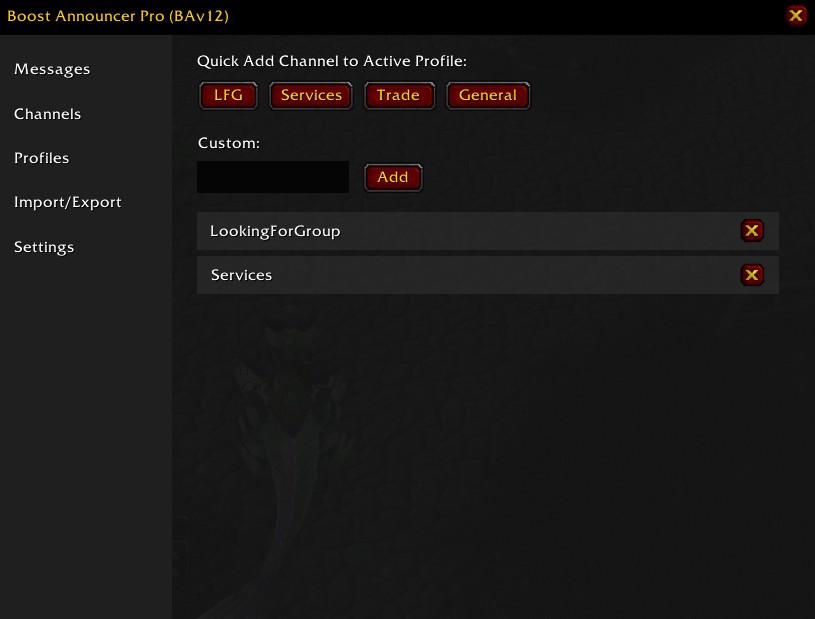
Quickly assign default channels like LFG or Services, or add your own custom channels to broadcast your boost messages.
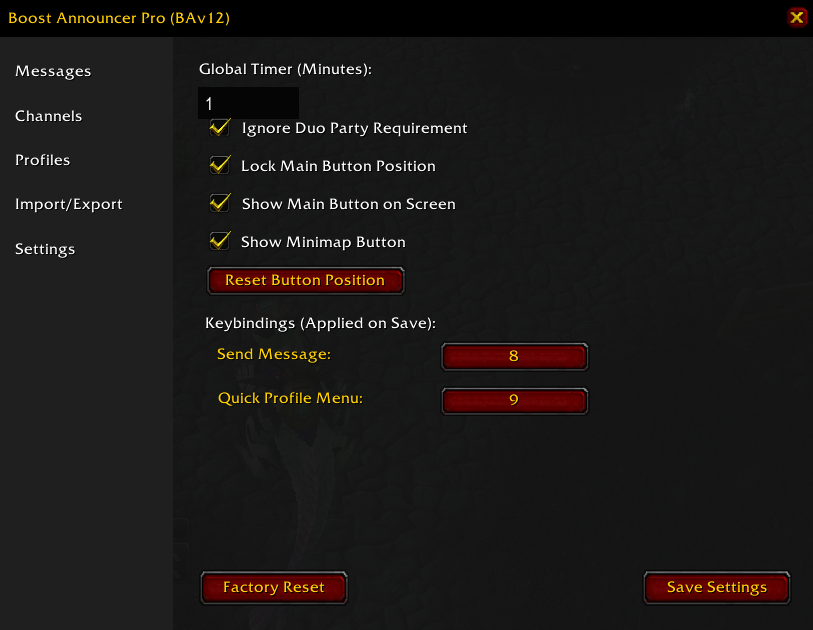
Take full control of the addon. Bind actions to custom keys, adjust the anti-spam timer, and manage your UI visibility.
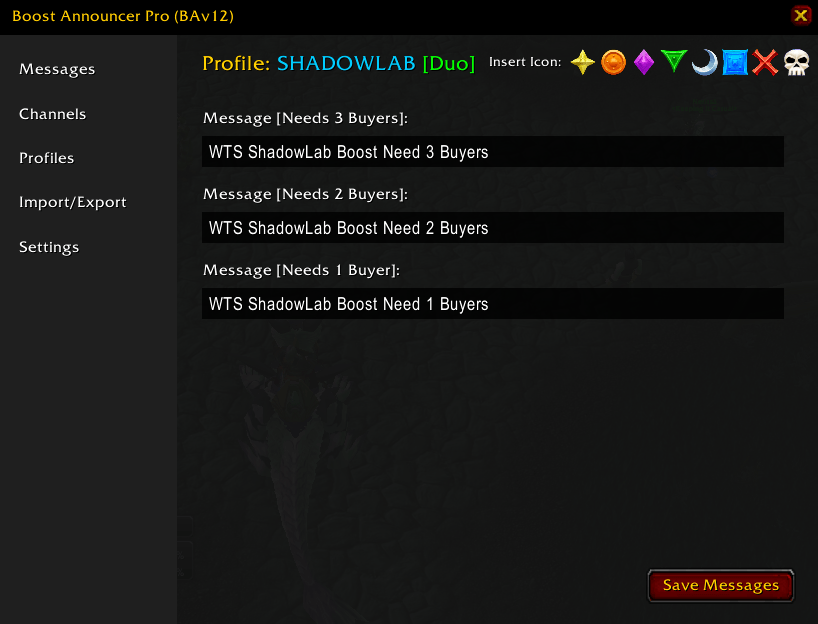
Customize your advertising messages based on the exact number of buyers you need. Easily insert raid icons with a single click.
Description
Boost Announcer Pro Professional Boost Management for Burning Crusade Classic
Boost Announcer Pro is a powerful and highly customizable tool designed specifically for WoW TBC Classic boosters. Whether you are running solo or duo boosts, this addon helps you automate your recruitment process efficiently, saving you time and increasing your party-filling speed.
Key Features:
-
Customizable Profiles: Create unlimited profiles for different dungeons (e.g., SL, SP, BF).
-
Solo & Duo Modes: Dynamic message support based on your group type and party size.
-
Smart Party Detection: Automatically detects if your party is full (5 members) to act as 4 and help you find that final buyer.
-
Raid Icon Integration: Easily insert raid icons (
{rt1}to{rt8}) into your advertisement messages with one click. -
Quick Profile Switching: Switch between profiles instantly using a custom keybind or Shift+Click on the main icon.
-
Advanced Keybindings: Bind your "Send Message" and "Quick Menu" actions to any key on your keyboard for maximum speed.
-
Import/Export System: Easily share your setup with friends or move settings between characters using copy-paste strings.
-
User-Friendly Interface: A clean, scrollable, and intuitive UI to manage your messages, channels, and settings.
-
Clean Design: Options to toggle the Main Button or Minimap Icon to keep your UI clutter-free.
How to use:
-
Setup: Open the settings panel by right-clicking the main button or left-clicking the minimap icon.
-
Profiles: Create a profile, set your boost type (Solo/Duo), and add your target channels.
-
Messages: Customize your advertisement messages for different party sizes and insert raid icons using the quick-insert panel.
-
Keybinds: Go to the "Settings" tab to bind your preferred keys for sending messages and quick profile switching.
-
Announce: Click the button (or use your keybind) to blast your message to your configured channels!
Boost Announcer Pro Team
