BongoCat Taps
- By
A small animated cat that taps along while you play World of Warcraft Classic.
codex-clipboard-28baf736-b4b6-4199-81ed-ea66fae81237.png
codex-clipboard-aa28a571-d319-4df8-a626-1d98ec067c6b.png

codex-clipboard-f254a5a9-5456-4ec1-93c7-23b2a3876e1a.png
Description
BongoCat adds a small animated cat to your World of Warcraft screen. It taps along when you play.
What it can do
• Tap while you type in chat.
• Tap when you use actions, cast spells, fight, or change targets.
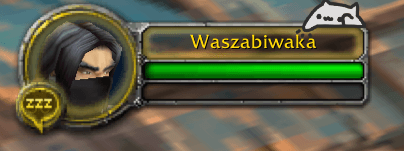
• Sit near your action bars, chat box, cast bar, or target nameplate.
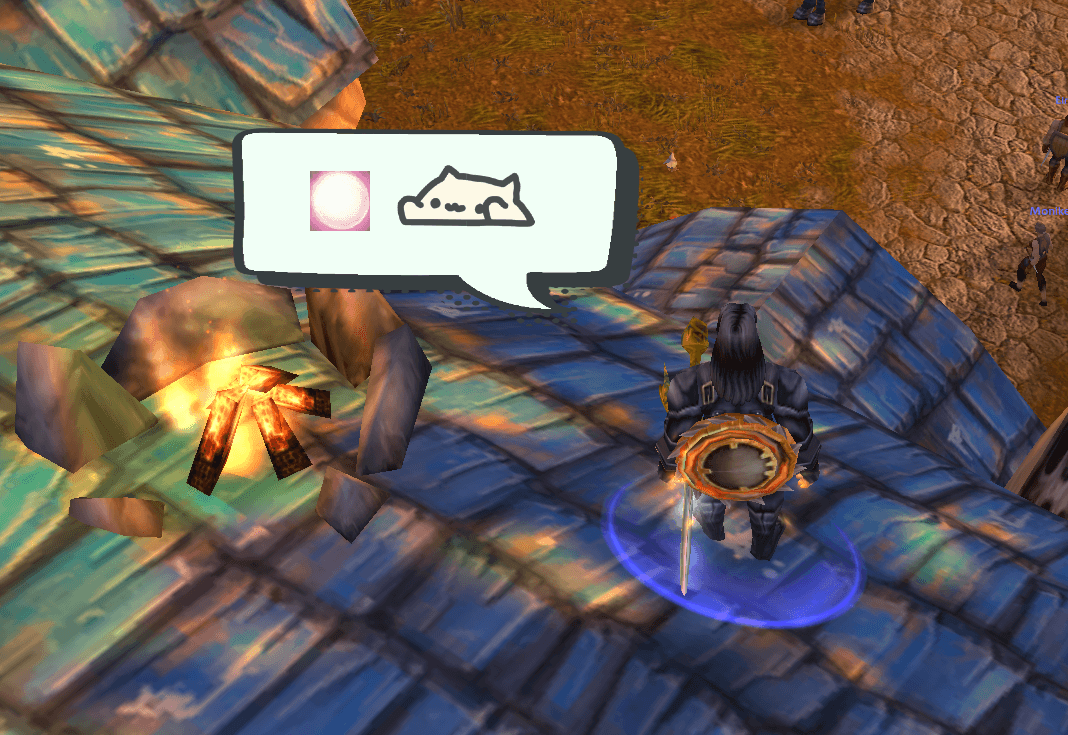
• Show a spell cat with the spell icon and an optional speech bubble.
• Keep tapping while you ride, if you turn that on.
• Let you move cats by dragging them and change their size, colours, fading, and tap speed.
The target-nameplate and cast-bar cats are trial features. They may change as the addon improves.
Quick start
1. Type /bc config in game.
2. Turn the cats you want on.
3. Drag a cat to where you want it.
4. Use the settings to change its size, colours, and tapping.
Commands
/bc config — open settings
/bc show — show cats
/bc hide — hide cats
/bc toggle — switch cats on or off
/bc test — test the cats
/bc reset — reset positions
/bc credits — view art credits
Credits
Bongo Cat character/art: @StrayRogue. Original Bongo Cat video concept: @DitzyFlama. The shipped cat sprite atlas uses icon glyphs from kitgore/BongoCat under its included MIT licence. Speech-bubble artwork is adapted from rawpixel.com on Magnific.com: designed by rawpixel.com - Magnific.com.
BongoCat Taps Team