
BloomBuddy
- By
Pict1.png
Pict2.png
Pict3.png
Description
BloomBuddy
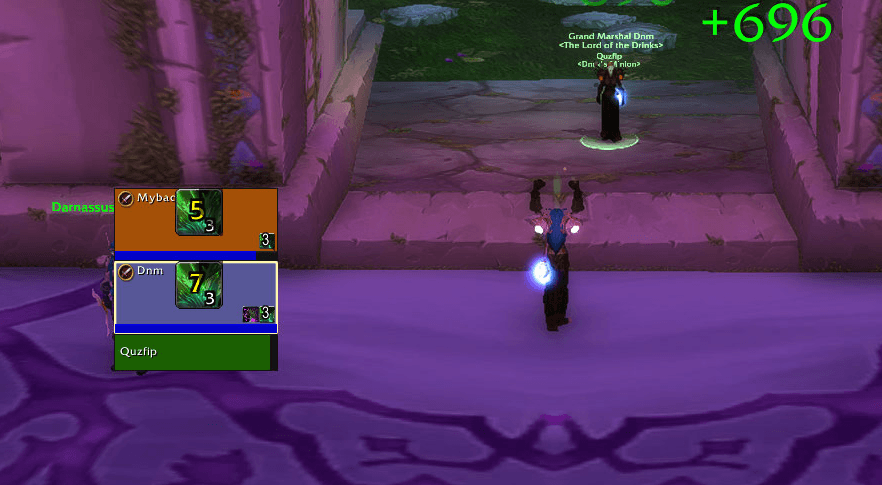
BloomBuddy makes the Druid Lifebloom icon bigger on party and raid frames — you'll always see who your HoT is on.
When a party or raid member has a Druid Lifebloom HoT on them, BloomBuddy draws an enlarged Lifebloom icon on that member's unit frame, with the remaining time shown as a cooldown swipe and a digital countdown, and the stack count on the icon, so you can spot who has your HoT at a glance.
Features
- Works on compact frames: raid frames and raid-style party frames (Interface Options → Use raid-style party frames)
- Party frames and raid frames — both supported, each can be toggled
- Scalable icon size — the enlarged icon scales relative to the member frame (default scale
1.0); tune it in the options panel - Remaining time shown two ways at once:
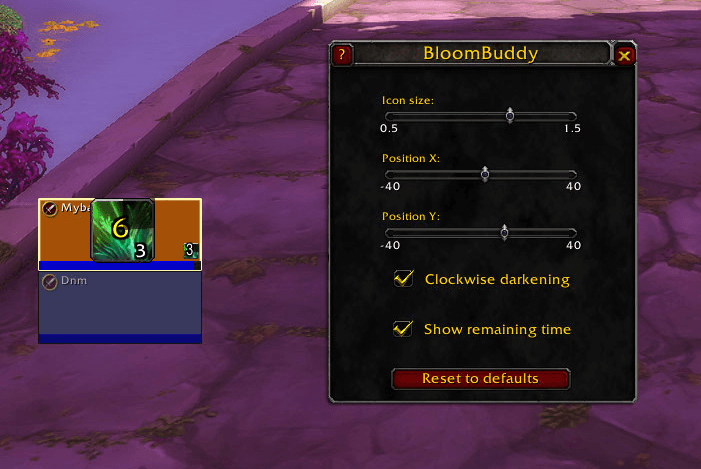
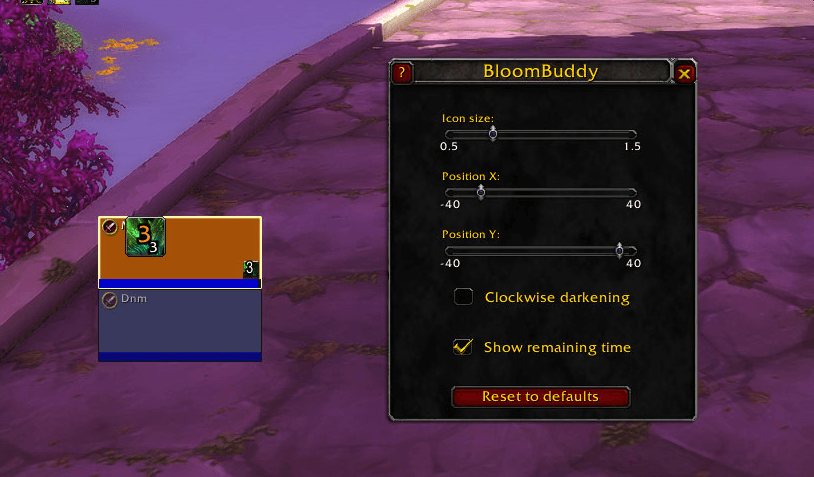
- a clockwise darkening swipe (toggle: Clockwise darkening, on by default)
- a digital countdown (toggle: Show remaining time, on by default) that turns red during the final 5 seconds and scales with the icon
- Shows the stack count (Lifebloom stacks up to 3) when there is more than one stack
- Adjustable position inside the frame — Position X / Position Y sliders (Y can be pinned to the top of the health bar)
- In-game options panel — open with
/bb; sliders for size and position, toggles for swipe and timer, and a Reset to defaults button - Coexists with cooldown/countdown add-ons (e.g. OmniCC) — the overlay opts out of them, so no duplicate numbers appear on the icon
- Only draws the Lifebloom icon — no other buffs, no layout changes, no interference with other addons
- Re-checks automatically whenever the game rebuilds the frames or the buffs change
- No libraries required
Slash commands
| Command | Action |
|---|---|
/bb |
Open the options panel |
/bb status |
Show status: enabled, scale, party/raid toggles, timer, swipe |
/bb enable / /bb disable |
Enable/disable the addon |
/bb timer |
Toggle the digital countdown on the icon |
/bb debug |
Toggle verbose logging (useful for reporting issues) |
/bb help |
List commands |
/bloombuddy is an alias for /bb.
Installation
BloomBuddy ships as a standard addon package. The release zip extracts as a BloomBuddy/ folder containing the addon's files — drop it into your Interface/AddOns directory (or install via CurseForge) and enable it in the addons list.
Requirements
- World of Warcraft: TBC Anniversary (Interface 20506)
- A Druid with Lifebloom — the icon appears on any member who has the buff, no matter who the source is
Note for TBC Anniversary
On this client the native buff icons on compact frames are rendered by the game engine and cannot be resized individually. BloomBuddy therefore shows a larger Lifebloom icon next to the small native one. Classic (non-compact) party frames are not yet supported.
License
MIT
BloomBuddy Team
