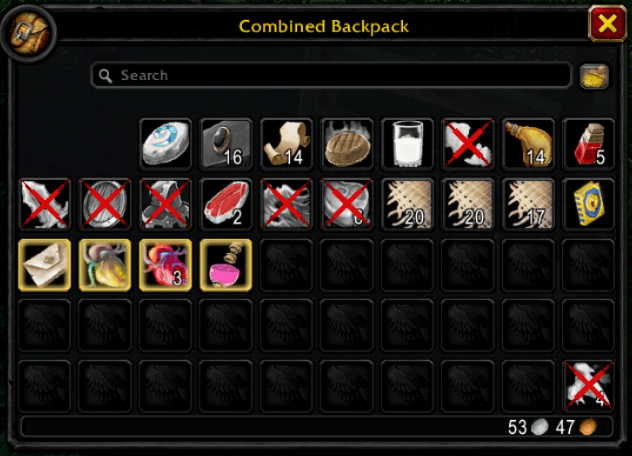
Example of marked items:
How it works
Hover an item in your bags and press Spacebar to mark or unmark it as junk.
Gray items start out marked. Items that can't be sold can't be marked.
Items marked as junk are automatically sold at vendors.
Options
Type /crossmark small for a small cross, or /crossmark full for the big cross (default).
Compatibility
Works with the most popular bag addons:
- Blizzard's bags
- ArkInventory
- Baganator
- Bagnon
- Bagnonium
- BetterBags
- EllesmereUI Bags
- ElvUI Bags
Limitations
Marking items only works out of combat.
Turn off auto-sell in other addons (for example ElvUI's Vendor Grays), or they may sell grays you unmarked.
Feedback
Bug reports and suggestions are welcome in the comments.
Crossmark Team