


Blessings Upon You
BUP2.jpg
BUP3.jpg
BUP4.jpg
BUP5.jpg
BUP6.jpg
Description
Target anyone and give them the blessing they actually need.
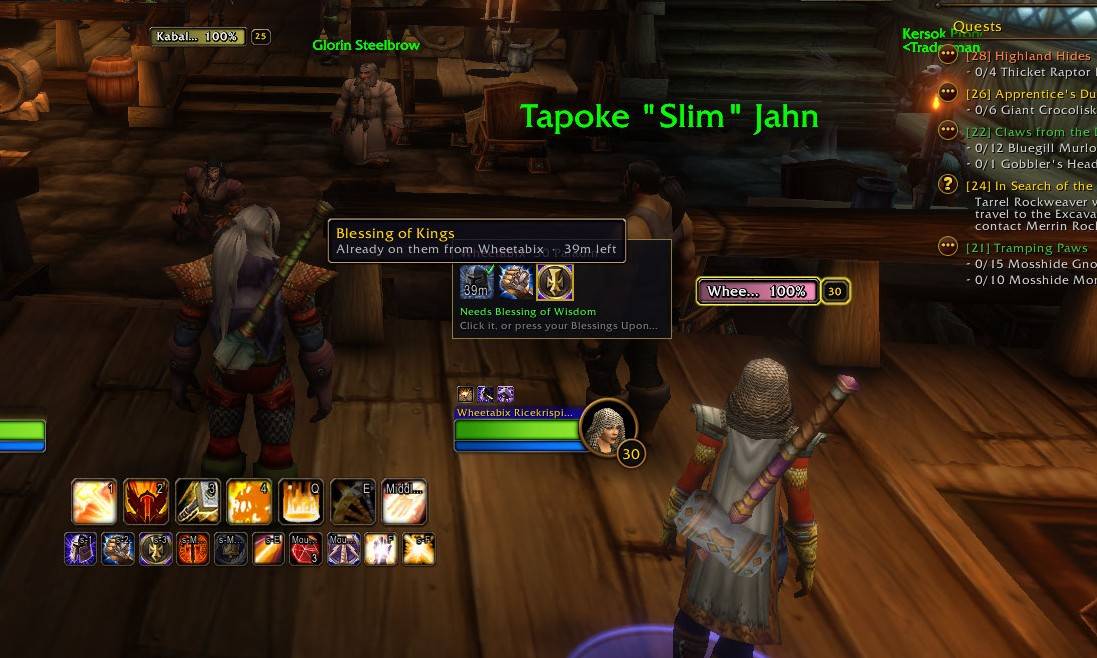
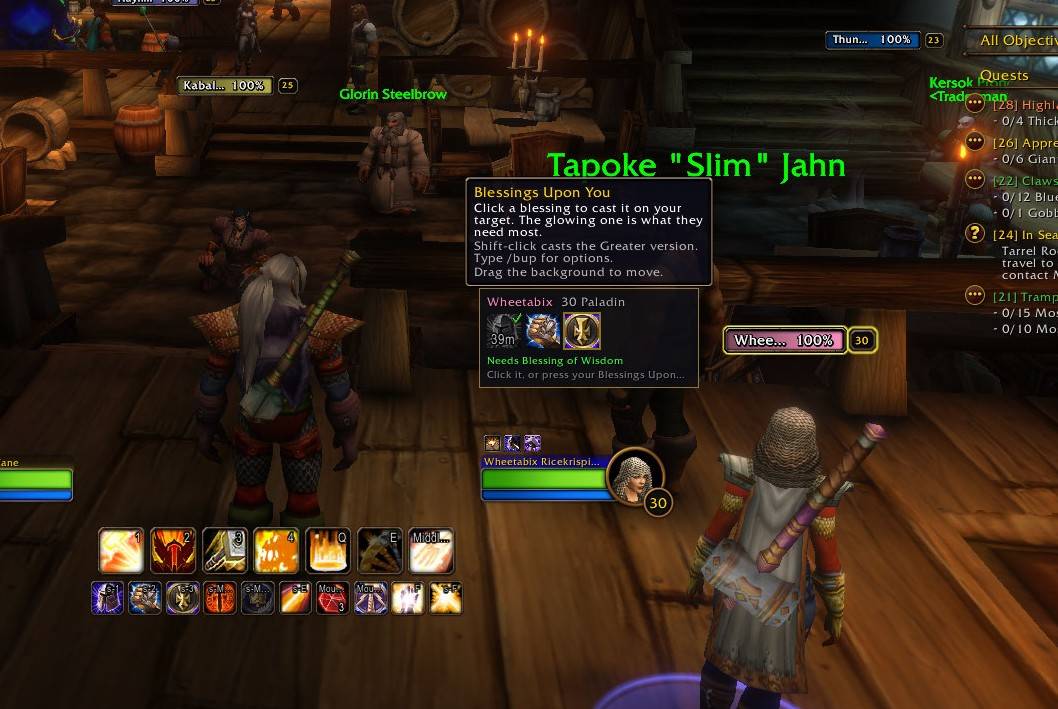
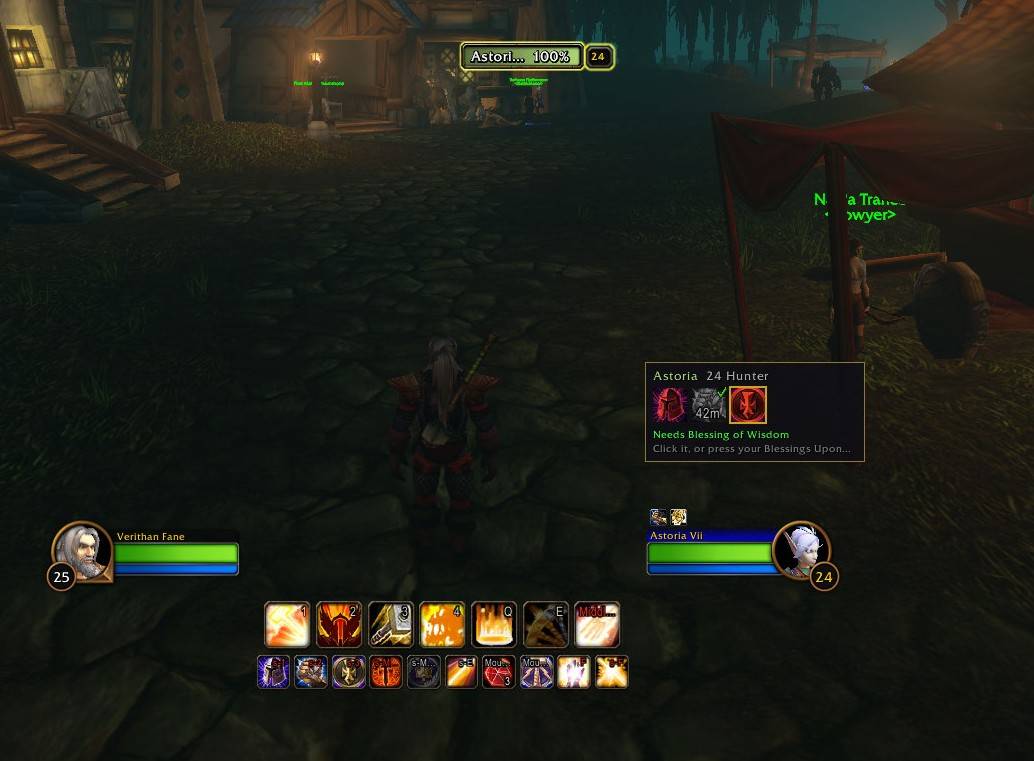
A paladin addon for WoW Forever. Target a groupmate, a stranger in Ironforge or a lowbie in Westfall, and a small bar shows which blessings they already have (from you or any other paladin) and lights up the one they still need. One click, or one key, casts it.
Features
- Sees blessings from every paladin, Greater Blessings included, with time left on each
- Suggests the right blessing for the target's class, level and role, and lets you change the order for any class
- Picks the highest rank a low-level target can receive, so buffing lowbies just works
- Knows the one-blessing-per-paladin rule and warns before you'd replace your own
- Never suggests Salvation to tanks, or to strangers outside your group
- Flags your own fading blessings for a refresh
- Shift-click for the Greater version
- One keybinding, "Bless Target": casts whatever your target needs most
- Optional mouseover blessing: the key blesses whoever is under your mouse, raid frames included
- Friendly players' tooltips show the blessing they need from you, or how long yours has left
- A minimap button (and an entry in the minimap's AddOns menu) for the options
- Stays out of your way: right-click hides the bar, and it can show up only when someone needs your blessing
- Built for Forever's addon rules: in combat, when the game hides buff details, it steps aside instead of guessing
Using it
Target a friendly player and the bar appears.
- Pulsing gold border: suggested, the most useful blessing they're missing
- Gray with a green check: someone already gave it (hover to see who and how long is left)
- Blue border with a timer: yours (the timer turns red when it's fading)
- Dim: not much use to their class (still clickable)
- Red: too low level for any rank you know, or out of range
Click an icon to cast it on your target, or shift-click for the Greater version. Right-click the bar (or any icon) to hide it until you target someone else. For one-key blessing, set the "Bless Target" key at the top of the addon's options page (/bup), or under Options › Keybindings › AddOns › Blessings Upon You.
Mouseover blessing: turn it on in the options and the Bless Target key blesses whoever is under your mouse, out in the world or on party and raid frames. With nobody friendly under your mouse, it blesses your target. If the player under your mouse already has everything from you, the key does nothing rather than blessing someone else.
Tooltips: hover over any friendly player to see the blessing they need from you, or how long yours has left. You can turn this off in the options.
Minimap button: left-click for the options, right-click to lock or unlock the bar, and drag it anywhere around the minimap's edge. The same options are in the minimap's AddOns menu.
Options
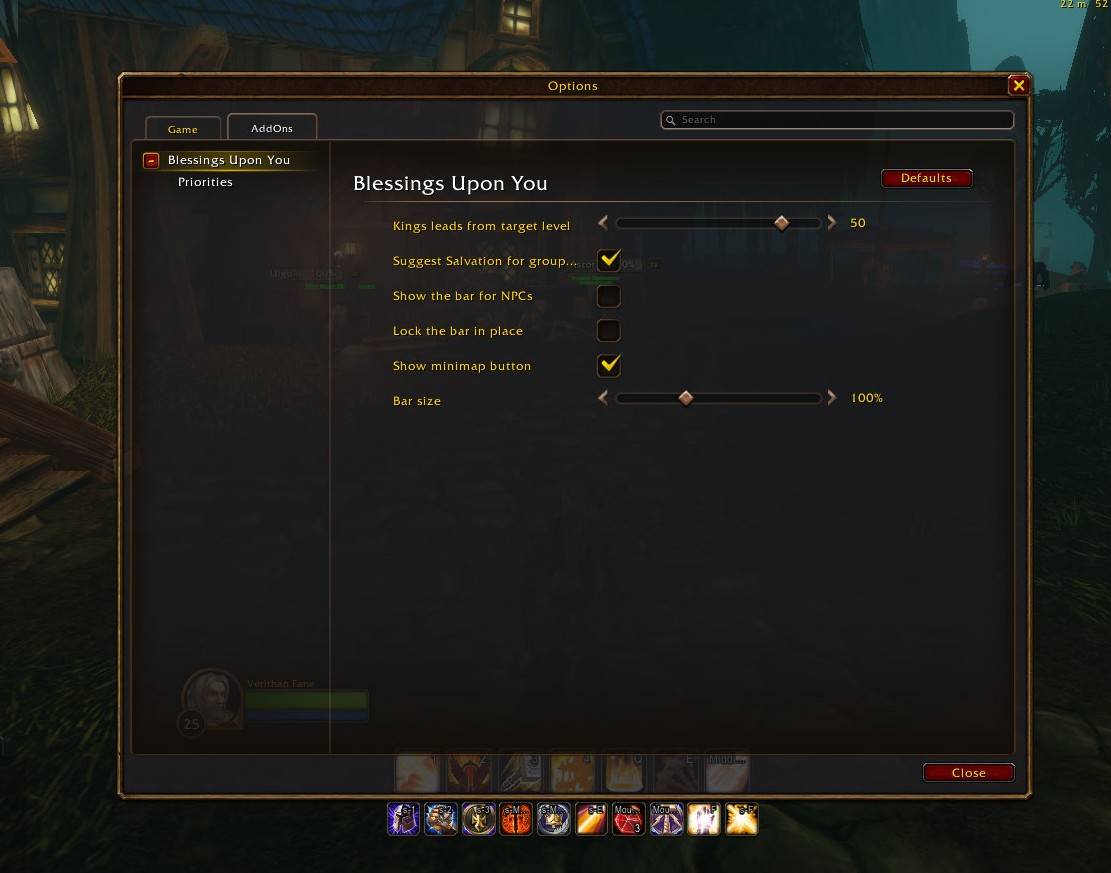
Type /bup, or open Options › AddOns › Blessings Upon You.
- Bless Target: set its key right at the top of the page
- Mouseover blessing (default off): the key blesses the friendly player under your mouse first
- Show needs in tooltips (default on): a line in friendly players' tooltips with what they need from you
- Kings leads from target level (default 50): below it, Might or Wisdom is suggested before Kings. Set it to 1 to always lead with Kings.
- Suggest Salvation for group members (default on)
- Show the bar for NPCs (default off; players and their pets always show)
- Hide the bar in combat (default on)
- Only show the bar when they need a blessing (default off): hides it for players who already have your blessing (until it starts to fade), have everything you could add, or can't use any blessing you have
- Lock the bar and Bar size
- Show minimap button (default on)
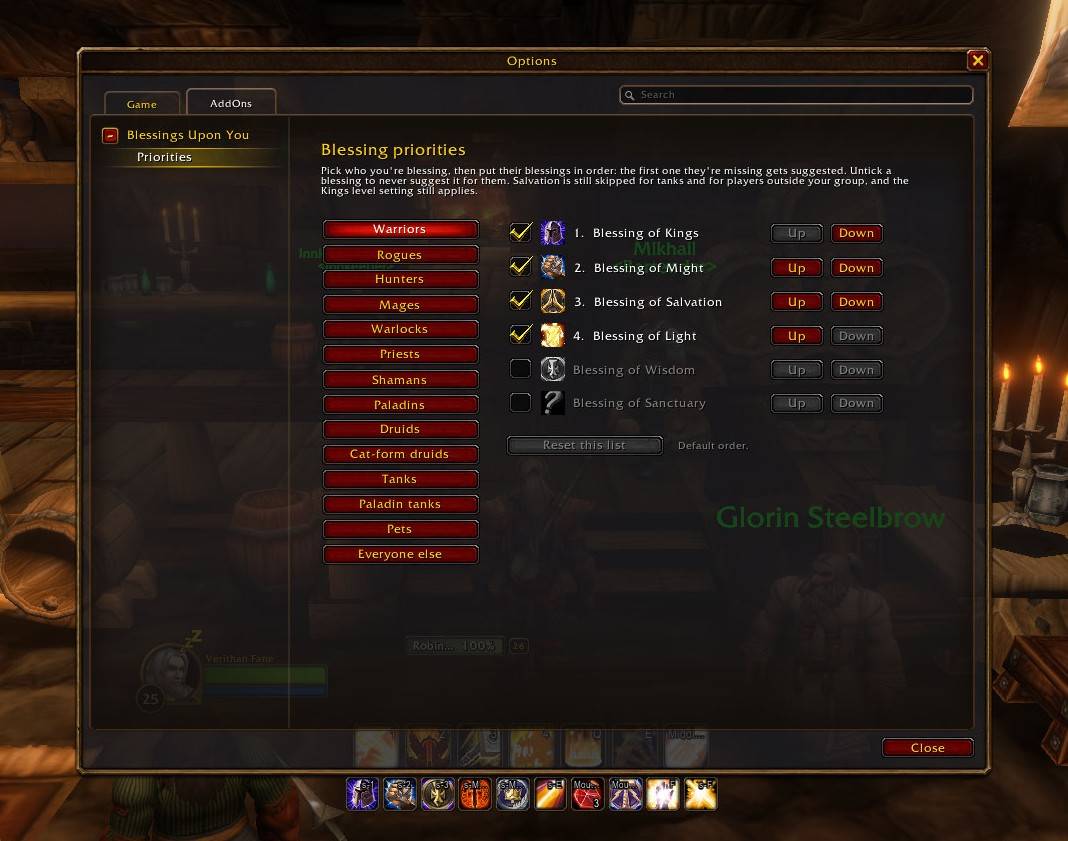
- Priorities: for each class (plus tanks, cat-form druids and pets), tick, untick and reorder the blessings. The first one a target is missing is the one suggested.
Commands
/bup: open the options/bup lockand/bup unlock: stop or allow dragging the bar/bup tank: mark or unmark your target as a tank (they'll never be offered Salvation)/bup scale 1.2: resize the bar/bup reset: put the bar back in the middle of the screen/bup hideand/bup show: hide the bar (the keybinding keeps working)/bup minimap: show or hide the minimap button/bup debug: print what the addon sees on your target
How it decides
- One blessing per paladin per target. If yours is already on them, it won't suggest another, unless yours is fading; then it suggests a refresh, or something better they're missing.
- At level 50 and up Kings leads. Below that, Might or Wisdom comes first, because Kings' +10% is small at low levels. You can change the level in the options.
- Salvation is only suggested for people in your group who aren't tanking. Tanks are spotted by group role, main-tank assignment, Bear Form, Righteous Fury, Defensive Stance, or
/bup tank. - Each class's order can be changed on the Priorities page of the options.
In combat
WoW Forever hides other players' buff details from addons during combat, so by default the bar steps aside until the fight ends. Untick "Hide the bar in combat" to keep it: it then says buffs are hidden and you pick by hand; the icons still cast. Either way, the keybinding switches itself off in combat so it can never cast a stale suggestion. Rank adjustments for a target you pick mid-fight wait until combat ends, because the game locks addon buttons in combat.
Feedback
Made during the Forever beta and still growing. Bug reports and ideas are welcome in the comments.
Blessings Upon You Team
