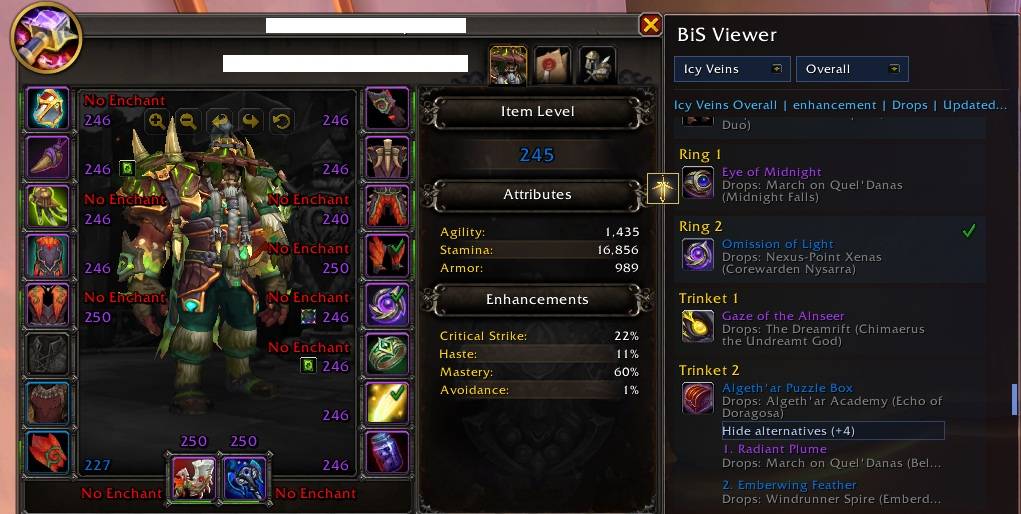
Character panel sidebar, shows currently selected BiS list, alternatives to e.g. trinkets, and highlights drops from your current instance if you are in one (e.g. trinket 1 will light up when inside The Dreamrift)
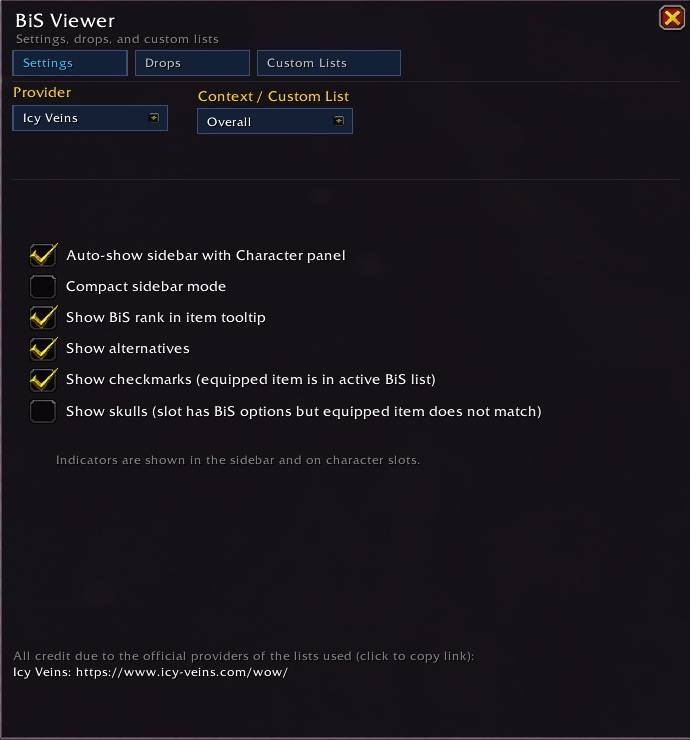
Settings page, enable / disable skulls / checkmarks on equipped gear, alternatives for e.g. trinkets, tooltip BiS rank and compact mode.
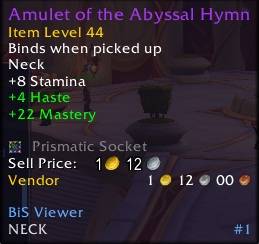
Tooltips shows if an item is BiS.
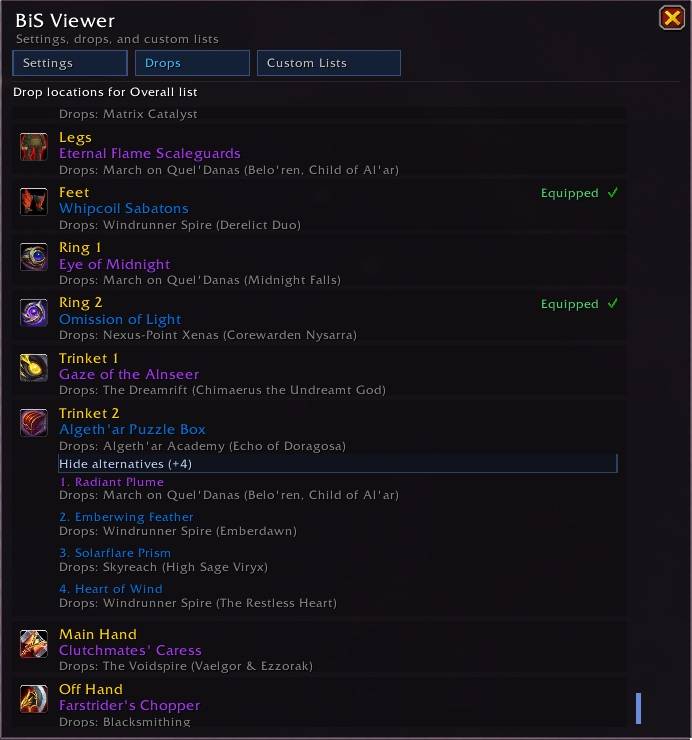
Drops page, same as sidebar just bigger.
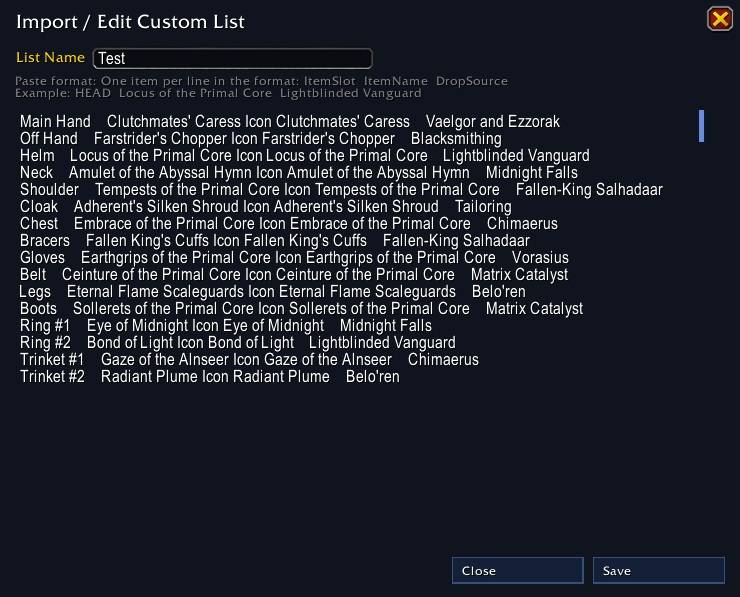
Custom list import example.
Description
BiSViewer
BiSViewer adds a sidebar to the Character panel that shows your current spec's best-in-slot list with item drop/source information.
Features
- Dragable character-panel sidebar UI with provider and context selectors and drop sources.
- Automatically highlight items from your list if they can drop in the instance you are currently in.
- Foldable list of alternatives to e.g. trinkets etc. if provided by the chosen list.
- Equipped-state indicators (both can be disabled in the settings):
- Checkmark when equipped item matches active list candidate.
- Skull when slot has BiS candidates but equipped item does not match.
- Custom settings window with:
- Settings page
- Drops page (drop sources for current list)
- Custom BiS list import/export/edit/delete tools for your current spec
Data Sources
Built-in providers:
- Icy Veins: https://www.icy-veins.com/wow/
You can also import custom data for your currently logged-in spec and use it through the Custom provider.
Custom list paste format in the import editor:
- Preferred:
ItemSlot ItemName DropLocation - Fallback:
ItemSlot ItemID DropLocation
Use tabs or 2+ spaces between itemSlot, ItemName and DropLocation columns.
Drop locations are resolved from the bundled lookup table. If exact mapping is unavailable, the addon falls back to the source text.
Notes
- Best-in-slot guidance varies by provider and patch updates.
- Some items may not have an exact lookup mapping and will display the plain source text.
Known issues:
- The addon can take up ~50mb memory due to the large datasets shipped with it.
Support me
Buy me a coffee: https://buymeacoffee.com/lilcheffer
Or send me some gold which can be mailed to: BisViewer-Defias Brotherhood (EU)
BiSViewer Team