BiSRollCall
- By
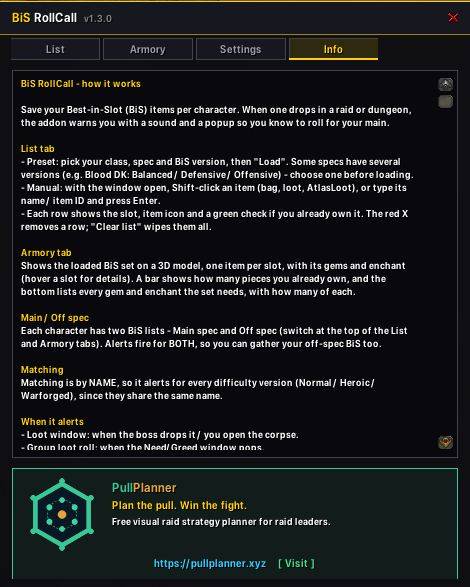
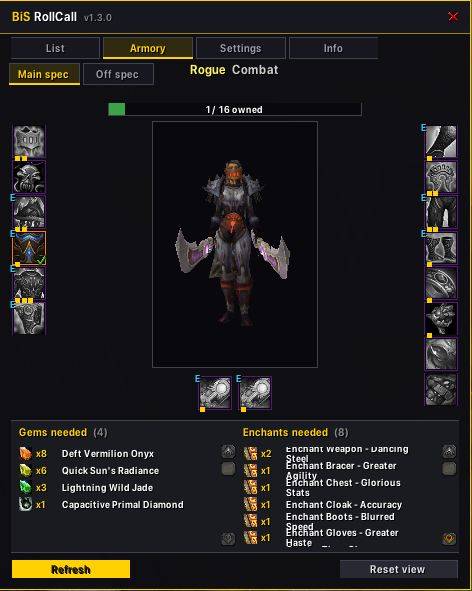
Per-character BiS lists that pop a sound + on-screen alert when one of your Best-in-Slot items drops, so you never miss a roll.
BissRollCall_info.JPG
BissRollCall2.JPG
BissRollCall_list.JPG
BissRollCall_settings.JPG
BissRollCall_tracker.JPG
Description
BiS RollCall 1.5.0
English
Added
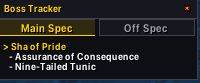
- Boss Tracker: a small, movable window (default under the minimap) that shows the boss you're actually at - auto-detected from the boss frames or your target, not just pull order - with the BiS items you still need from it.
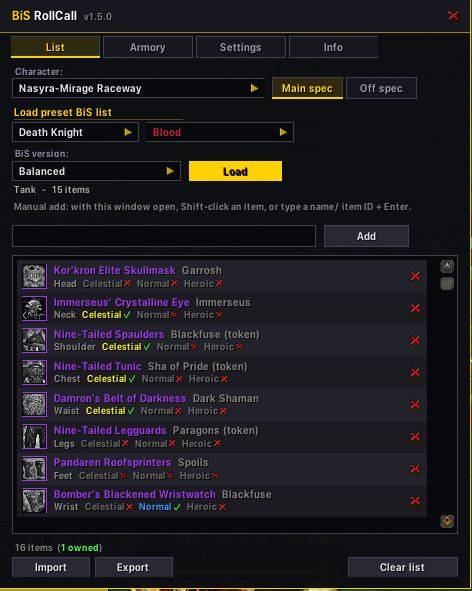
- Main Spec / Off Spec tabs.
- When a BiS item drops, the window switches to that boss and the item flashes for a few seconds; the matching spec tab flashes too, so an off-spec drop is obvious.
- Bosses you've already killed are skipped - it reads your weekly raid lockout, so kills from an earlier session count as well.
- After the last boss (Garrosh) it switches to a Raid Summary listing which of your BiS dropped during the run (per boss, main/off, owned or not), with a celebratory sound. Right-click the window to reset it for a new run.
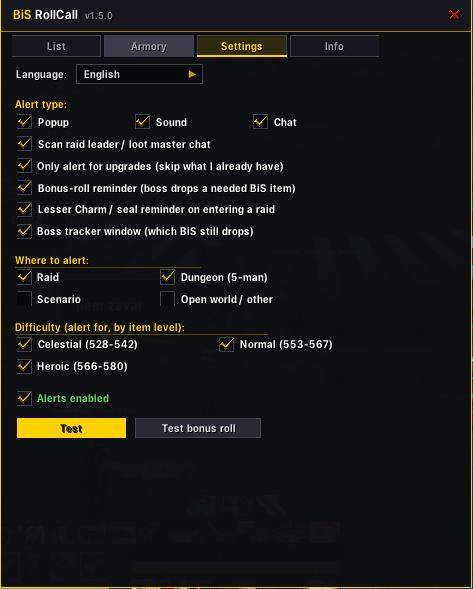
- Toggle in Settings, with the header button, or via /bis tracker.
- Roll buttons on the alert: when the game's loot-roll window offers you a BiS item, the popup has Main /roll and Off /roll 99 buttons - one click rolls and closes the popup.
- The Settings "Test" button now shows the full alert with the roll buttons.
- New commands: /bis charm (Warforged Seal / Lesser Charm status) and /bis tracker (toggle the Boss Tracker).
Changed
- Alerts now say whether the item is for your Main or Off spec ("Roll NEED (main)!" vs "Roll NEED (off spec)!", green vs blue) in the popup, chat, and raid warning.
- Roll buttons appear only for an actual loot roll; a loot master's chat link is treated as a "loot dropped" heads-up with no buttons.
- The bonus-roll reminder also shows how many more Warforged Seals you can still earn this tier, and the raid-entry seal reminder is now a popup that always shows on entering any raid (10 or 25).
- The language menu shows "Hungarian" instead of "Magyar".
Fixed
- No more alert when an item simply lands in your bag (personal loot). Alerts now come only from the loot-roll window and raid leader / loot master item links.
- Chat-link alerts now also fire for loot handed out by a raid assistant (e.g. LootReserve / RCLootCouncil run by an assist, or with personal loot where there's no master looter) - previously only the leader / master looter were recognised.
Hungarian
Uj
- Boss Tracker: kicsi, mozgathato ablak (alapbol a minimap alatt), ami azt a bosszt mutatja, amelyik elott epp allsz - a boss-frame vagy a celpontod alapjan felismerve, nem csak a pull-sorrendbol -, alatta a meg hianyzo BiS itemjeiddel.
- Main Spec / Off Spec ful.
- Ha kiesik egy BiS item, az ablak arra a bosszra valt es az item par masodpercig villog; a megfelelo spec ful is villog, igy egybol latszik, ha off-spec drop.
- A mar megolt bossokat kihagyja - a heti raid lockoutot is kiolvassa, igy a korabbi sessionben megolt bossok is szamitanak.
- A raid vegen (Garrosh utan) Raid osszesitesre valt: kilistazza, mely BiS itemjeid estek a raid alatt (bossonkent, main/off, megvan-e), es lejatszik egy hangot. Jobb klikk az ablakon: uj raidhez nullazza.
- Be/ki: Beallitasok ful, a fejlec gombja, vagy /bis tracker.
- Roll gombok a riasztason: amikor a jatek loot roll ablaka felajanl egy BiS itemet, a popupon Main /roll es Off /roll 99 gomb van - egy kattintas rollol es bezarja a popupot.
- A Settings "Test" gombja mostantol a teljes riasztast mutatja a roll gombokkal.
- Uj parancsok: /bis charm (Warforged Seal / Lesser Charm allapot) es /bis tracker (Boss Tracker be/ki).
Valtozott
- A riasztas mostantol kiirja, hogy az item a Main vagy az Off spec listadbol van ("Roll NEED (main)!" vs "Roll NEED (off spec)!", zold vs kek) a popupban, a chatben es a kepernyo tetejen.
- A roll gombok csak tenyleges loot rollnal jelennek meg; a loot master chat-linkje csak "esett a loot" figyelmeztetes, gombok nelkul.
- A bonus roll emlekezteto azt is kiirja, hany Warforged Sealt tudsz meg szerezni ebben a tierben, a raidbe lepeskori seal emlekezteto pedig mostantol popup, ami mindig megjelenik barmelyik raidbe lepsz (10 vagy 25).
- A nyelvvalaszto "Hungarian"-t ir "Magyar" helyett.
Javitva
- Nincs tobb riasztas, amikor egy item csak a taskadba kerul (personal loot). A riasztas mostantol csak a loot roll ablakbol es a raid leader / loot master item-linkjeibol jon.
- A chat-linkes riasztas mostantol egy raid asszisztens altal osztott lootra is szol (pl. LootReserve / RCLootCouncil asszisztensnel, vagy personal lootnal, ahol nincs master looter) - eddig csak a leader / master looter szamitott.
The BiSRollCall Team