BiSJourney
- By
Your leveling gear companion for WoW Forever: see the best upgrades for your level and spec and where to get them.
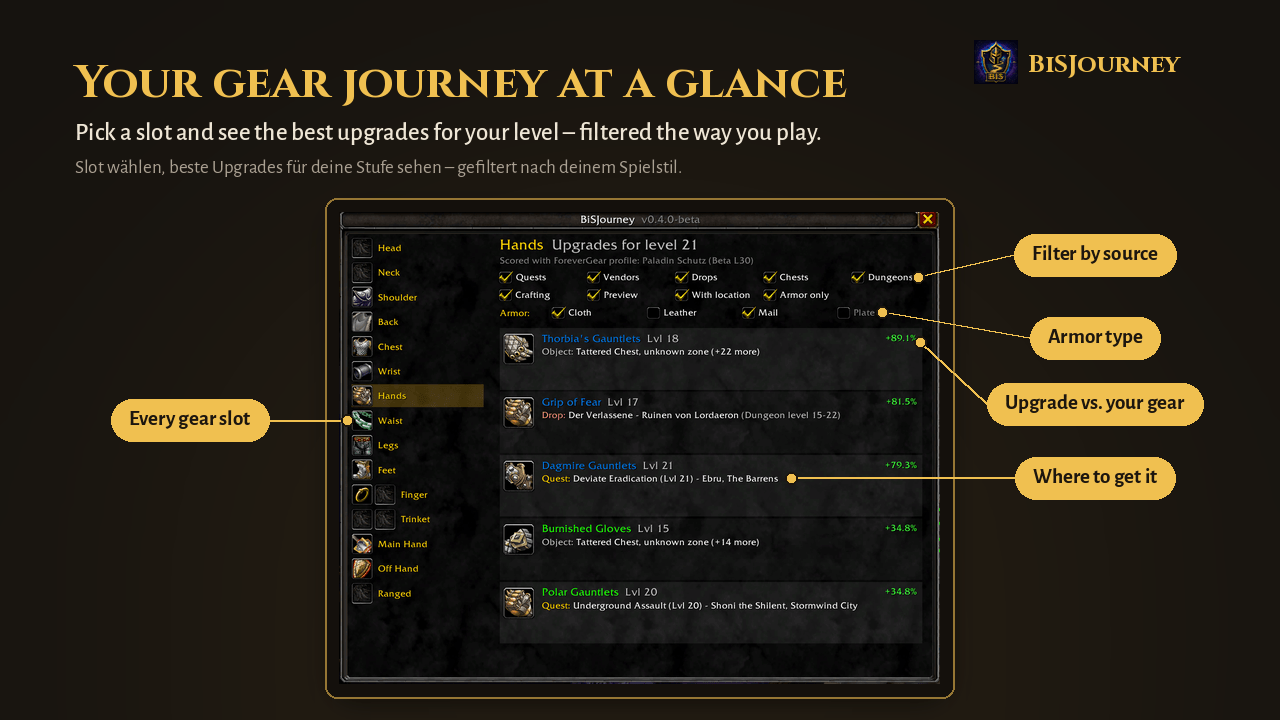
Pick a slot and see the best upgrades for your level – filtered the way you play. / Slot wählen, beste Upgrades für deine Stufe sehen – gefiltert nach deinem Spielstil.
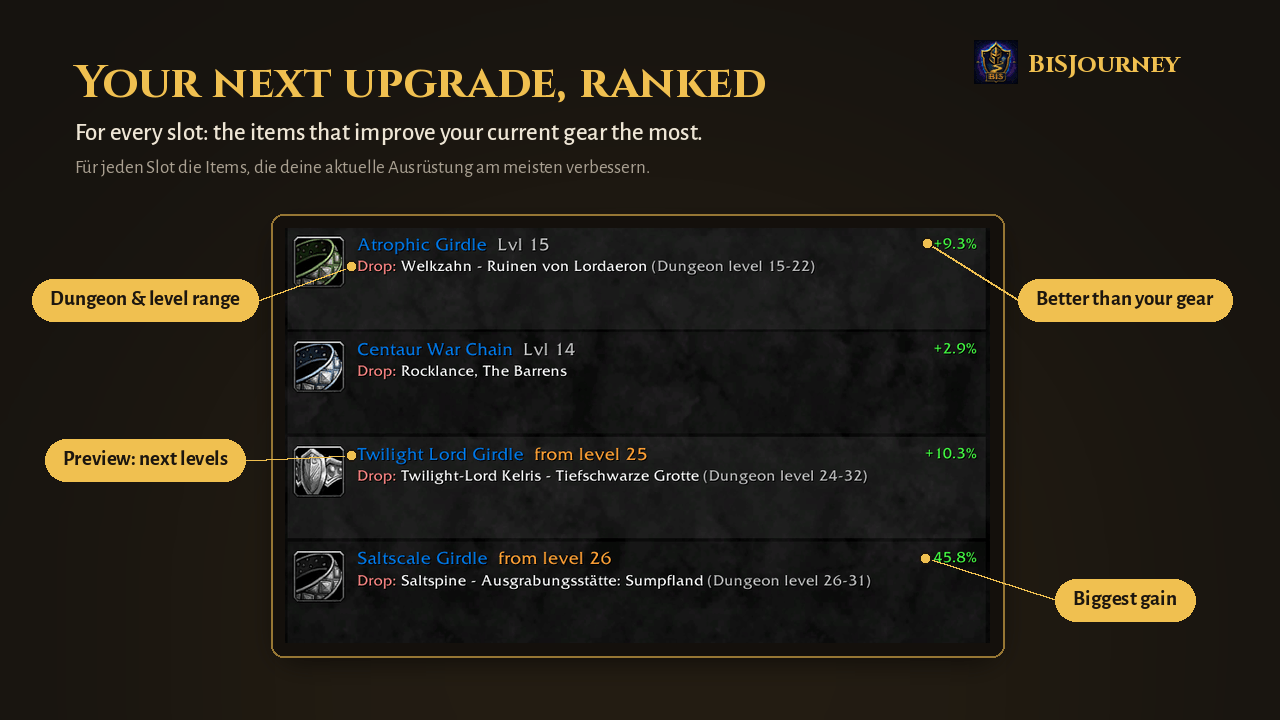
For every slot: the items that improve your current gear the most – with preview of the next levels. / Für jeden Slot die Items, die deine Ausrüstung am meisten verbessern – mit Ausblick auf die nächsten Stufen.
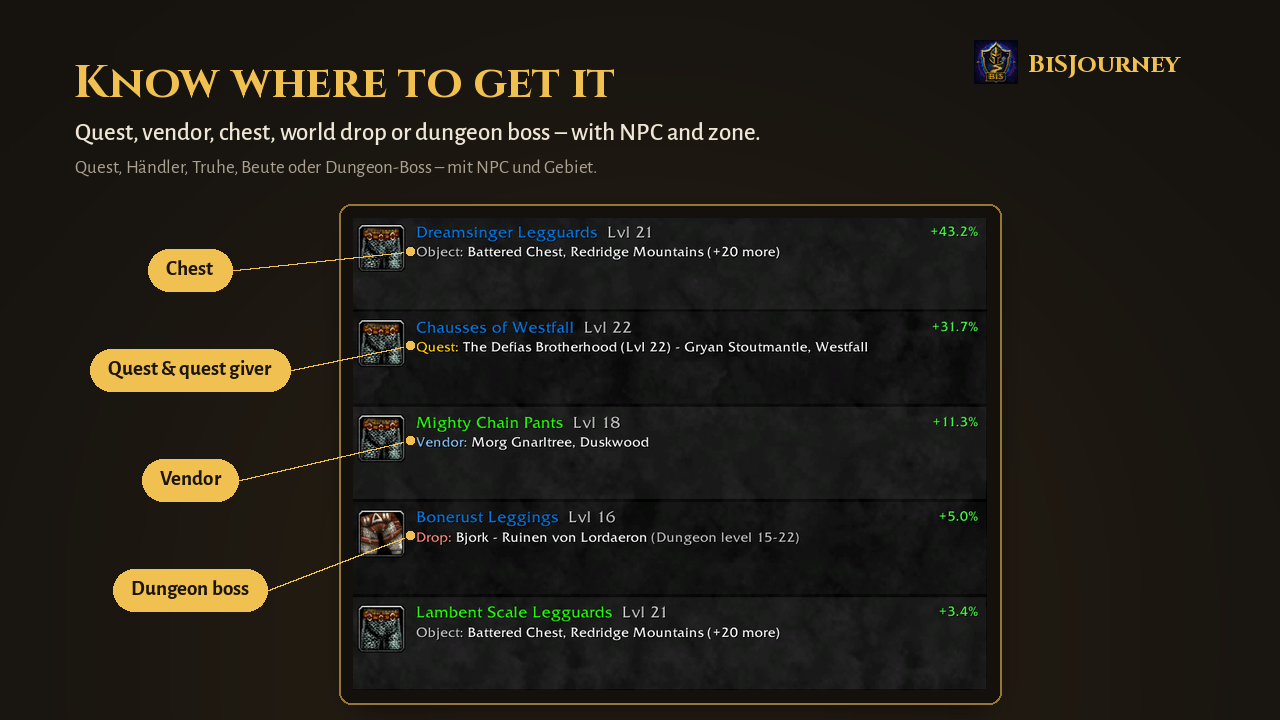
Quest, vendor, chest, world drop or dungeon boss – with NPC and zone. / Quest, Händler, Truhe, Beute oder Dungeon-Boss – mit NPC und Gebiet.
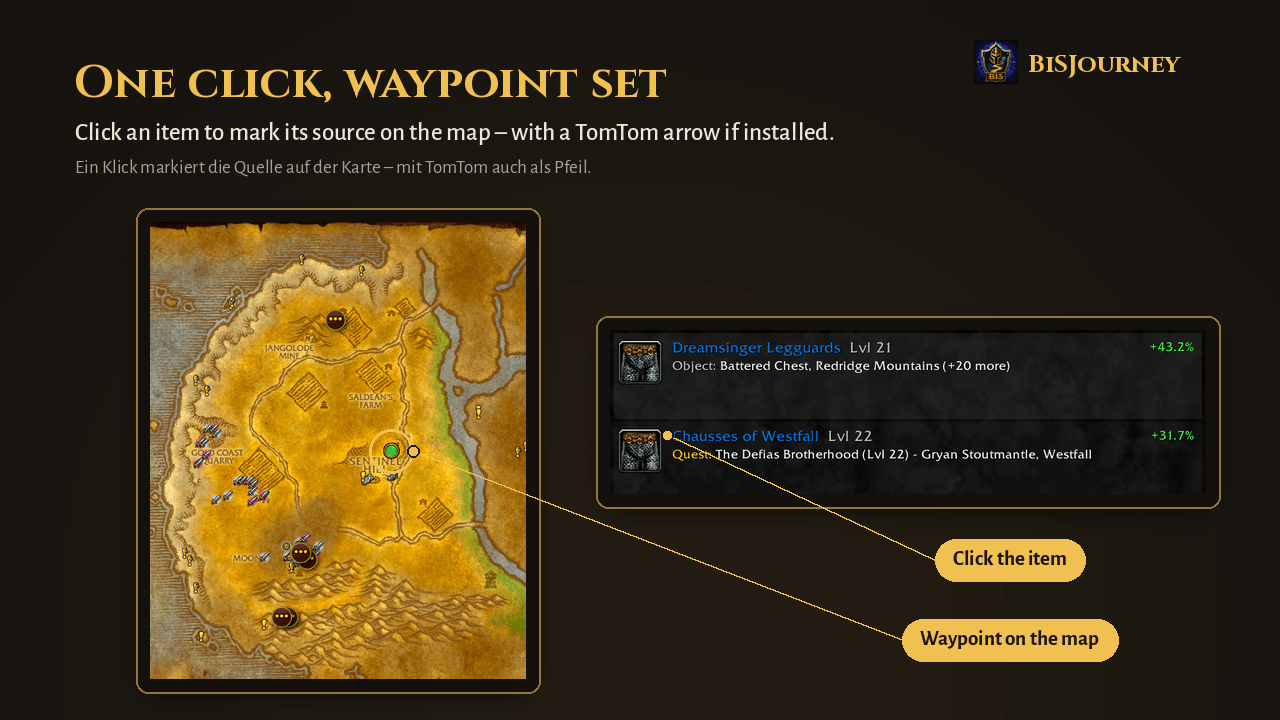
Click an item to mark its source on the map – with a TomTom arrow if installed. / Ein Klick markiert die Quelle auf der Karte – mit TomTom auch als Pfeil.
Description
BiSJourney
Your leveling gear companion for World of Warcraft: Forever.
BiSJourney answers one simple question on your way from level 1 to 60: What is the best upgrade I can get right now — and where do I get it?
Status: beta. BiSJourney is developed alongside the WoW Forever beta. Expect frequent updates.
Features
- Best upgrades first – for every gear slot, the items that improve your current gear the most, scored for your class and spec
- Where to get it – quest reward, vendor, world drop, dungeon boss or your own profession, with quest giver, NPC and zone
- One click to go there – sets a waypoint (TomTom arrow if installed) and opens the map
- Only what you can reach – faction, class and level checks; no Horde quests for Alliance, no holiday events, no level 60 quests at level 10
- Preview – when nothing new is available yet, see what becomes available in the next levels ("from level X")
- Your crafts (experimental) – open your profession window once and the gear you can craft is included
- Armor-only pieces – while leveling, items without rated stats are still shown if they give you more armor than what you wear
- Filters – Quests, Vendors, Drops, Chests, Dungeons, Crafting, Preview, Known location, Armor only, plus armor type (cloth, leather, mail, plate)
- Rings and trinkets – both slots are compared, items you already own and quests you already completed are hidden
- English and German (full deDE support)
Get the most out of BiSJourney
BiSJourney ships no item database of its own. It combines the data of addons you may already use — always up to date, nothing copied:
| Addon | What it adds | |
|---|---|---|
| QuestieDB (comes with Questie) | Required | Where items come from: quests, vendors, drops, NPC locations |
| ForeverGear | Strongly recommended | Upgrade scoring for your class and spec. Without it, items are only ranked by item level |
| ForeverDungeonJournal | Optional | Bosses, loot and entrances of the new Forever dungeons (e.g. Hall of Thanes) |
| TomTom | Optional | Waypoint arrow when you click an item |
Choose your class/spec profile in ForeverGear — BiSJourney uses it automatically.
How to use
- Type /bisj, click the BiSJourney icon in your character panel or the minimap button
- Pick a slot on the left
- Hover an item for all sources, click to set a waypoint, shift-click to link it in chat
Commands: /bisj open/close · /bisj minimap show/hide the minimap button · /bisj filter show/hide items without a known location · /bisj debug debug mode for bug reports (/bisj debug off)
Feedback
Ideas, bugs or wishes? Leave a comment on this page — feedback during the beta helps shape the addon.
Made by TomSteglitz, author of BlessingBuddy.
BiSJourney Team