BisCouncil Loot Summary | Analytics Tool for BisCouncil, TMB, Gargul, and RCLootCouncil Data
- By
Screenshot 2026-10-26 085115.png
Screenshot 2026-10-26 085120.png
Screenshot 2026-10-26 085130.png
Screenshot 2026-10-26 085139.png
Screenshot 2026-10-26 085155.png
Screenshot 2026-10-26 085346.png
Screenshot 2026-10-26 085414.png
Screenshot 2026-10-26 085407.png
Screenshot 2026-10-26 085634.png
Screenshot 2026-10-26 085645.png
Screenshot 2026-10-26 085654.png
Screenshot 2026-10-26 085704.png
Screenshot 2026-10-26 085733.png
Screenshot 2026-10-26 085458.png
Screenshot 2026-10-26 085510.png
Screenshot 2026-10-26 085531.png
Screenshot 2026-10-26 085541.png
Screenshot 2026-10-26 085546.png
Screenshot 2026-10-26 085553.png
Screenshot 2026-10-26 085603.png
Screenshot 2026-10-26 085611.png
Screenshot 2026-10-26 085618.png
Description
BisCouncil Loot Summary turns your raw loot history, prio, and wishlist data into clean visualizations and dashboards directly in-game. Great for tracking loot distribution, spotting gaps, and making sense of months of raid loot at a glance.
Works with TMB, Gargul, RCLC, and BC data. Instructions on how to use each data source are available in the addon itself (go to the import frame), as well as on the BisCouncil discord.
If you want to quickly demo all the features, sample data for tbc, mop, era, and forever is available on the discord:

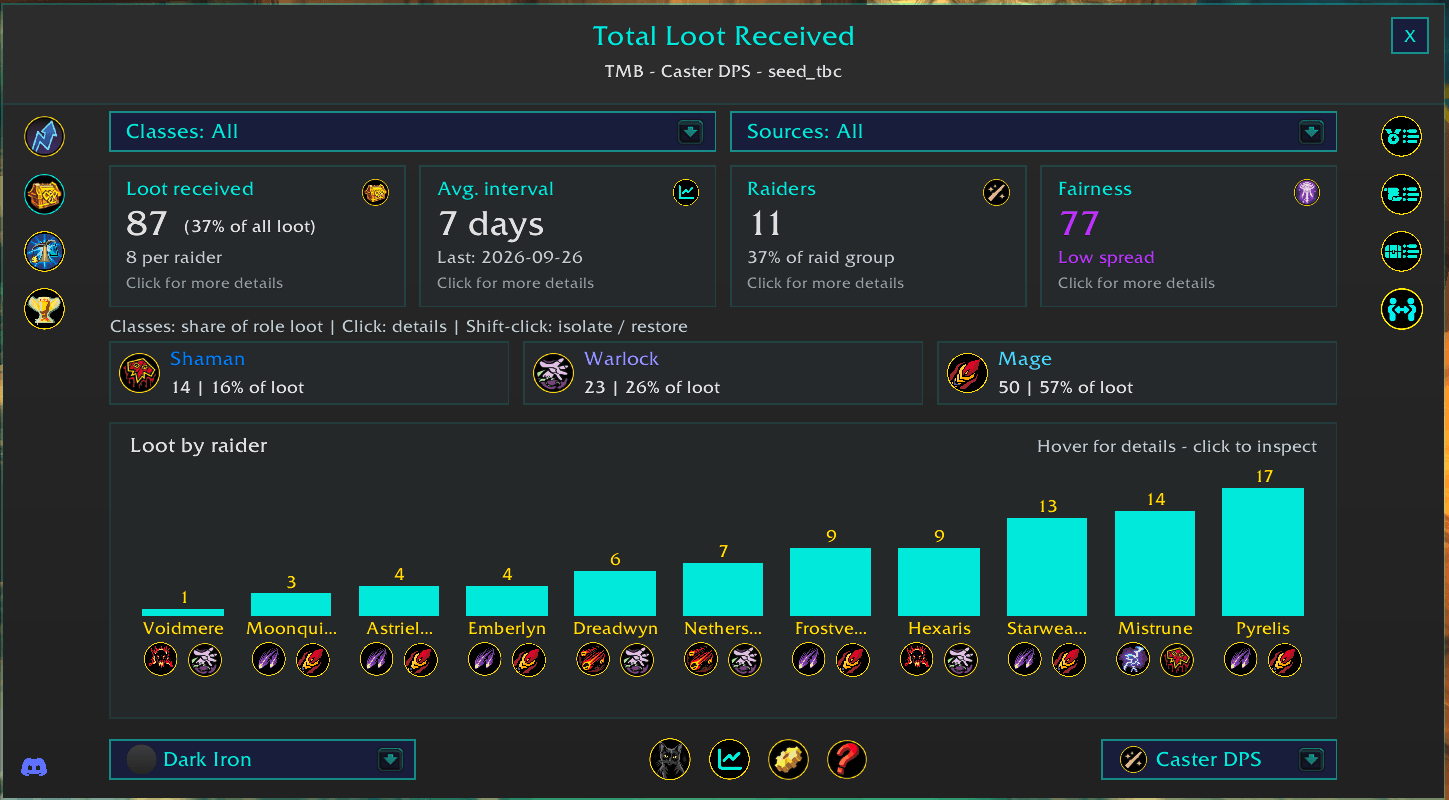
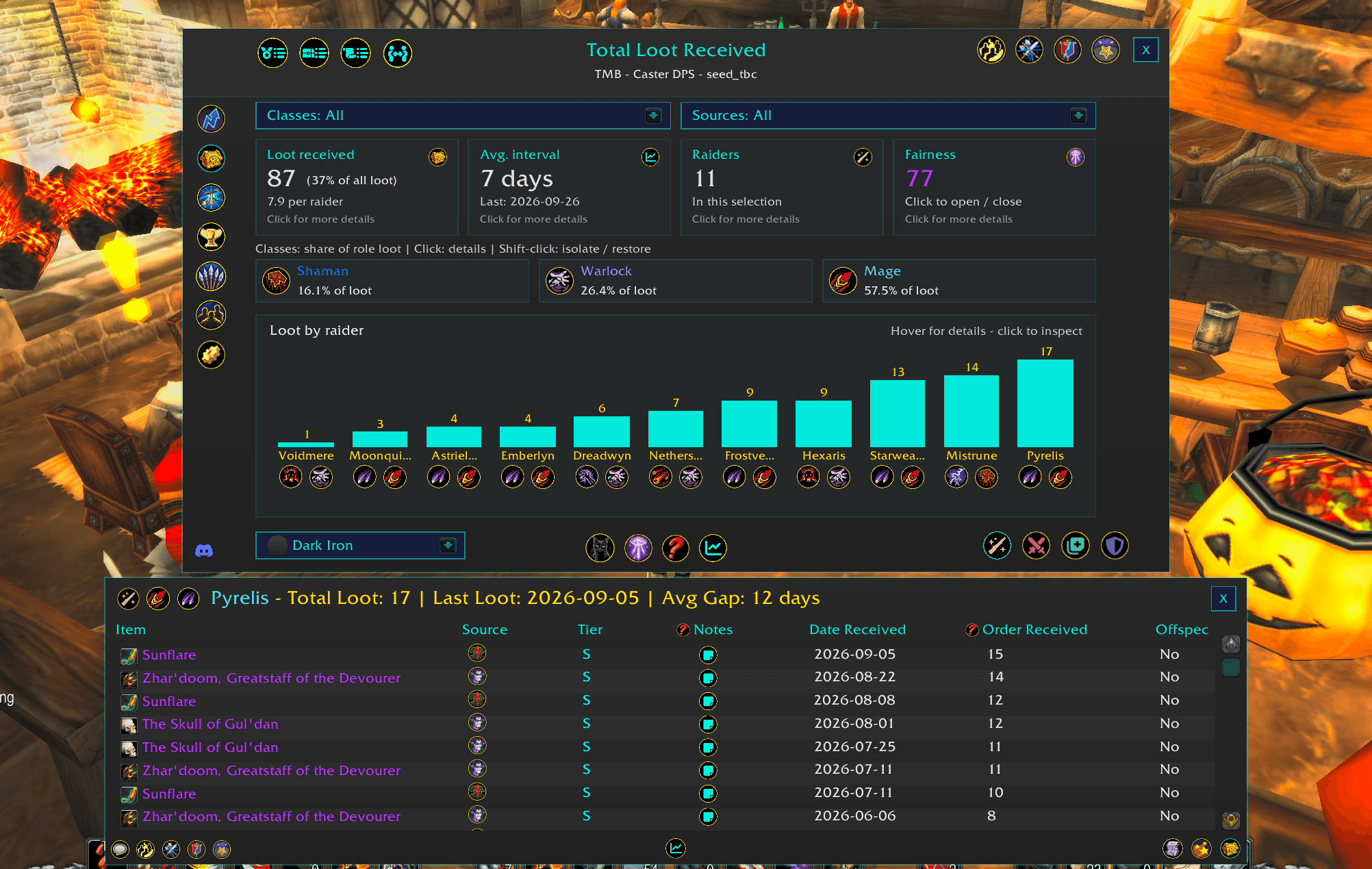
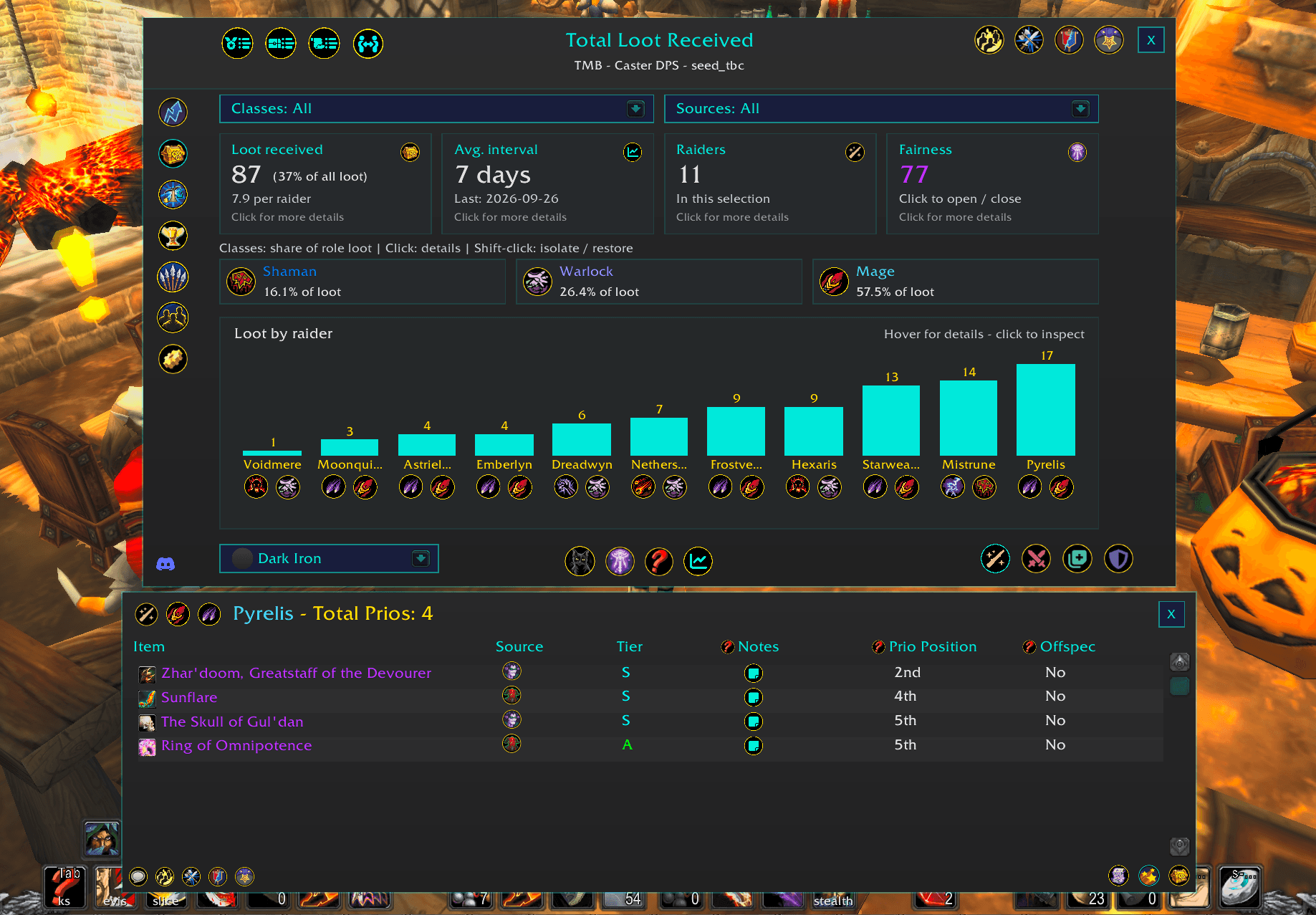
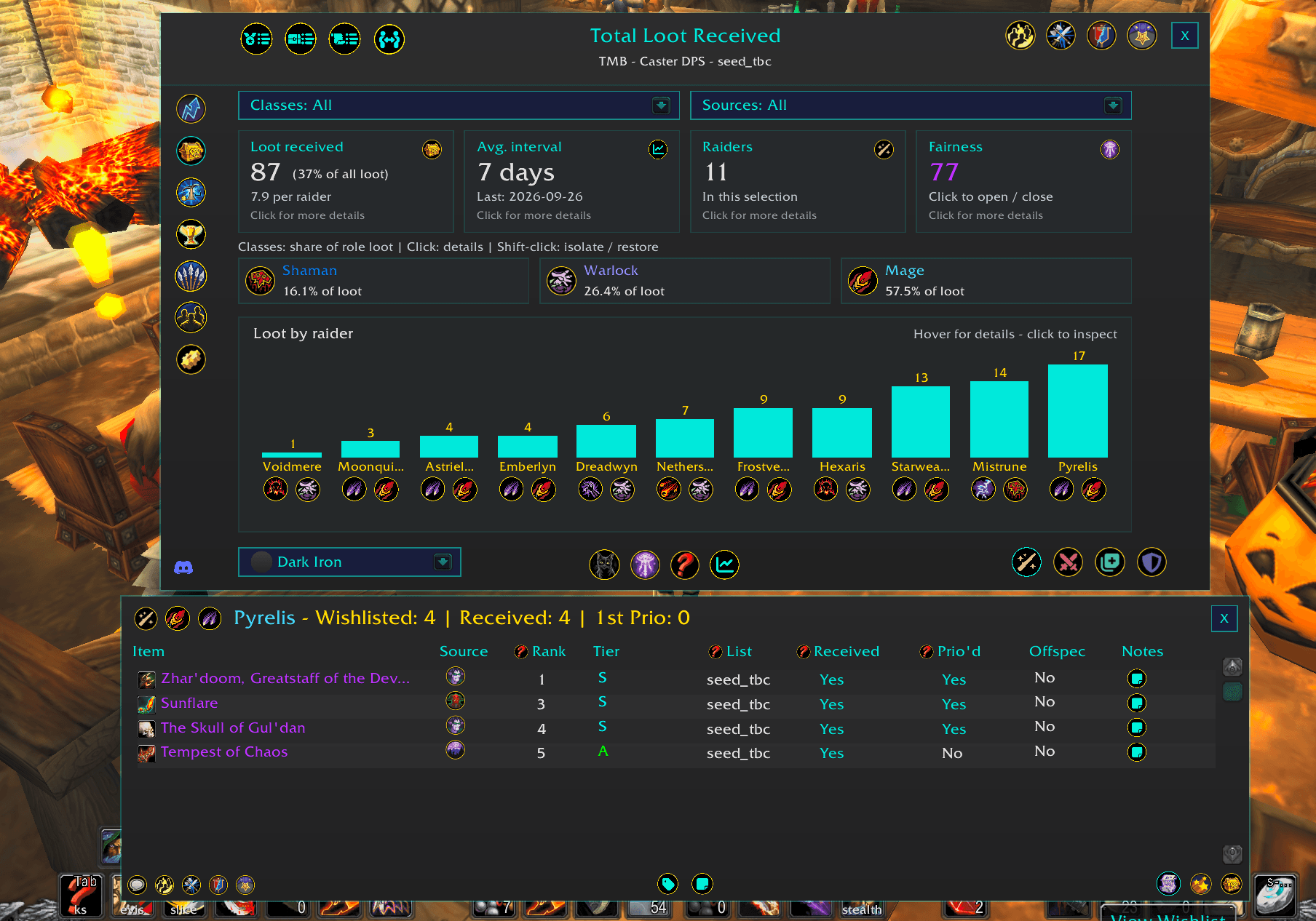
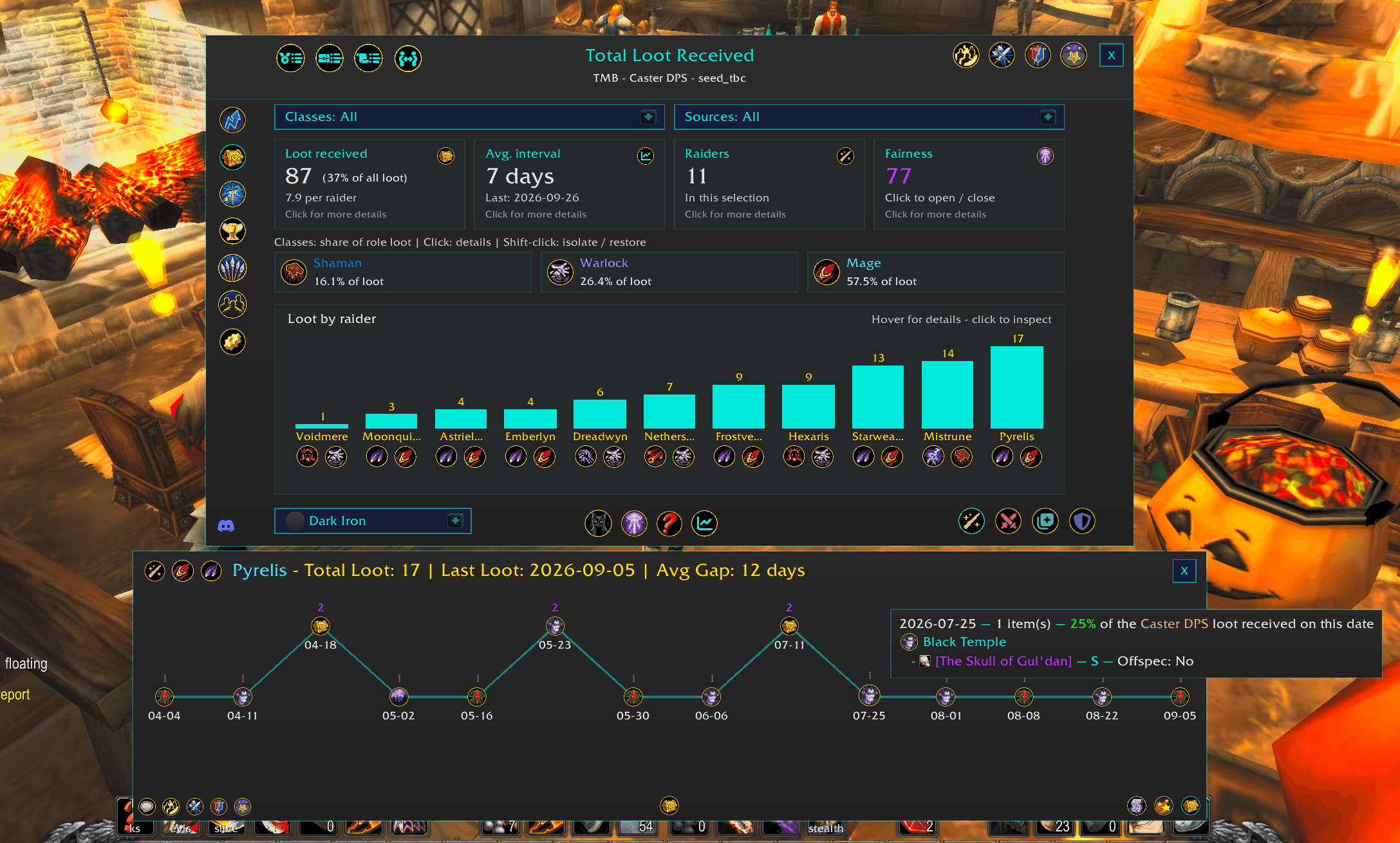
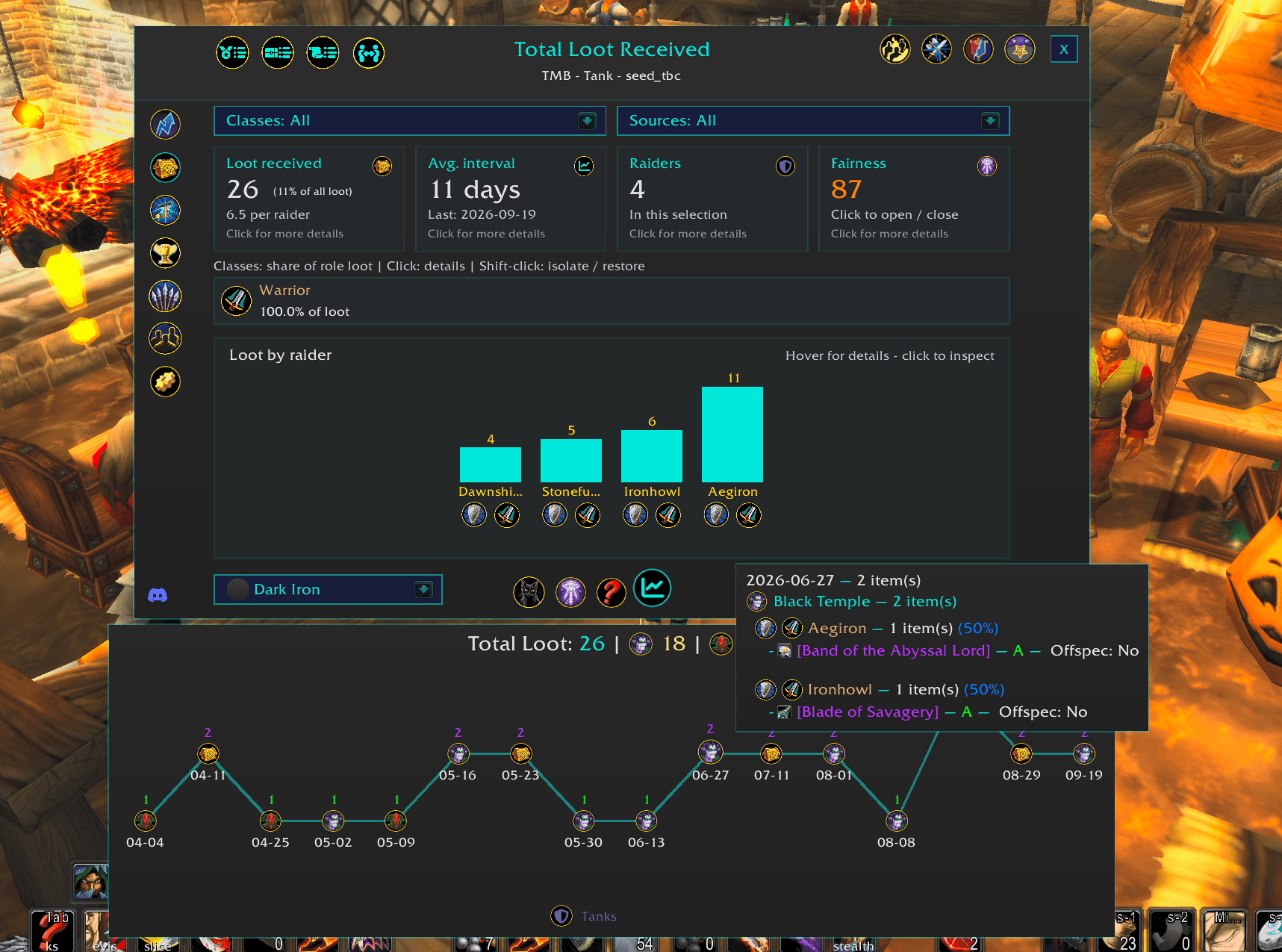
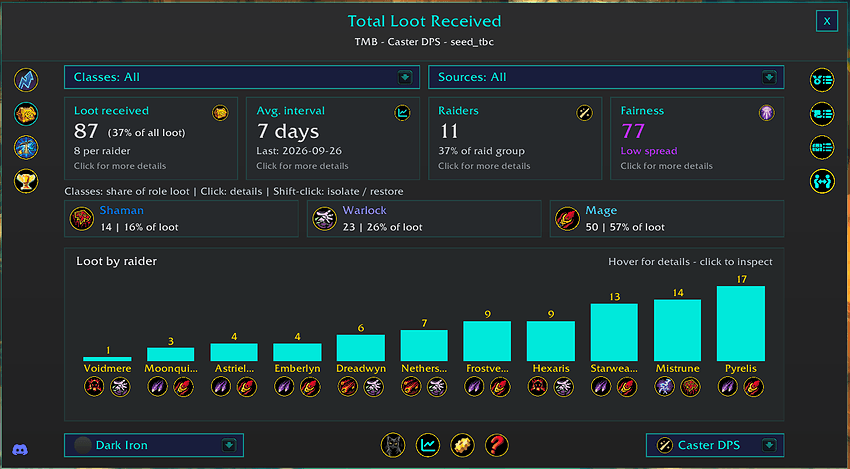
Total Loot Received Report
Visualize how loot is distributed across your raid team.
- View total loot received by raider using an interactive bar chart.
- Filter by role, class, raid source, and other available scope-specific options.
- Hover over raiders for detailed loot totals and comparison metrics.
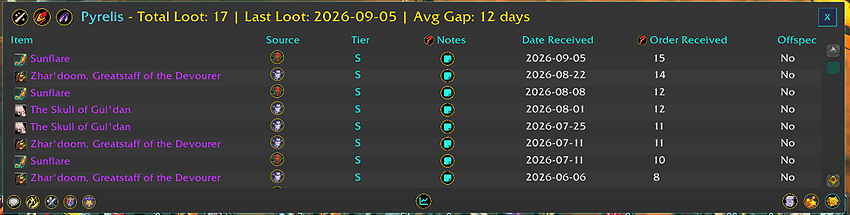
- Select a raider to view their individual loot history and item details.
- Quickly identify high and low loot recipients across the raid.
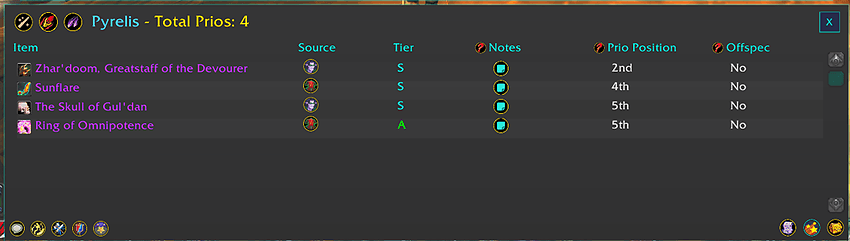
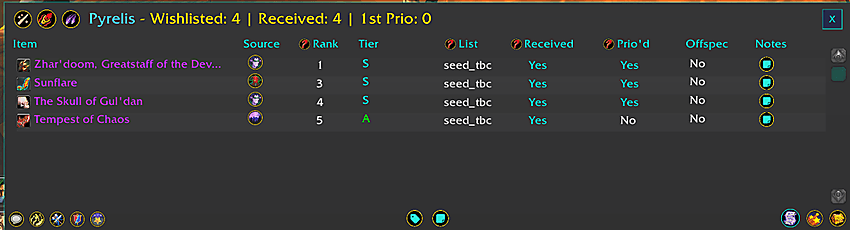
- Click any raider's bar to see their full loot history, prio info, and wishlist data
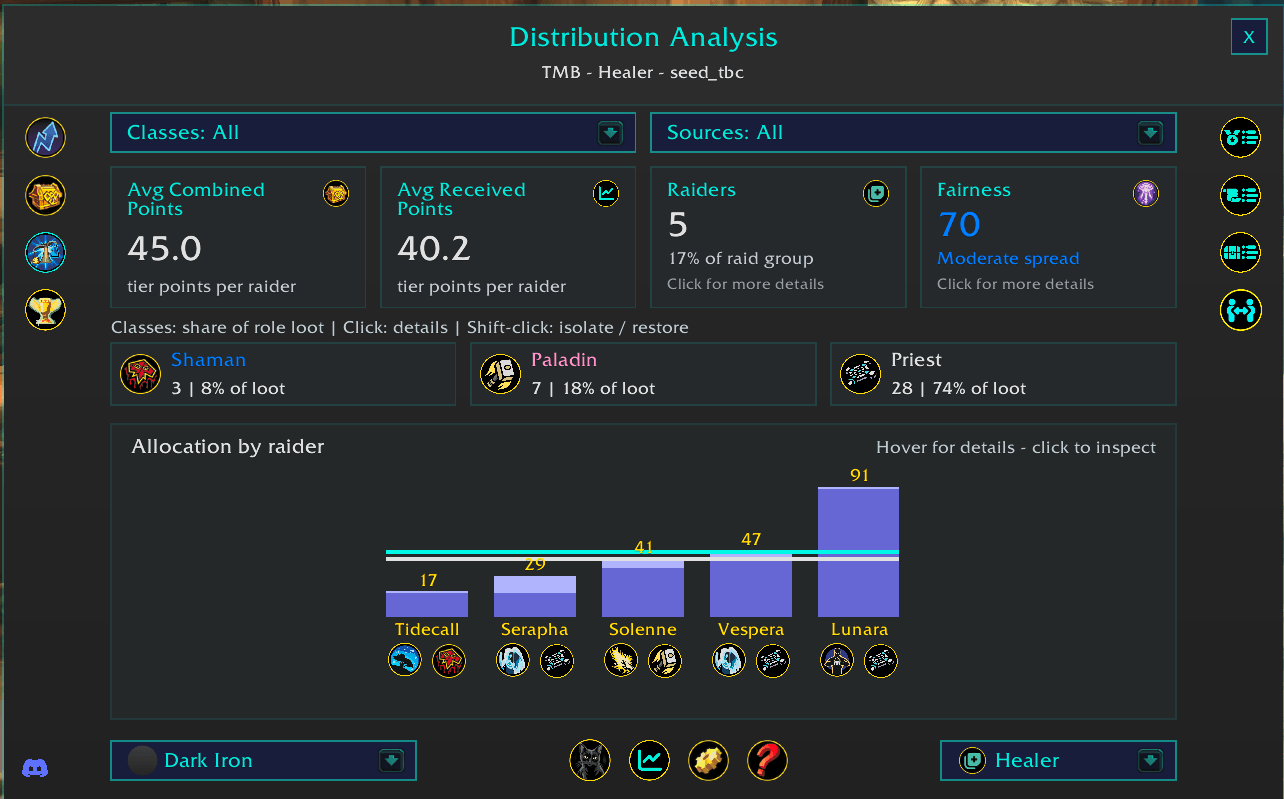
Distribution Analysis Report
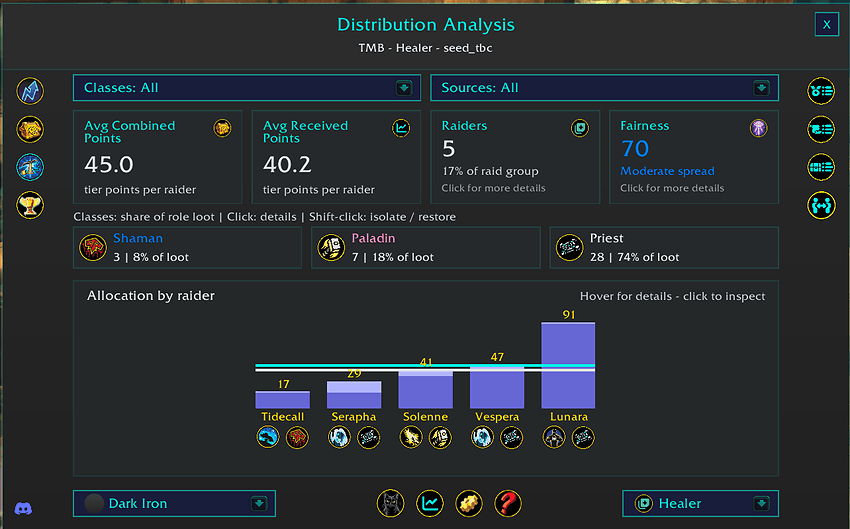
Analyze how evenly loot value is distributed across your raid team.
- Visualize loot allocation by raider using an interactive bar chart.
- Compare loot received and projected loot value using scope-specific tier and scoring systems.
- teal line = avg combined points (main spec loot received + first prios). raiders beneath this line might be both undergeared and under prio'd comapred to their peers
- white line = avg receievd points (main spec loot receievd). raiders beneath this line might be undergeared compared to their peers
- Quickly identify raiders who are ahead or behind in loot allocation, beyond simple item counts.
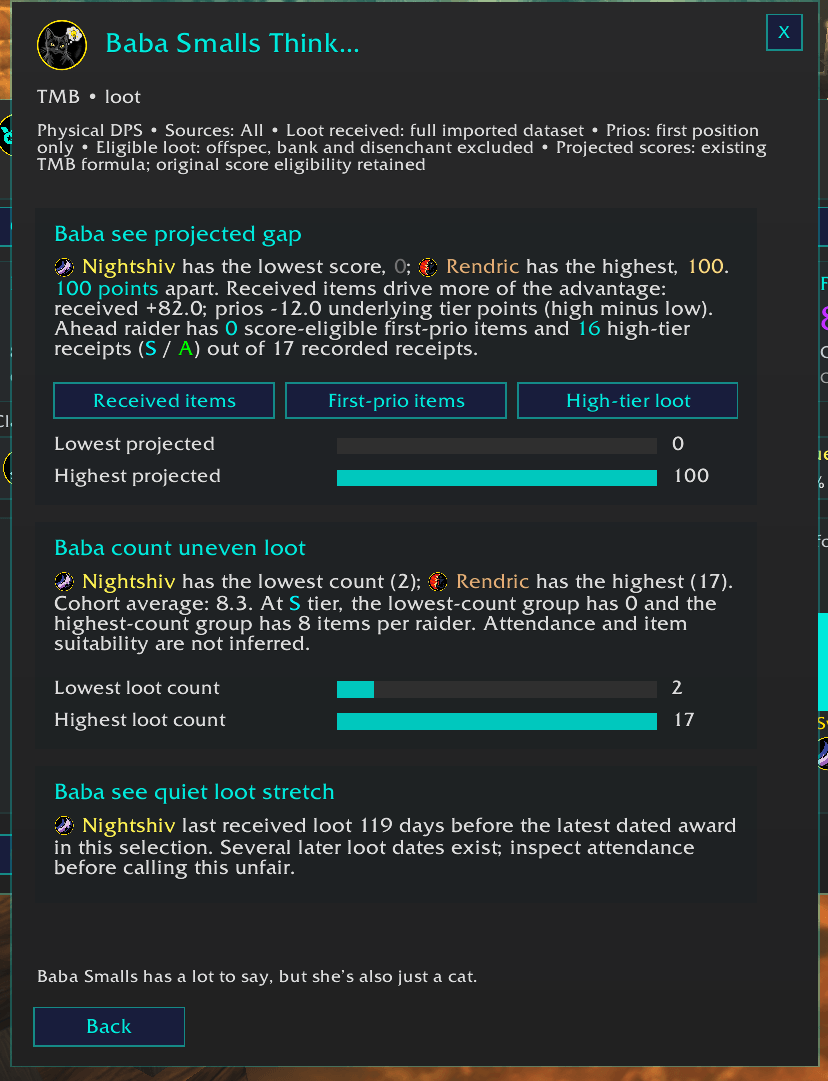
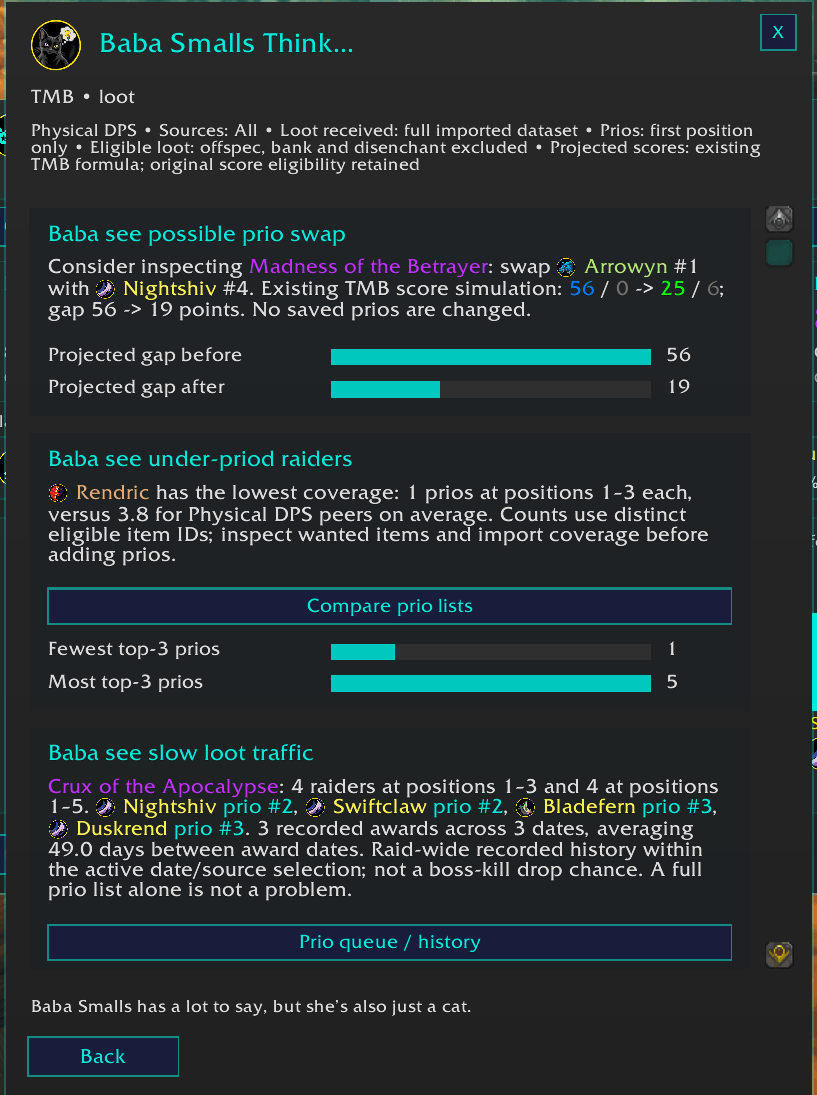
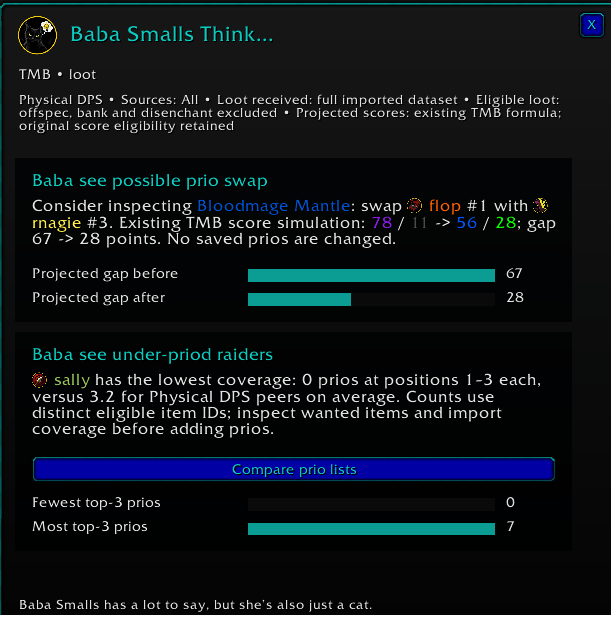
Baba Smalls Analytical Assistant
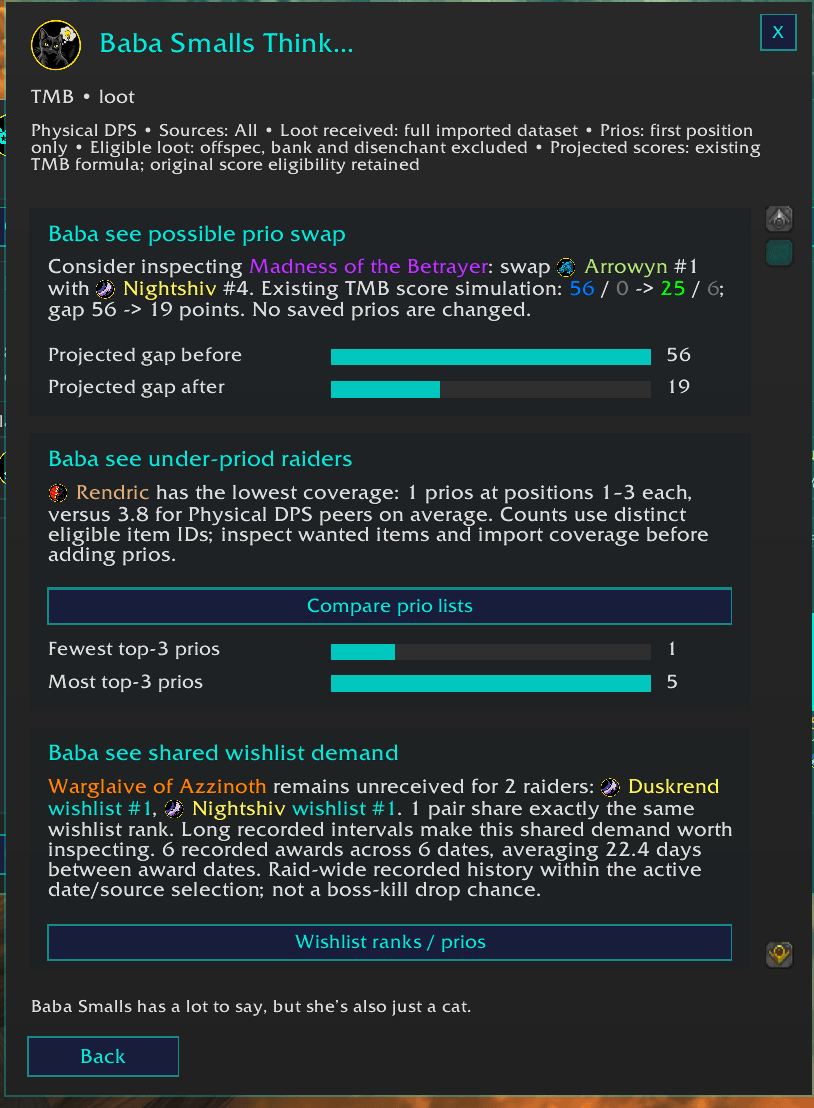
Automated loot, prio, and wishlist observations powered by Baba Smalls (she puts the all in small).
- Generates quick, readable insights based on the selected raid data.
- Highlights notable loot and prio patterns that may deserve attention.
- Calls out low coverage, unusual distributions, and other meaningful findings.
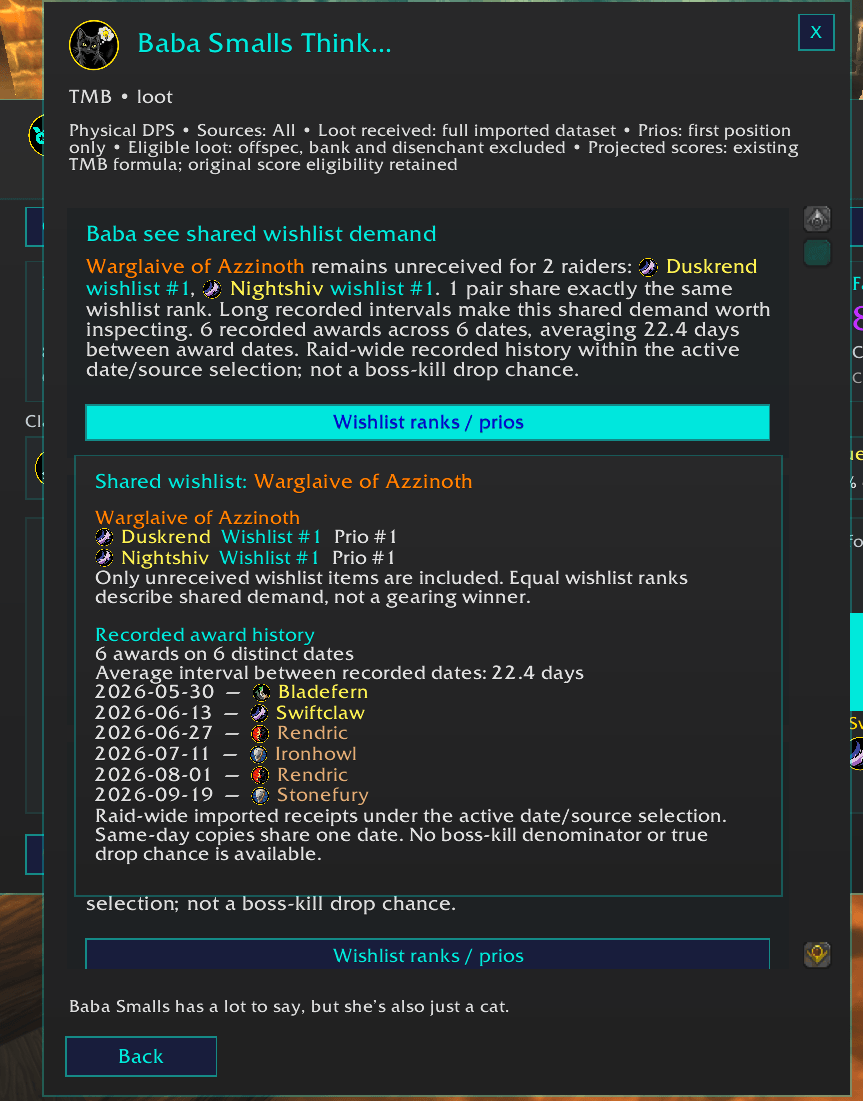
- Surfaces shared wishlist demand and shared received-item demand across raiders.
- Identifies projected loot gaps using current loot, prios, and available wishlist context.
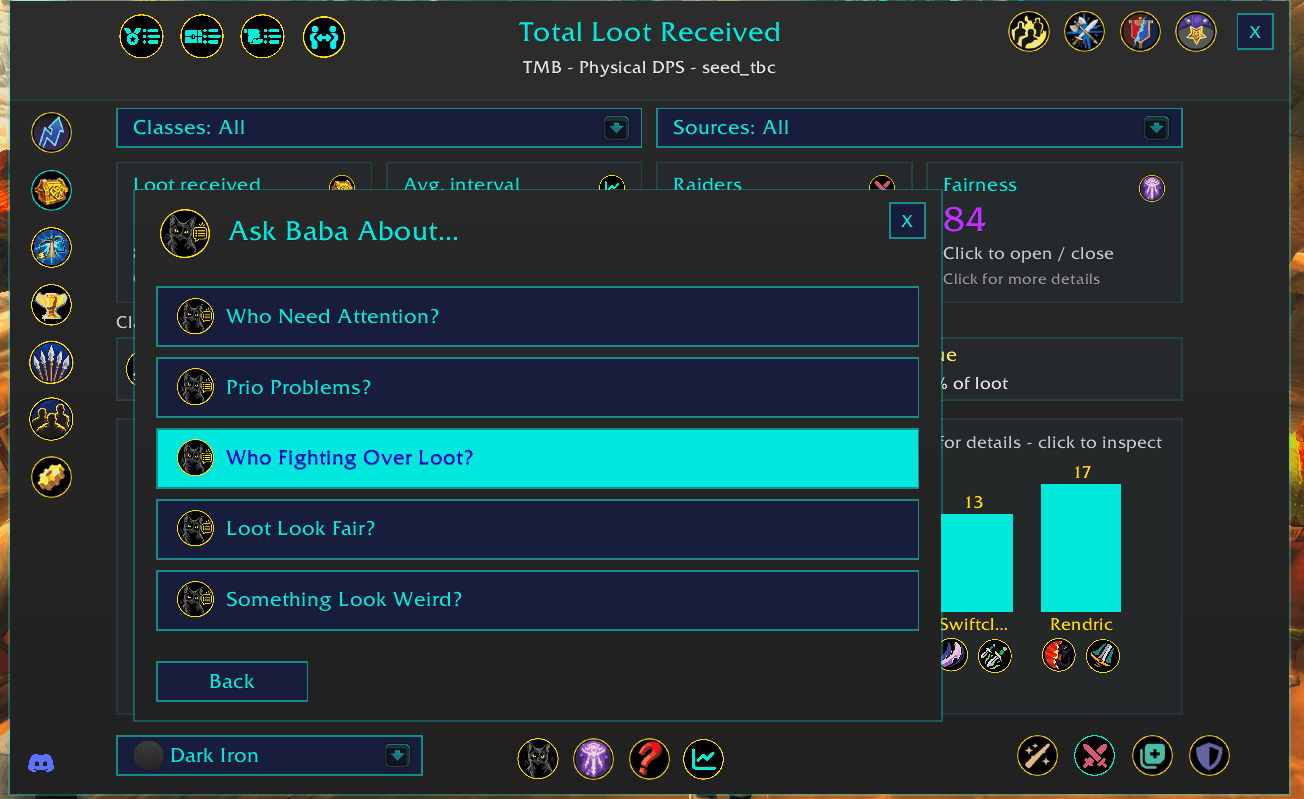
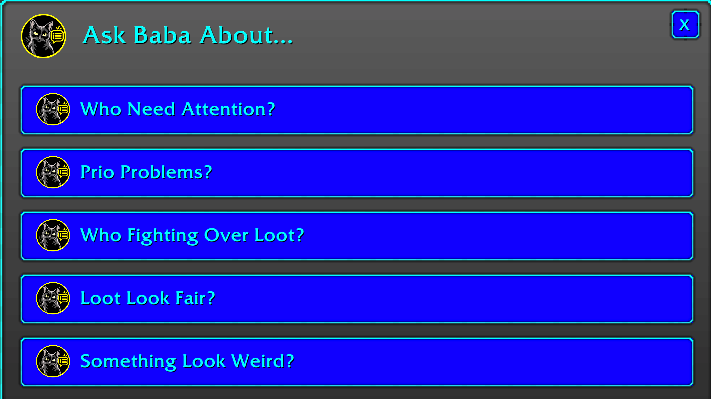
- Provides “ask Baba about” style prompts to help officers investigate edge cases.
- Adapts to the selected scope and only shows insights supported by the available data.
But who is baba smalls? this is baba smalls:



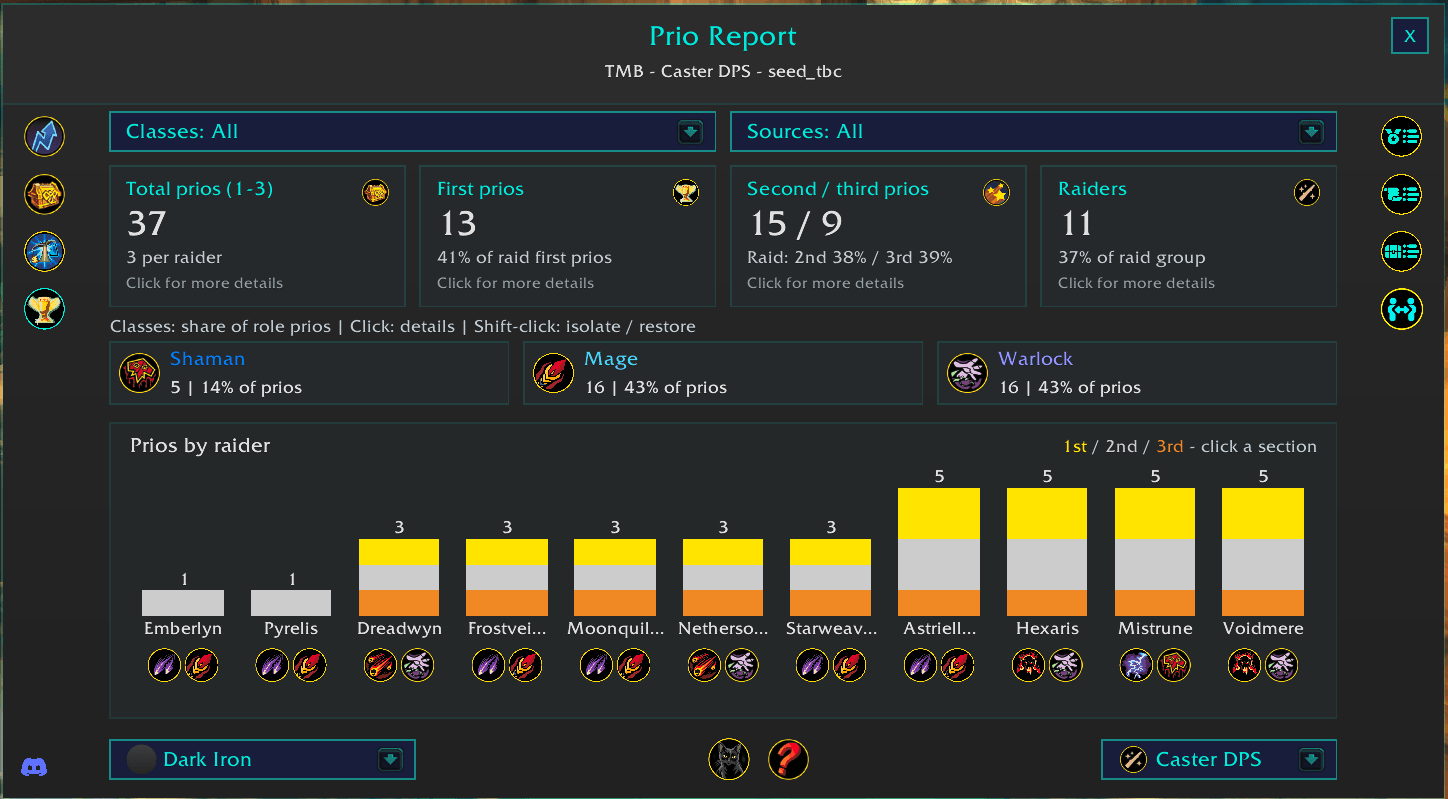
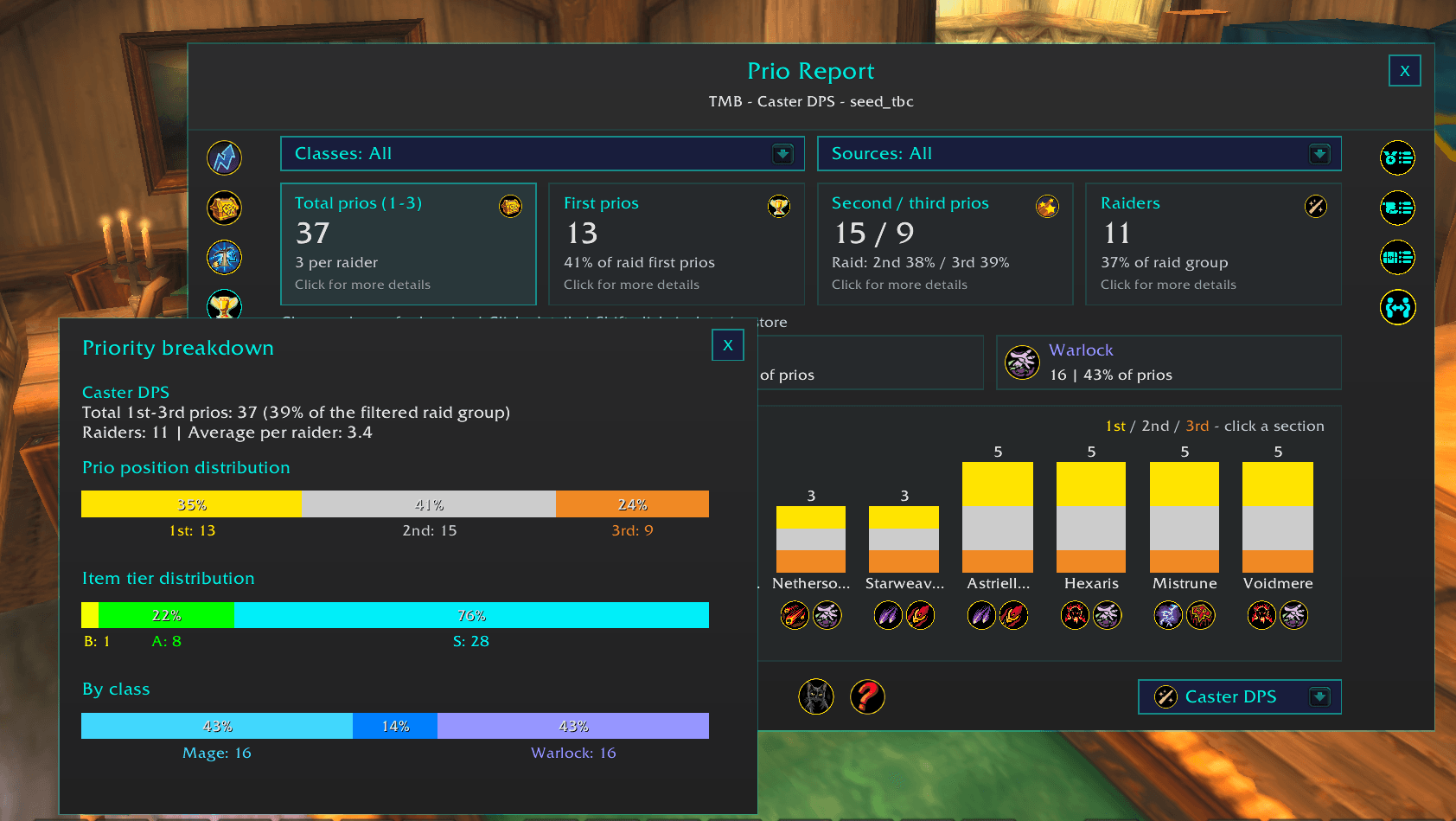
Prio Report
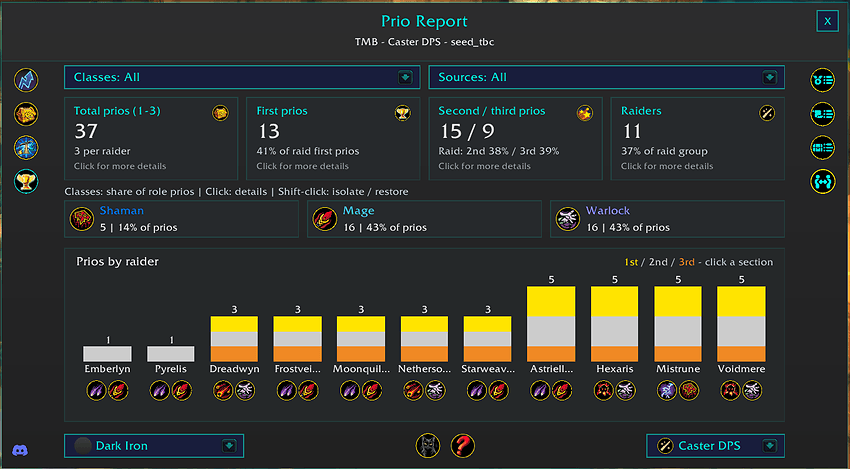
Analyze how 1st, 2nd, and 3rd prios are distributed across the raid.
- Displays stacked bars for each raider showing their total 1st, 2nd, and 3rd prios.
- 1st prios = gold, 2nd = silver, 3rd = bronze
- Filter the report by role, class, raid source, and other available filters.
- Hover over each raider for a detailed breakdown of their prios.
- Compare prio distribution alongside actual loot distribution.
- Hover over a role icon to see the role’s share of available prios, including its percentage of the entire raid group.
- Hover over a class icon to see the class’s share of available prios, including its percentage of the selected role.
- Available for BisCouncil and TMB data.
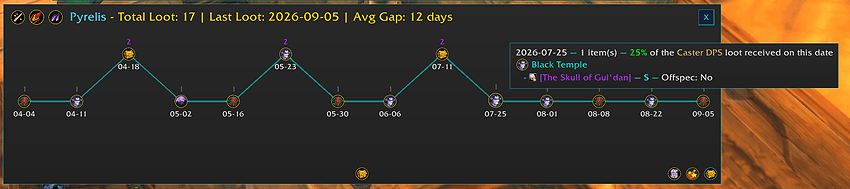
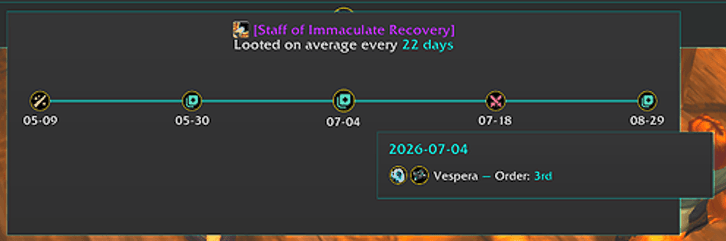
Loot Timeline
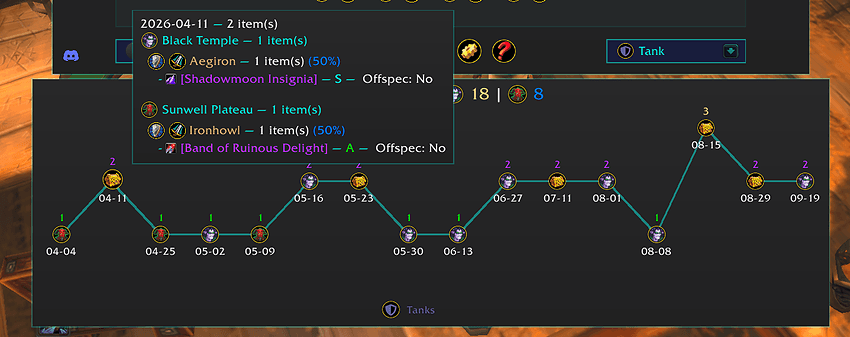
See when each raider received loot throughout the selected raid history.
- Displays loot chronologically, can see role-level timelines, raider-level timelines, and item-level timelines.
- View individual items directly from the timeline.
- Filter the timeline using available raid, role, class, and source controls.
- Useful for understanding loot distribution over time instead of totals alone.
Role-level:
Raider-Level:
Item-level:
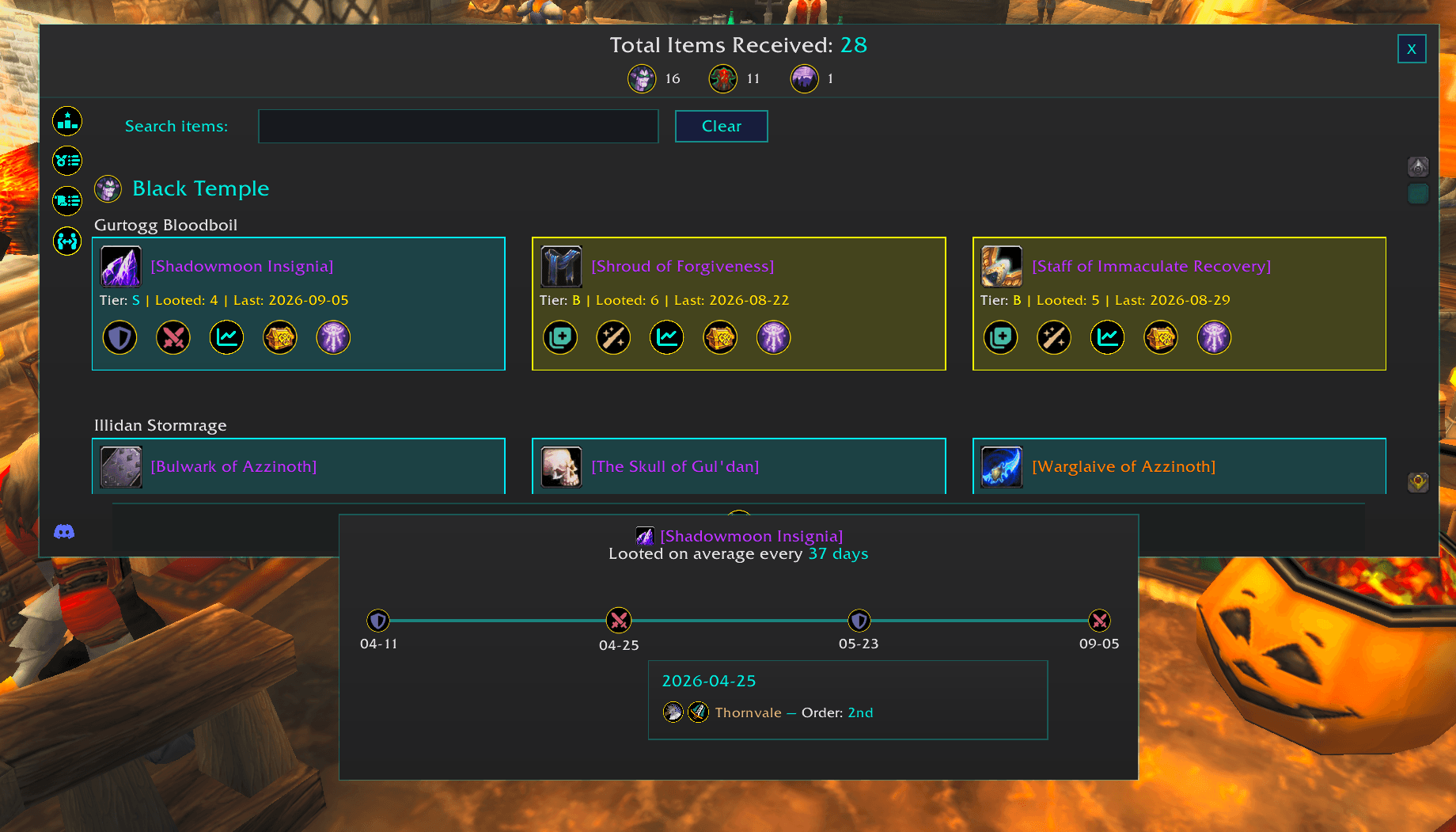
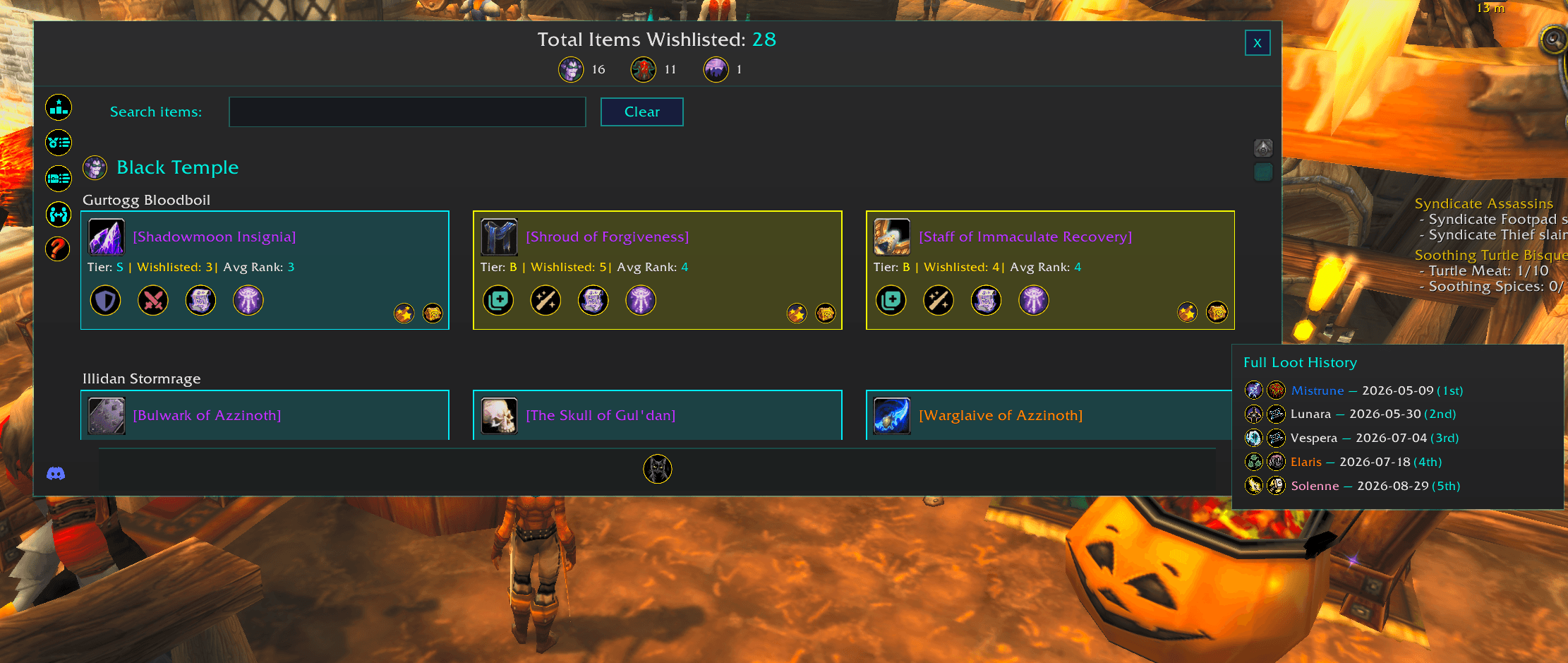
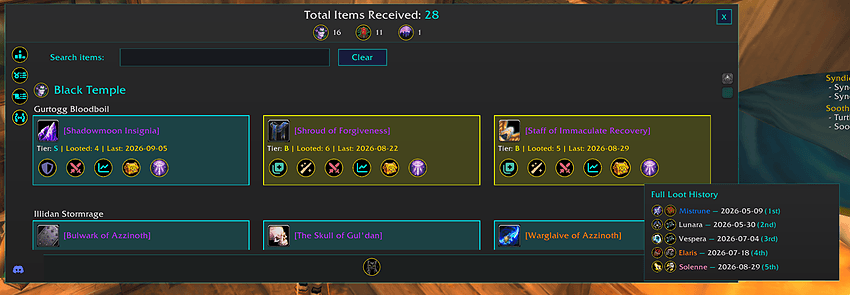
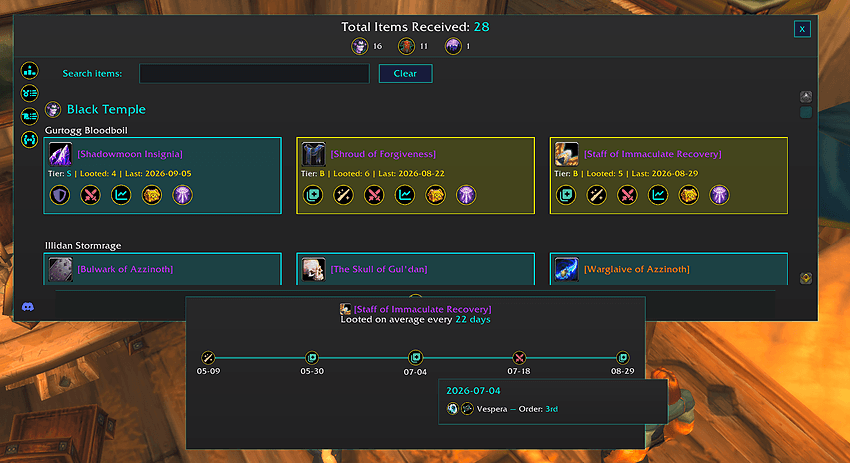
Loot History Dashboard
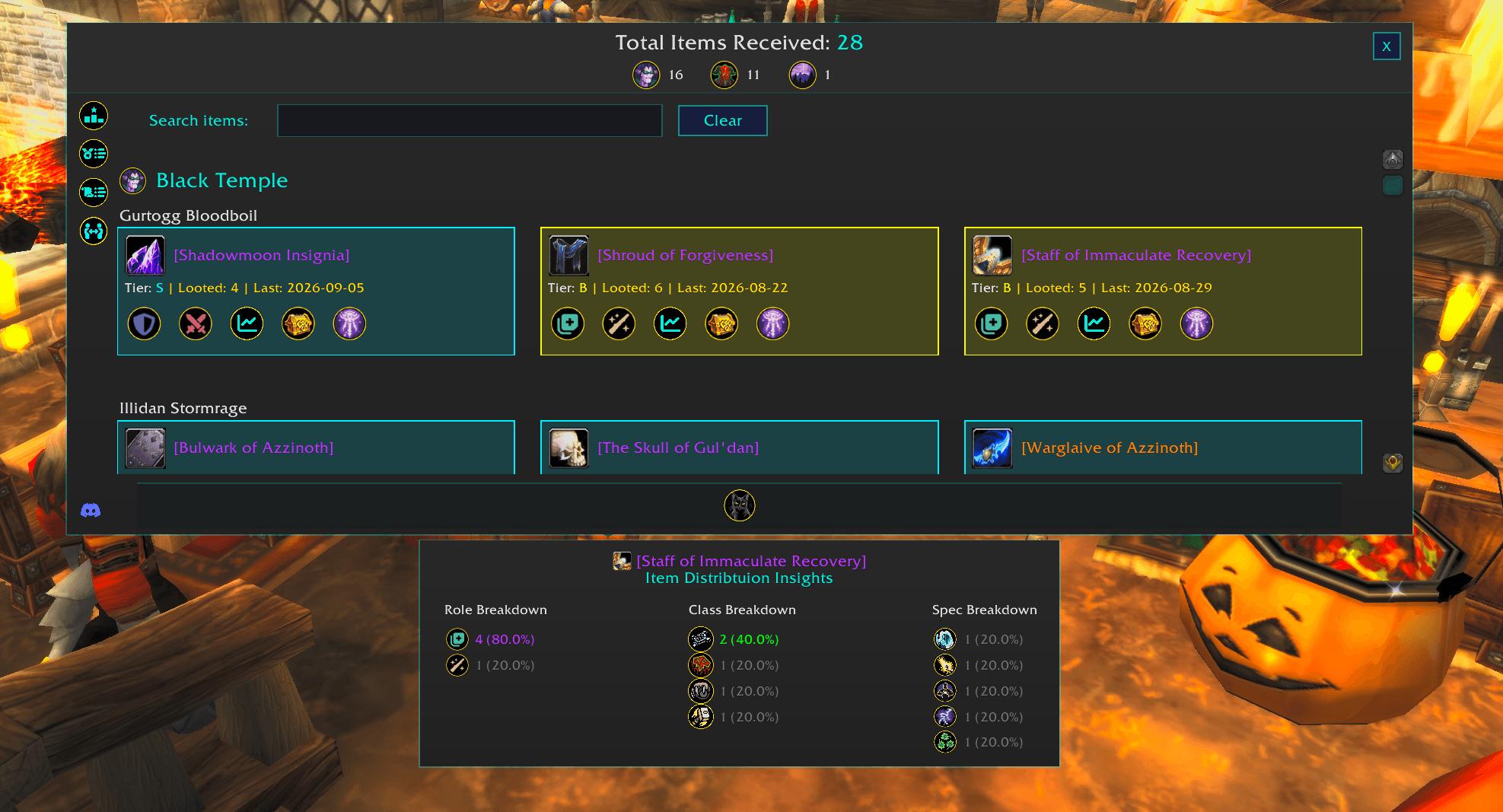
Explore every recorded item received by the raid.
- Browse loot grouped by raid and encounter source.
- Search directly for specific items.
- Filter loot by available raid sources and categories.
- View the receiving raider, item details, date received, and related information.
- Hover over items for native World of Warcraft item tooltips.
- Quickly move from high-level distribution reports into individual loot records.
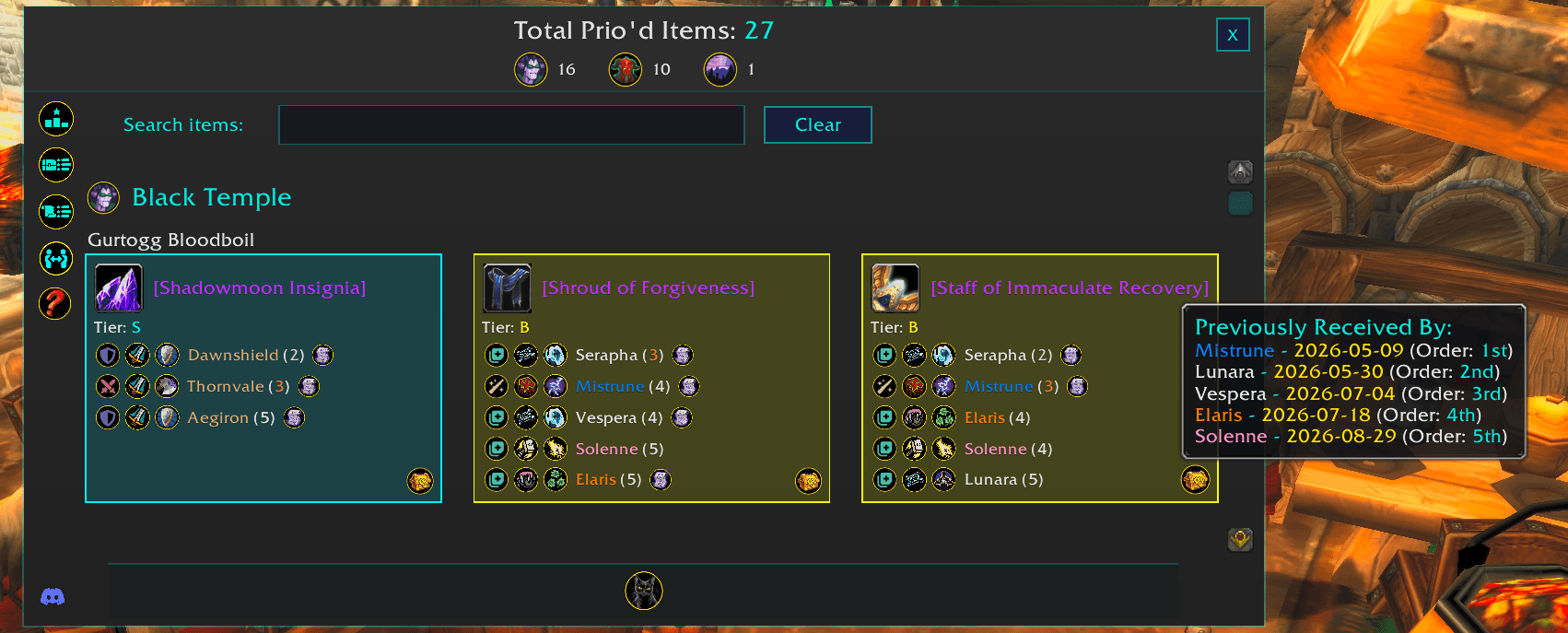
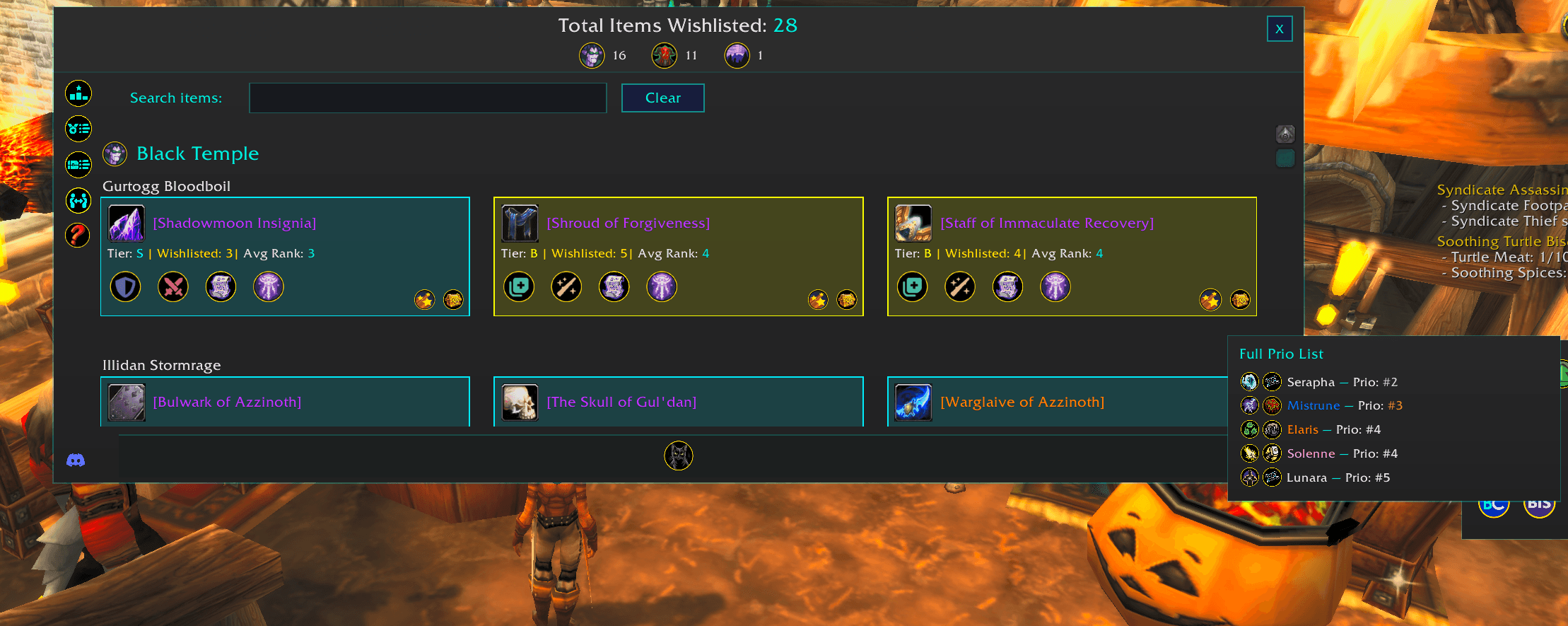
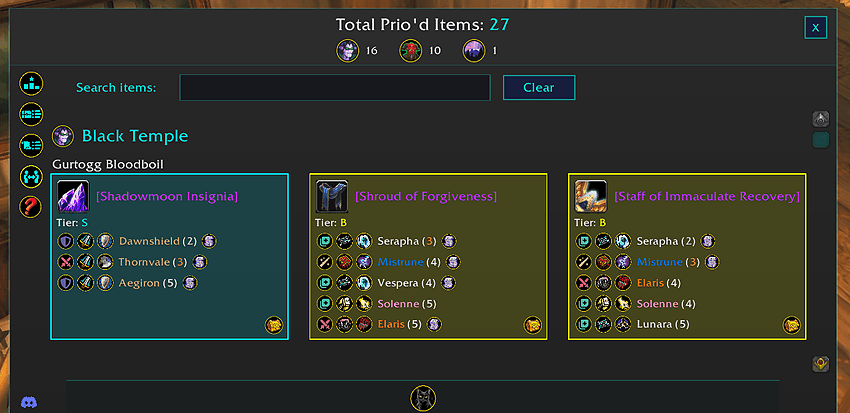
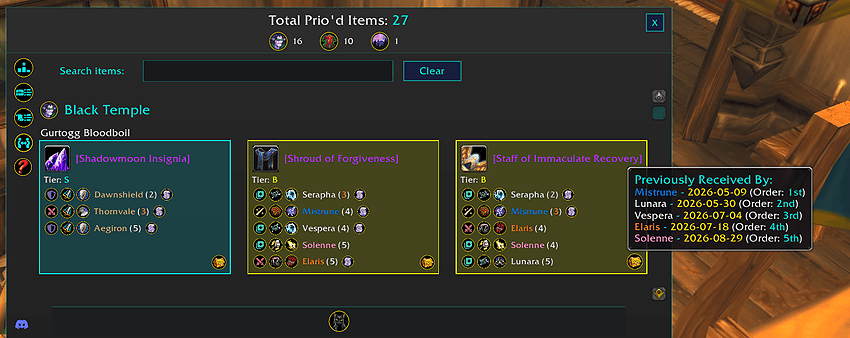
Prio Dashboard
Browse all recorded prios in one searchable dashboard.
- View prio assignments by item.
- Browse prios by raid and encounter source.
- Search for specific items or raiders.
- View each raider's position for an item directly from the dashboard.
- Use item tooltips for additional item information.
- Available for BisCouncil and TMB data.
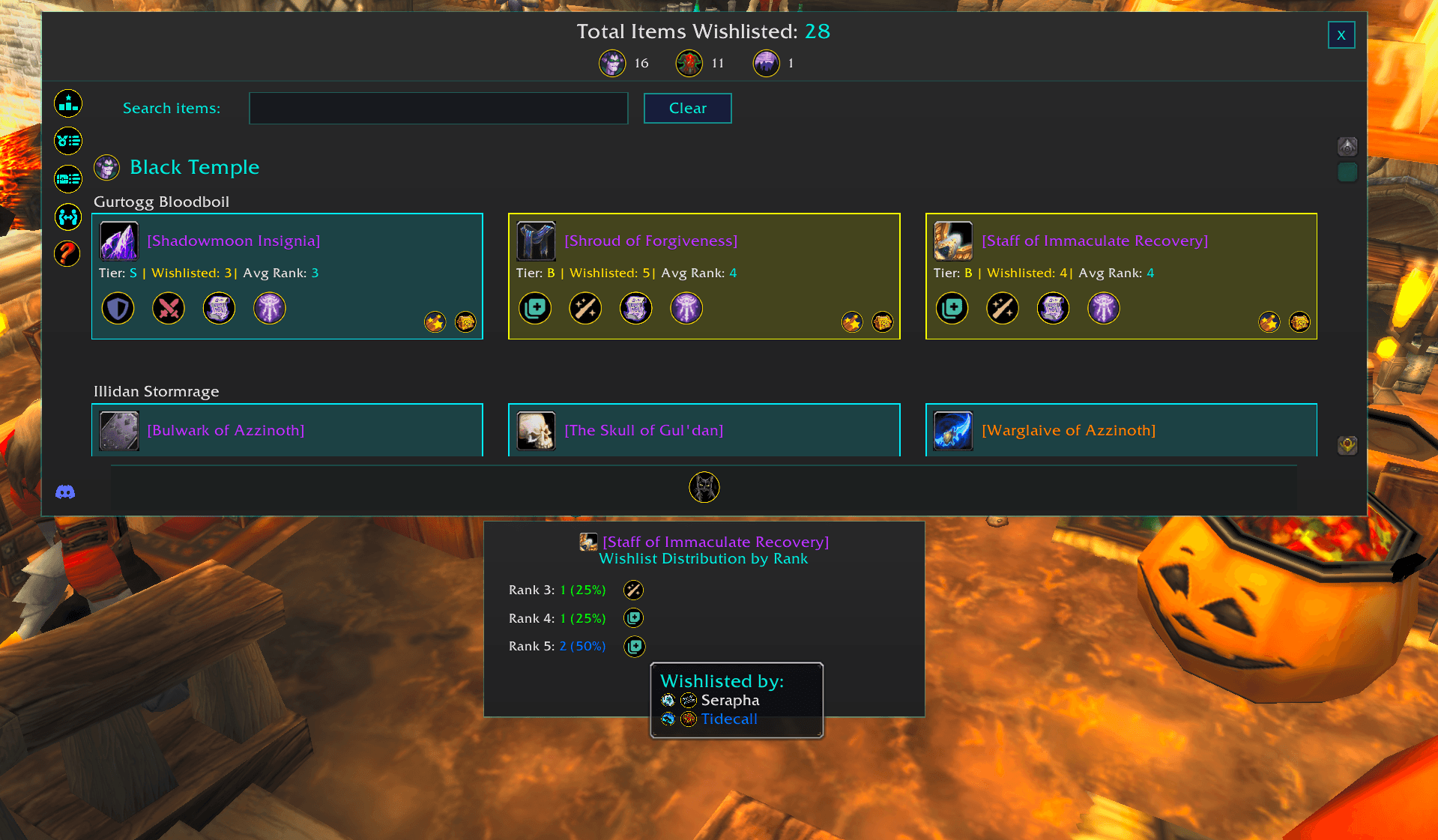
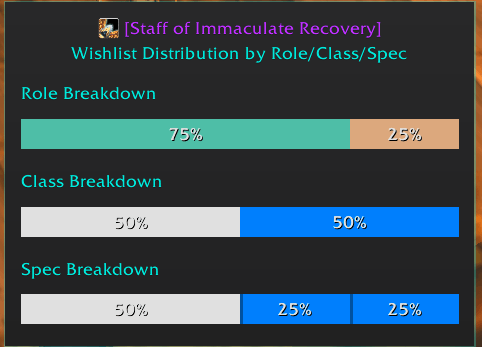
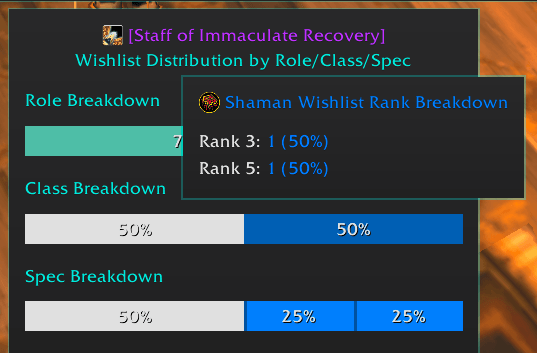
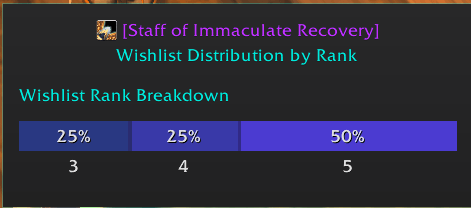
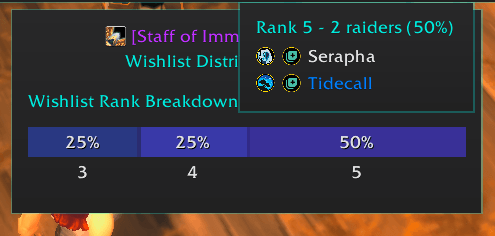
Wishlist Dashboard
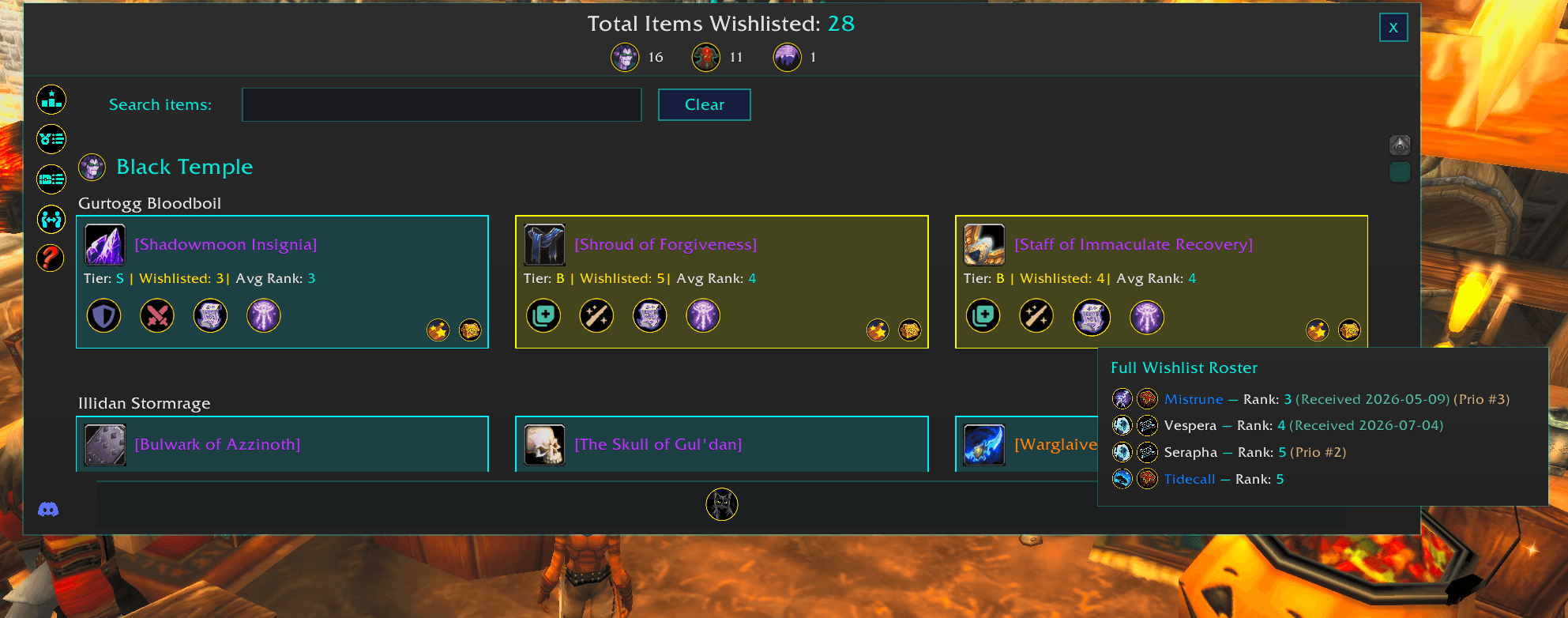
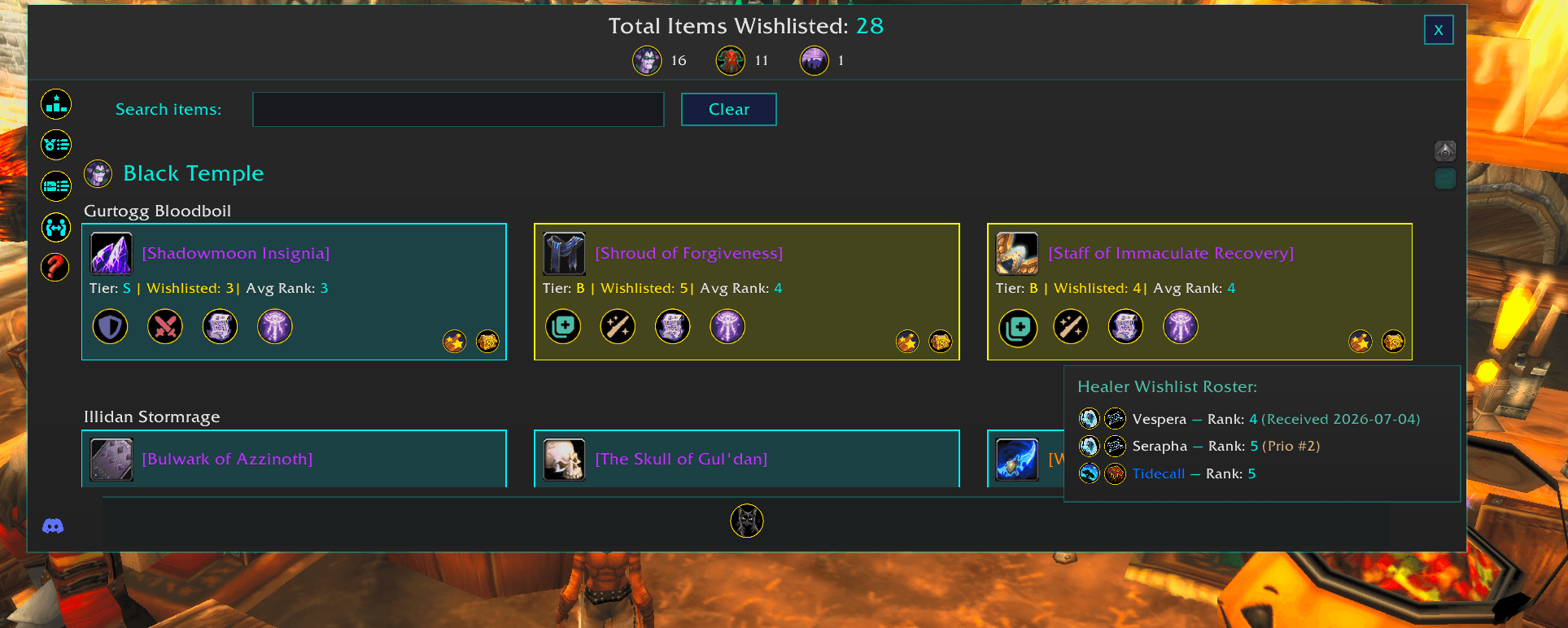
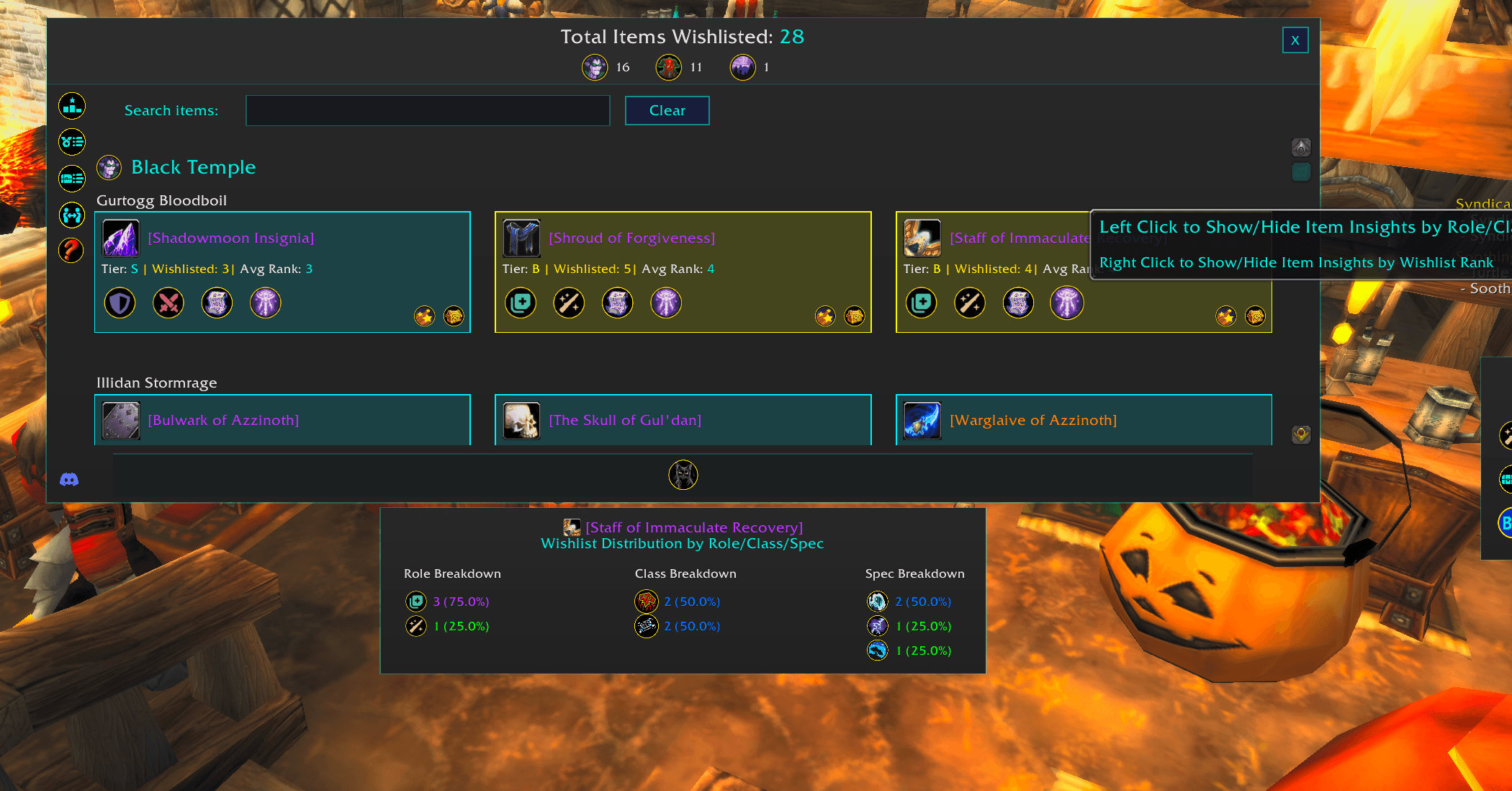
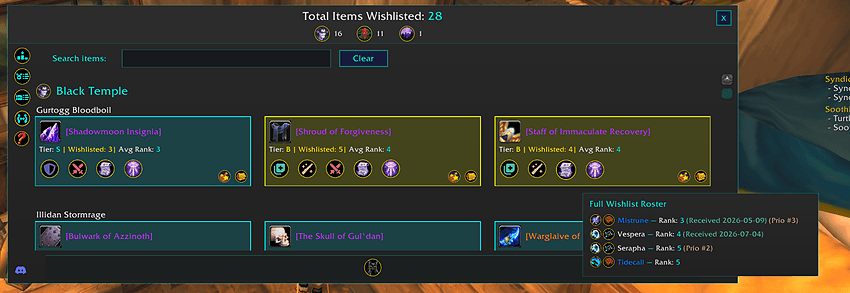
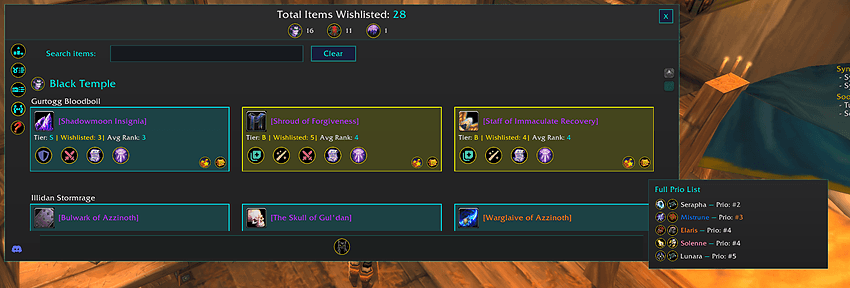
Explore the raid's wishlist data in one place.
- Browse wishlisted items by raid and encounter.
- View which raiders have wishlisted each item.
- See wishlist ranks and available prio information.
- Search directly for specific items.
- Track whether wishlisted items have already been received.
- Use item tooltips to inspect gear without leaving the dashboard.
- Available for BisCouncil and TMB data.
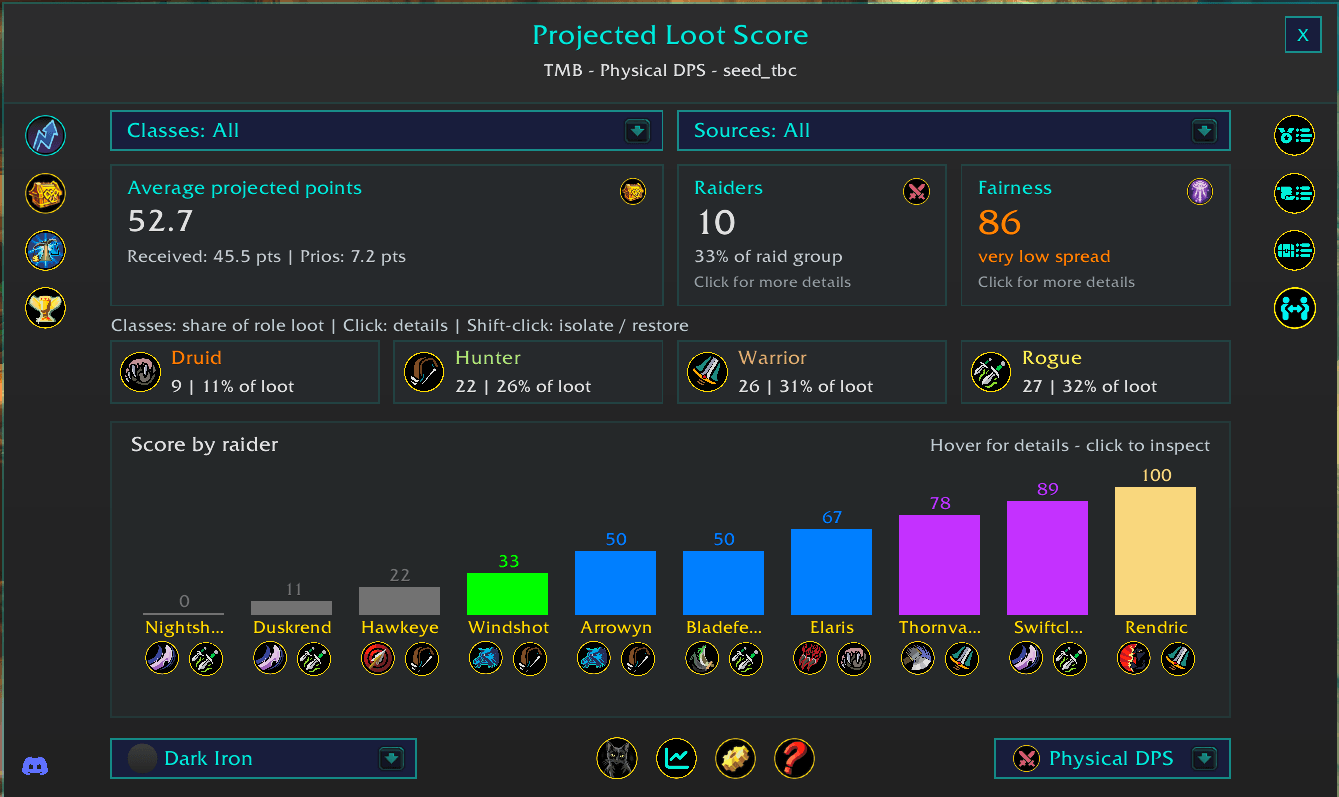
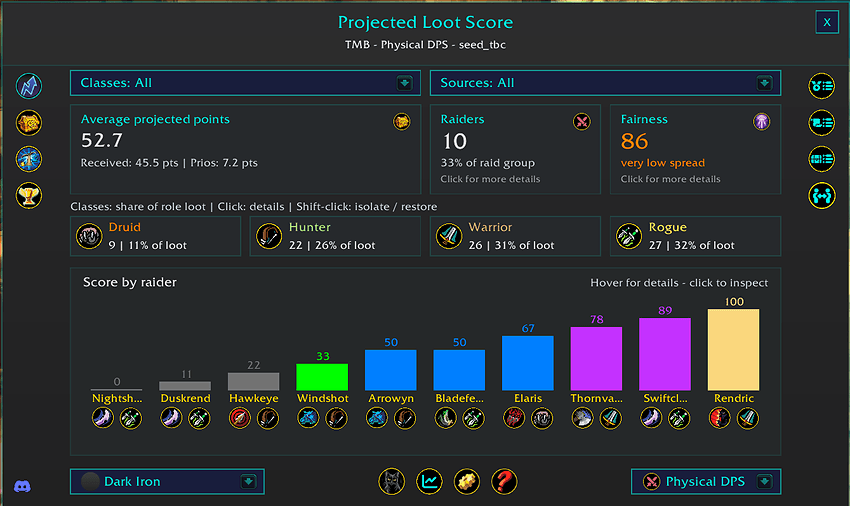
Projected Loot Score Report
Estimate future loot distribution using current loot and prio data.
- Generates a projected loot score for each raider.
- Combines existing loot distribution with available prio information.
- Compare projected outcomes across raiders within the selected role.
- Toggle whether unranked items are included in the calculation.
- Sort and visualize projected scores to identify potential future distribution differences.
- Designed to complement actual loot and prio reporting rather than replace it.
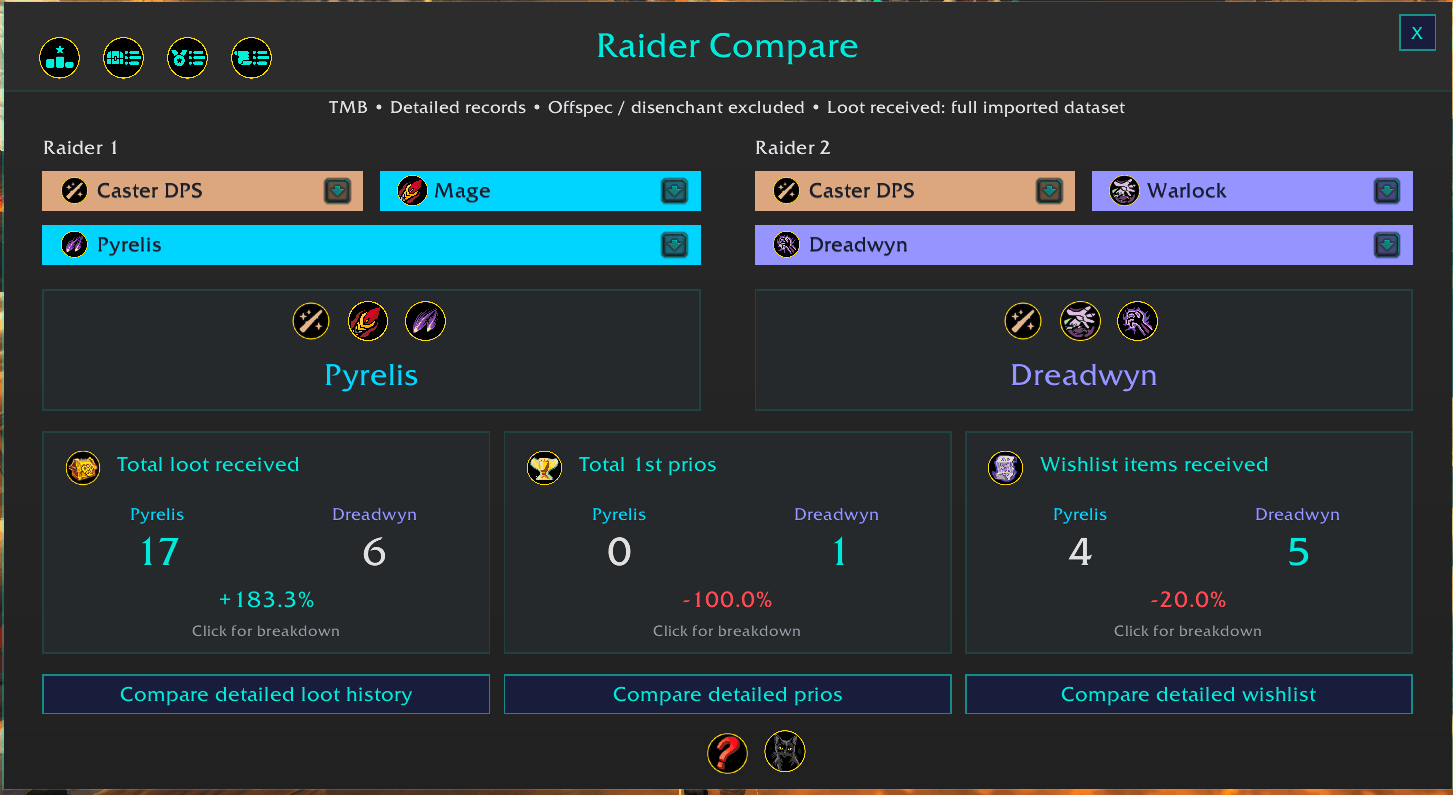
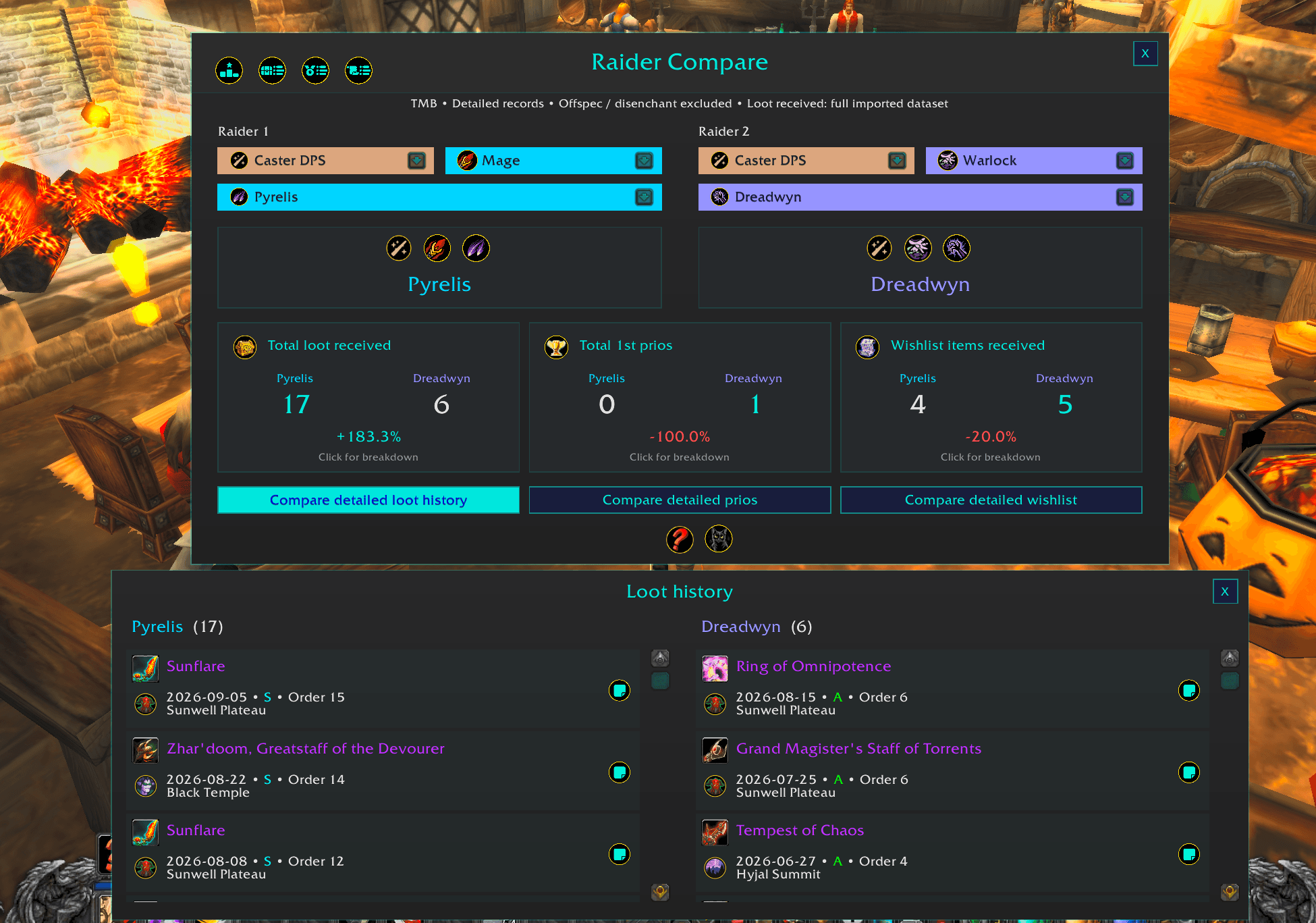
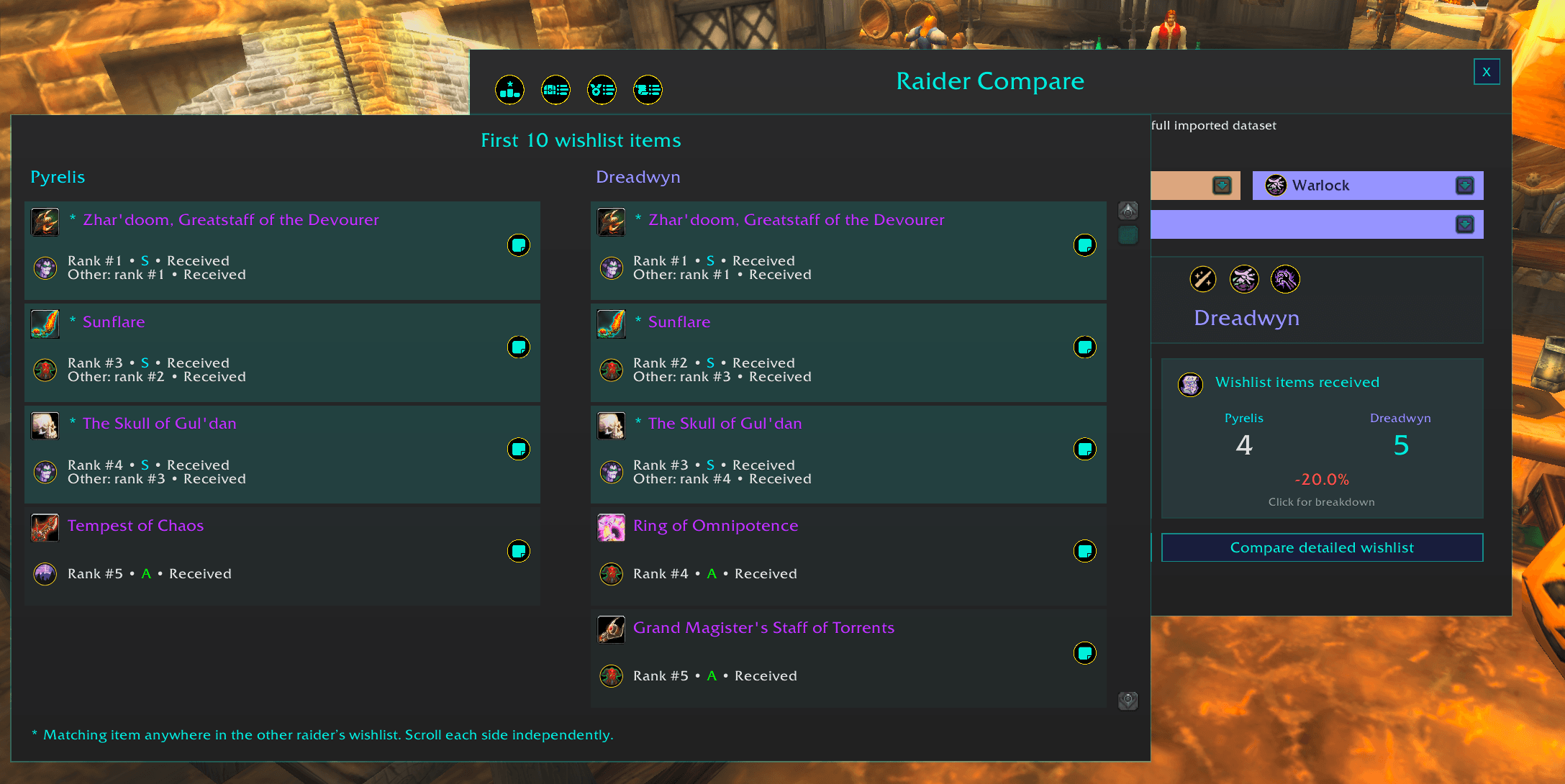
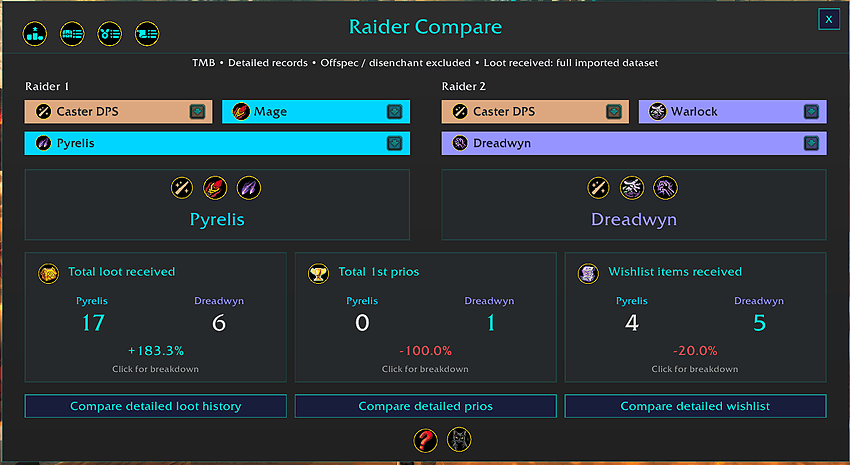
Raider Compare
Compare two raiders side by side using their eligible loot records.
- Select any two eligible raiders for direct comparison.
- Compare total loot received between both players.
- Compare available prio and wishlist metrics.
- Helps provide additional context when evaluating loot distribution between individual raiders.
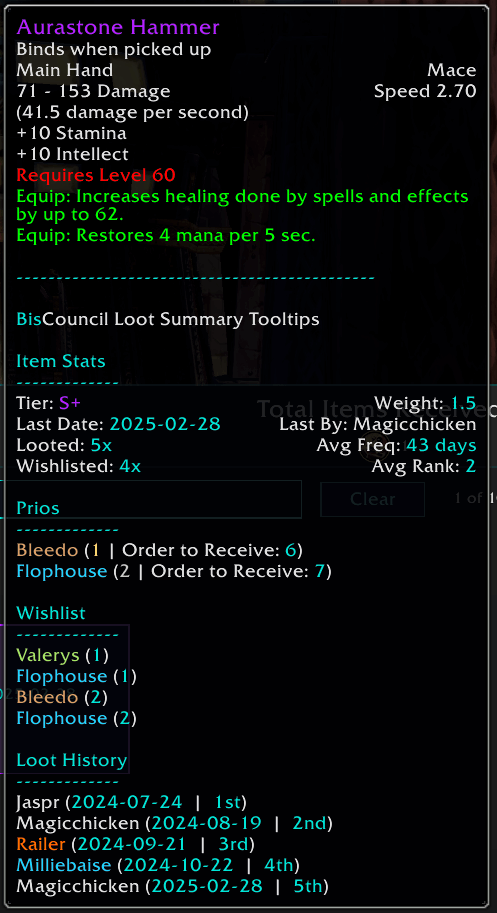
Modular Item/Raider Tooltips
- See high-level item stats in native wow item tooltips.
- completely modular, enable/disable the sections you care about or disable altogether
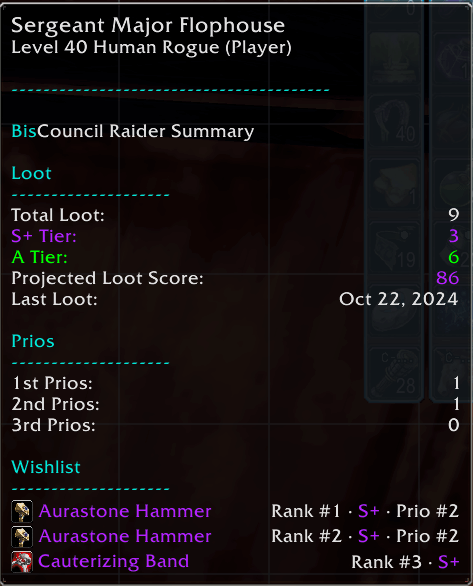
- Raider tooltips are available when hovering over party/raid frames and displays high-level info on that specific raider (loot/prio/wishlist)
Item Tooltips:
Raider Tooltips:
Interactive Shared Reports
- Clickable BisCouncil report links
- Separate BisCouncil themed shared report window
- No dataset import required for the recipient
- Only available in Forever
Reports are shared as clickable links in chat channels, like how you can link quests or items. The shared reports are snapshots so recipients see the same values that were originally shared.
BisCouncil Loot Summary | Analytics Tool for BisCouncil, TMB, Gargul, and RCLootCouncil Data Team