BiS Gear
- By
Gear upgrades at a glance for WoW Forever: upgrade colors, a BiS Planner, cheap Auction House upgrades, wishlists, smart junk and bag tools, plus optional quality-of-life extras.
1-upgrade-colors.png
5-quest-rewards-illustration.png
6-loot-and-rolls-illustration.png
7-options-illustration.png
Description
BiS Gear
Your gear assistant for WoW Forever. BiS Gear colors every piece of gear for your class and spec, plans your best-in-slot, finds cheap upgrades on the Auction House, and keeps your bags clean - with optional quality-of-life extras you switch on as you like.
Colors at a glance
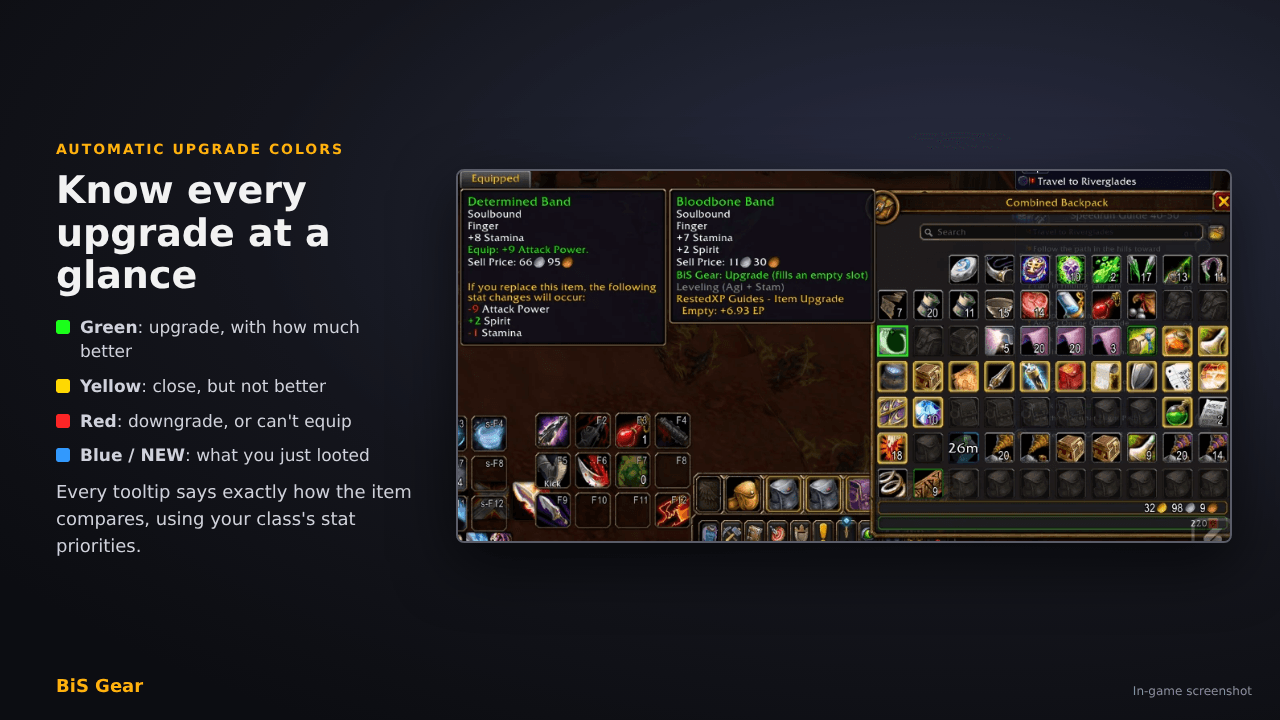
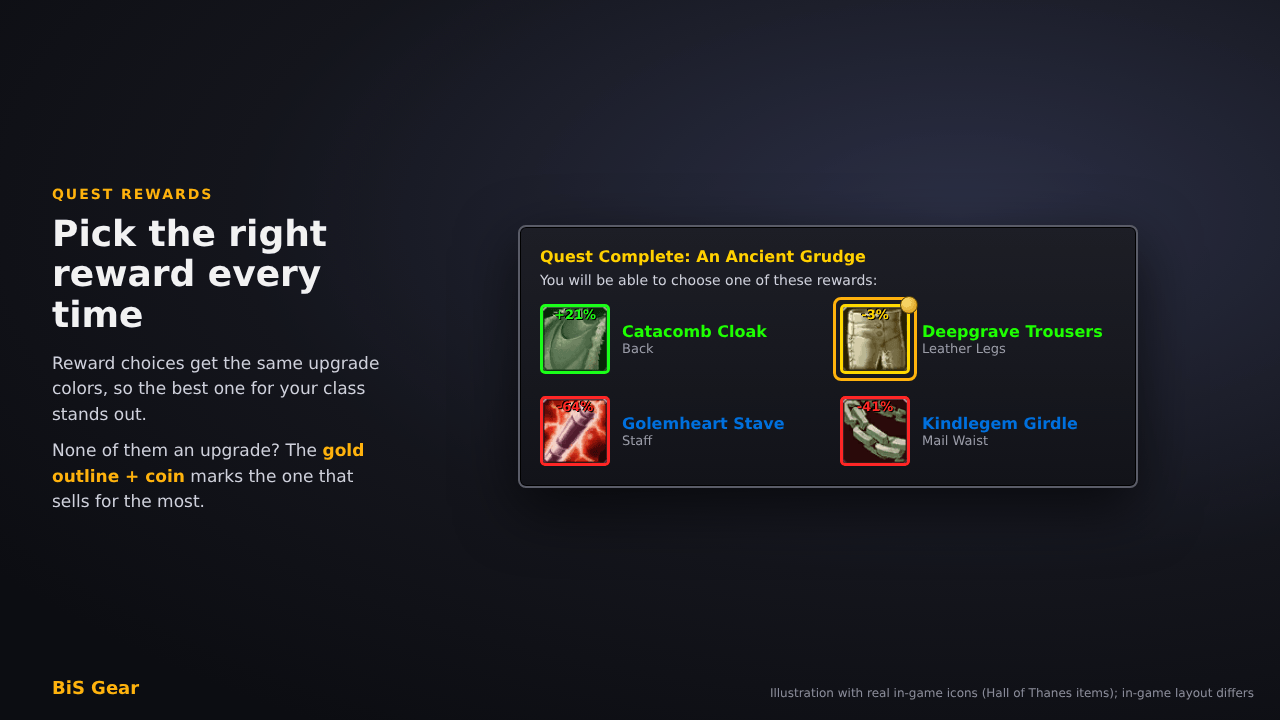
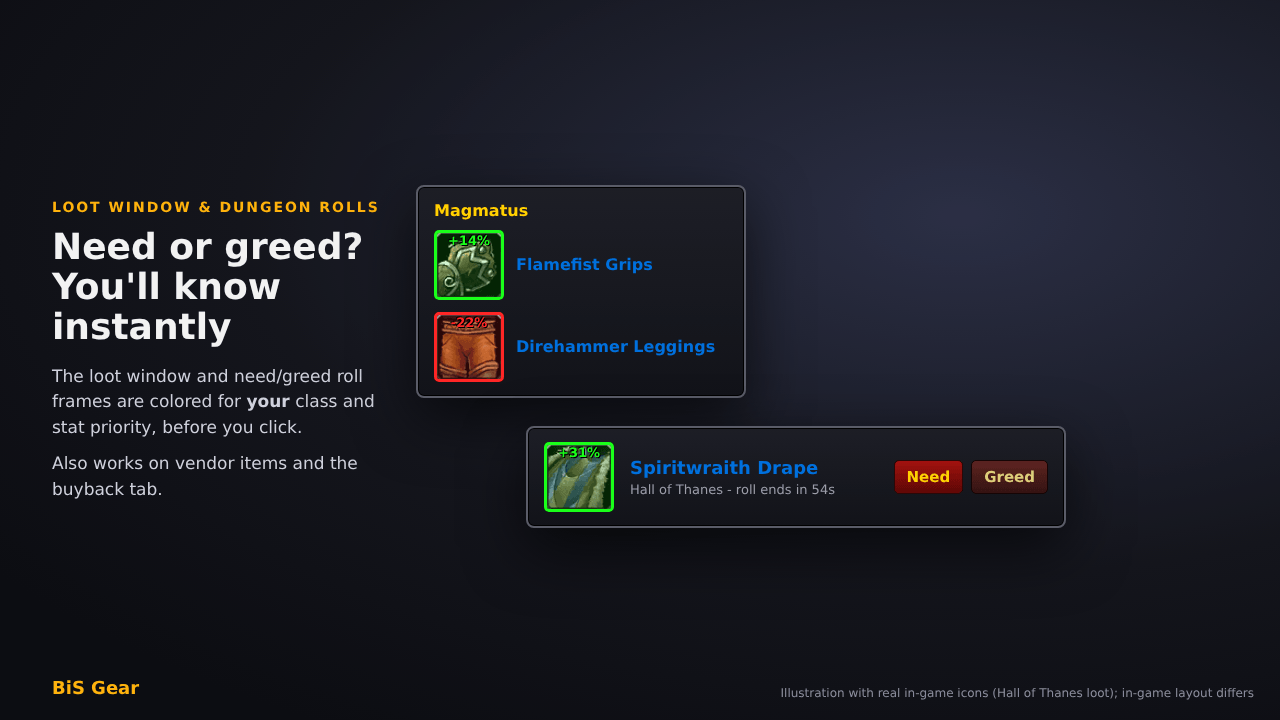
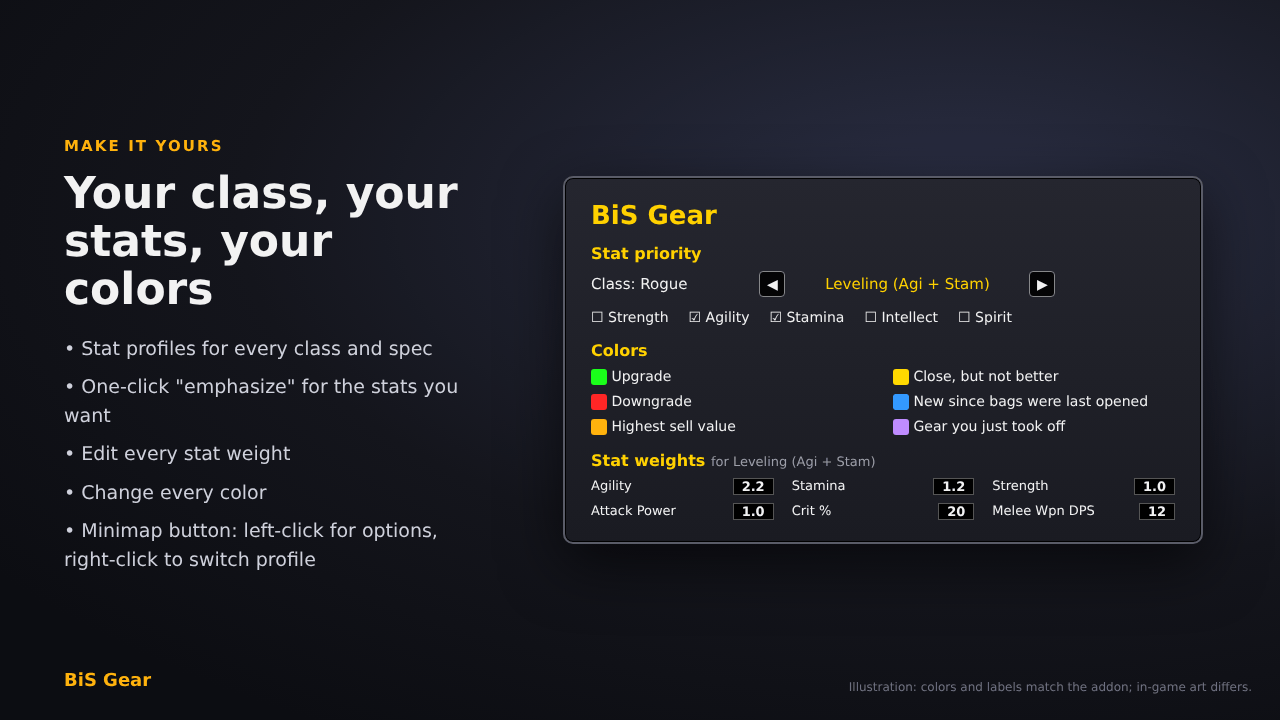
- 🟩 Green: an upgrade over what you're wearing
- 🟨 Yellow: close, but not quite better (within 10%, adjustable)
- 🟥 Red: a downgrade, or gear your class can't equip
- 🟦 Blue: new since you last closed your bags
- 🟪 Light purple: gear you just took off
- 🟧 Gold outline + coin: the quest reward that sells for the most
- Lv35 tag: gear above your level keeps its color and shows the level you need
Works in your bags and bank, the loot window, dungeon rolls, quest rewards, vendors and every item tooltip ("BiS Gear: Upgrade +12.3%").
BiS Planner
- 🗺️ Best-in-slot, your way: pick the content you do - dungeons, raids, PvP, crafted, quests, reputation, world - and get the best item for every slot for your class and spec.
- 📈 Follows your level: "My level" shows the best gear you can use right now; empty slots tell you when the first item shows up ("Empty until level 41").
- ✅ Checked against WoW Forever: BiS Gear checks items against the game's real stats and levels (Forever changed many), and only suggests weapons you can train and gear your class can wear at your level.
- 🎓 Picks your stat profile from your talents automatically (you can always choose another).
- ⚔️ All WoW Forever dungeons included.
Loot Browser, Wishlists & Stat Simulator
- 📖 Loot Browser: every dungeon and raid with each item's % gain for your spec; opens on the dungeon you're in, with your target's loot first.
- ⭐ Wishlists: as many as you like, progress tracking, loot alerts, and Share / Import a wishlist with friends as a short code.
- 🧮 Stat Simulator: your equipped stats; enter changes (+20 Agility, +2% Hit) and see your new crit, hit, dodge, attack power, health and more.
- 🪟 These windows dock beside the Planner, one at a time, so nothing overlaps.
Cheap upgrades on the Auction House
- 💰 Find upgrades scans the Auction House for gear you can use and lists the upgrades for your spec - best % gain per gold first, cheapest listing of each item.
- 🔎 Filter by max price, minimum % gain, slot ("only gloves") and stats ("Intellect and Spell damage").
- Click an upgrade to find it and buy it the normal way - BiS Gear never spends your gold.
Bags: lock, junk & space
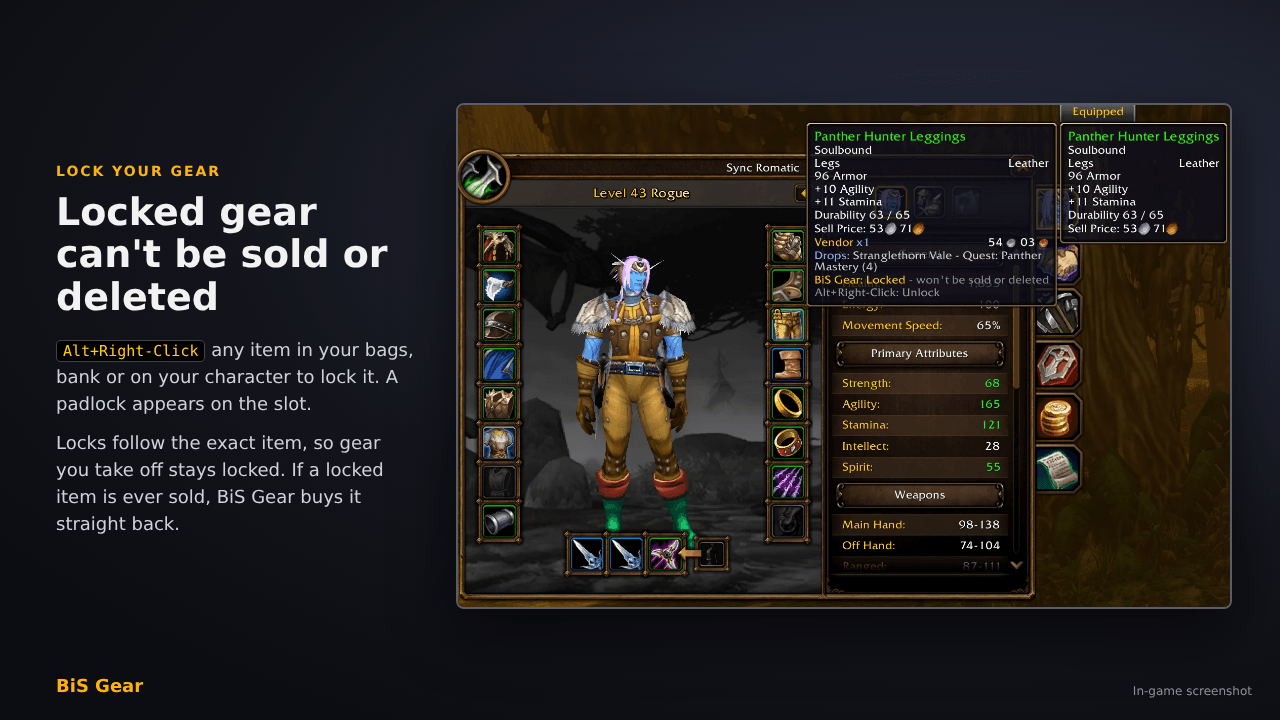
- 🔒 Lock with Alt+Right-Click: locked items can't be sold or deleted.
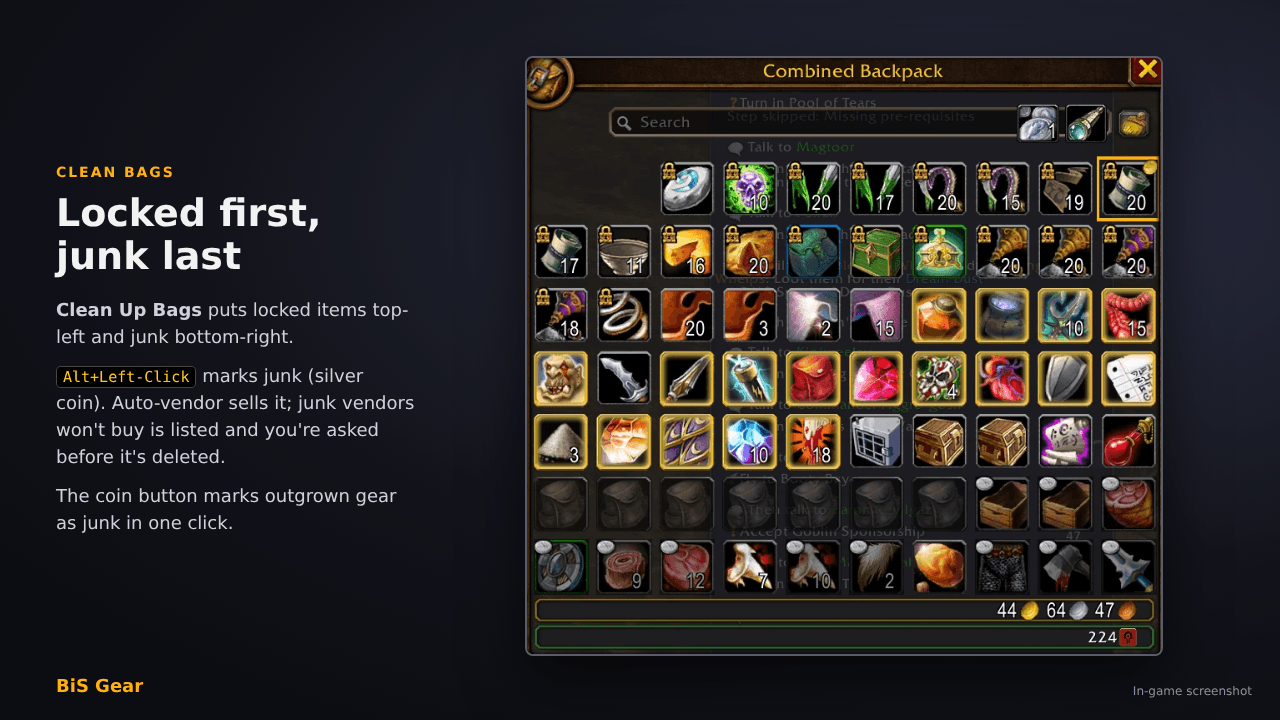
- 🗑️ Junk with Alt+Left-Click (one stack) or Alt+Double-Click (every copy). Sell All Junk sells them; junk vendors won't buy is listed and you're asked before it's deleted.
- 🪙 Auto-vendor: repairs and sells junk when you open a vendor.
- 🧺 Suggested junk: gear you've outgrown or can never use is flagged; one click marks it all.
- 📦 Bags full? BiS Gear offers to delete your cheapest junk to make room (always asks).
- 🏦 Deposit reagents into the bank in one click.
- 🧹 Clean Up Bags, upgraded: locked items top-left, junk bottom-right.
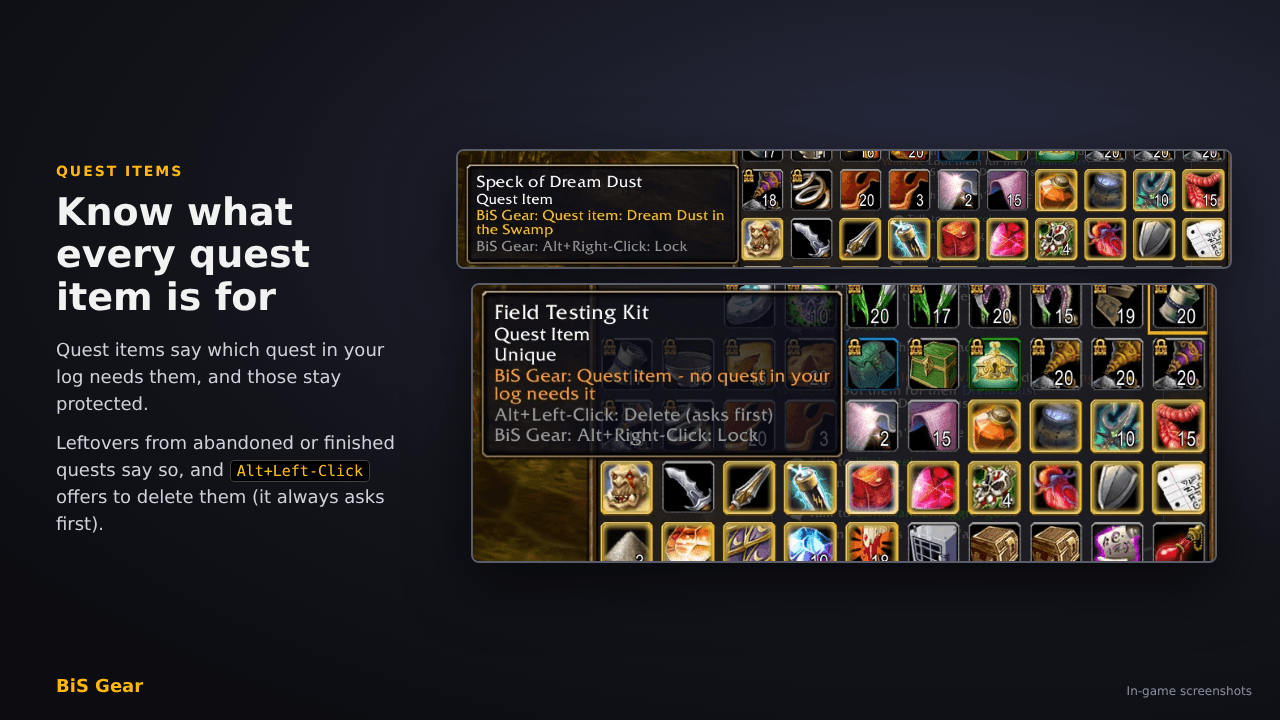
- 📜 Quest items: tooltips say which quest they're for; leftovers from abandoned or finished quests can be deleted (asks first). Items for quests in your log are always protected.
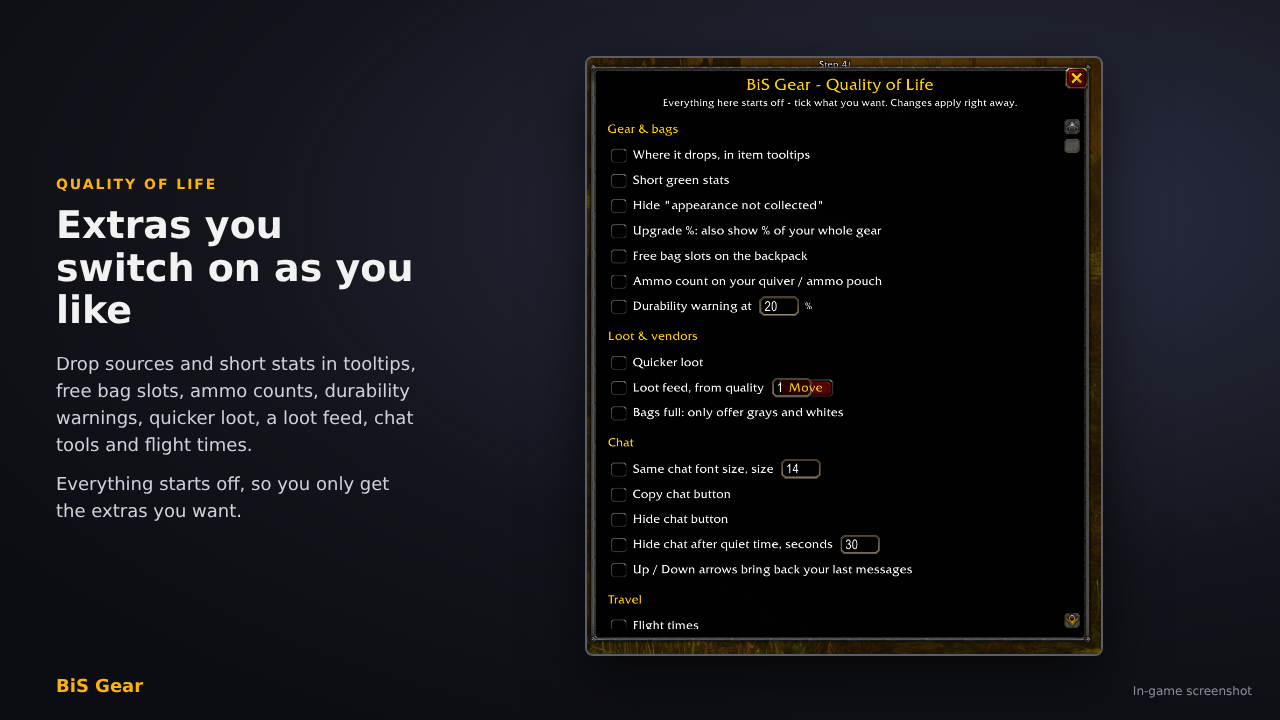
Quality of Life (all optional)
Open with /bis qol or Ctrl+Right-click the minimap button. The most useful are on from the start; untick anything you don't want:
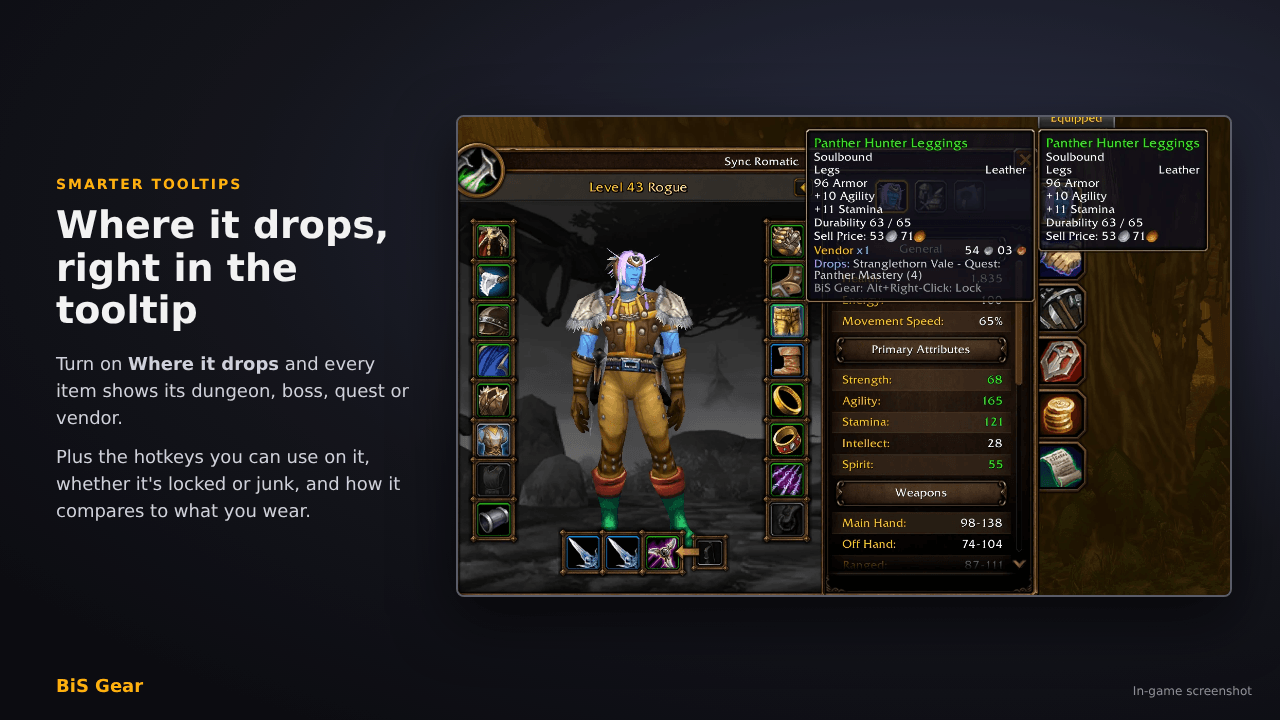
- Tooltips: where an item drops, short green stats ("+1% Hit"), hide "appearance not collected", upgrade % for your whole gear
- Bags: free slots on the backpack, ammo count on the quiver, durability warning
- Loot: sparkles on quest loot, herbs and ore; quicker loot; loot feed; bags-full helper limited to grays/whites; never-delete list
- Chat: one font size, copy chat, hide chat (button + key binding), hide after a quiet time, arrow-key message history
- Travel: flight times for every WoW Forever route, and M opens the Loot Browser in dungeons
Smart, class-aware comparisons
- Stat profiles for every class and spec (leveling profiles follow Maxroll's WoW Forever guides), every weight editable, or import a Pawn scale.
- Weapon speed preferences, unique-equipped rings and trinkets, dual wield vs. two-handers, classic "Equip:" bonuses, armor type preferences.
Minimap button
- Left-click: BiS Planner · Shift+Left: Loot Browser · Ctrl+Left: Wishlists · Alt+Left: Stat Simulator
- Right-click: options · Shift+Right: next stat profile · Ctrl+Right: Quality of Life
- Also in the Addon Compartment. Hide it with
/bis minimap.
Commands
/bisoptions ·/bis planner·/bis loot·/bis wish·/bis sim·/bis qol/bis junkmark suggested junk ·/bis fullmake room ·/bis keep <item>never delete ·/bis arrange/bis profile [n]·/bis weight STA 1.5·/bis emph AGI·/bis import·/bis bis·/bis upgrades/bis chathide/show chat ·/bis reportcopy a bug report ·/bis reset
Notes
- Item data from warcraft.wiki.gg (CC BY-SA), corrected in game against WoW Forever's real items.
- Classic "Equip:" bonus parsing currently supports the English client.
- Bug reports welcome -
/bis reportcopies everything needed.
BiS Gear Team