
BindSwap
- By
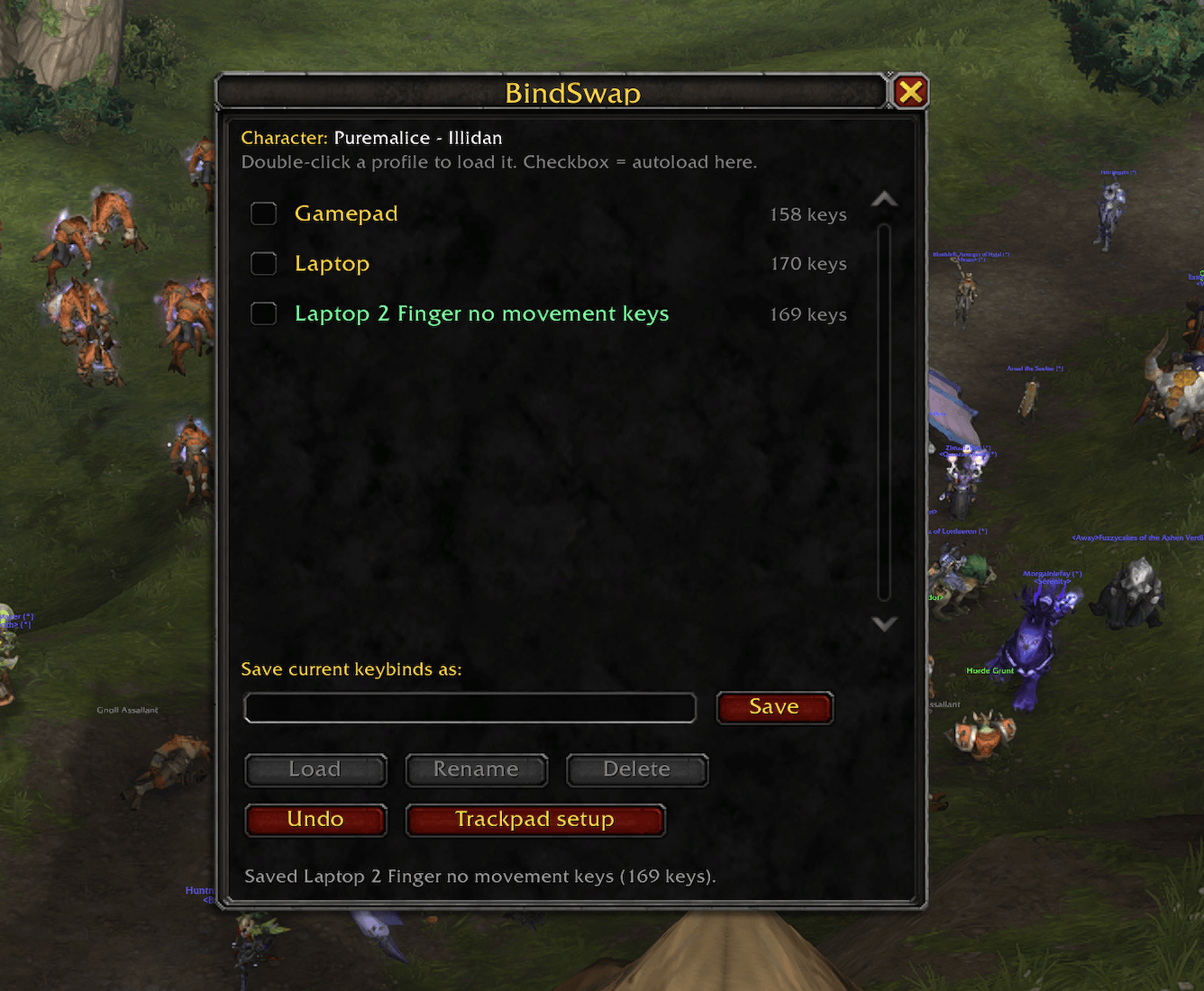
bindswap-screenshot-2-under-2mb.png
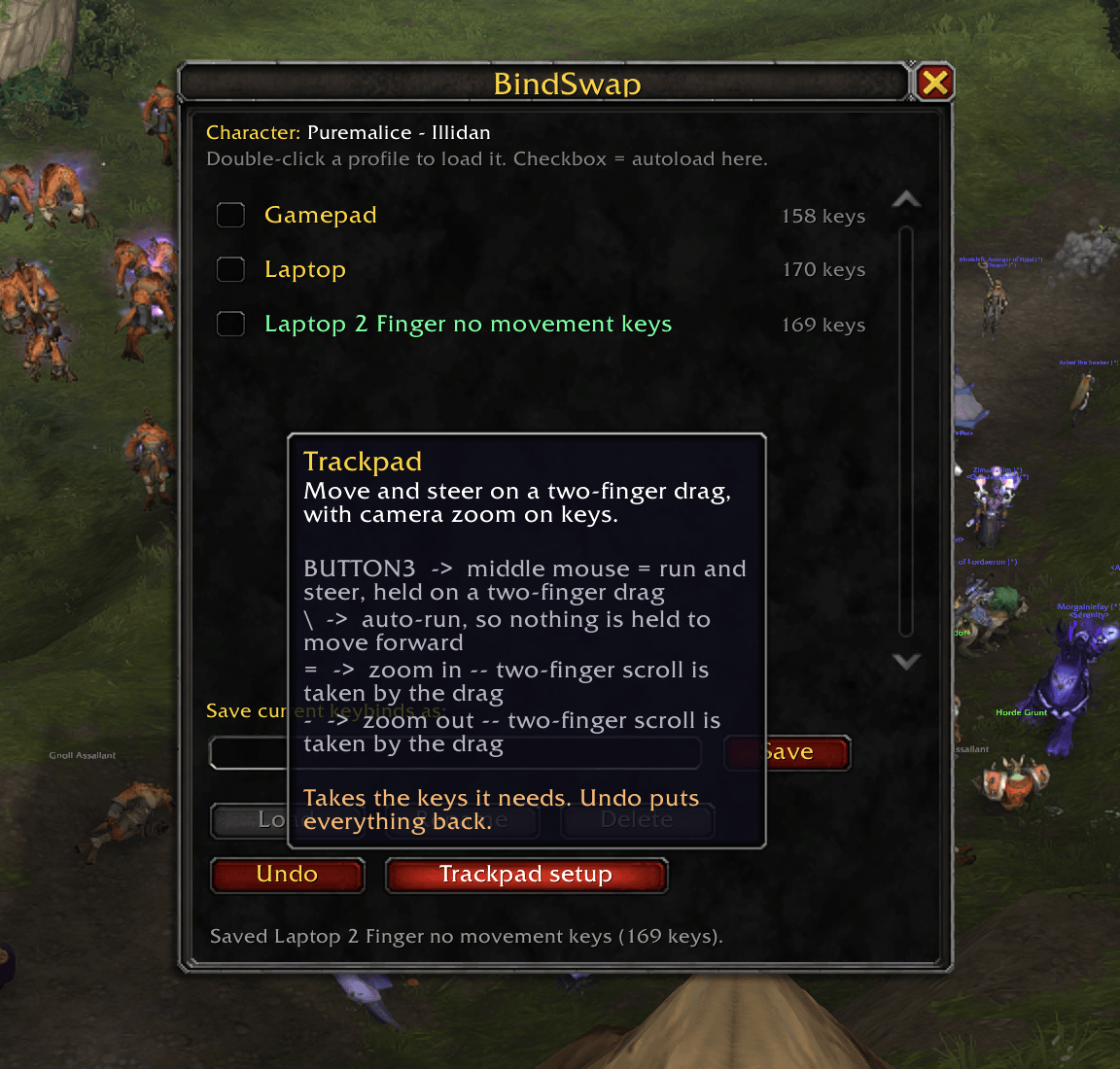
bindswap-screenshot-1-under-2mb.png
Description
BindSwap saves your keybindings as named profiles and lets you swap between them from a window in game.
It exists for a specific annoyance: playing on more than one setup. A desk with a full keyboard and mouse wants completely different binds from a laptop with a cramped one — and rebinding thirty keys every time you move machines is not a thing anyone does twice.
What it does
- Unlimited profiles. Save your current keybinds under any name, load them back in one click.
- Autoload per character. Tick a box and that profile loads automatically when that character logs in. Your tank and your alt can each start on their own layout.
- Undo. Every load is reversible with one click, including a preset. Nothing is a one-way door.
- Combat-safe. Blizzard blocks binding changes in combat, so a swap during a fight is queued and applied the moment you drop out instead of silently failing.
- Keeps multi-key binds. The default keybinding UI only shows two keys per command, but WoW allows more. BindSwap saves and restores all of them — most profile addons quietly lose the extras.
Using it
/kb opens the window. It's also in the addon compartment next to the minimap and under Settings → AddOns.
- Set your keys up normally in Options → Keybindings
/kb, type a name, hit Save- Rebind for your other setup and save that too
Swap by double-clicking a profile, or tick its checkbox to make it automatic on that character.
Every window action has a slash command too — /kb list, /kb load <name>, /kb auto <name>, /kb undo, and so on. /kb help lists them.
Laptop and trackpad setup
There's a Trackpad setup button that binds a movement scheme needing no movement keys at all, so your left hand stays free for abilities:
| Key | Does |
|---|---|
| Middle mouse | Run and steer |
\ |
Auto-run |
= / - |
Camera zoom |
Camera zoom moves onto keys because a trackpad gesture usually takes over scrolling in game.
With a mouse this just works — Move and Steer needs the middle button held down, and every mouse has one.
On a laptop trackpad it depends on the hardware:
- Mac — a trackpad has no middle button at all, so it needs a helper. TrackSteer is free and open source: two fingers resting run and steer, pressing down turns on the spot, and two-finger scrolling stays normal in every other app.
- Windows laptops with physical trackpad buttons (ThinkPads and similar) — should work, there's a real middle button.
- Windows clickpads — currently untested, and I'd genuinely like to know.
Windows laptop users — one question, if you don't mind
Move and Steer needs the middle mouse button held down, not clicked. Windows lets you map a three-finger tap to middle click, but a tap is momentary, so it may not hold.
If you play on a Windows laptop trackpad, please leave a comment saying:
- What laptop, and whether the trackpad has separate physical buttons
- Whether holding the gesture keeps you running, or stops immediately
I develop on a Mac and have no way to test this. If Windows trackpads can hold it, the preset works there too and this warning comes out. If they can't, it's worth building a Windows helper — and knowing that is worth a lot.
Presets overwrite. If a key they need is already doing something else, they take it — that's the point. Every displaced command is named in chat, and Undo puts the whole layout back.
Two computers
Profiles live in SavedVariables inside each WoW installation, so they don't sync between machines on their own. Simplest approach is to save the profiles you need on each machine — since each install has its own store, the laptop only needs the laptop profile. Or copy WTF/Account/<ACCOUNT>/SavedVariables/BindSwap.lua between installs with the game closed.
Status
New addon, built and tested on 12.1.0 on macOS. The addon itself is pure Lua with nothing platform-specific in it, so Windows behaviour should be identical — but "should be" isn't "is", and Windows testing is still in progress. If something breaks, please open an issue on GitHub rather than guessing; bug reports with the error text get fixed fast.
The binding engine has an automated test suite covering profile round-trips, autoload timing, combat deferral and the awkward edge cases, so the core is solid. The window has had less mileage.
Source
MIT licensed. Source and issues: https://github.com/purexmalice/BindSwap
BindSwap Team
