BigonButtons
- By
Compact master buttons that fly out to access your mounts, pets, toys, items, spells and more.
Screenshot (306).png
Screenshot (301).png
Description
BigonButtons
BigonButtons is a lightweight World of Warcraft flyout addon that keeps your UI clean while giving you quick access to the spells, items, mounts, toys, macros, and battle pets you use most.
Instead of filling your screen with rows of action buttons, BigonButtons uses compact master buttons that open customizable flyouts containing your assigned actions.
Simple by Design
BigonButtons is built around one idea:
Keep the screen clear without losing quick functions
Create a Mounts button with your favorite mounts, a Professions button with your crafting abilities, a Utility button with toys and items, or build completely custom groups for whatever you need.
Your main UI stays compact while everything you need is only a hover or click away.
Features
Layout
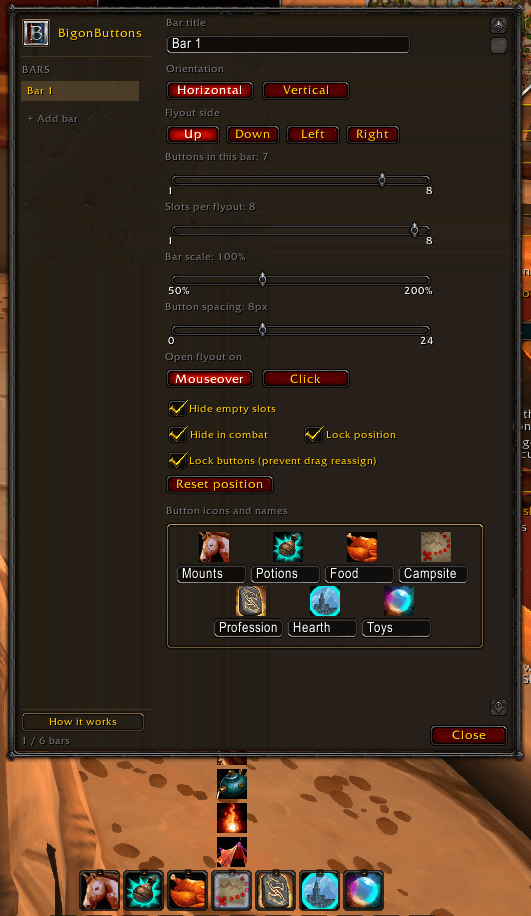
- Up to 6 Custom Bars: create and organize multiple independent bars
- 1–8 Master Buttons per Bar: build each bar to fit your needs
- 1–8 Flyout Slots per Button: keep related actions together
- Horizontal or Vertical Bars: arrange bars to match your UI
- Flyouts in Four Directions: open up, down, left, or right
- Mouseover or Click Flyouts: choose how flyouts open
- Movable & Scalable: position and scale each bar independently
- Lockable Bars and Buttons: prevent accidental moves or reassignment
What You Can Assign
- Spells, Items & Macros: drag them straight onto a slot
- Mounts: drag directly from the Mount Journal
- Battle Pets: summoned by unique pet, so duplicates work correctly
- Toys: keep your favorite toys one hover away
Live Info on Your Buttons
- Cooldowns: spell, item, toy, and mount cooldowns on every slot
- Charges: multi-charge abilities show current charges and recharge state
- Usability: unavailable abilities, missing items, and insufficient resources are shaded
- Range: abilities are marked when your target is out of range
- Item Counts: stackable items show how many you have
Options
- Hide Empty Slots: hide unused flyout slots
- Hide in Combat: individual bars can disappear during combat
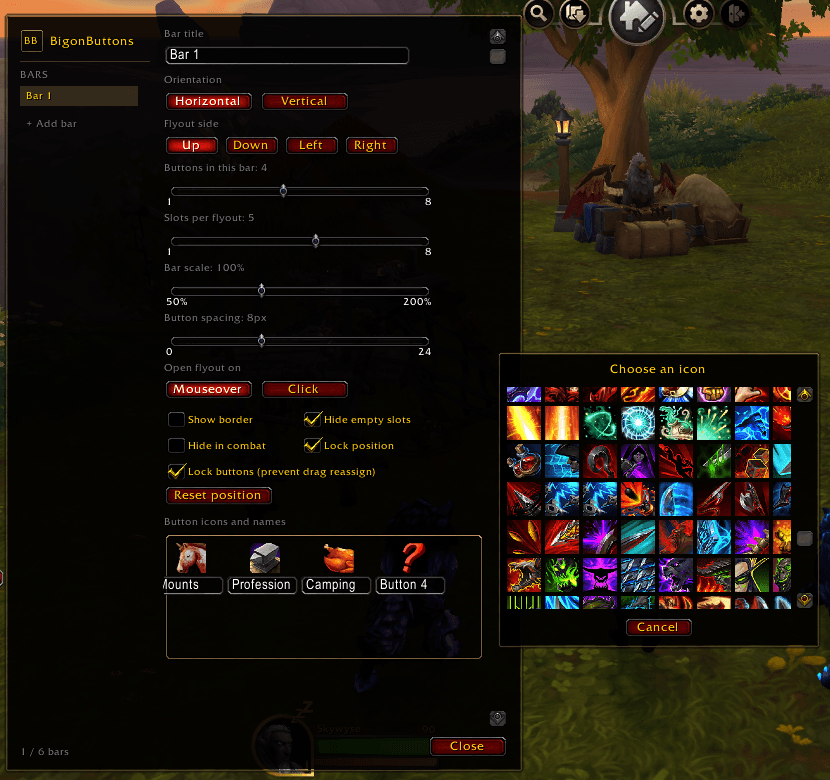
- Custom Icons: pick master button icons with the built-in icon picker
Getting Started
Type /bb or /bob, or click the B minimap button, to open the configuration panel.
From there you can create bars, add buttons, choose icons, or any set you want with a flyout behavior!
- Assign an action by dragging it onto a flyout slot.
- Replace an action by dragging a new one on top.
- Remove an action by holding Shift and dragging it off the flyout (bar must be unlocked).
Note: Bars are currently saved per character. Sharing setups across characters is planned in a later release.
Build your bars however YOU like.
BigonButtons Team