


BianLingo-Chat Translator
- By
Snipaste_2026-11-05_01-31-23.png
Snipaste_2026-11-05_01-32-29.png
Snipaste_2026-11-05_01-33-55.png
Snipaste_2026-11-05_01-35-59.png
Snipaste_2026-11-05_01-36-25.png
Description
BianLingo
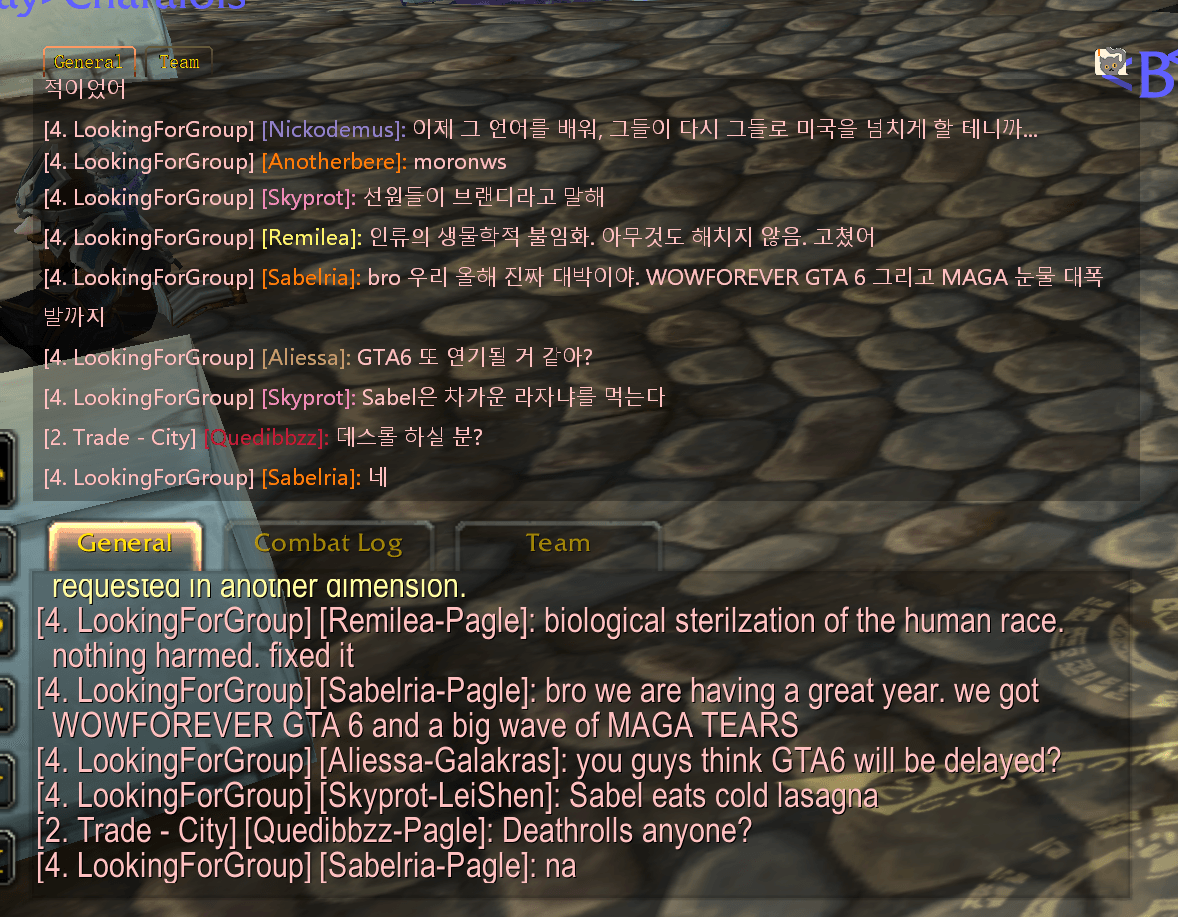
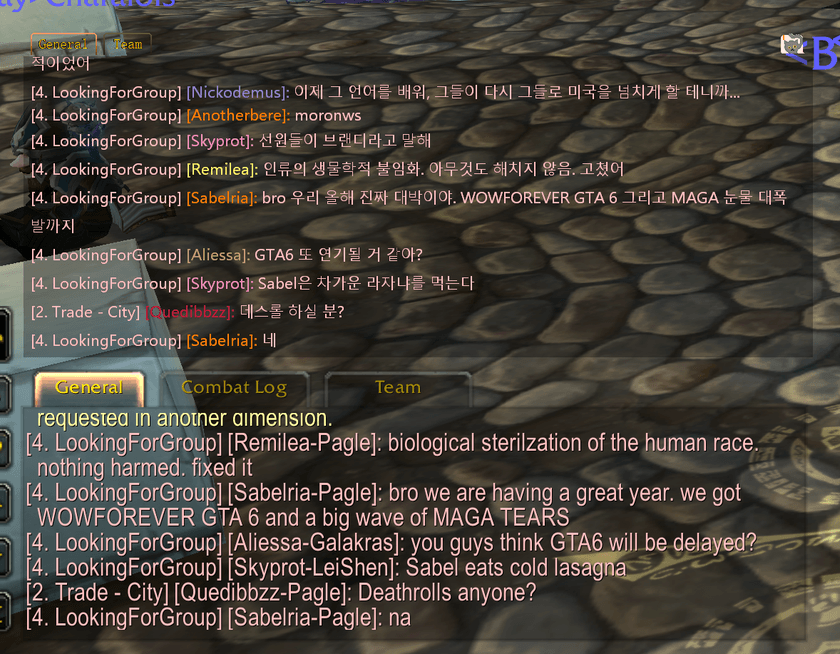
Automatically translate incoming WoW chat into your preferred language, and translate your replies into the language of the player you're talking to.
Important: the free BianLingo desktop app is required
BianLingo works through a game addon and a Windows companion app. The addon displays available chat as a small pixel signal, which the desktop app reads and translates into your selected language. It also translates your replies for you to copy and paste into WoW.
Installing the CurseForge addon alone does not translate chat. Keep the desktop app running while you play.
Download the BianLingo desktop app for Windows
Download BianLingo-x.x.x-windows-x64.zip, extract the entire package, and launch BianLingo.exe. Keep the included data folder beside the EXE. The Windows package also includes the game addon.
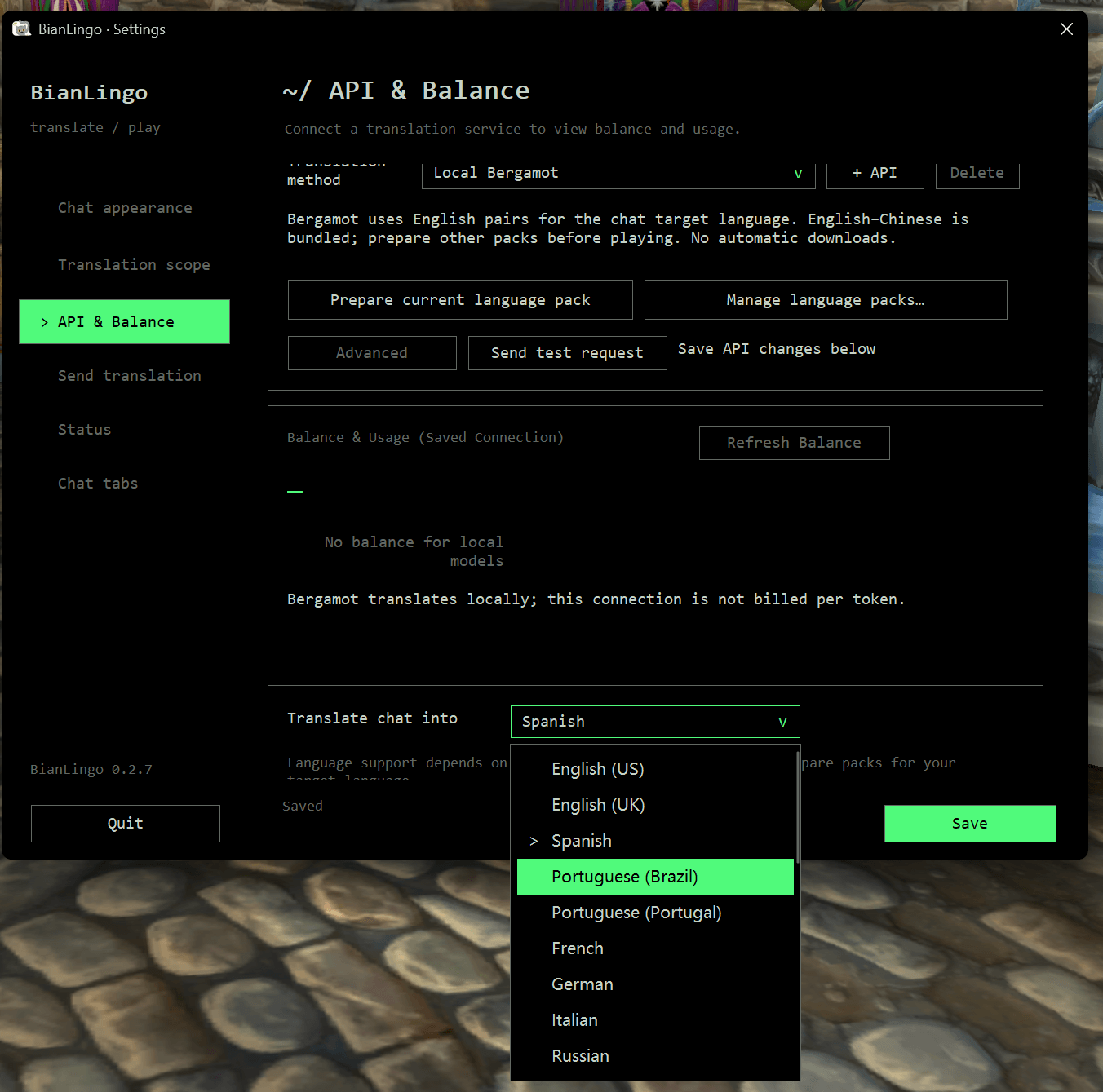
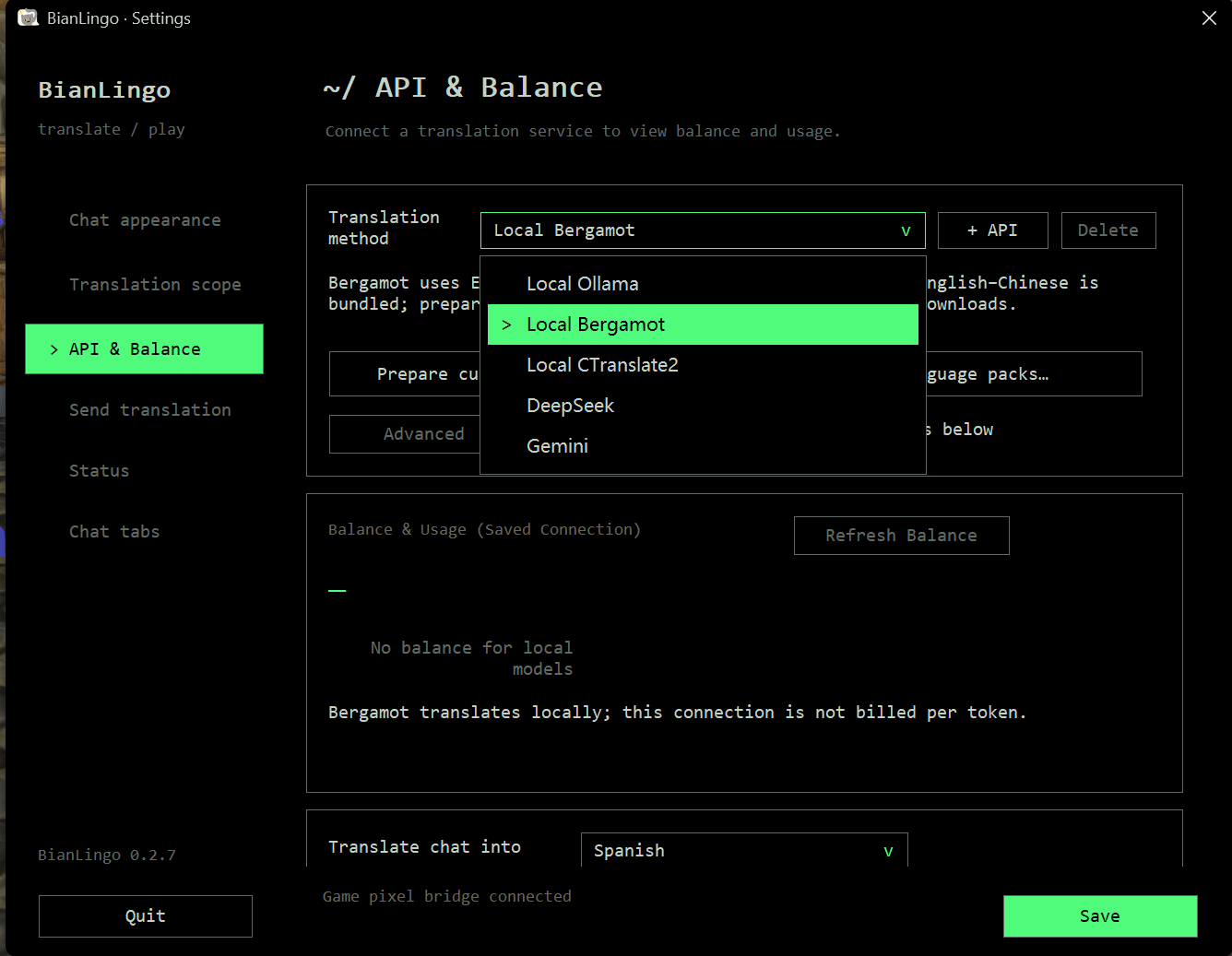
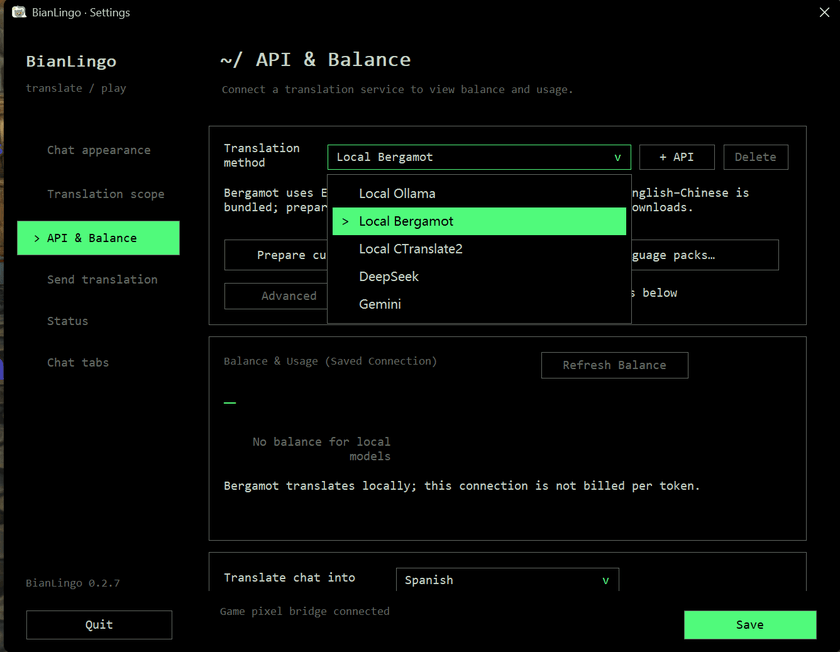
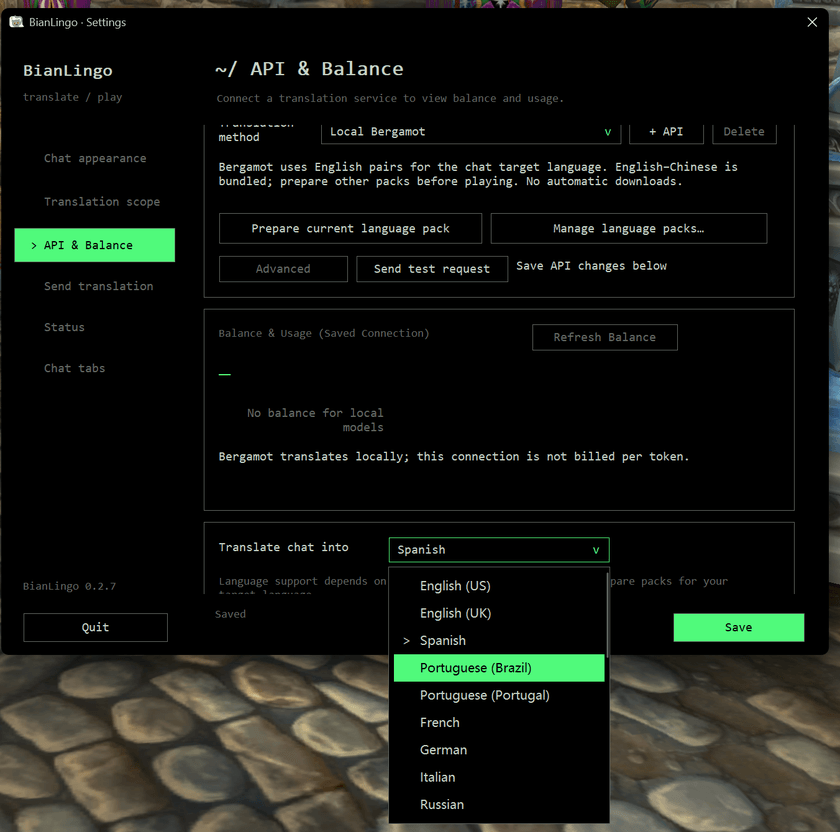
Choose a translation engine and target language in settings. Local translation requires the appropriate language packs or model; online translation requires your provider's API key.
Free. No account or Python installation required. Local translation needs no API key.
Features
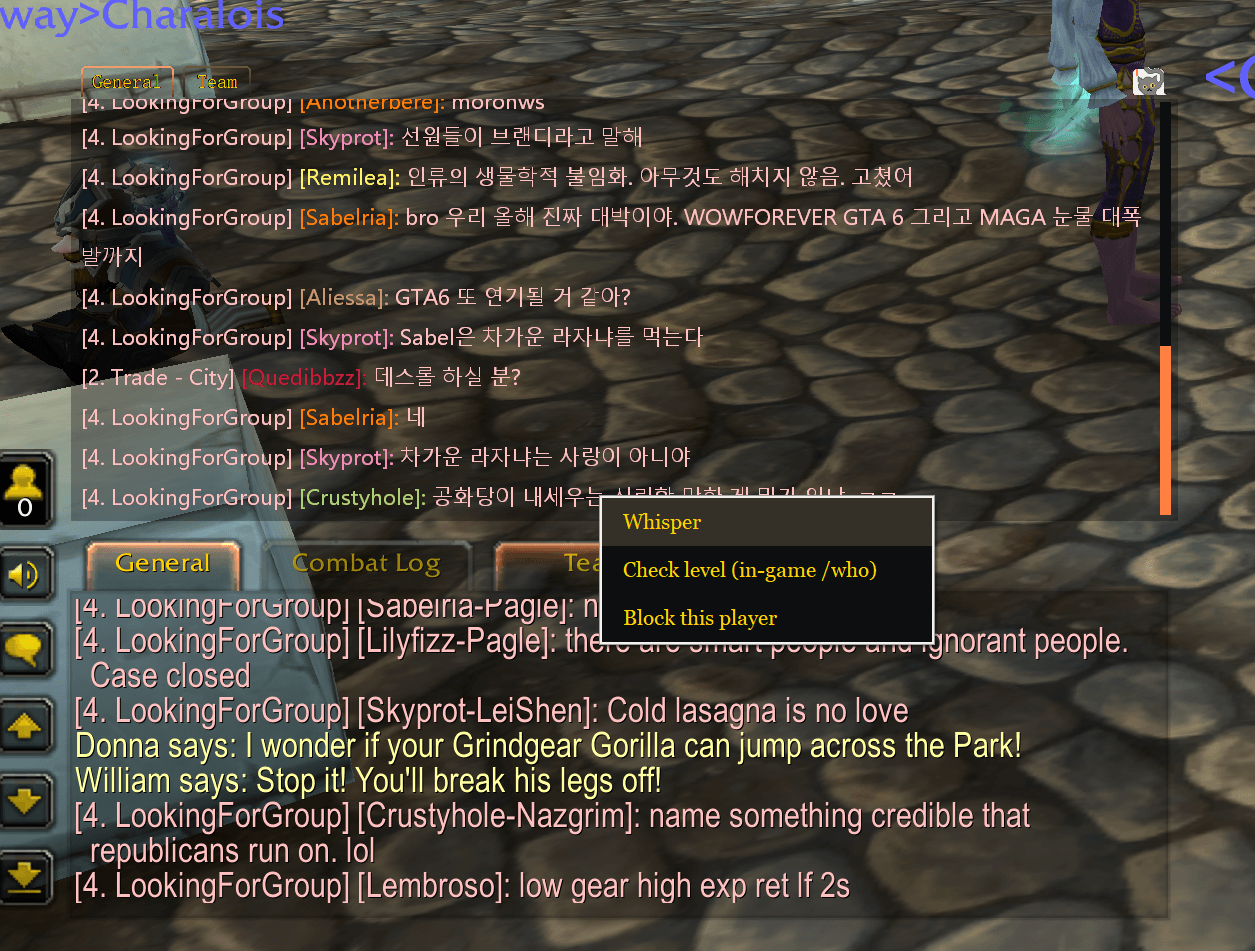
- Automatic chat translation — Read translated whispers, party, raid, guild, say and public-channel messages in a separate overlay.
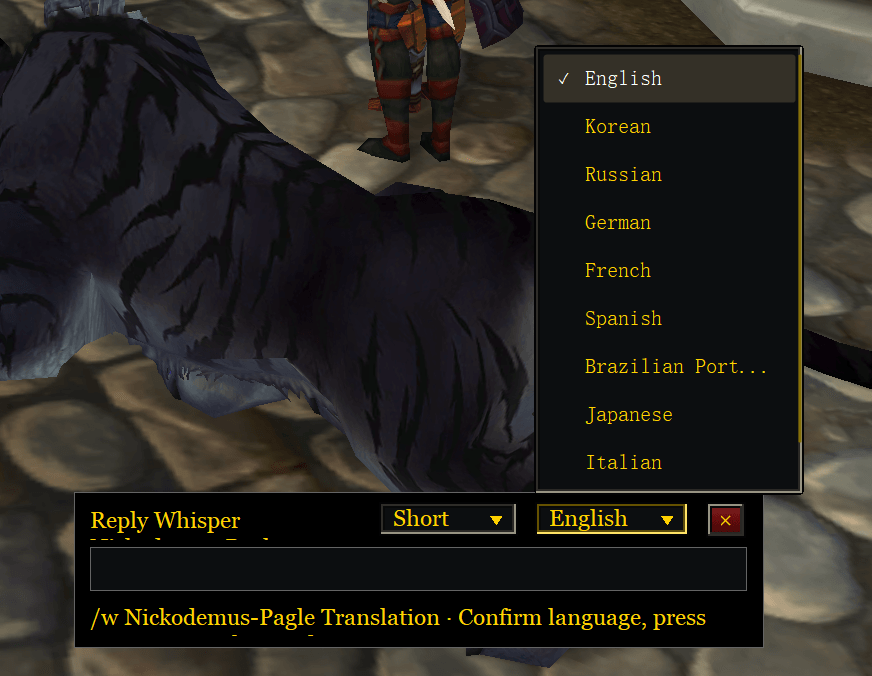
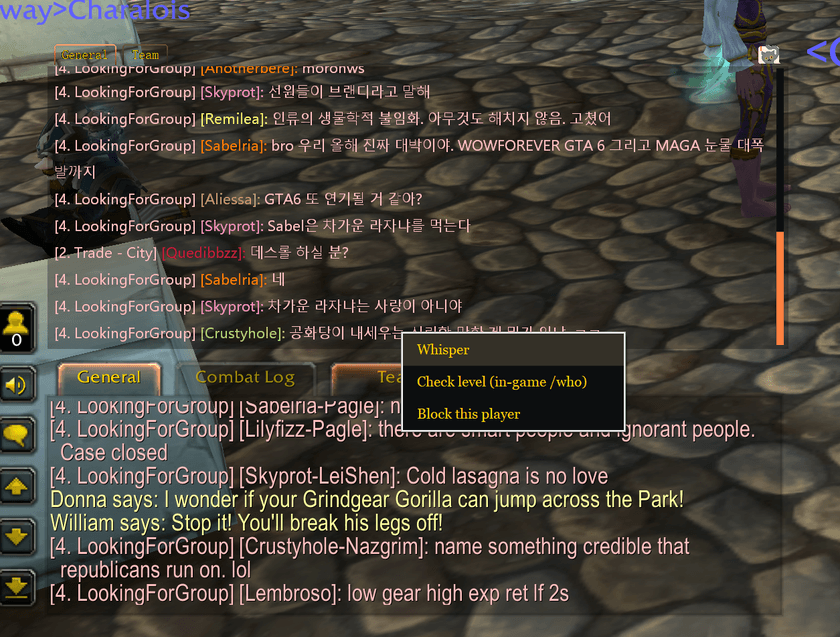
- Reply across languages — Click a message to compose a reply in its channel, choose the output language, and translate what you want to say. The result is copied for you to paste into the game.
- Local or online translation — Choose Bergamot, CTranslate2 or Ollama for local processing, or configure an online API connection.
- Customizable chat tabs — Create tabs with separate channel filters, or synchronize your existing in-game chat window layout.
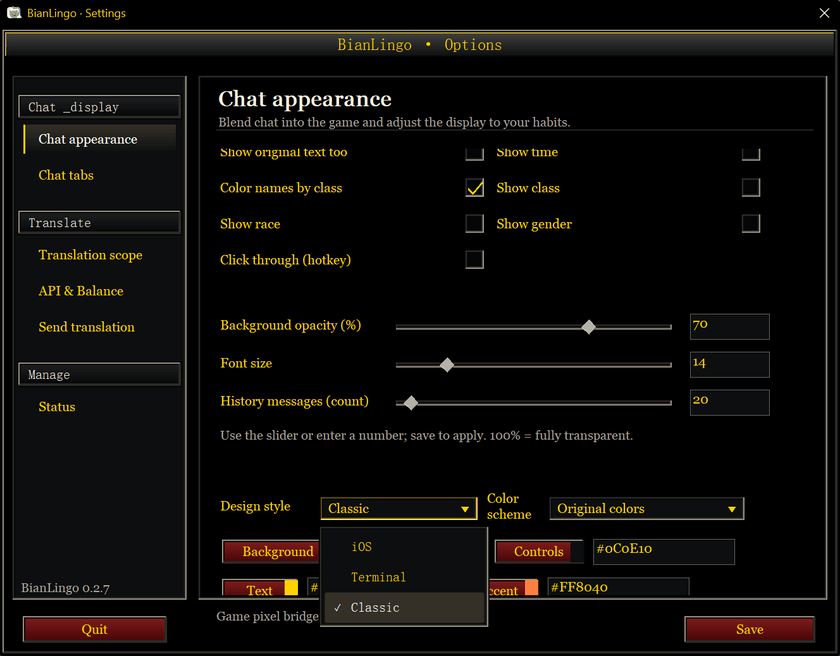
- Flexible appearance — Move and resize the overlay, adjust background transparency and font size, and choose iOS, Terminal or Classic themes.
- Manual message replay — Recover messages still held in the addon's configurable memory cache without translating duplicates again.
- Additional controls — Player blocking, optional chat logs, editable LLM prompts and an optional OCR input path.
Getting started
- Install and enable the BianLingo addon for your game client.
- Extract the desktop application package, keeping
BianLingo.exeanddatatogether, and launch the EXE. - In settings, choose a translation connection and chat target language. Prepare the required local language packs or model, or enter your online provider's API key.
- Select the channels to translate, save your settings, and keep the desktop application running while playing.
Click the cat icon at the overlay's top-right corner to open settings. Drag the same icon to move the window.
Translating replies
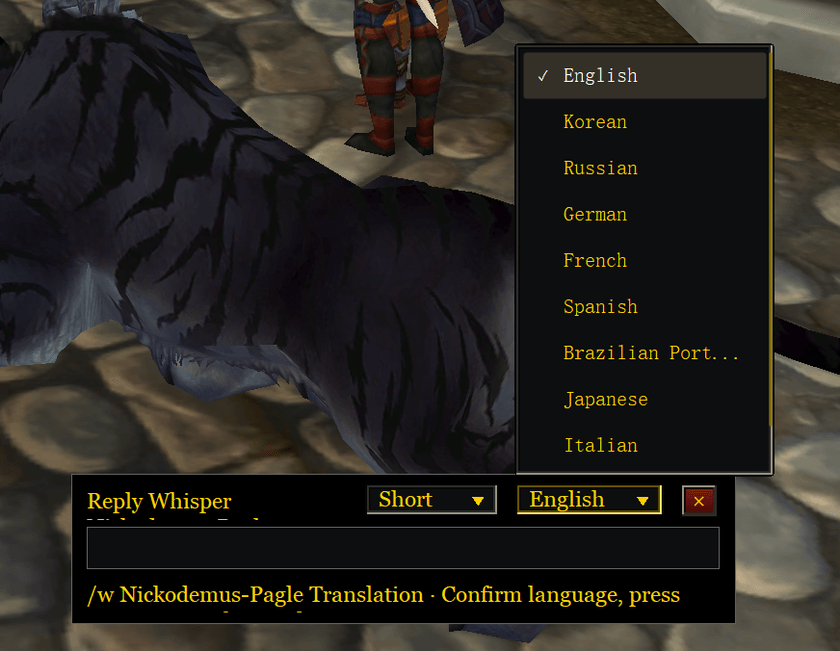
Press the · / backtick key, normally below Esc, to open the output translation box.
Choose the output language, type your message and press Enter to translate and copy it. Paste the result into WoW and send it yourself. Incoming-chat and reply languages are configured separately.
Change the shortcut under Output translation, then select Save settings.
In-game controls
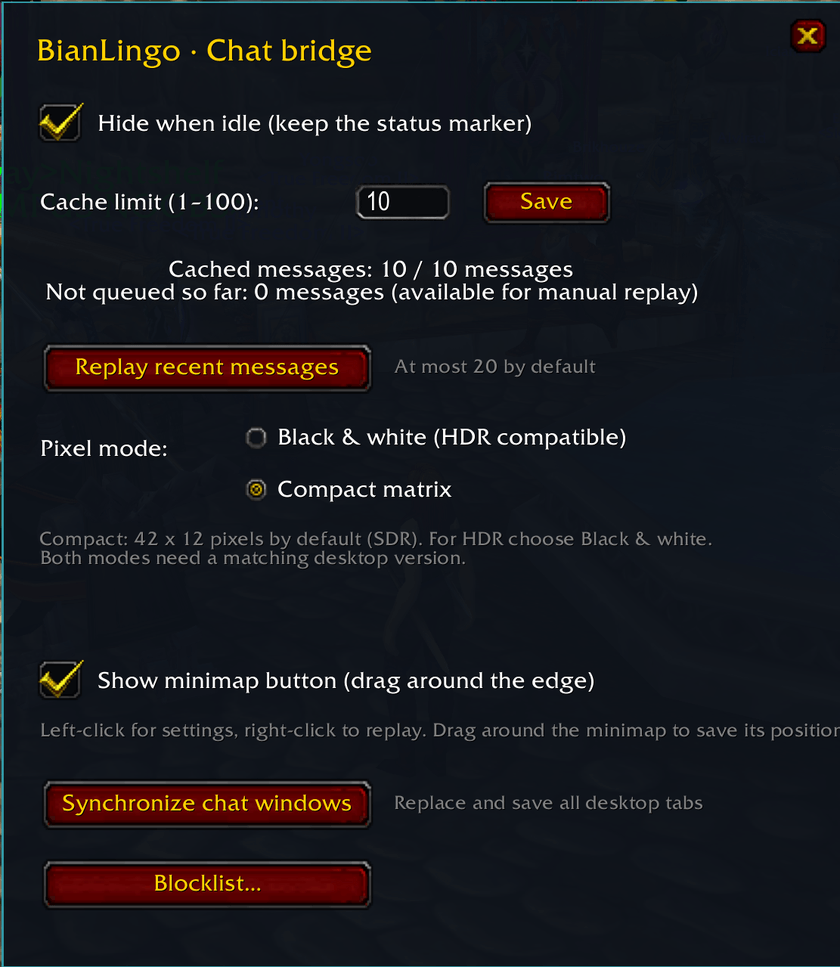
/bl— Open addon settings./bl replay— Replay cached messages./bl windows— Synchronize game chat windows with the overlay.- Minimap icon: left-click for settings; right-click to replay messages.
Requirements and limitations
The desktop application currently supports Windows 10/11 x64. macOS support is under development. Use WoW in windowed or borderless-windowed mode.
Local translation requires supported language pairs or a prepared model. Online providers may charge for usage and receive the text submitted for translation.
The addon sends available chat to the desktop application through a small on-screen pixel signal. Keep the game and signal visible while receiving messages. Blizzard may restrict chat access in some clients or situations; messages hidden from addons cannot be recovered through the pixel bridge.
BianLingo does not read game memory, inject code or automatically send chat. Translations can be inaccurate and should be checked before sending.
Project and support
BianLingo is a free, non-commercial fan project. It is not affiliated with, endorsed or approved by Blizzard Entertainment.
BianLingo-Chat Translator Team
