BetterTracker
- By
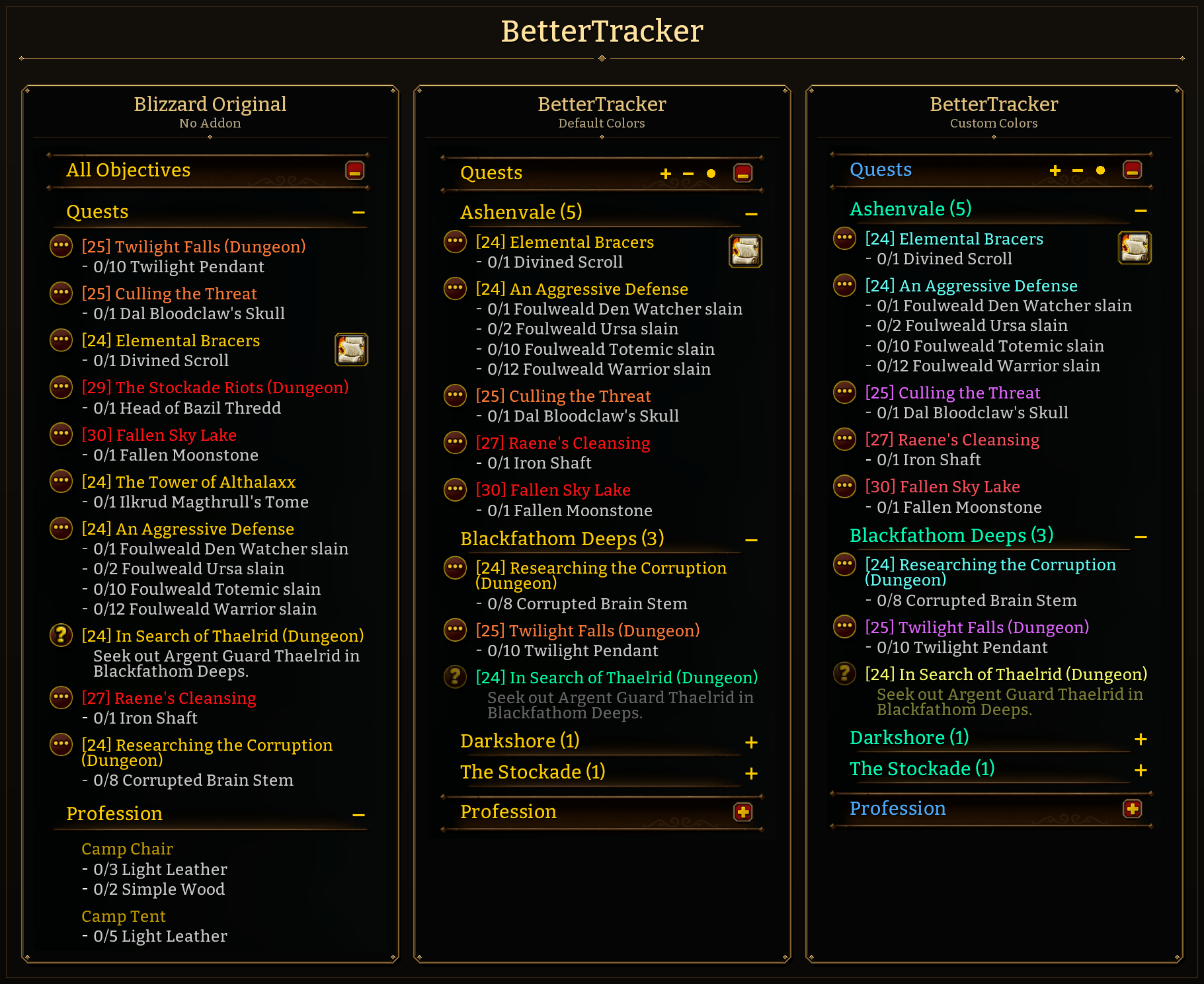
BetterTracker Comparison Showcase
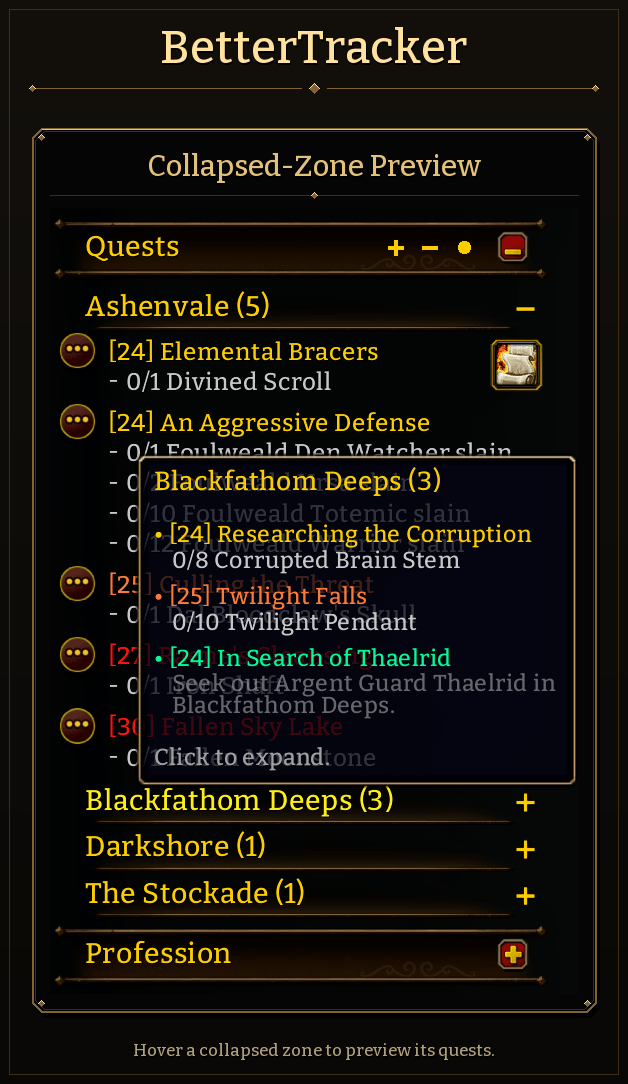
BetterTracker Zone Preview Showcase
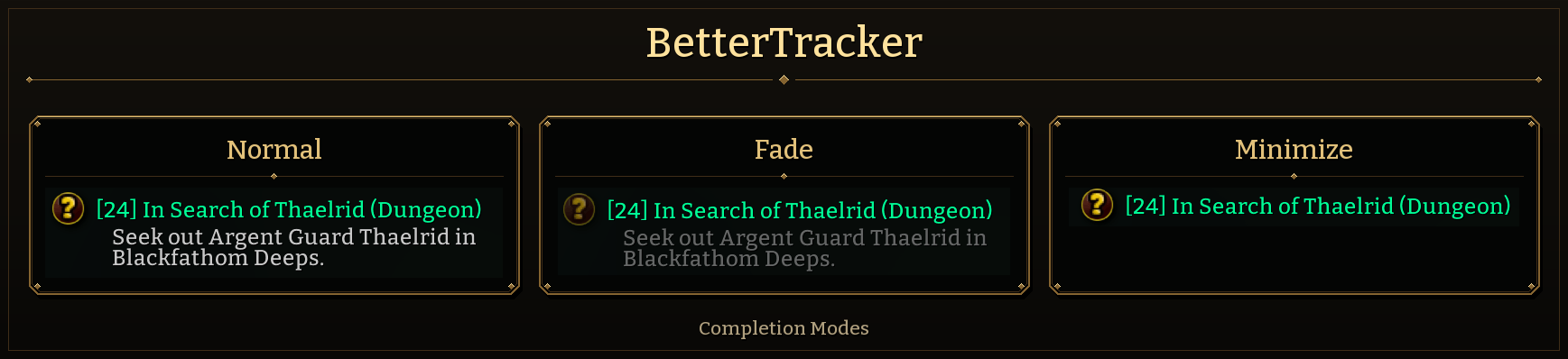
BetterTracker Completion Modes Showcase
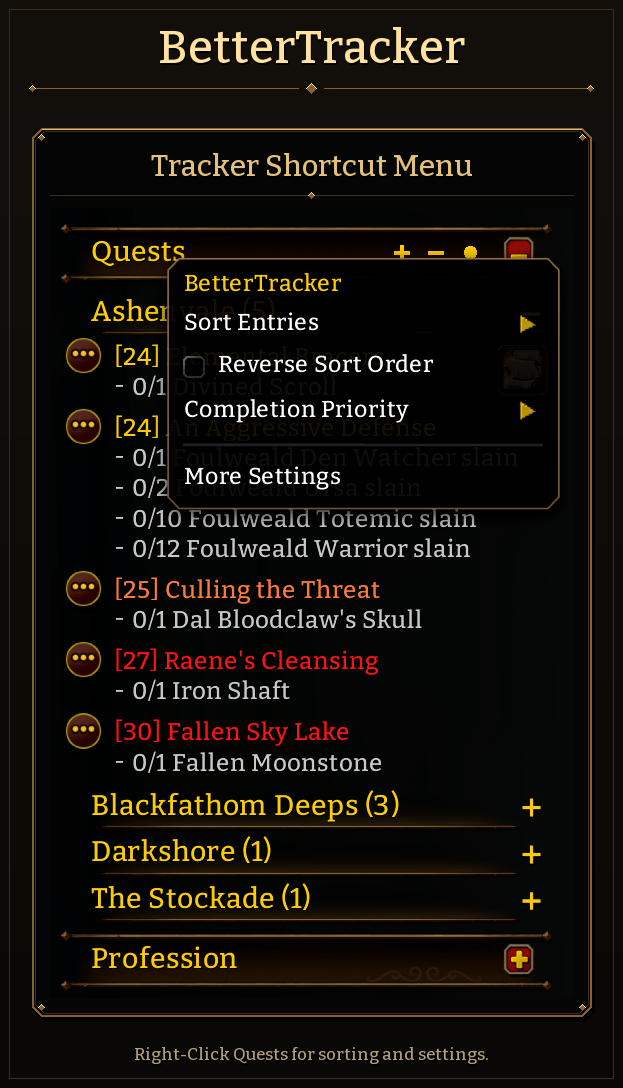
BetterTracker Shortcut Menu Showcase
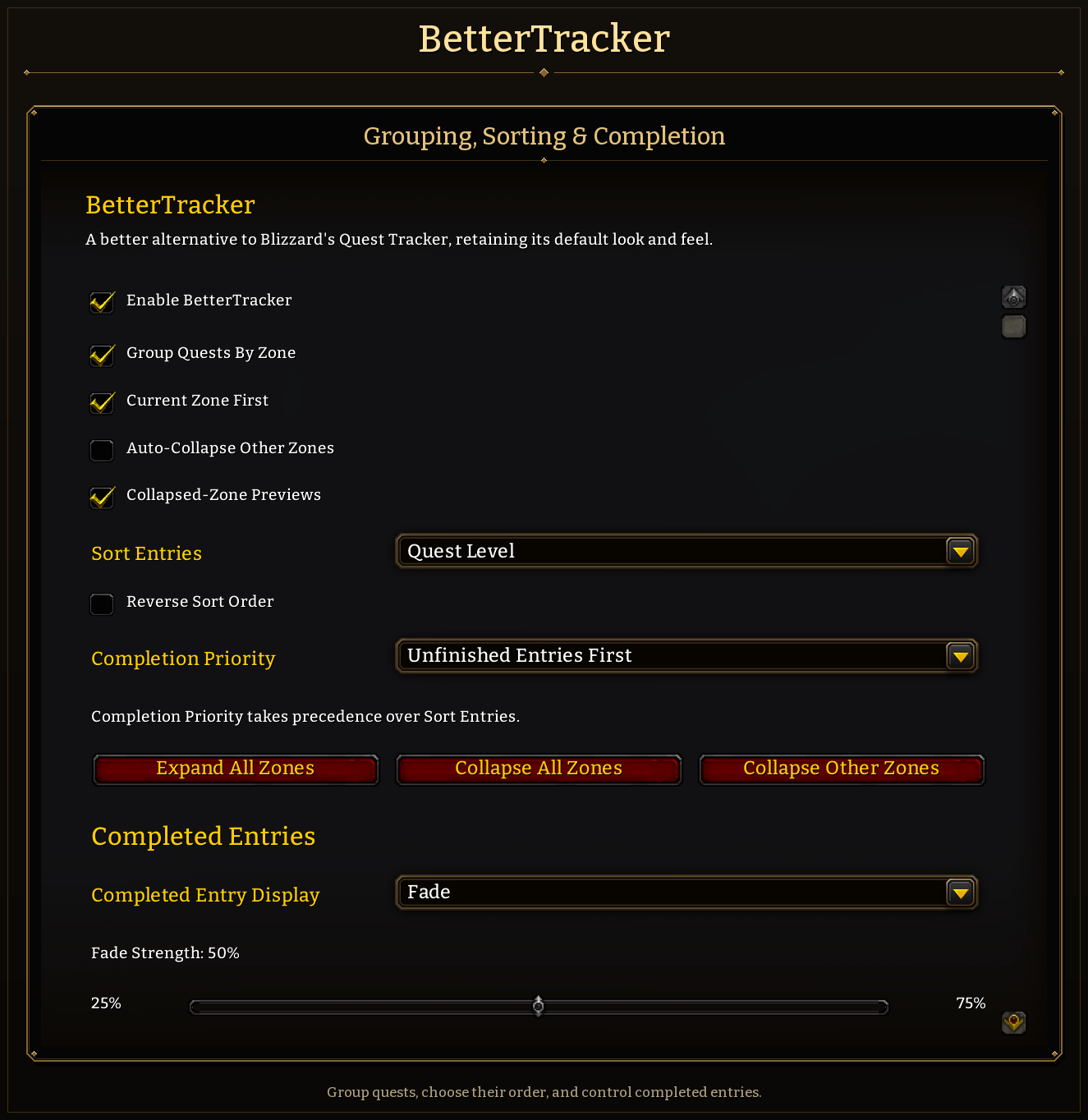
BetterTracker Settings Overview Showcase
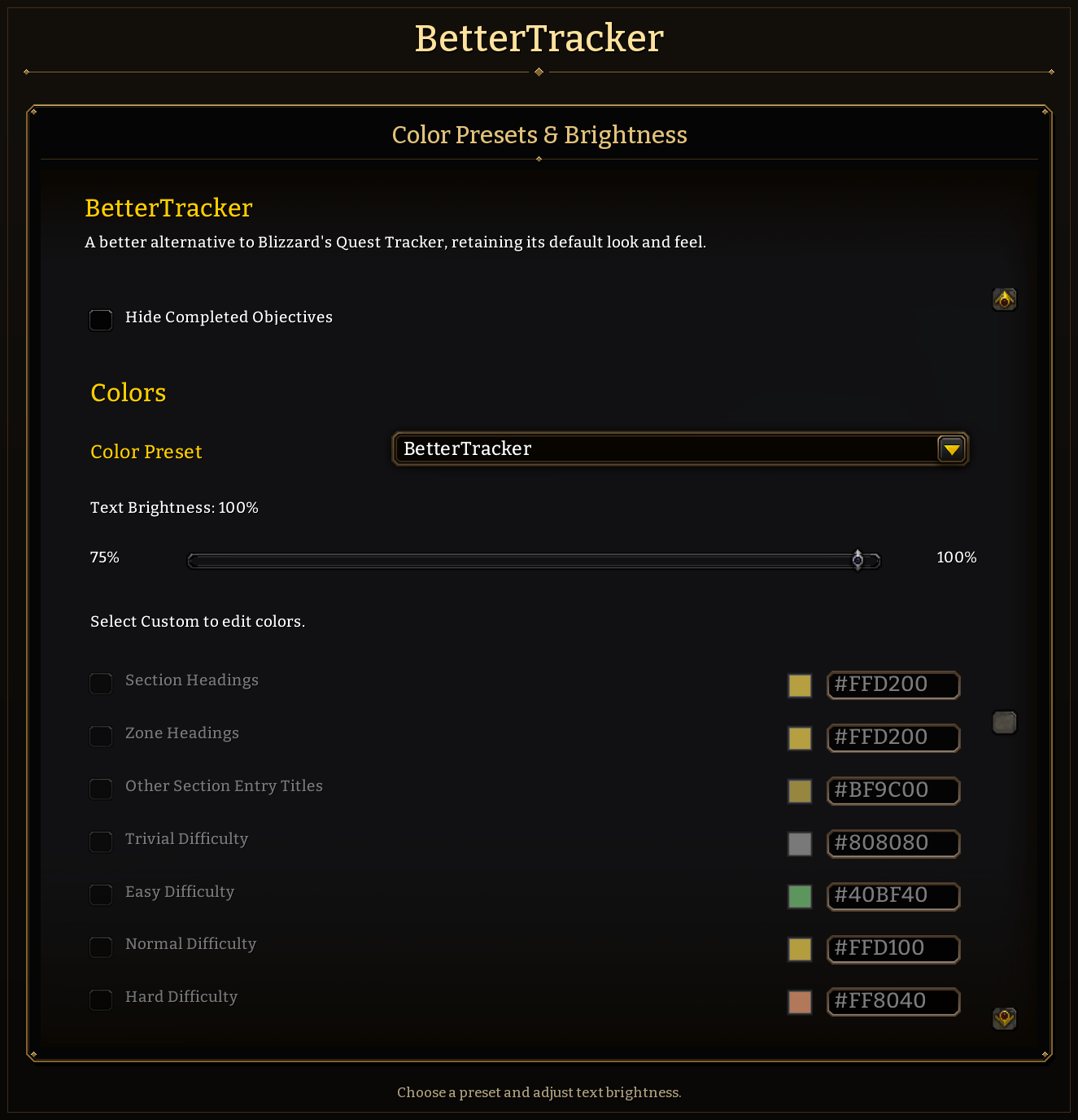
BetterTracker Settings Presets Showcase
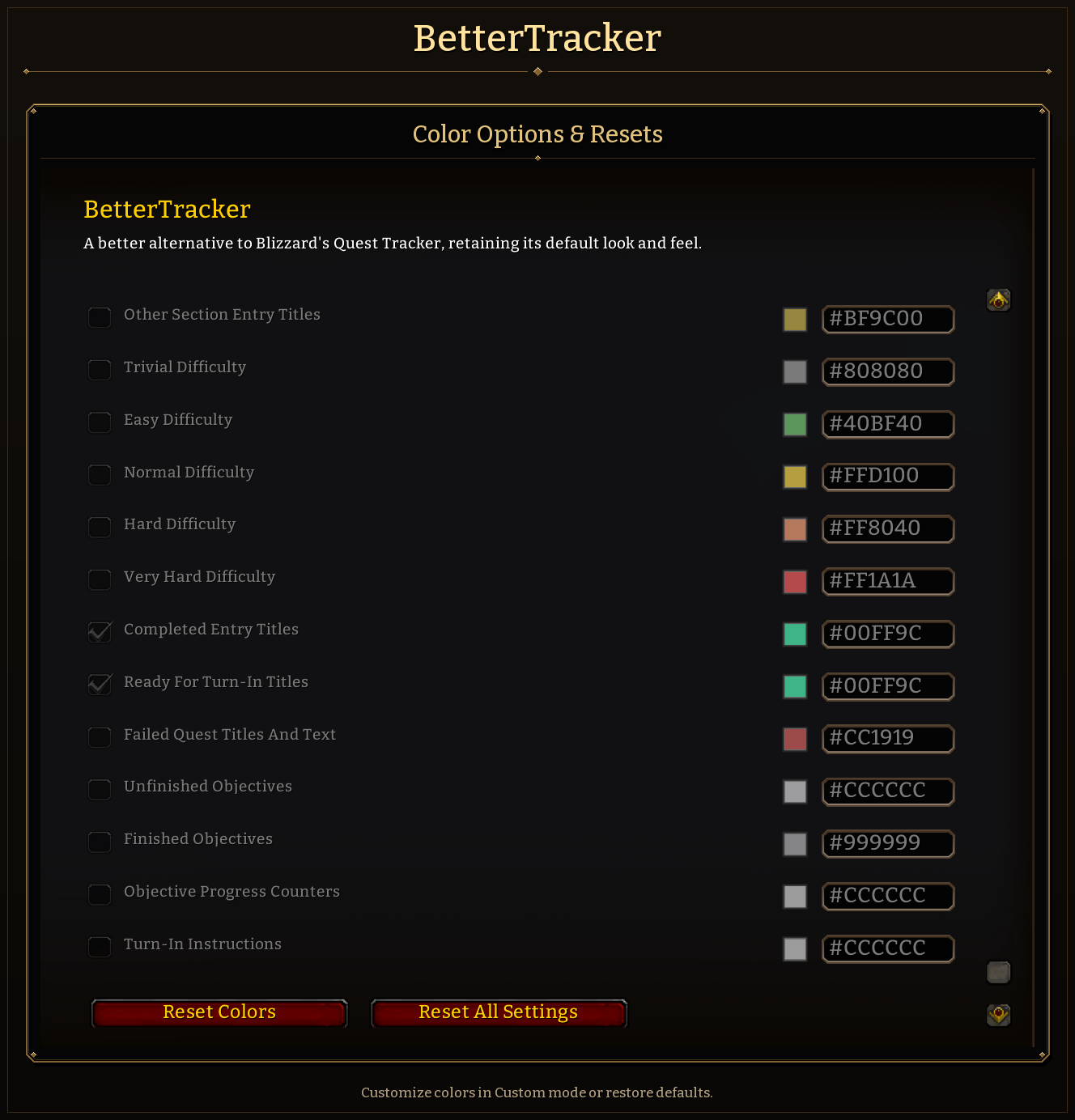
BetterTracker Settings Colors Showcase
Description
BetterTracker
A better alternative to Blizzard's Quest Tracker, retaining its default look and feel.
BetterTracker gives the native objective tracker in WoW Forever clearer organization, useful sorting, completion controls, and custom colors. Keep the familiar Blizzard quest rows and interactions while making the tracker easier to read and manage.
No external libraries, or bundled quest database required.
A Familiar Tracker, Better Organized
BetterTracker removes the All Objectives heading and its unused space. Quests and other sections use Blizzard's primary heading style, with smaller collapsible headings for quest zones.
Quest item buttons, map links, quest context menus, and the section collapse controls remain available through the native tracker.
Group Quests by Zone
- Place quests under collapsible zone headings.
- Keep your current zone at the top.
- Expand all zones, collapse all zones, or open your current zone and collapse the others.
- Automatically collapse other zones when you change zones, if enabled.
Collapsing a zone keeps its quests tracked. You can still open another zone manually to inspect it.
Three small icons beside the Quests and Campaign headings provide immediate access:
- +: Expands all zones.
- −: Collapses all zones.
- ●: Opens your current zone and collapses the others.
Sort Entries
Choose Quest Level, Title, or Blizzard Order. Reverse level or title ordering when needed.
You can put unfinished entries first, completed entries first, or use no completion priority. Sorting then applies within each completion group and zone. Without zone grouping, it applies to the full quest list.
Titles sort alphabetically without capitalization affecting their order. Ready-for-turn-in quests count as completed; failed quests remain unfinished.
Control Completed Entries
Choose how much space completed quests use:
- Normal: Show the title and completion details.
- Fade: Dim completed entries while keeping their details visible.
- Minimize: Keep only the title at full opacity.
You can also hide individual completed objectives, including collected profession reagents.
Preview Collapsed Zones
Hover over a collapsed zone heading or its collapse button to preview the quests inside it. Previews include levels, objective progress, and the tracker's turn-in text, with bullets and compact spacing.
Previews follow your sorting, completion priority, and completed-objective settings.
Choose Colors
Three presets are available:
- Blizzard: Native text colors.
- BetterTracker: Native colors with turquoise for completed quests.
- Custom: A fully editable palette.
Custom mode provides color pickers for section headings, zone headings, entry titles, difficulty colors, objectives, progress counters, and turn-in instructions. Your Custom colors remain saved when switching presets.
Defaults
A fresh installation groups quests by zone, puts your current zone first, sorts quests from lowest to highest level, and places unfinished entries first.
Settings are saved account-wide and preserved when upgrading.
Commands
- /bt or /bettertracker: Open settings.
- /bt status: Show the addon version, client build, and tracker status.
- /bt reset: Restore all defaults and expand all zones.
Compatibility
This release targets WoW Forever. As I don’t play other versions of WoW, I can’t confirm compatibility with them.
Use one tracker replacement at a time. If you use Questie for other features, disable Questie's tracker so Blizzard's tracker can remain visible.
BetterTracker uses the client's quest-log categories for zone groups. Blizzard's tracker height limits, specialized widgets, and automatic removal of completed entries remain in effect.
For support, include /bt status, the relevant settings, steps to reproduce the issue, and any Lua error text. Screenshots help with layout and color reports.
Disclaimer
Codex was used to assist with coding, optimizing performance, and combining screenshots during this project.
License
MIT License. Copyright (c) 2026 BetterTracker.
BetterTracker Team