


Best-in-Slot Tracker
- By
Track and manage your Best-in-Slot items across all content types with visual alerts, and comprehensive gear progression tracking.
Screenshot 2025-09-27 204750.png
Screenshot 2025-09-27 204843.png
Description
Best-in-Slot Tracker - Your Ultimate Gear Progression Companion
Never miss another BiS upgrade again! BiS Tracker is a comprehensive addon that helps you track, manage, and acquire your Best-in-Slot items across all World of Warcraft content.
🏆 Key Features
Smart Item Tracking
- Automatically detects your class and specialization
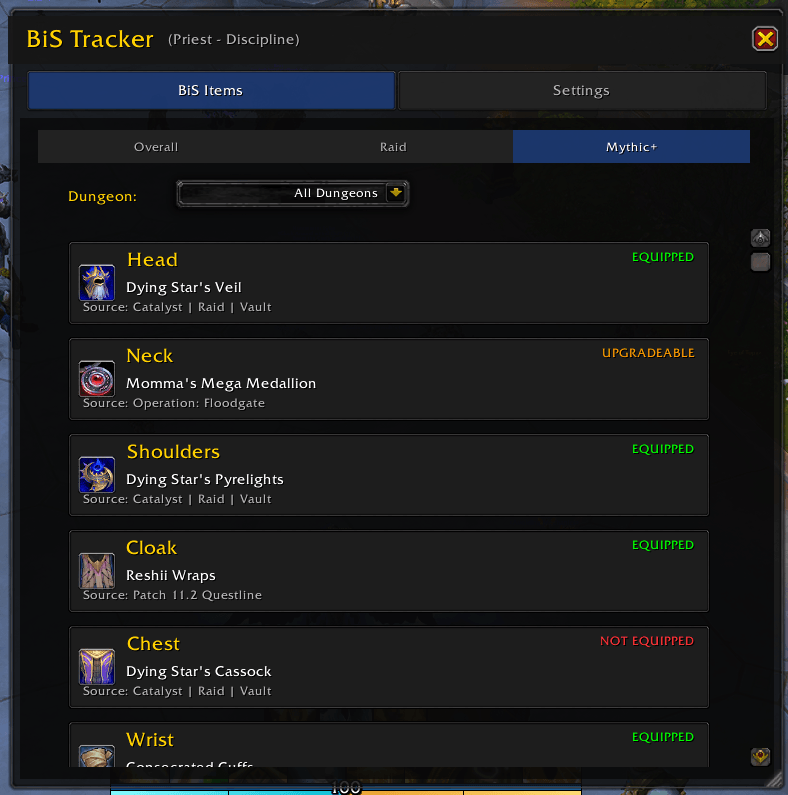
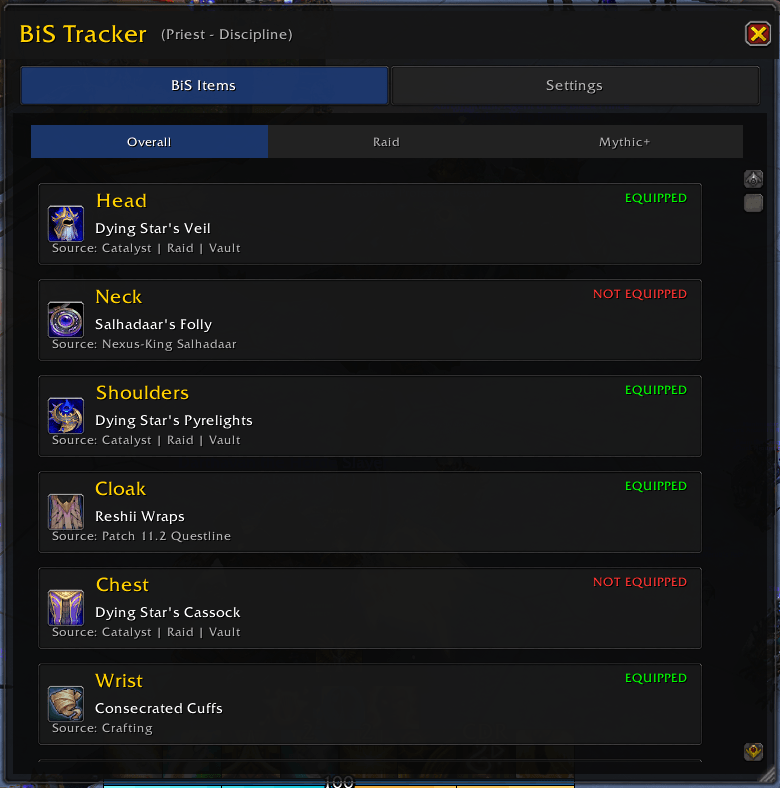
- Tracks BiS items for Raid, Mythic+, and Overall categories
- Real-time equipment status with color-coded indicators
- Visual alerts when BiS items drop in your loot
🎮 How It Works
- Automatic Detection: BiS Tracker automatically identifies your class and spec
- Smart Filtering: Choose to view all BiS items or only the ones you're missing
- Real-Time Updates: See which items you have equipped with color-coded status
- Loot Alerts: Get notified immediately when BiS items drop
- Easy Access: Use
/bistrackercommand or click the minimap button
📊 What You'll See
- Green Text: Items you currently have equipped
- Orange Text: Items that are upgrades to your current gear
- White Text: Items you don't have yet
- Organized by Slot: Head, Neck, Shoulders, Chest, and more
- Source Information: See exactly where each item comes from
⚙️ Slash Commands
/bistracker- Toggle the main window/bissettings- Open settings panel/bis-alerts on/off- Toggle loot alerts/bis-test- Test the alert system
📝 Future Plans
- Tracking multiple gears, not just overall, raid, mythic
- Selectable target item, which slot is the target for which item? ( currently overall is the selected target )
- And much more...
💡 Getting Started
- Install the addon
- Log in to your character
- Type
/bistrackerto open the window - Customize your settings in Options > AddOns > BiS Tracker
- Start tracking your BiS journey!
Made with ❤️ for the WoW community
Best-in-Slot Tracker Team
