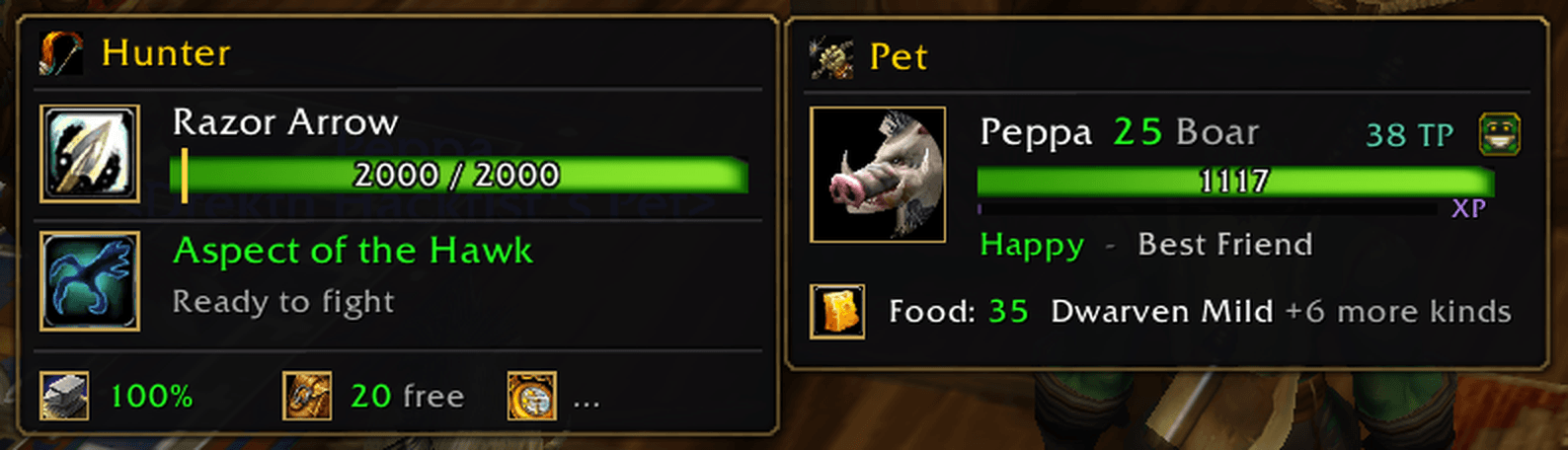
1-pet-and-hunter-windows.png
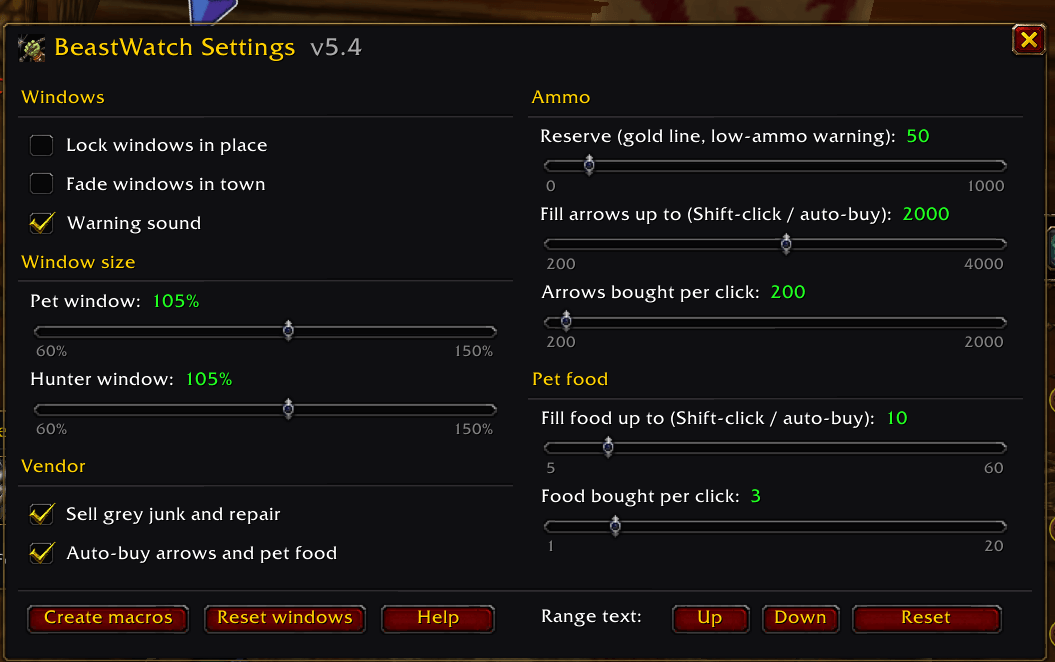
2-settings-window.png
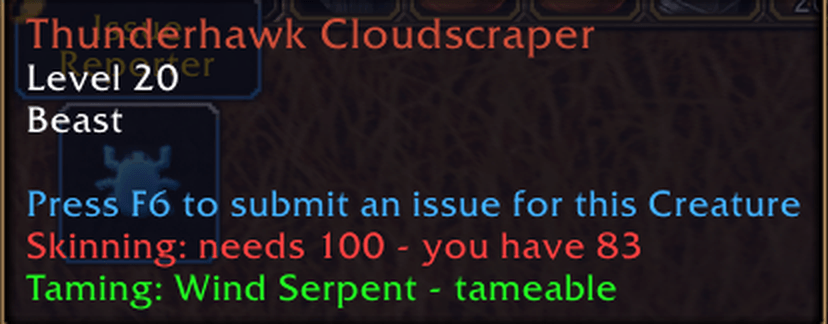
3-beast-tooltip.png

4-out-of-range.png
Description
BeastWatch – hunter kit for WoW Forever
BeastWatch keeps an eye on everything a hunter tends to forget mid-quest: your pet's mood and food, your arrows, your aspect, your gear and your bag space. It's built for World of Warcraft: Forever and designed to look like part of the game's own interface.
Everything lives in two small windows, plus a few helpers that save you time in town and in the field.
---
🐗 Pet window
Portrait, level and family – the level turns yellow or red if your pet falls behind you
Health bar and XP bar – hover for exact XP to the next level
Mood and loyalty – warns you before your pet becomes unhappy
Pet food – shows the best food you're carrying for it, and warns when you run low
Training points – shows unspent points so you know when to visit Beast Training
Hover the pet's name to see its abilities and ranks
Clicks
Portrait: click to feed your best food · right-click for Mend Pet · Shift-click to Call Pet or Revive Pet
Health bar: click for Mend Pet
🎯 Hunter window
Ammo bar with a gold reserve marker, plus an estimate of how many fights your ammo will last
Current aspect – green when you're on Aspect of the Hawk, with a reminder if you fight in anything else
Click for Hawk · right-click for Cheetah · Shift-click for Monkey
Footer – your most worn gear's durability, free bag slots, and time to your next level
🛒 Vendor helper
Repairs your gear and sells grey junk automatically when you open a vendor (hold Shift to skip)
Arrow and food icons glow at a vendor that sells them – click to buy a stack, Shift-click to fill up
Remembers where your arrows are sold – hover the arrow icon to see the vendor and location
Nothing is bought unless you click, or switch on auto-buy in the settings
🔍 Beast tooltips
Skinning – the skill a beast needs and the skill you have, colour-coded
Taming – the beast's pet family and whether you can tame it, or why not
⌨️ Hunter macros
Click Create macros in the settings (or type `/hmacros`) to get two macros:
RANGED – one button for pet attack, Auto Shot, Hunter's Mark, Serpent Sting, your cooldowns and Aimed Shot
MELEE – Raptor Strike, Mongoose Bite and Wing Clip for when something reaches you
New spells are picked up automatically as you level – no editing needed.
📏 Range warning
Big red OUT OF RANGE text when your target is too far away or too close to shoot. You can move it up or down to suit your layout.
⚠️ Warnings
Low or no ammo, unhappy / dead / missing pet, low pet food, wrong aspect in combat, gear about to break, and full bags.
---
⚙️ Settings
A welcome window explains everything on your first login. After that, type /bw (or open Options → AddOns → BeastWatch) for the settings window:
Lock, fade in town, and resize each window (60% – 150%)
Ammo reserve level, fill-up levels and how much one click buys
Switch the vendor helper, auto-buy, and the tooltip lines on or off
Type /bw help for the full list of typed commands.
---
📥 Installing manually
Close World of Warcraft.
Copy the BeastWatch folder from the zip into `World of Warcraft\_classic_beta_\Interface\AddOns`
Start the game and make sure BeastWatch is ticked on the AddOns screen.
Updating from an older version: delete the old BeastWatch folder first, then copy the new one in. Your settings are kept. If you used the separate RangeWarn or HunterMacros addons, delete those too – they're now built in.
---
Notes
Made for the WoW Forever beta. Blizzard may still change things before launch – if something stops working, please leave a comment with a screenshot.
Some information (for example pet health in combat) is hidden from addons by the game itself. BeastWatch works around this where it can.
BeastWatch – Copyright © 2026 Peter Goessling. All rights reserved.
BeastWatch Team