BANZAI UI
- By
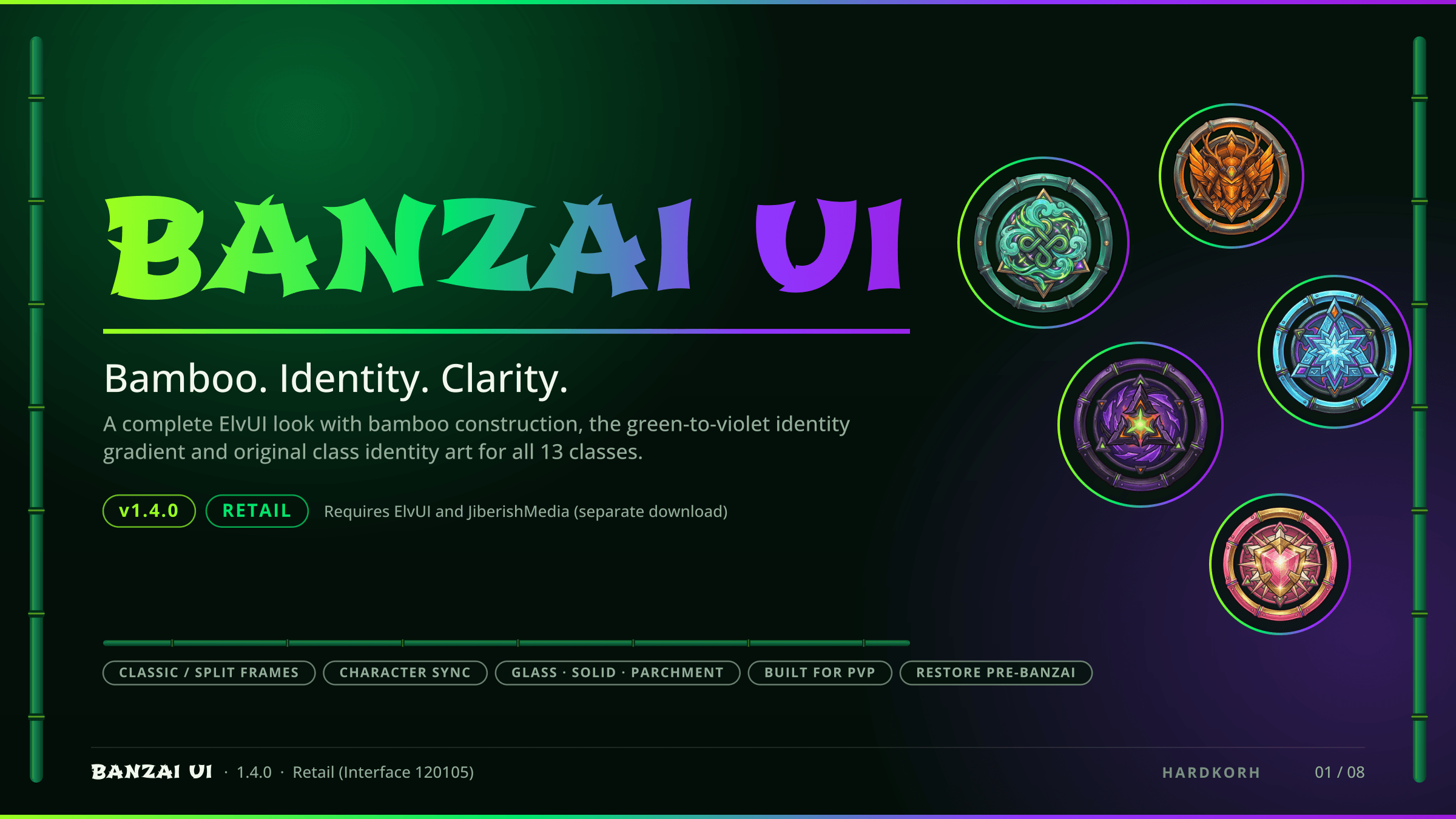
A complete BANZAI visual overhaul for ElvUI: bamboo frames, original class art, Classic or Split layouts, three materials, Character Sync, one-click Restore. Retail. Needs ElvUI + JiberishMedia.
banzai-ui-01-banzai-ui-hero-2400x1350.png
01_banzai_full_glass.png
banzai-ui-02-classic-or-split-2400x1350.png
banzai-ui-03-character-sync-2400x1350.png
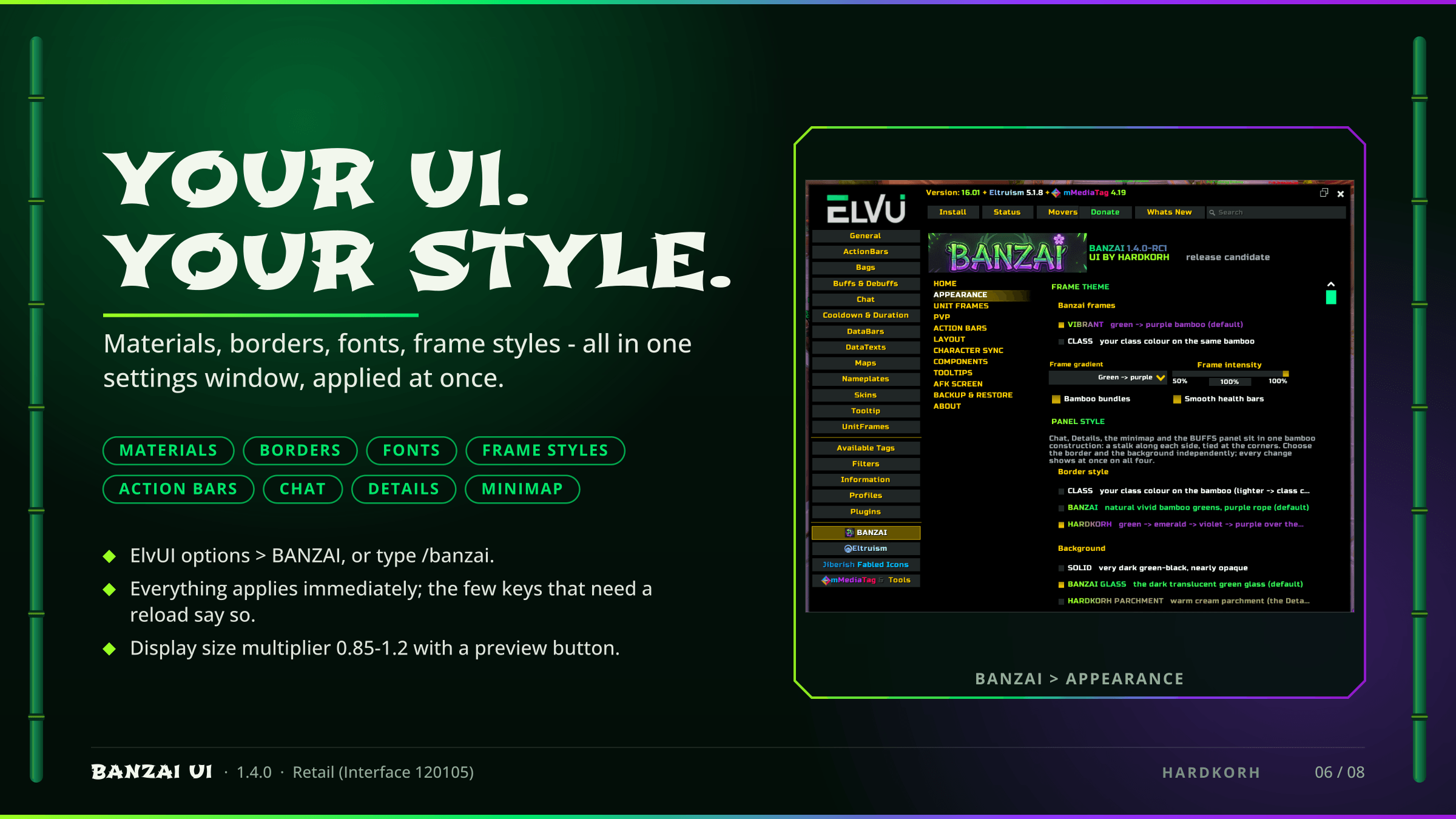
banzai-ui-06-your-ui-your-style-2400x1350.png
Description
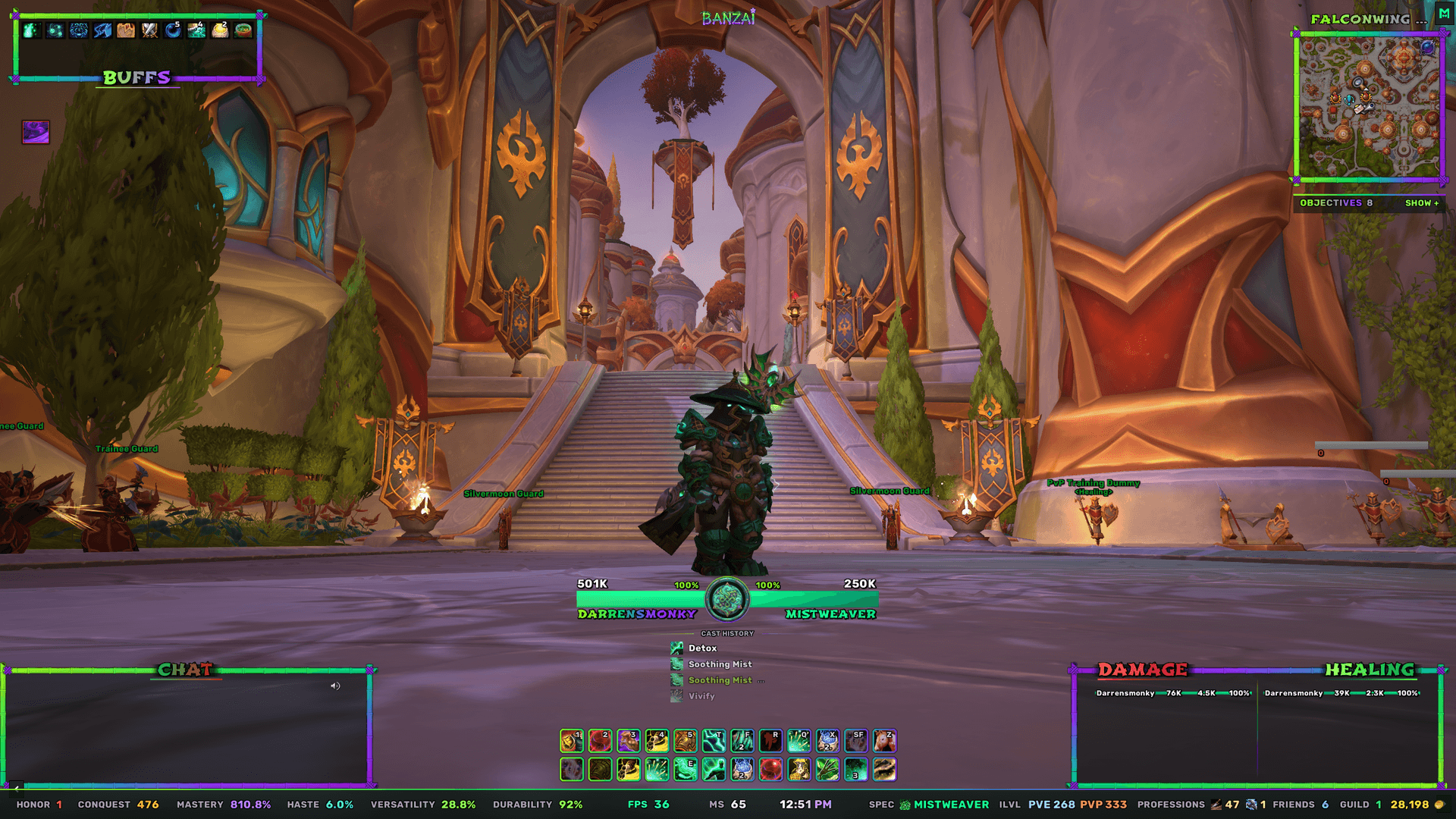
*BANZAI UI** is a complete BANZAI visual overhaul for ElvUI on World of Warcraft Retail. Bamboo construction, a green → emerald → violet → purple identity gradient, and Darren's original BANZAI class artwork for all thirteen classes - applied on top of ElvUI and switchable, syncable and reversible from one settings page.
Open the settings at **ElvUI options → BANZAI** or type `/banzai`. `/banzai status` prints what BANZAI sees.
### Classic and Split layouts
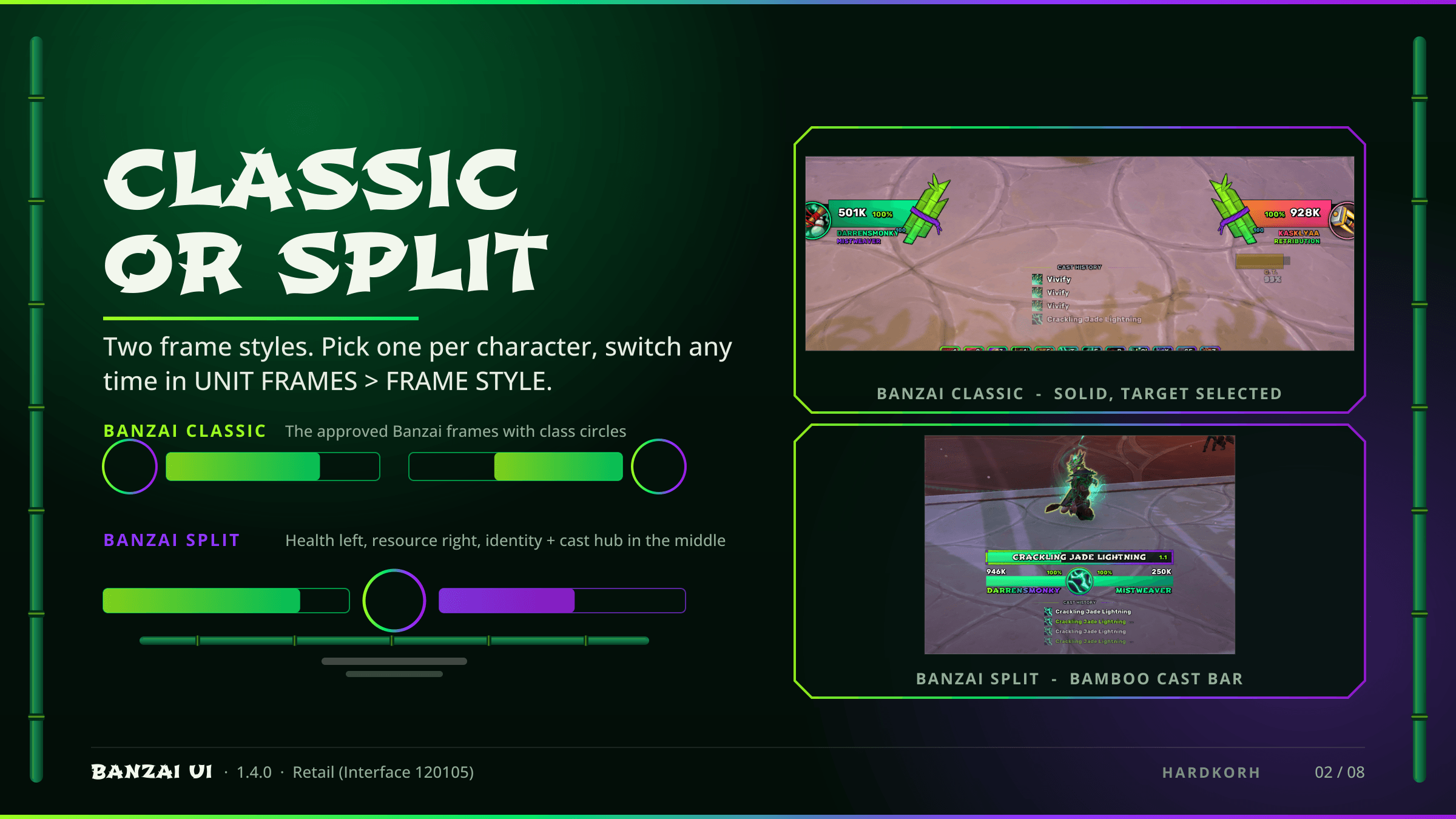
- **BANZAI CLASSIC** (default) - the Banzai unit frames with class circles.
- **BANZAI SPLIT** - health on the left, resource on the right of a central identity + cast hub, a bamboo cast bar, and name and spec lines under the bars.
The layout is per character and changes in **UNIT FRAMES → FRAME STYLE**.
### Glass / Solid / Hardkorh Parchment
Chat, Details, the minimap and the BUFFS panel share one panel material. Pick a border style (**CLASS**, **BANZAI** or **HARDKORH**) and an interior: **SOLID**, **GLASS** (translucent dark green) or **HARDKORH PARCHMENT** (tiled - never stretched). Border thickness, glass opacity and parchment brightness are yours to set.
### Character Sync
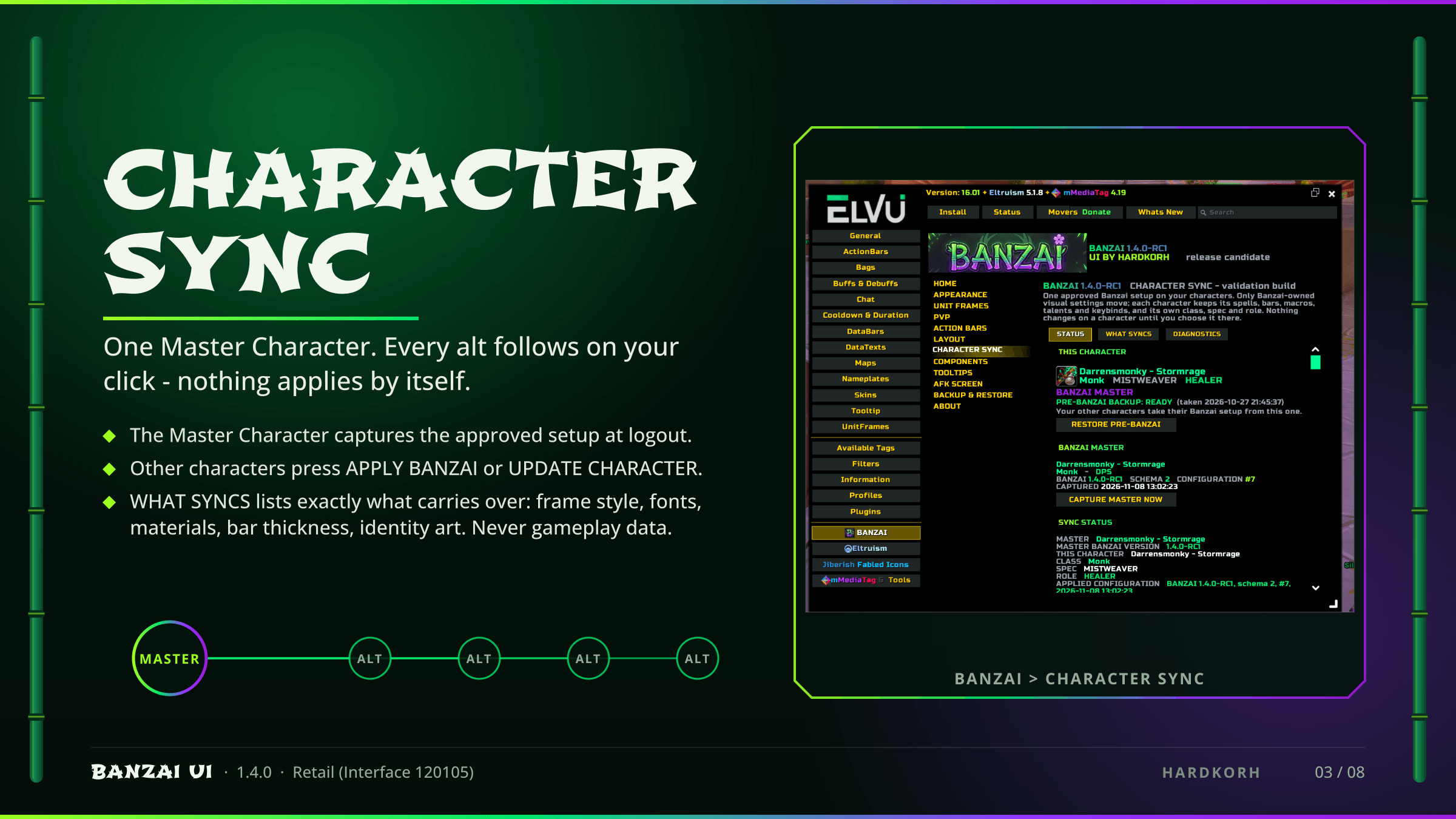
Name one **Master Character**. Its approved setup is captured at logout; every other character can **APPLY BANZAI** or **UPDATE CHARACTER** from the **CHARACTER SYNC** page. Nothing applies by itself. **WHAT SYNCS** lists exactly what carries over - frame style, fonts, materials, bar thickness, identity art and the rest of the look - and never gameplay data.
### Restore Pre-Banzai
BANZAI records everything it changes before it changes it. **BACKUP & RESTORE** (or `/banzai restore`) puts your ElvUI, Details and tracker state back the way it was.
### PvP presentation
Interruptible vs uninterruptible cast colours, dispel glow, defensives shown small, trinket circles, and a role-aware presentation: role icons with CC / dispel emphasis levels you set. Secure frames are never touched.
### Everything else
- **Action bars** - BANZAI SQUARE (default), BANZAI CIRCLES or ElvUI square; keybind and count sizing.
- **Chat** - a bamboo-framed chat panel flush with the left edge, with a CHAT title.
- **Details** - one bamboo frame around both meters, DAMAGE / HEALING titles, CURRENT or COMPACT rows, a centre gutter.
- **BUFFS** - your ElvUI buffs inside a Banzai panel, two or three rows, positionable.
- **Objectives** - the Banzai objective tracker (Blizzard's is parked; Kaliel's is hidden while it is on), collapsible, with tooltips.
- **Minimap** - bamboo frame, zone name above it in the display font.
- **Cast History** and offensive / defensive cooldown bars.
- **AFK treatment** - name, class / spec line and Banzai art on the AFK screen.
- Tooltip theme, bottom information bar, combat logo and a targeted nameplate.
### Display-font choices
**APPEARANCE → FONTS** offers the display font, a size multiplier (0.85 - 1.2) and a preview button. Choose **Automatic**, **BANZAI Default** (= Shojumaru at 105 %), or an alternate: Shojumaru, Ryujin Attack, Gang of Three, Osaka Sans, Sekaiwo, Xangda Shiny, Ninja Naruto, or the Information Font. Any text a chosen font cannot draw falls back, as a whole string, to the Information Font. Font licences and notices ship in `media/fonts/FONT-NOTICES.txt`.
Everything applies immediately except a few settings that ask for a reload - and say so.
### Requirements
- **ElvUI** (required).
- **JiberishMedia** (required; a separate download under its own licence - it is not included).
- Optional: Details!, ElvUI_mMediaTag + !mMT_MediaPack, ElvUI_EltreumUI (Eltruism), JiberishIcons, !KalielsTracker, MinimapButtonButton.
World of Warcraft Retail, Interface 120105. This release is Retail only; WoW Forever compatibility is the next milestone.
### About
BANZAI UI grew out of a private restoration of the JiberishUI Shinto/Bushido look and is published with the permission Darren established with its original author. The original author does not endorse, support or maintain BANZAI UI; please do not contact JiberishUI about it. ElvUI, JiberishMedia and the optional addons are separate projects with their own authors and licences.
Licence: see the LICENCE and notices shipped in the package. Source: <SOURCE-URL> · Issues: <ISSUES-URL> · Discord: https://discord.gg/sv2WNwk2WZ
BANZAI UI Team