Banker Forever
- By
Banker Forever saves each character's bank, then lets you browse and search all of them from one window.
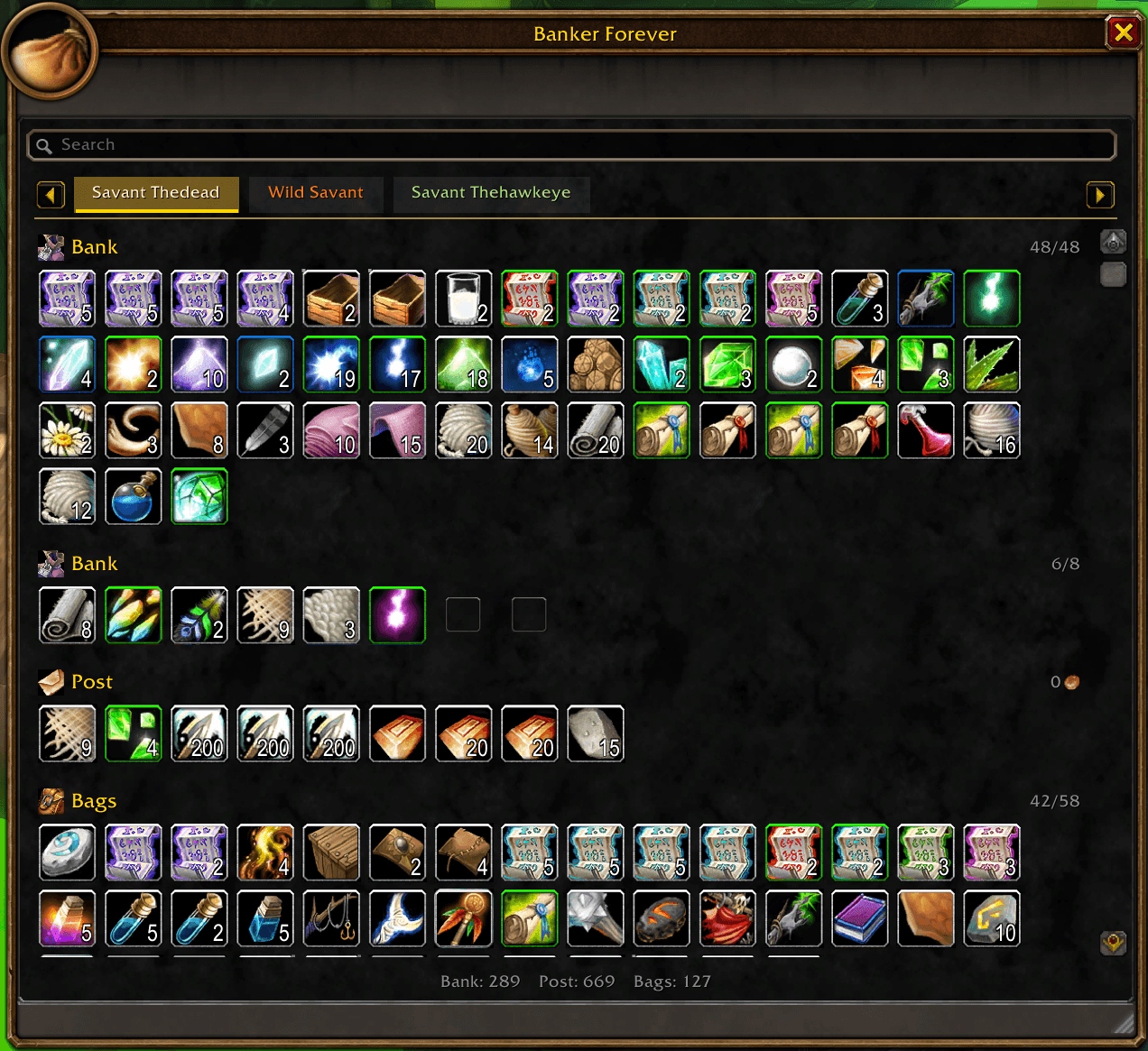
main window look
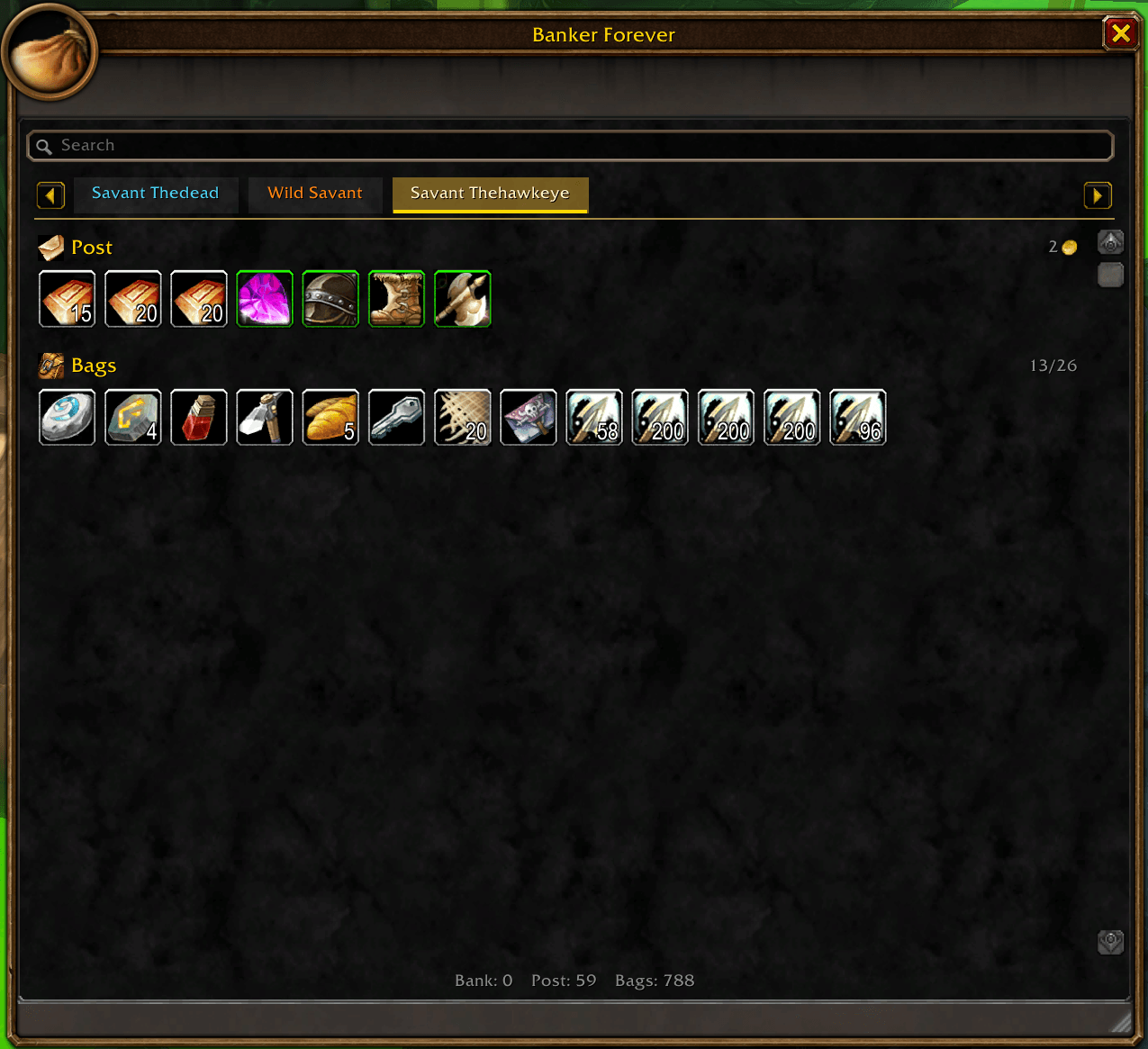
main window look 2.png
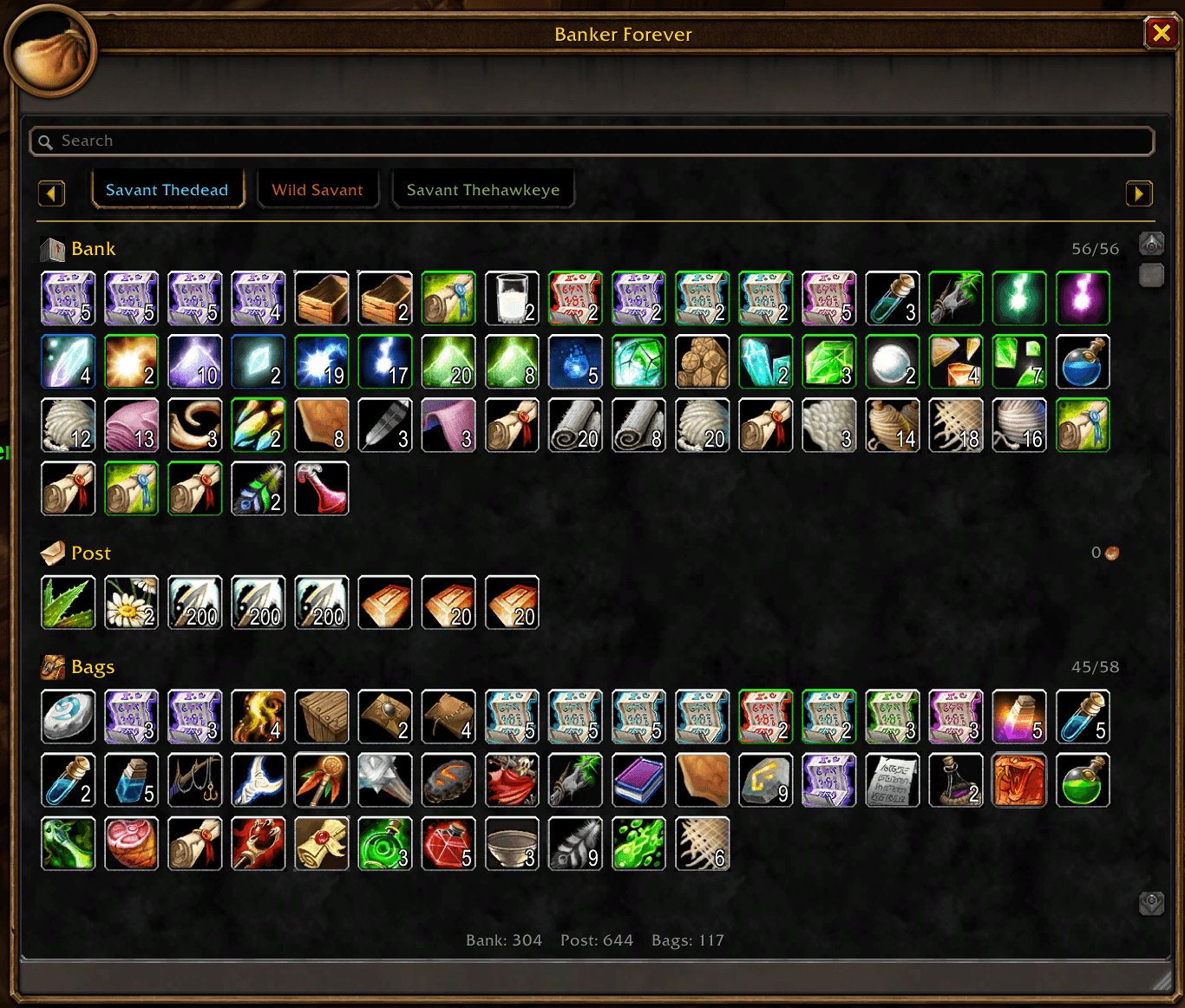
main window with more classic like tabs, can be reverted in settings
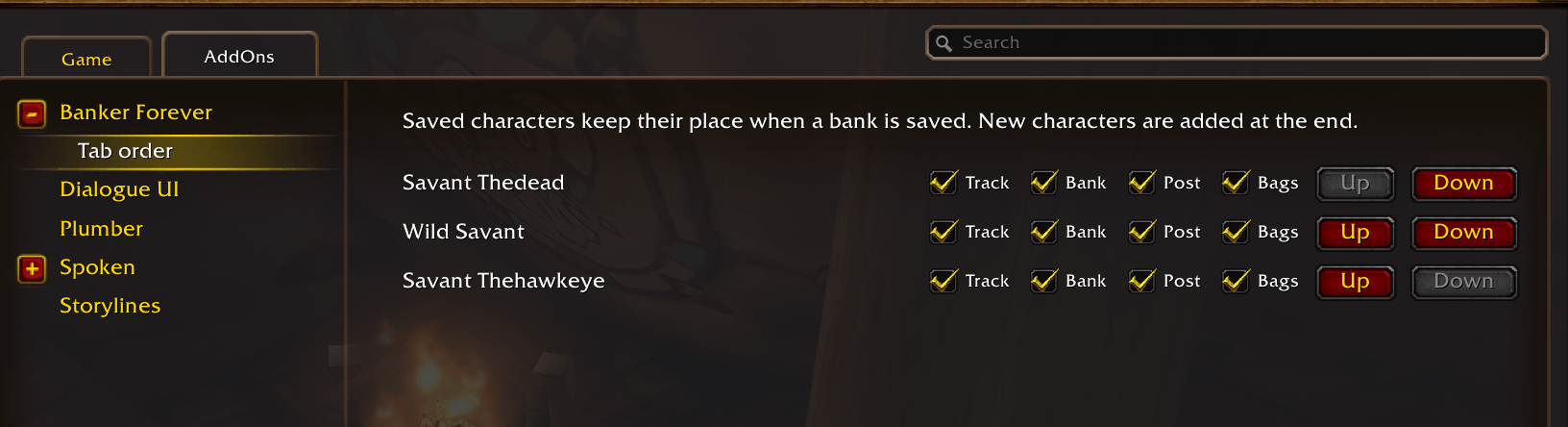
per char settings
Description
Banker Forever
Banker Forever remembers the bank, the mailbox, and the bags of every character and lets you browse them all from one window.
The next time you log in, on any character, what was saved is still there.
When it saves
Logging in on a character adds that character and saves the bags they are carrying. The bank and mailbox stay empty until you open those windows.
Open a bank, then close it. That character's bank is saved.
Open a mailbox, then close it. That character's mail is saved: the items, and the money attached to the letters.
Send a parcel to one of your saved characters. The items and the money are added to that character's mail right away. The next time that character opens the mailbox and closes it, their mail is saved again from what is inside.
Bags keep updating while you play, whenever you loot, sell, or move items. What was saved is still there after you log out.
Features
- Keeps a separate bank, mailbox, and bags for each character, saved between sessions
- Character tabs along the top, with the full first and second name
- Left and right arrows, the mouse wheel, Tab, and Ctrl+Tab move between characters and wrap around
- Search across every saved bank, mailbox, and bags. Each result is marked Bank, Post, or Bags
- Normal search, or close-match search that allows a few wrong letters and lists the closest names first
- Looks close to the default game interface
How to use
- Log in. That character is added.
- Open your bank, then close it.
- Open your mailbox, then close it.
- Click the minimap button, or type
/banker, to open the window. - Repeat on each character you want to keep.
To see a parcel before the receiver logs over, send it to a character who is already in the list. It shows on their mail until they open the mailbox themselves.
Shift-click an item to link it in chat.
Commands
/bankeror/bnkopens and closes the window
Settings
Open Esc, then Options, then AddOns, then Banker Forever.
- Search switches between Normal and Close matches
- Current character first shows the character you are playing as the first tab, without changing the saved order
- Group bank shows the bank and its bags as one table
- Alternative character tabs uses the earlier flat tabs. Leave it off to keep the newer tabs.
- Add mail on send adds a parcel to a saved character as soon as you send it. Leave it on. Turn it off if mail should update only when that character opens the mailbox.
- Tab order moves characters up and down. Each character has Track, Bank, Post, and Bags. Track turns the other three on. Turn Track off to hide that character. Turn Bank, Post, or Bags off to hide that part for that character only.
Should have almost 0 performance hit. If not please send feedback describing the issue.
This is one of my first attempts at making addons so if you encounter an issue or have a suggestion please leave a comment.
Banker Forever Team