Bait to Plate
- By
Fishing controls, saved catch stats, lures, cooking help, pool markers and adjustable fishing sound for WoW Forever, Retail and Classic.
Screenshot 2026-11-10 193042.png
Description
Bait to Plate
A simple fishing companion that keeps your cast button, lures, catch stats and seafood Cooking guide together in a compact interface.
Fishing made simple
Equip a fishing pole and face the water. On Forever, click Cast Fishing, wait for the splash, then click again to reel in. Each cast and catch needs its own click or key press.
Assign Bait to Plate: Cast / Reel In under Keybindings > AddOns. On Retail and other Classic clients, use this keybinding or right-click the bobber to catch. Their on-screen button casts. WoW's Auto Loot can collect your catch.
Classic and Forever controls appear with a pole equipped. Retail requires Fishing learned and reads the profession tool slot.
Lures and campfires
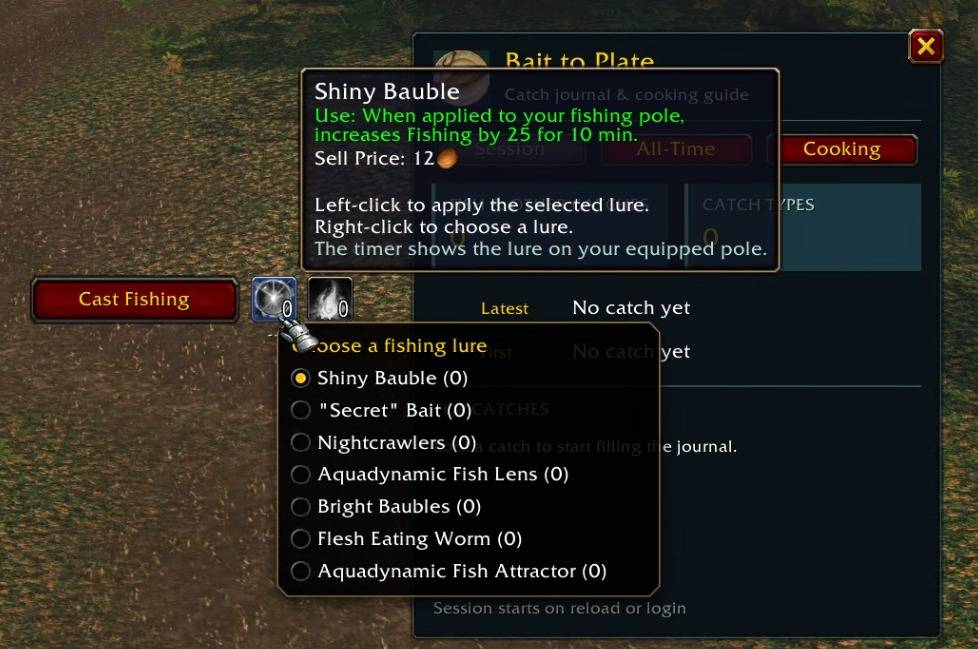
The small lure icon beside the fishing button shows your selected lure, how many you have, and its remaining time on your pole. Right-click to choose a lure, then left-click to apply it. Forever includes Camper's Lure and "Secret" Bait, alongside the supported standard pole lures.
The icon briefly glows when an active lure expires. Its bag count turns amber at 1-3 remaining and red at zero, making it easier to spot when supplies are low. Applying another lure still needs your click.
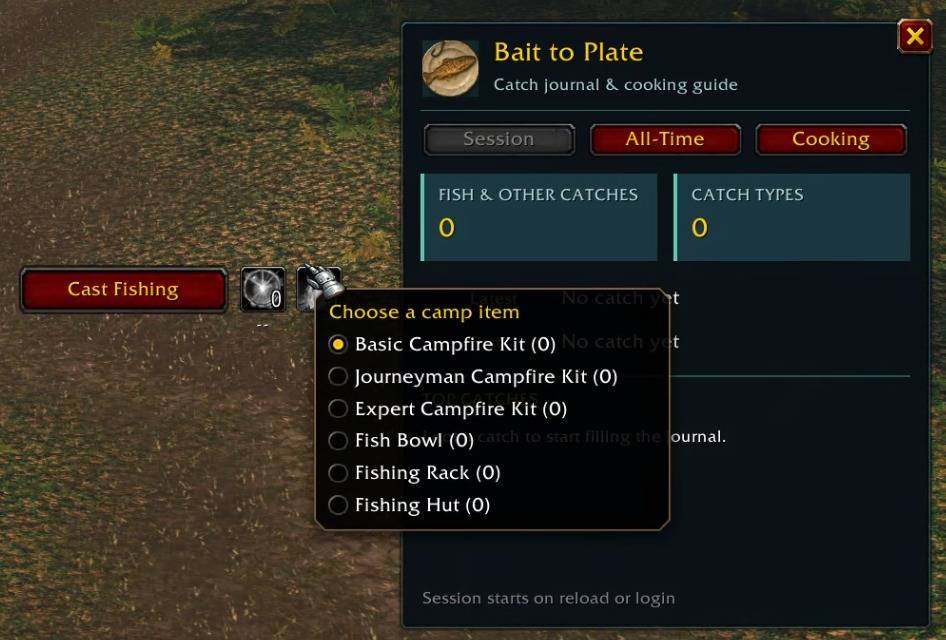
The campfire icon uses right-click to choose, left-click to place. Forever supports campfire kits, Fish Bowl, Fishing Rack and Fishing Hut. Fishing camp features need a nearby campfire. Other clients use their normal Cooking campfire.
Your catch journal
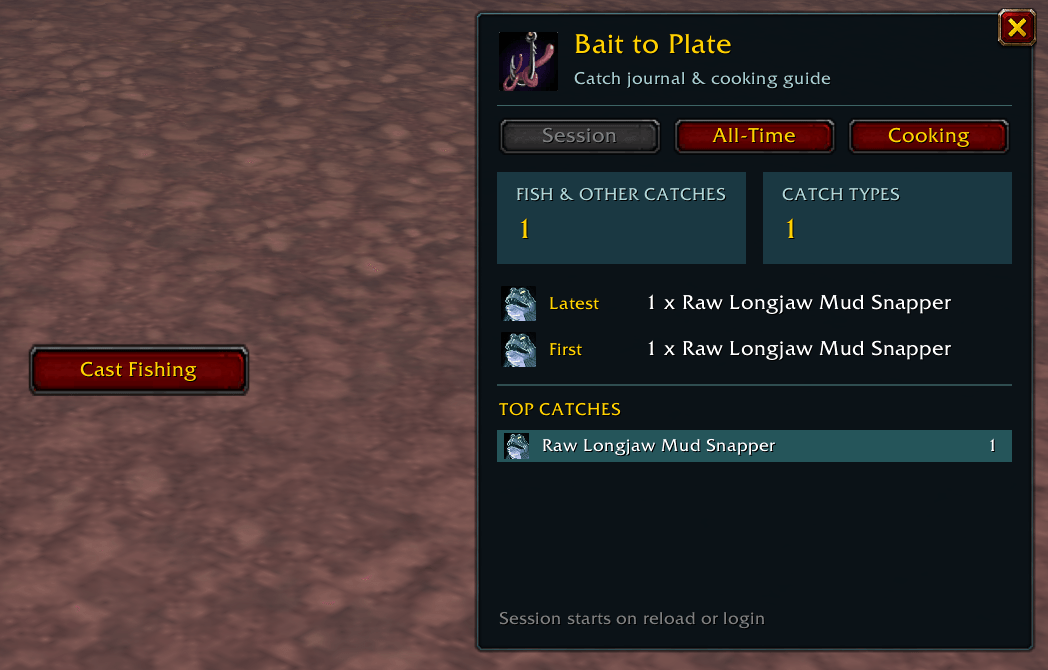
See Session and All-Time totals, catch counts and catch types, first and latest catch artwork, and your five most common catches. All-Time history is saved between sessions and shared across characters on the same WoW account. Session totals restart at login or /reload.
Catch stats start hidden after login or /reload, while catch tracking continues. Open them through Toggle Catch Stats in settings or /baittoplate stats. Enable Show catch stats at startup if you prefer them open automatically.
From bag to plate
The Cooking tab checks your bags, Cooking skill and known recipes. It covers 25 Forever seafood recipes, or a 22-recipe Classic seafood guide on other clients. Retail uses Classic Cooking skill. Expansion recipes are outside this guide.
Recipes you can cook, and recipes using fish you already have, appear first. Hover over a recipe for clear ingredient counts, missing requirements, and where to learn or buy it, including vendor names and locations. Forever's Mightfish Steak requires an Iron Oven. Later-client recipe sources that remain unverified are labelled in the tooltip.
Use Open Cooking once per character to help verify learned recipes, then craft through WoW's Cooking window at the required station.
Fishing pools
Enable Show fishing pools for 337 known pool and fishable-wreckage locations across 17 Azeroth zones. Pins appear with a pole equipped. These are known locations, so a pool may be empty. The included data covers Forever and pre-Cataclysm Azeroth, with no Zephras Isle locations. The overlay is disabled on Retail and post-Cataclysm clients because their map coordinates differ.
Sound settings
Right-click the minimap icon to open settings. The two sound options work independently.
Lure expiry sound
Enable Lure expiry sound for one short reminder when your active lure expires. This saved setting is off by default. The lure icon still glows with sound off. Logging in, hiding the controls or swapping rods does not trigger an expiry reminder.
Louder fishing splash
Enable Louder fishing splash, then set the saved Fishing volume slider from 0% to 100%; the default is 100%. While fishing, Master and Effects use that volume and music and ambience are muted. Other sound effects remain audible. The splash is the game's own sound.
Your previous sound settings return when fishing ends or is interrupted, combat begins, you switch the addon off, log out or reload. Sound changes you make during fishing are preserved.
Controls and setup
- Minimap left-click: show or hide Bait to Plate. Switching it off also pauses catch tracking and its keybinding.
- Minimap right-click: open settings.
- Minimap right-drag: move the icon.
- Right-drag the fishing button or drag the journal to reposition them. Positions and the on/off preference are saved.
- Extract the BankFishing folder into your client's Interface/AddOns folder, enable Bait to Plate, then
/reloadafter updates.
v0.9.9 compatibility
| Client | Version |
|---|---|
| Forever | 1.60.1 |
| Retail | 12.1.5 |
| Classic Era | 1.15.9 |
| TBC Anniversary | 2.5.6 |
| Mists of Pandaria Classic | 5.5.4 |
| Wrath Titan Reforged | 3.80.2 |
The settings UI was checked in-game on Forever. Other client ports passed simulated API checks and still need in-game testing.
Bait to Plate Team