Bagwise: Debloat Your Bags
- By
Description
Bags fill up fast in WoW Forever, and most of what sits in them is there because you weren't sure. Is this left over from a quest you finished? Is it a reagent, or does a quest still need it? Some items look like one and turn out to be the other, and nothing on the item tells you. None of it is true junk, so the usual junk addons ignore it, and you hesitate to delete it yourself.
Bagwise splits the job in two.
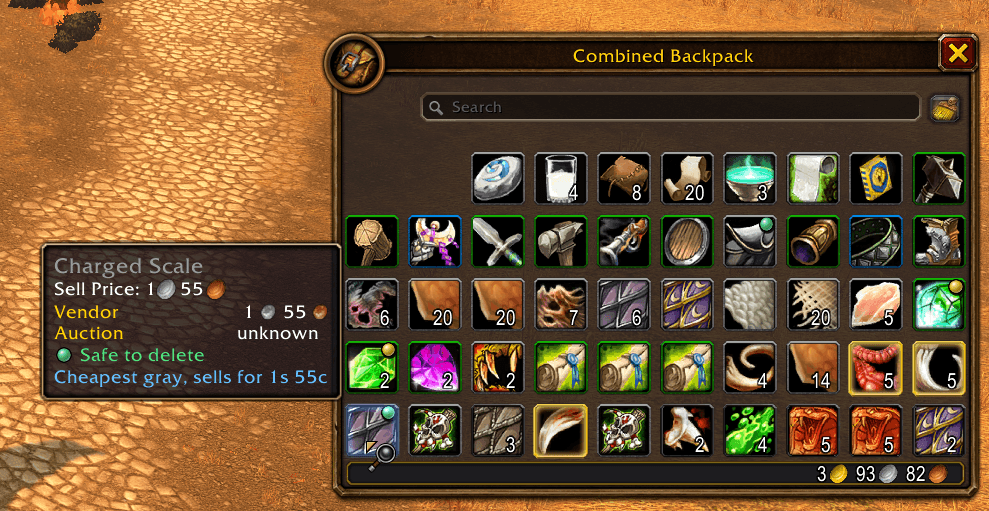
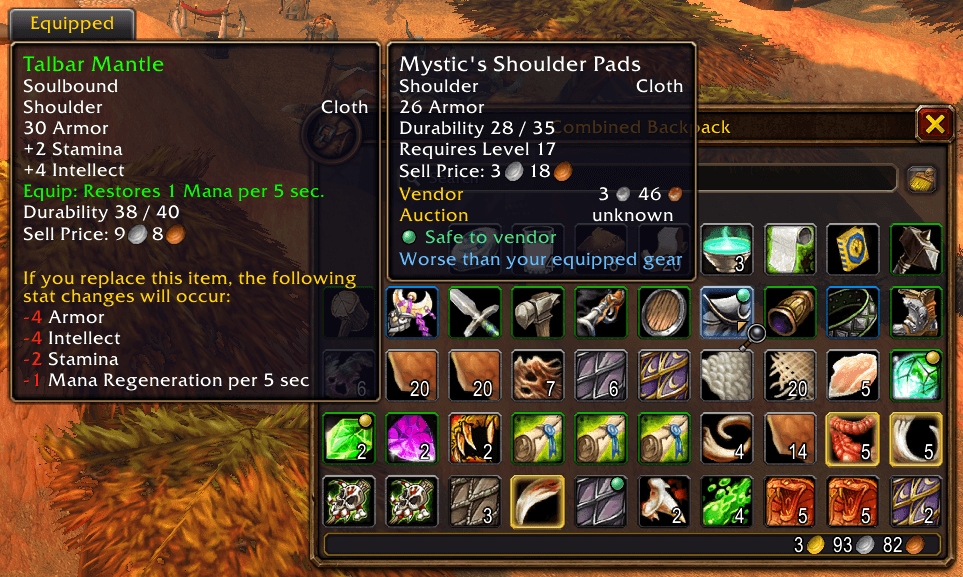
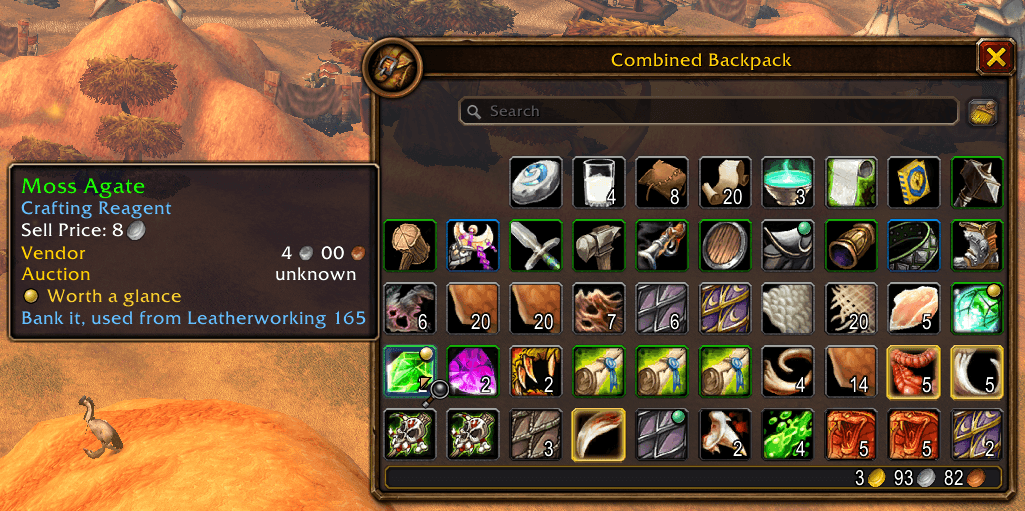
The dot is for action. Green means safe to delete. Yellow means worth a second look. No dot means leave it alone, either because Bagwise doesn't know or because you still need it. One look at your bags and you know what's worth touching.
The tooltip is for context. On a dotted item, it answers "Why is this safe?", for example "Quest completed" with the quest's name. On an undotted item, it answers "What is this for?" It names the quest that still needs the item or the professions that use it, so you can tell a quest item from a reagent without looking it up.
Bagwise never deletes anything. Every deletion is your click.
Bags full while looting? The cheapest junk in your bags gets a soft green glow, so you know what to delete to make room.
Works with Blizzard's bags, Baganator and EllesmereUI Bags. Type /bagwise help for commands. If something looks wrong, /bagwise report gives you text to paste into a comment.
Bagwise: Debloat Your Bags Team