BagViewerMidnight
- By
Track specific item IDs across your main character and alts, compare current bag stock against your saved main stock, monitor low or missing items, and estimate account value using Auctionator prices.
- Alt/Main bag definition
- Drag&Drop from your bag to add items
- Low stock thresholds indicators
- Out of stock view
- See gold accross all your characters
after the last performance update consider turning off defer /ba defer to see realtime updates. I'm gonna leave it on by default to prevent freeze in untested low end computers
Commands
/ba
Show or hide the main window.
/ba main
Marks the current character as MAIN. This character saves the primary tracked item stock.
/ba alt
Marks the current character as ALT. ALT view compares the current character’s bags against the MAIN stock snapshot.
/ba add <itemID>
Add an item to tracking.
/ba add 19019/ba remove <itemID>
Remove an item from tracking.
/ba remove 19019/ba low <amount>
Set the low-stock threshold.
/ba low 15/ba ids
Show or hide item IDs in the list.
/ba stock
Toggle between showing all tracked items and only out-of-stock items.
/ba center
Move the window back to the center of the screen.
/ba gold
Show saved gold by character and the account total.
/ba gold <Name-Realm>
Remove saved gold for that character.
/ba gold Mywarrior-Area52/ba defer
Enable or disable deferred updates while mail, auction house, or professions are open.
/ba debug
Enable or disable debug messages.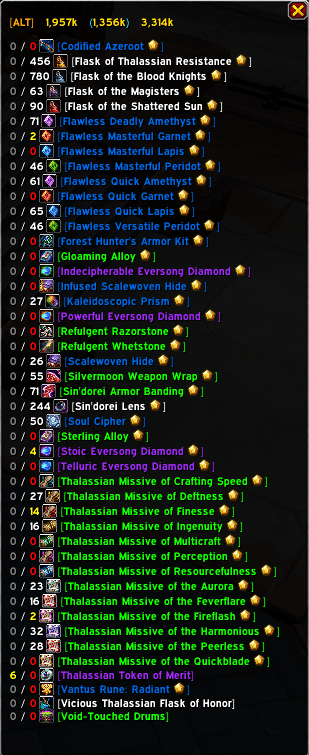
The BagViewerMidnight Team