
Bagoo
2026-03-26 23_12_10-World of Warcraft.png
2026-03-26 23_10_51-World of Warcraft.png
2026-03-26 23_12_38-World of Warcraft.png
2026-03-26 23_11_00-World of Warcraft.png
2026-03-26 23_11_25-World of Warcraft.png
Description
Bagoo — Feature Overview
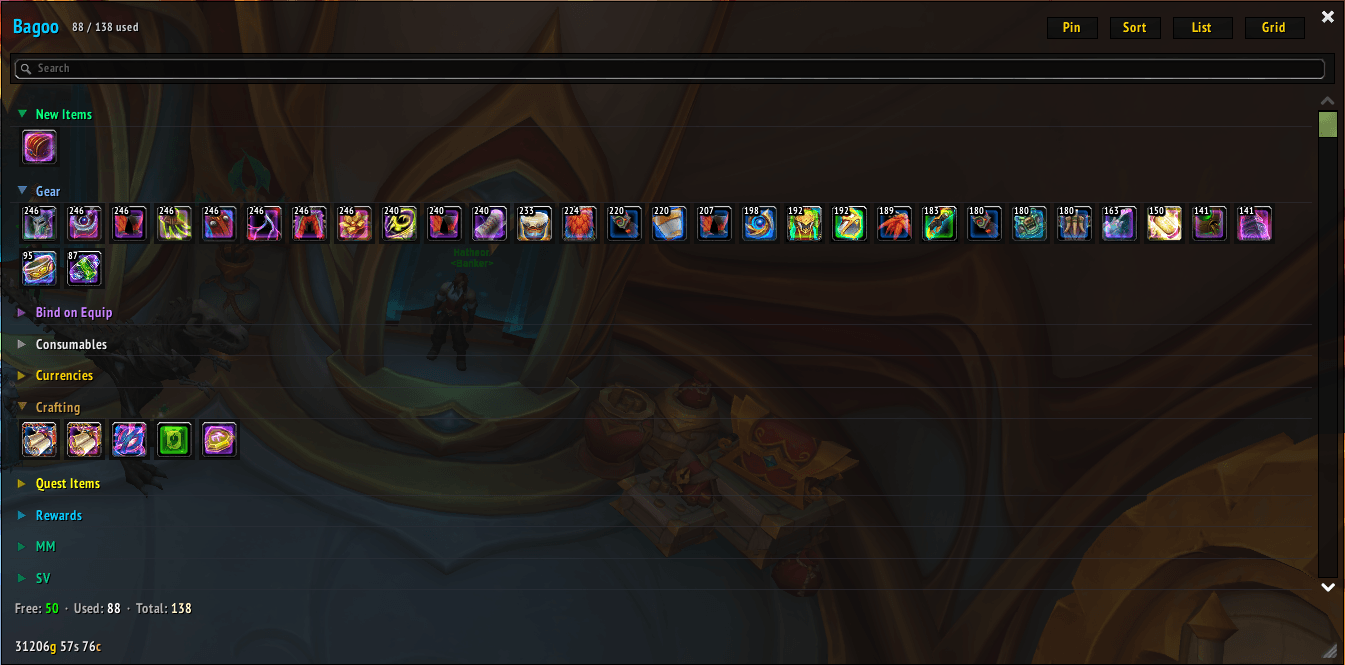
Bagoo is a World of Warcraft bag replacement addon that merges all five bags into a single, unified inventory window with a clean, dark-themed UI.
Feedback, and feature requests are very welcome!
Views
Bagoo offers two view modes:
- Grid View — A traditional icon grid with quality-colored borders, stack counts, item level overlays, and pin indicators. Column count adapts dynamically to the window width.
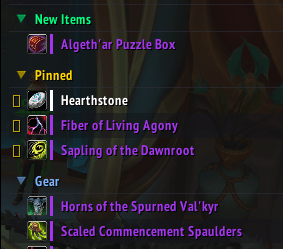
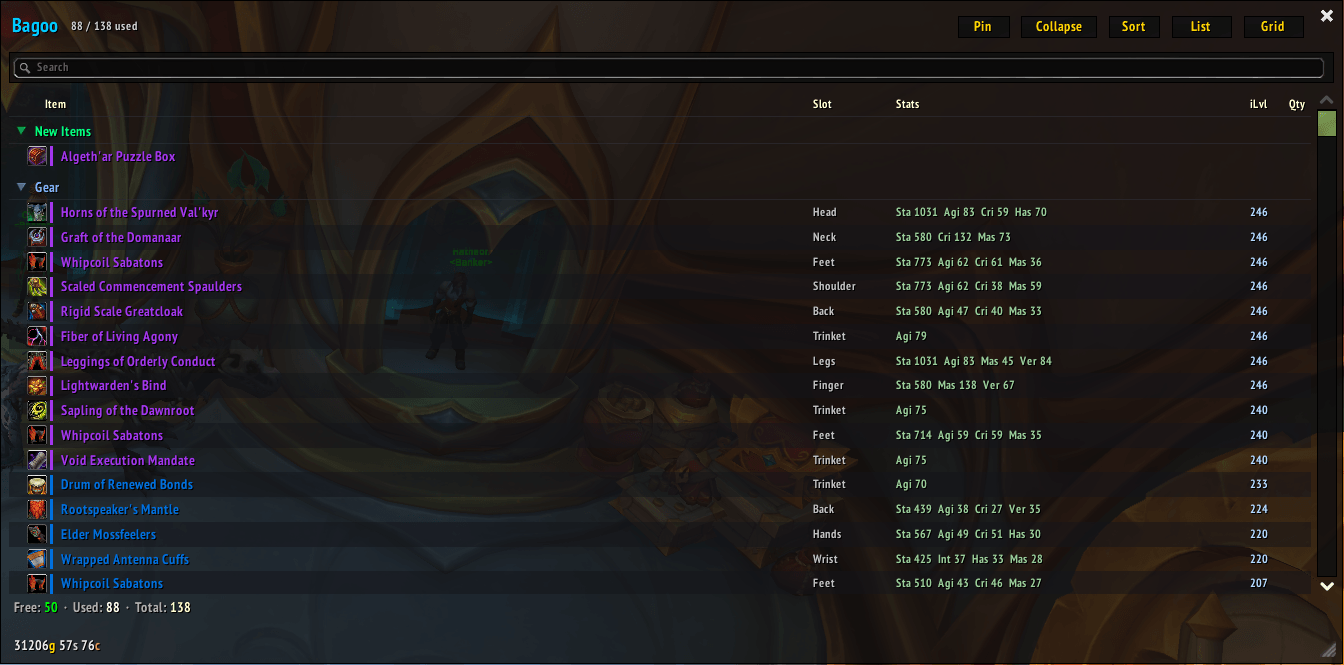
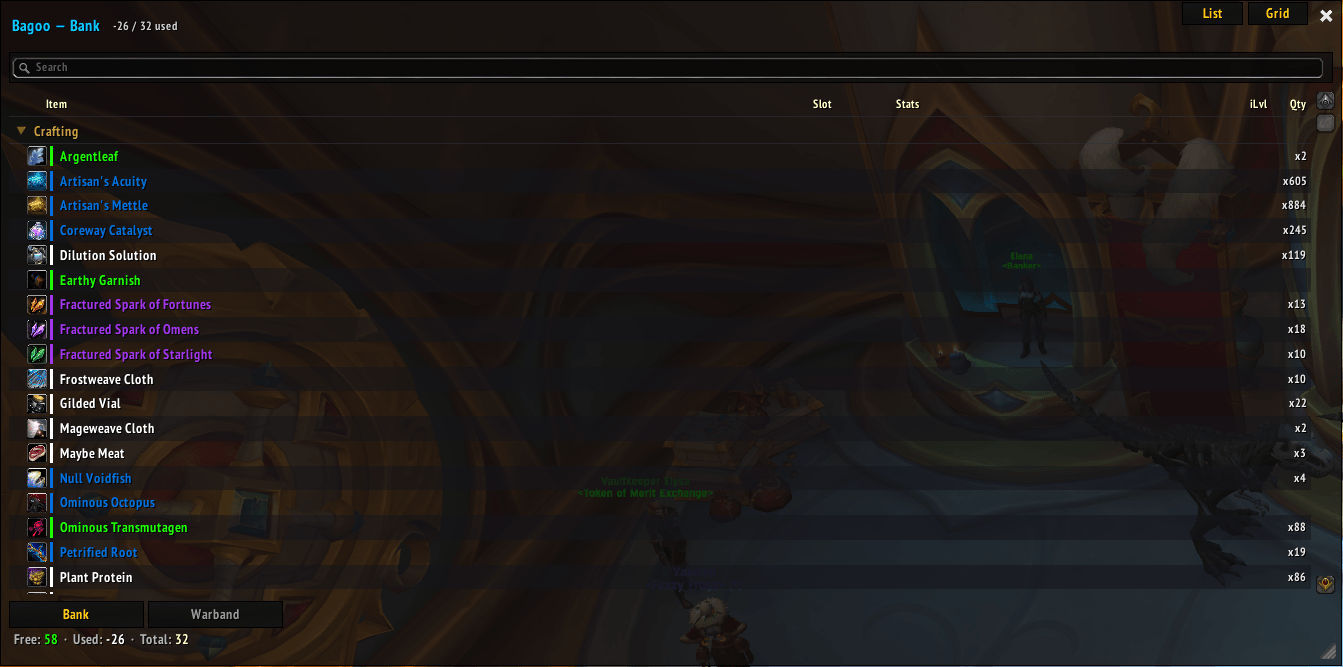
- List View — A table layout with resizable columns for Item, Slot, Stats, iLvl, and Qty. Gear stats are shown in compact abbreviated form (Sta, Int, Cri, Has, etc.). Alternating row backgrounds aid readability.
Automatic Categorization
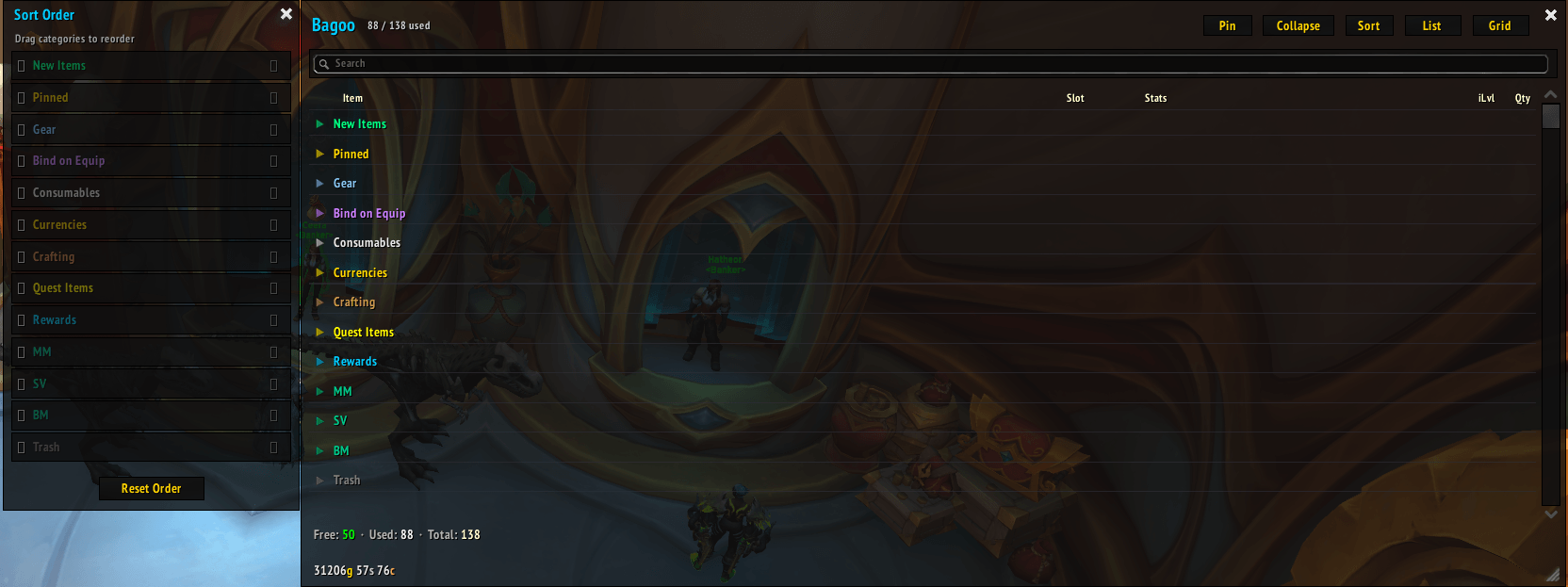
Items are automatically sorted into 10 categories: Pinned, New, Gear, BoE, Consumables, Currencies, Crafting, Quest, Rewards, and Trash. Each category has its own colored header. Category display order is fully customizable via a drag-and-drop sort dialog.
Search
A full-width search bar filters items instantly as you type, matching against item name, quality (e.g. "Epic"), item type, and subtype. Categories with no matches are hidden automatically.
Item Pinning
A dedicated pin mode lets you right-click items to pin them. Pinned items are always displayed at the top in their own category, marked with a ★ star. Pins persist across sessions.
New Item Tracking
Newly acquired items are highlighted in a "New Items" category. An item stays "new" until either 2 hours have passed or the bag has been opened 5 times — whichever comes first. On first login, existing items are silently marked as seen so nothing is falsely flagged.
Inventory Summary & Gold
The header shows a used/total slot count. The footer displays free, used, and total slots alongside a formatted gold/silver/copper display.
Item Interaction
Left-click picks up items for moving. Right-click uses items via secure macro attributes (SecureActionButtonTemplate), so it works in combat. Drag-and-drop is supported. Hovering shows the standard game tooltip.
Window Management
The window is movable, resizable (380–1200 px wide, 200–800 px tall), clampable to screen, and closeable with ESC. Position, size, view mode, column widths, search text, and category order all persist per-character.
ElvUI Integration
Bagoo auto-detects ElvUI and applies its skin system (templates, button/scrollbar handling). Without ElvUI, it falls back to a flat, dark 1px-border design.
Slash Commands
/bagooor/bg— Toggle the window/bagoo list//bagoo grid— Switch view/bagoo reset— Reset position to center/bagoo help— List all commands
Compatibility
Supports both Retail and Classic WoW via compatibility helpers that wrap C_Container.* (retail) and legacy GetContainerItemInfo (classic) APIs.
Bagoo Team
