


Bag to Gold
- By
A small Retail addon that adds Quick Post to the native Auction House Sell tab. Review comparable prices and work through auctionable bag items with a click or mouse-wheel input.
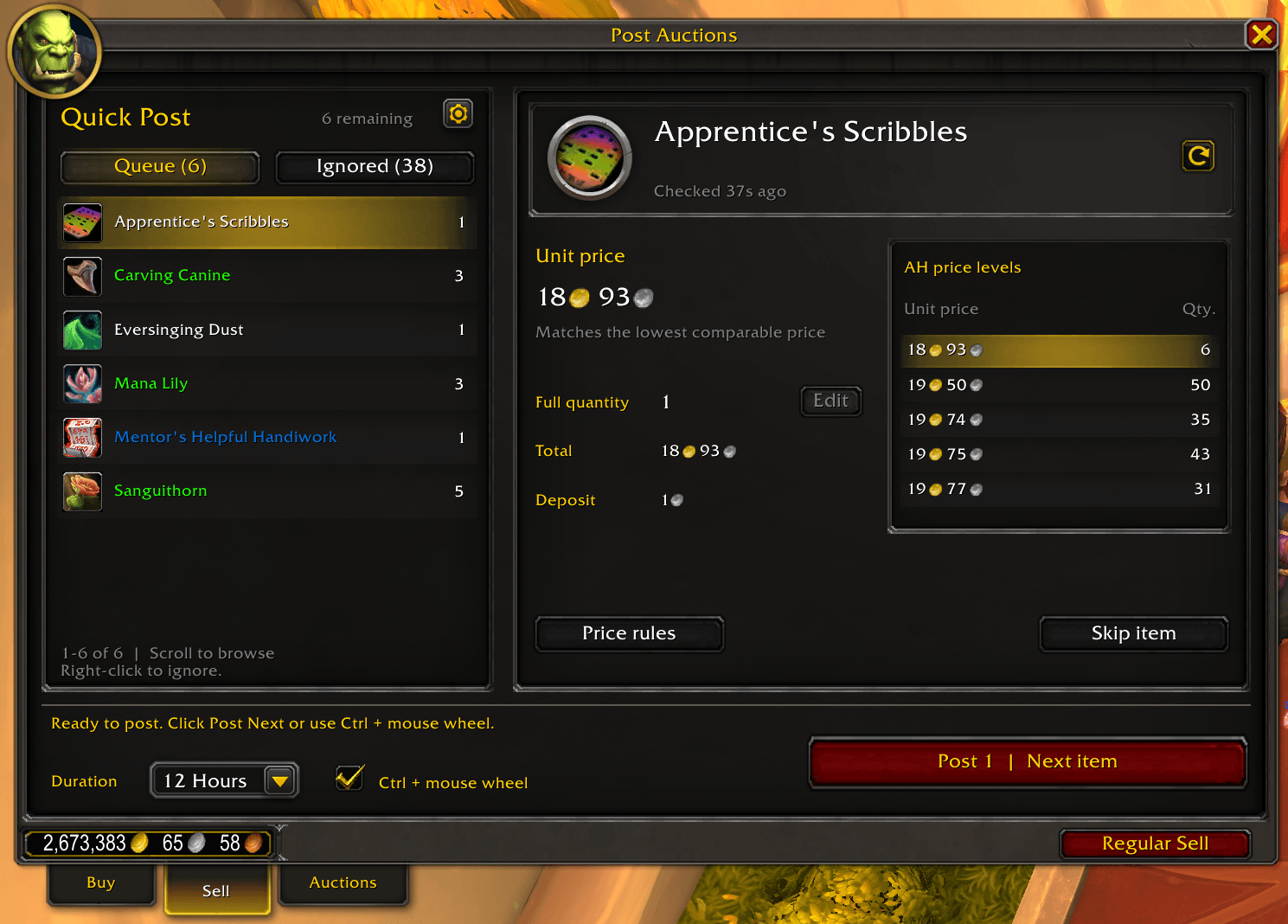
Review the item, price and quantity before posting.
Getting started
- Open an auction house, select Sell, then Quick Post. You can also toggle Quick Post with
/wapwhile the auction house is open. - Review the selected item, unit price and quantity.
- Click Post Next, use Ctrl + mouse wheel, or scroll over the posting button. Each genuine input can submit at most one posting operation.
- After acknowledgement and inventory updates, the queue advances to the following item. Extra inputs while a posting is pending are ignored.
Choose Regular Sell to return to the native selling controls. Your mode preference is remembered account-wide. The auction house keeps its normal opening tab unless you enable Open Sell automatically in the gear menu.
Features
- Match the lowest comparable competitor buyout and preview up to five price levels from the same item search.
- Click a price level to choose a temporary unit price, subject to your minimum.
- Post All available commodity units across bag stacks by default, or edit the quantity for a partial sale. The queue advances without immediately posting the leftover units.
- Post equipment and other noncommodities as exact individual instances.
- Set minimum and fallback prices; fallback applies only after a completed search finds no comparable buyout.
- Right-click an Available row to ignore an item type, or an Ignored row to restore it. Ignore rules are account-wide.
- Exclude grey items by default, with an option to include them in the gear menu.
- Choose 12, 24 or 48-hour duration; the default is 24 hours.
Backpack, equipped bags and the reagent bag are scanned. Bank items are excluded, and WoW Tokens retain their native flow.
Settings
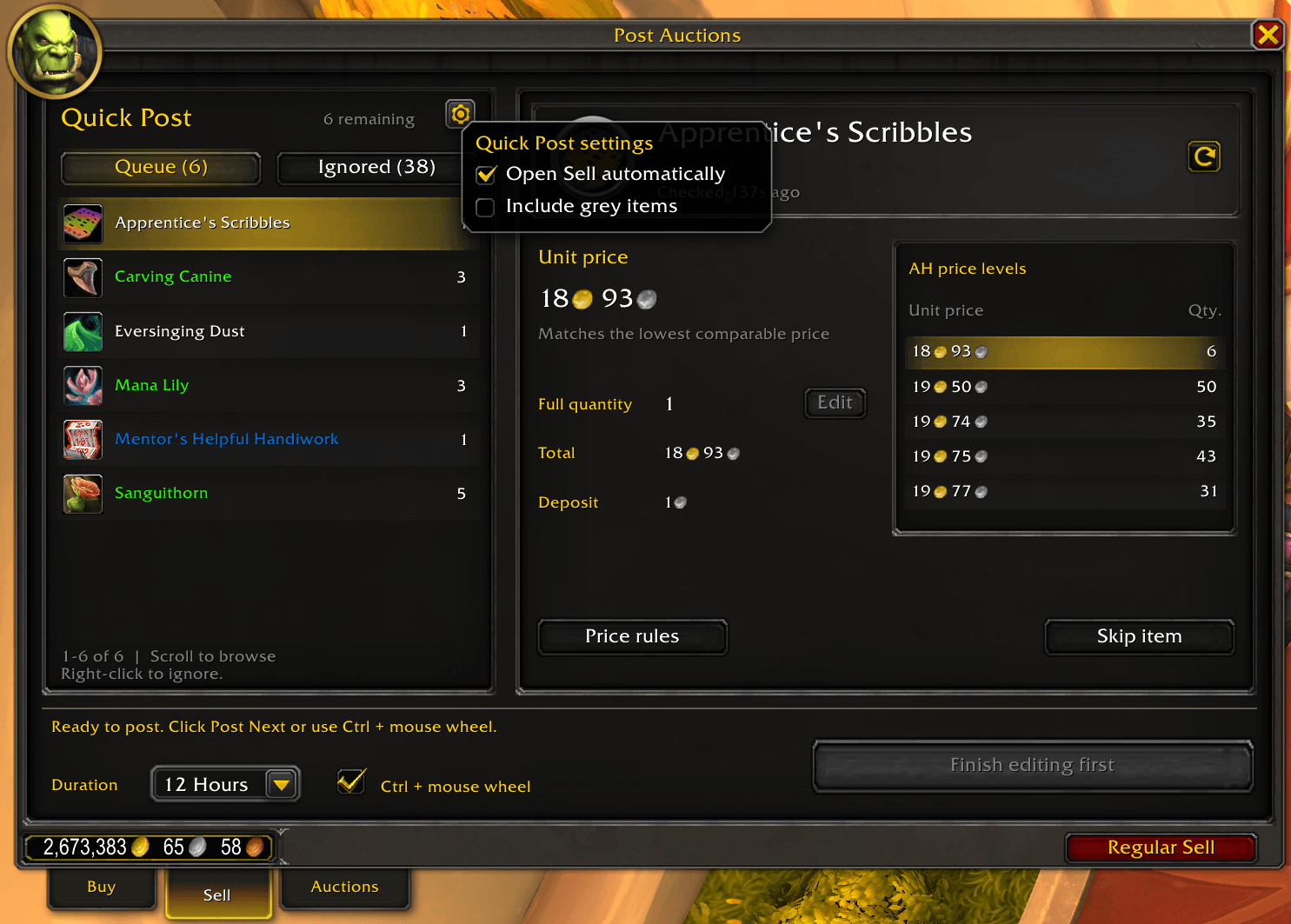
Choose whether Sell opens automatically and whether grey items enter the queue. Posting pauses while this menu is open.
Compatibility and pricing notes
Retail 12.1.0 only. Auctionator, TradeSkillMaster and a desktop companion are not required. Avoid concurrent auction scans from other addons because the Auction House shares query responses.
Crafted equipment comparisons use effective item level and known suffix/crafted quality where available. Gear at the same level can still differ in stats, sockets or enchantments: inspect valuable items before choosing a price.
Every posting operation requires player input. If its outcome is uncertain, check your bags and the native Auctions tab before retrying. A reload does not establish that a pending request failed.
Installation and support
Install through CurseForge, or extract the ZIP into _retail_/Interface/AddOns/. The resulting path must be WoWAuctionPoster/WoWAuctionPoster.toc. Restart WoW after a new installation and enable the addon in the AddOns list.
Keep the folder name WoWAuctionPoster when updating. Settings remain in WoWAuctionPosterDB.
For help, use the project's CurseForge comments. Include addon version, WoW build, reproduction steps, other enabled auction addons and the first Lua error, if present. Remove personal information from screenshots.
The Bag to Gold Team
