Babyman LFG: Mythic+ Group Filters
- By
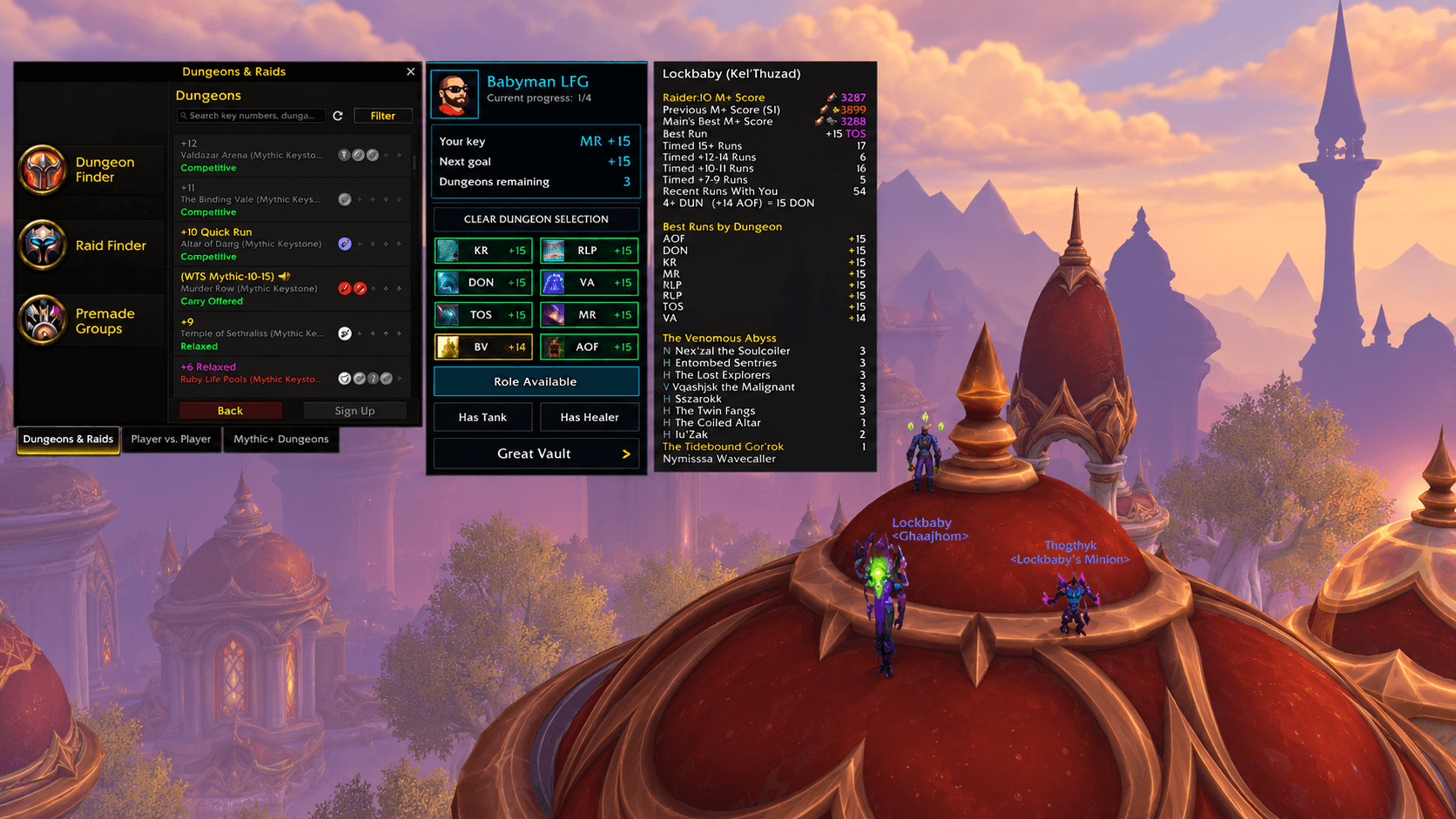
A compact Mythic+ filter panel that sits beside Blizzard’s Group Finder and works cleanly alongside Raider.IO.
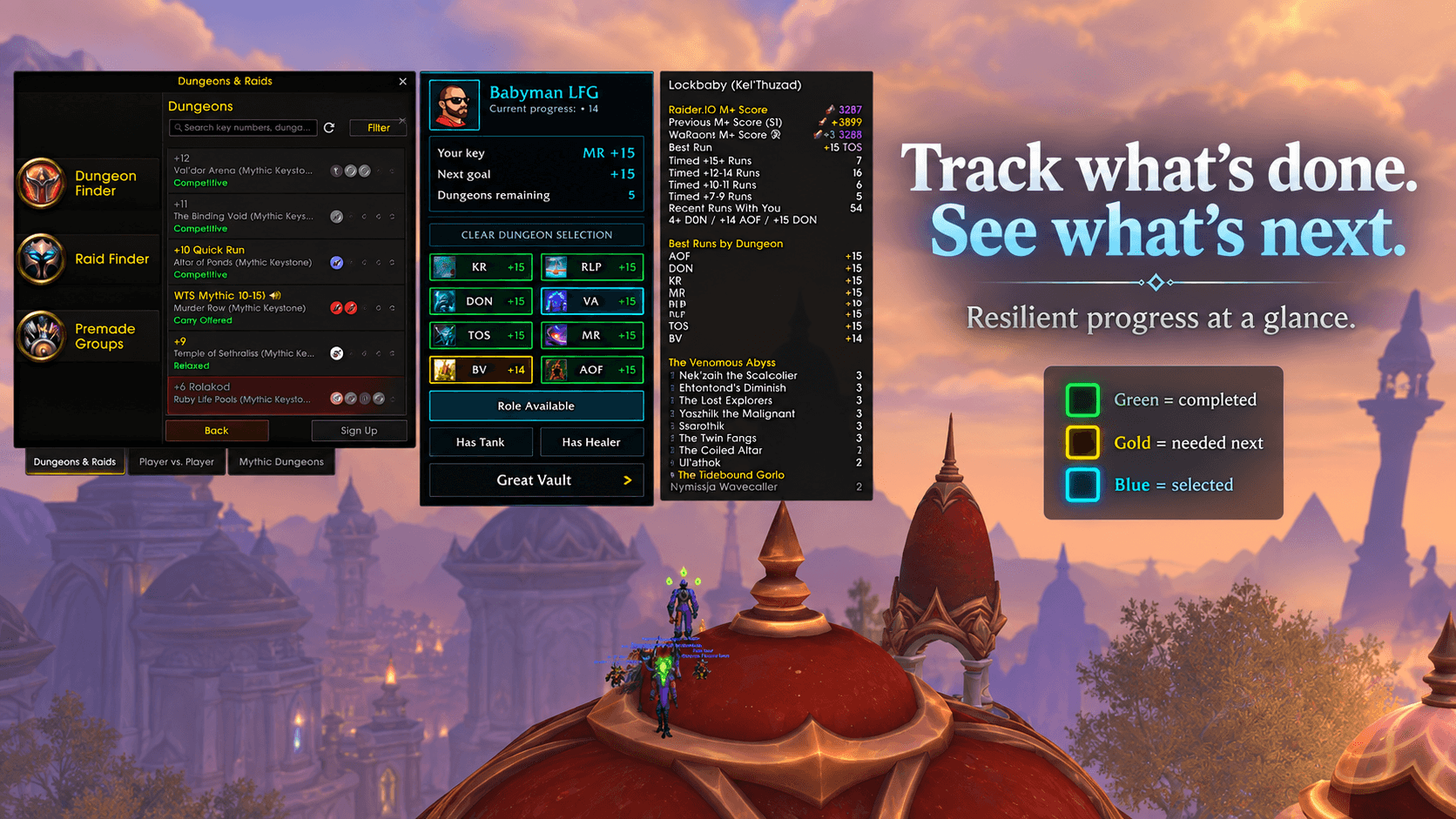
Quickly see which dungeons are complete, which still count toward your next goal, and where to focus next.
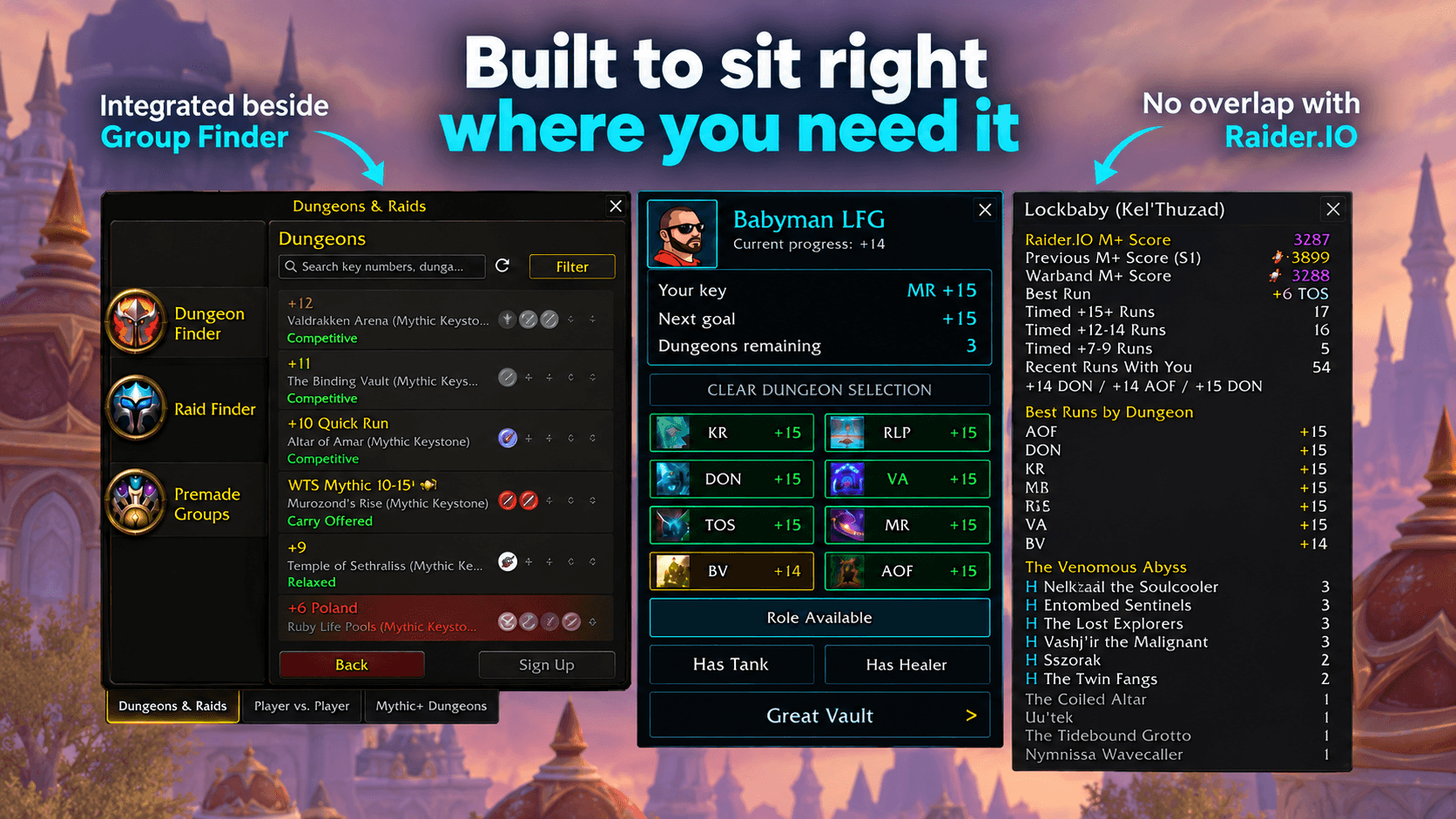
Designed to fit naturally beside Blizzard’s Group Finder without replacing your normal Mythic+ workflow.
Description
Features
- Dungeon filters: Choose the dungeons you want to search for.
- Party filters: Filter for party fit or groups with a tank or healer.
- Your keystone: See your owned key’s dungeon and level. Hover for the full dungeon name.
- Progress at a glance: View your current progress, next goal, and dungeons remaining.
- Timed bests: See your best timed level on each dungeon button.
- Great Vault shortcut: Open your weekly rewards from the panel.
- Adjustable layout: Customize panel size, scale, and font size.
- Optional Raider.IO support: Position its profile panel beside Babyman LFG.
How to use
- Open Group Finder → Premade Groups → Dungeons.
- Select your dungeon and party filters.
- Press Blizzard’s Search / Search Again button.
Use Clear Dungeon Selection to include all dungeons again. Searches and group applications remain manual.
Commands
| Command | Action |
|---|---|
/lfgfilter or /lfgf |
Open settings |
/lfgfilter reset |
Reset panel appearance settings |
/lfgfilter clearfilters |
Clear dungeon and role filters |
Compatibility
Designed for WoW Retail. No ElvUI or WindTools installation is required. Raider.IO is optional.
Feedback and bug reports
Please include your addon version, WoW version, what happened, and any Lua error text. For startup issues, mention whether the problem happens after launching WoW or after /reload.
The Babyman LFG: Mythic+ Group Filters Team