AzerothCompendium (DungeonJournal Alternative) (Forever)
- By
Adds a Compendium (Loot: Dungeon, Raid, Pvp, Reputation)
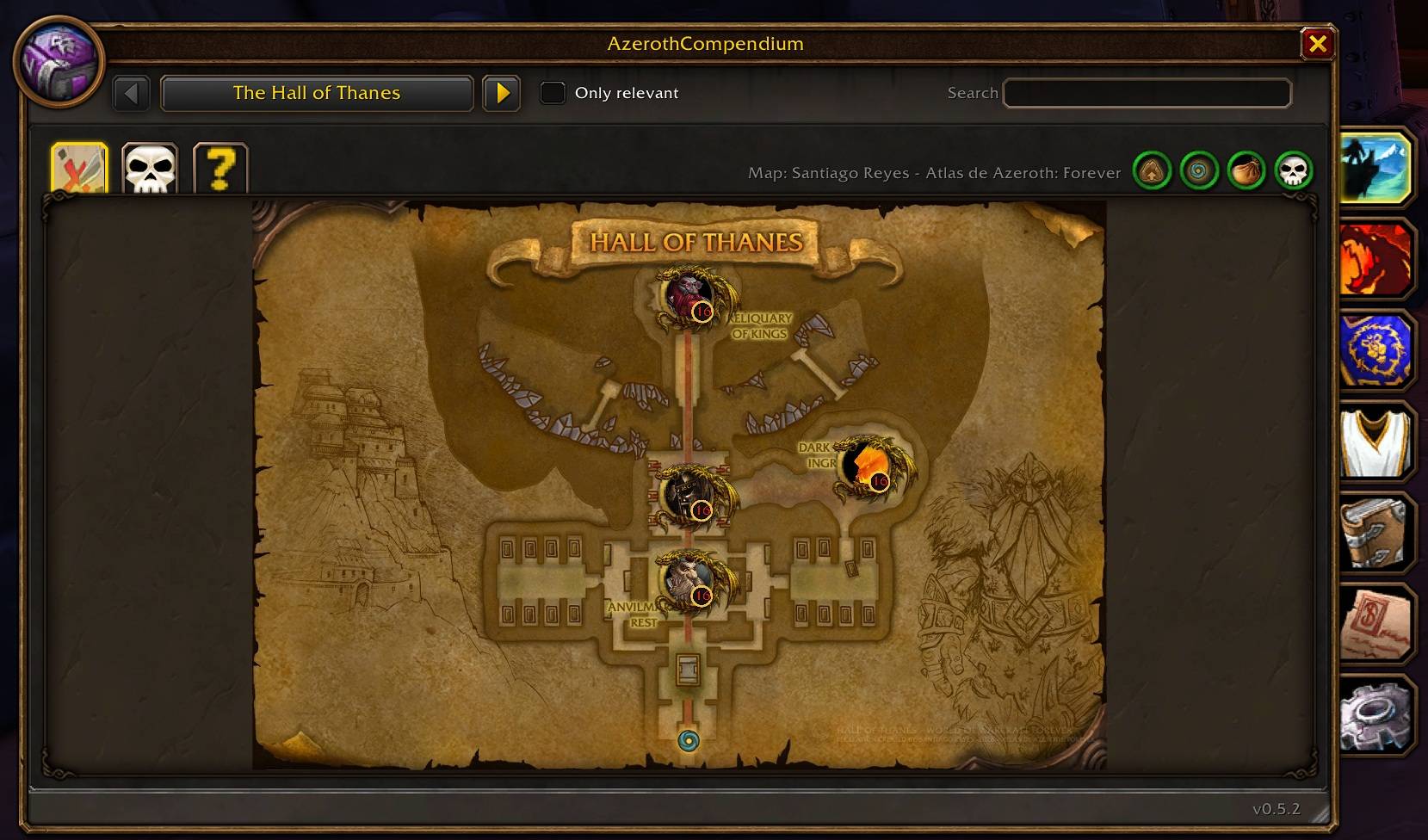
Boss, Quest-Item, Floors, Entrance/Exit
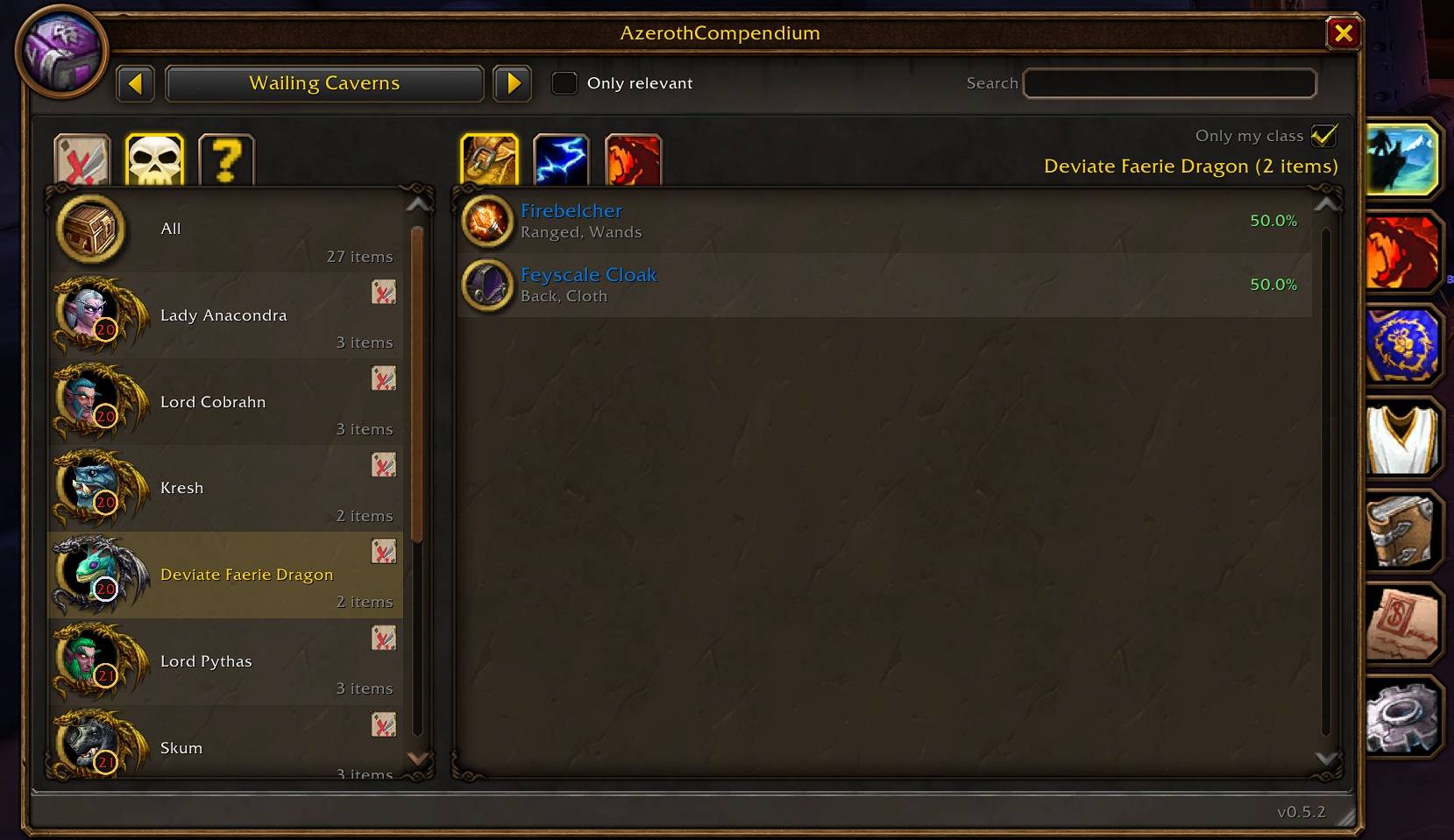
Also Raid Loot
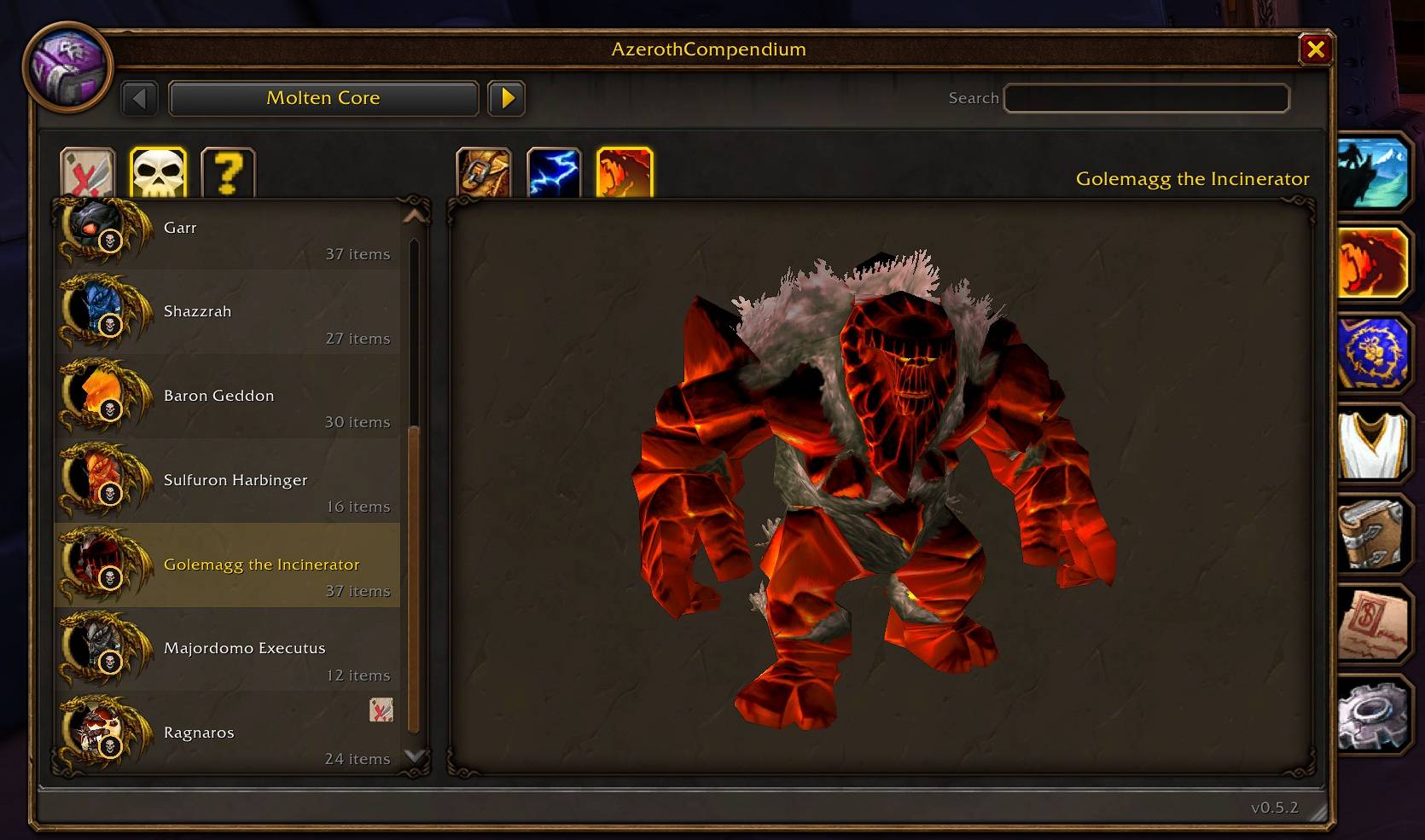
Boss Models
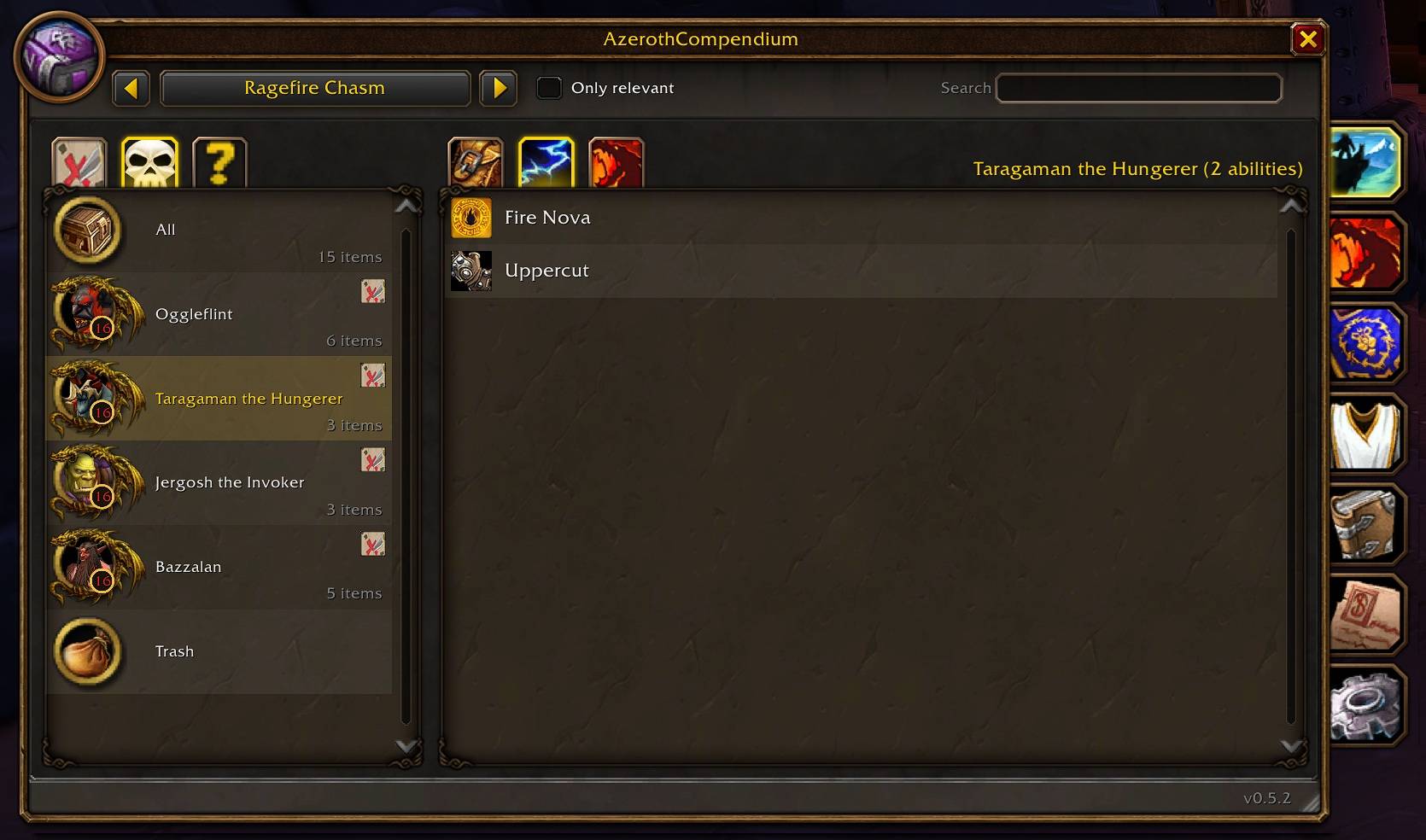
Boss Abilities
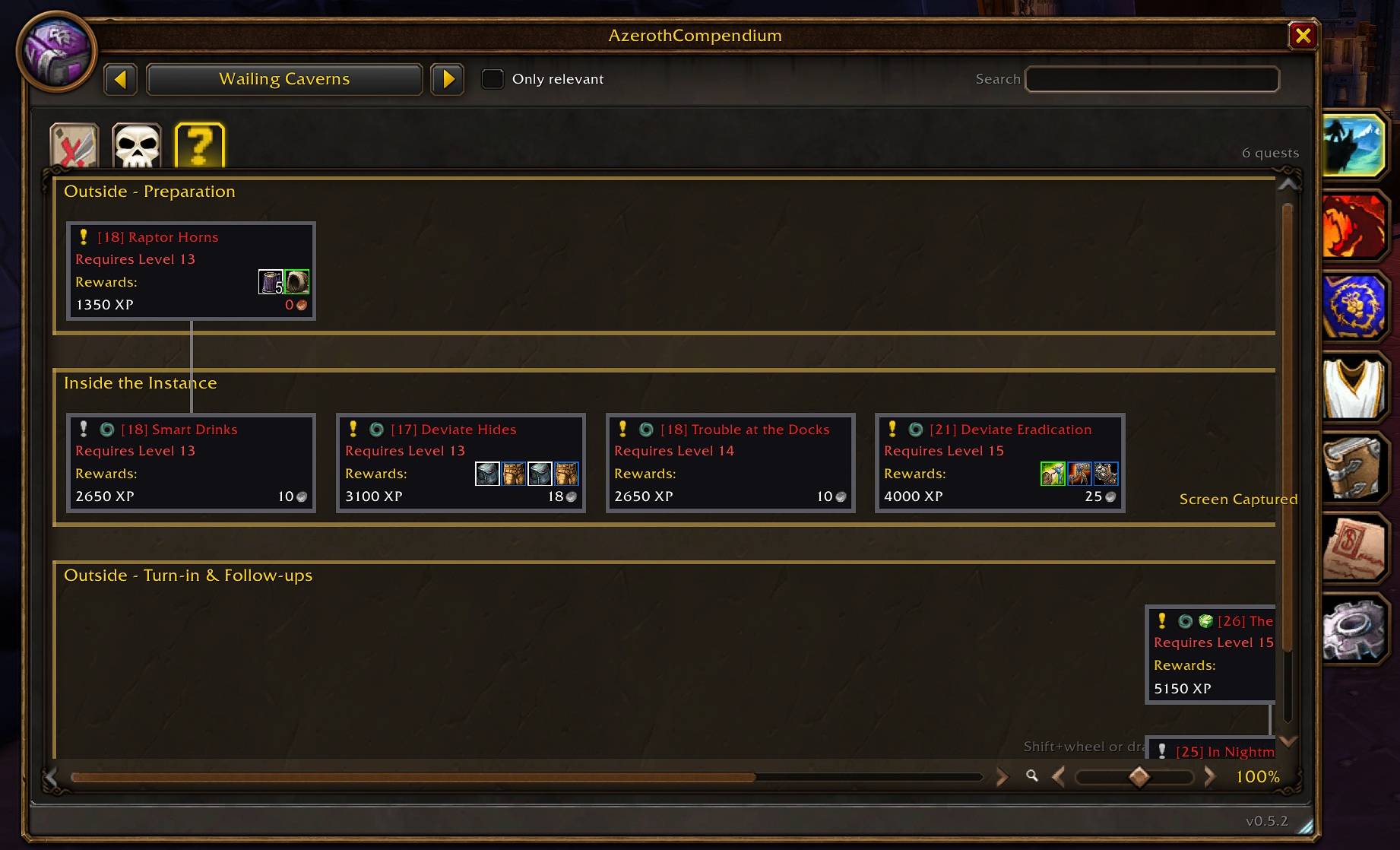
Dungeon Quests
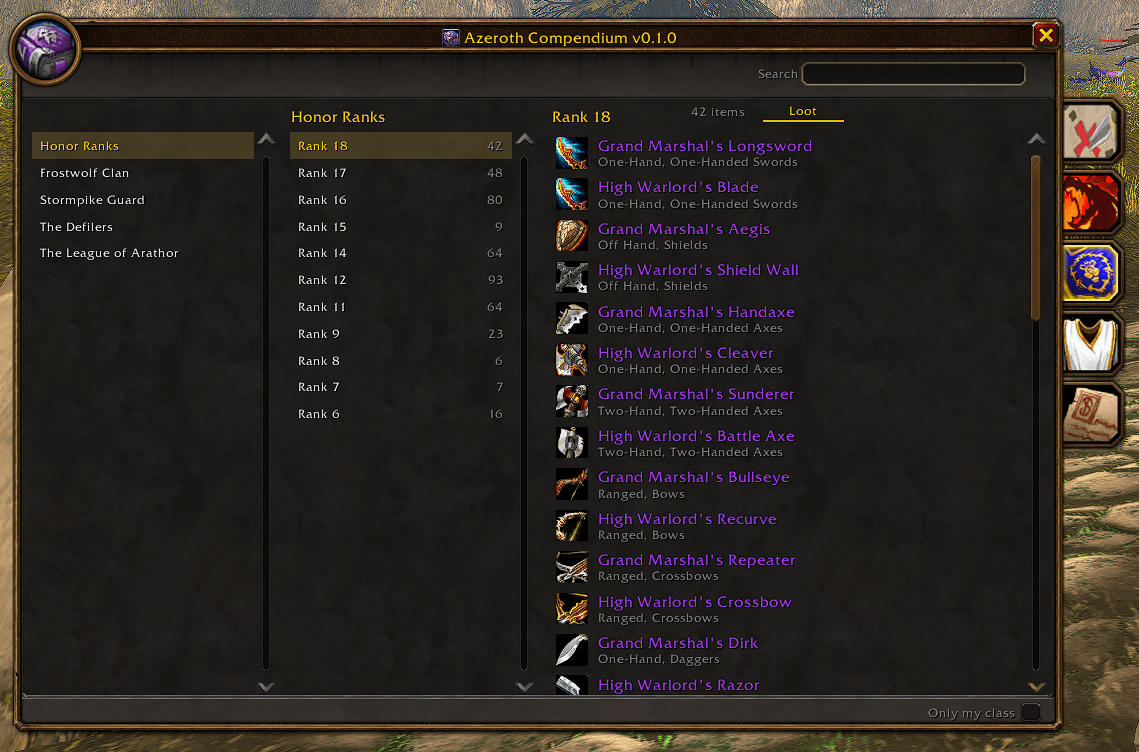
PVP
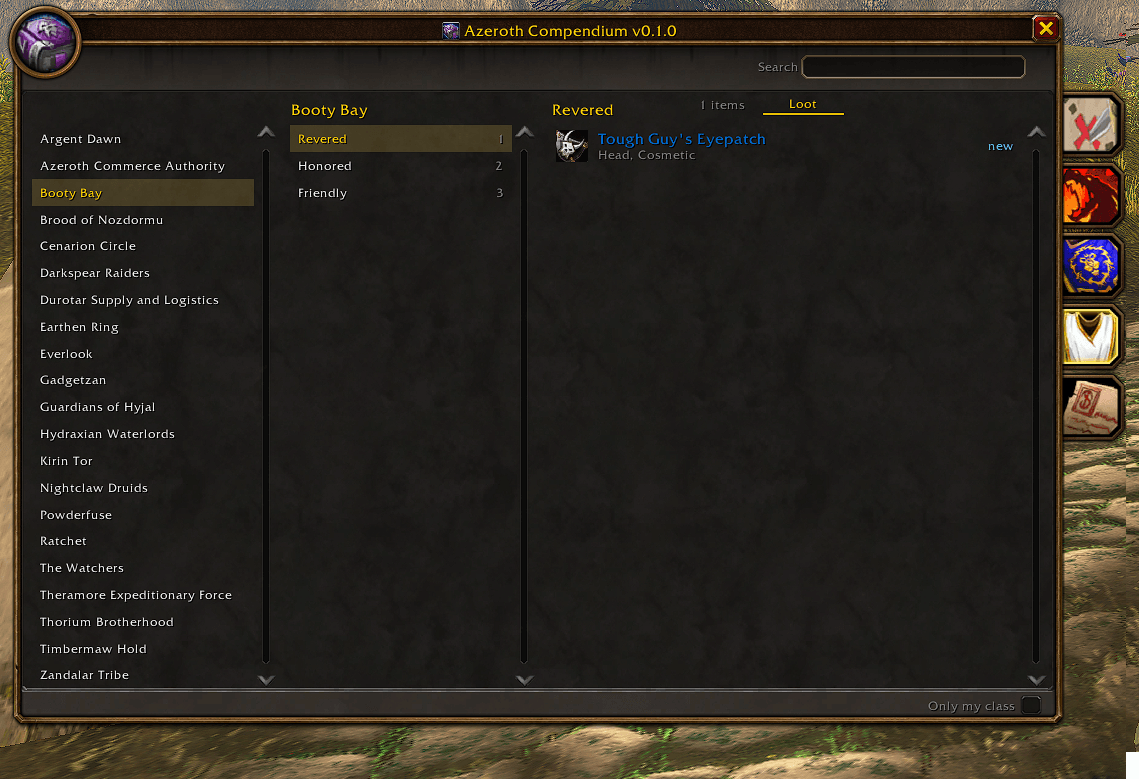
Reputation
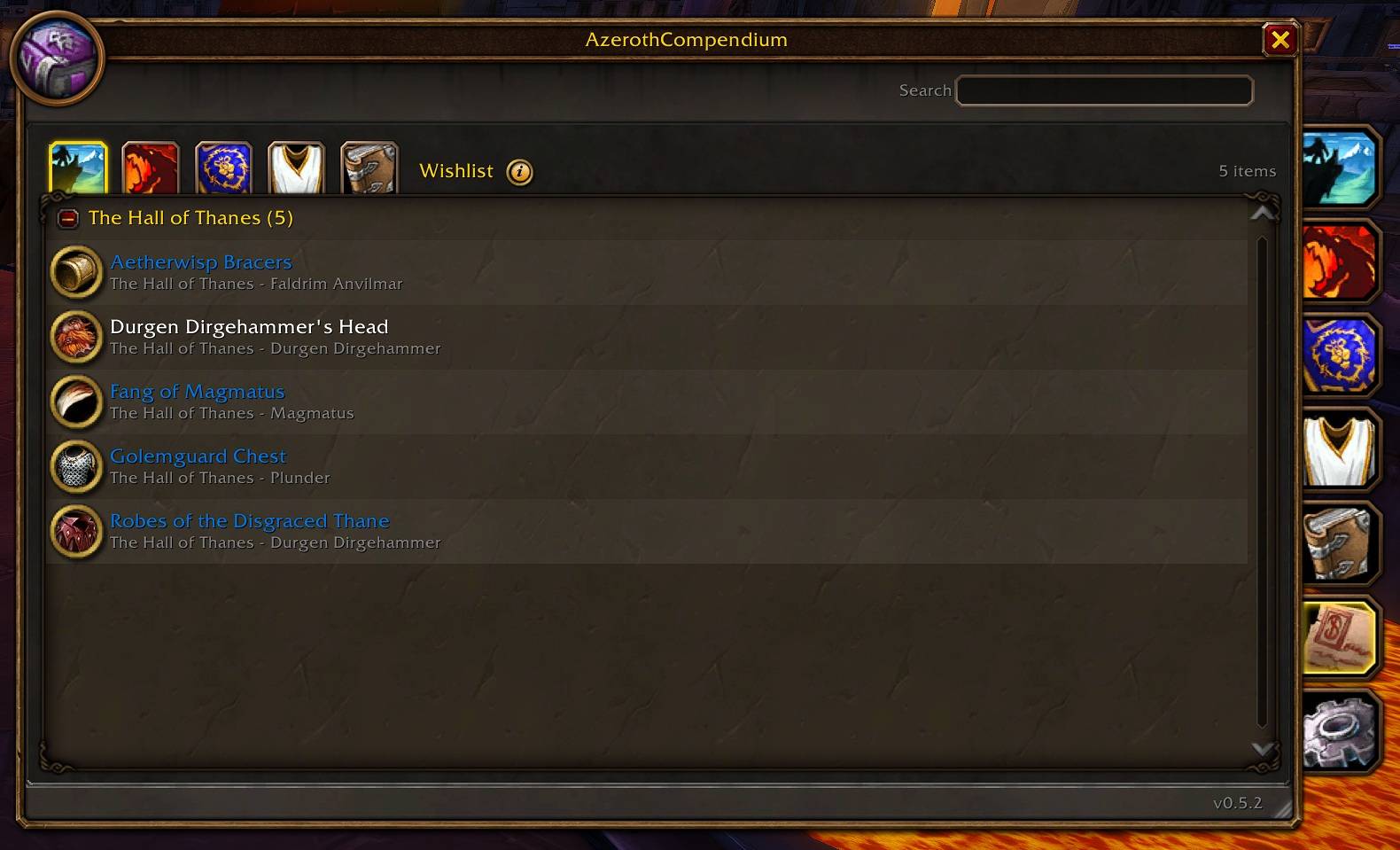
Wishlist
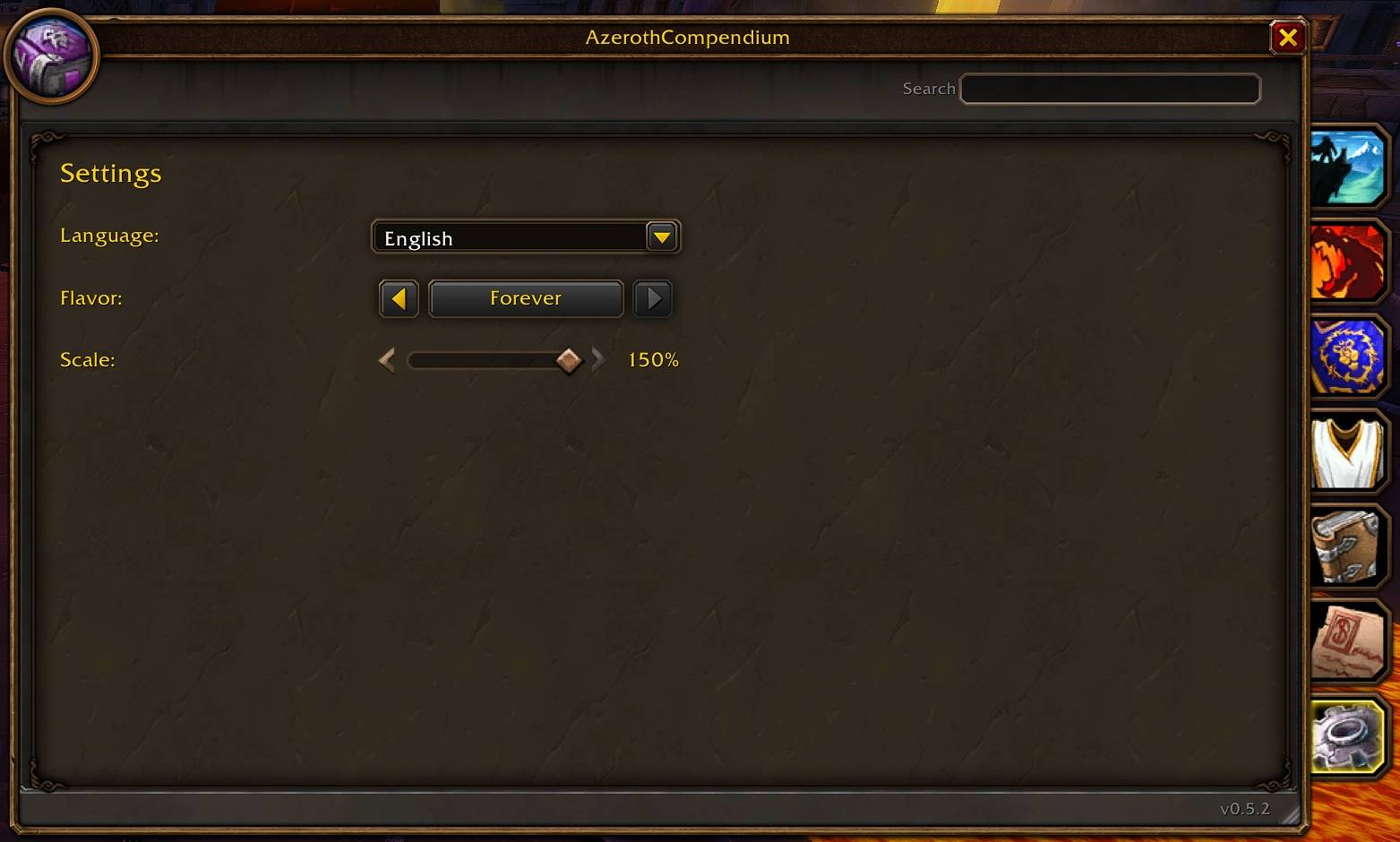
Settings
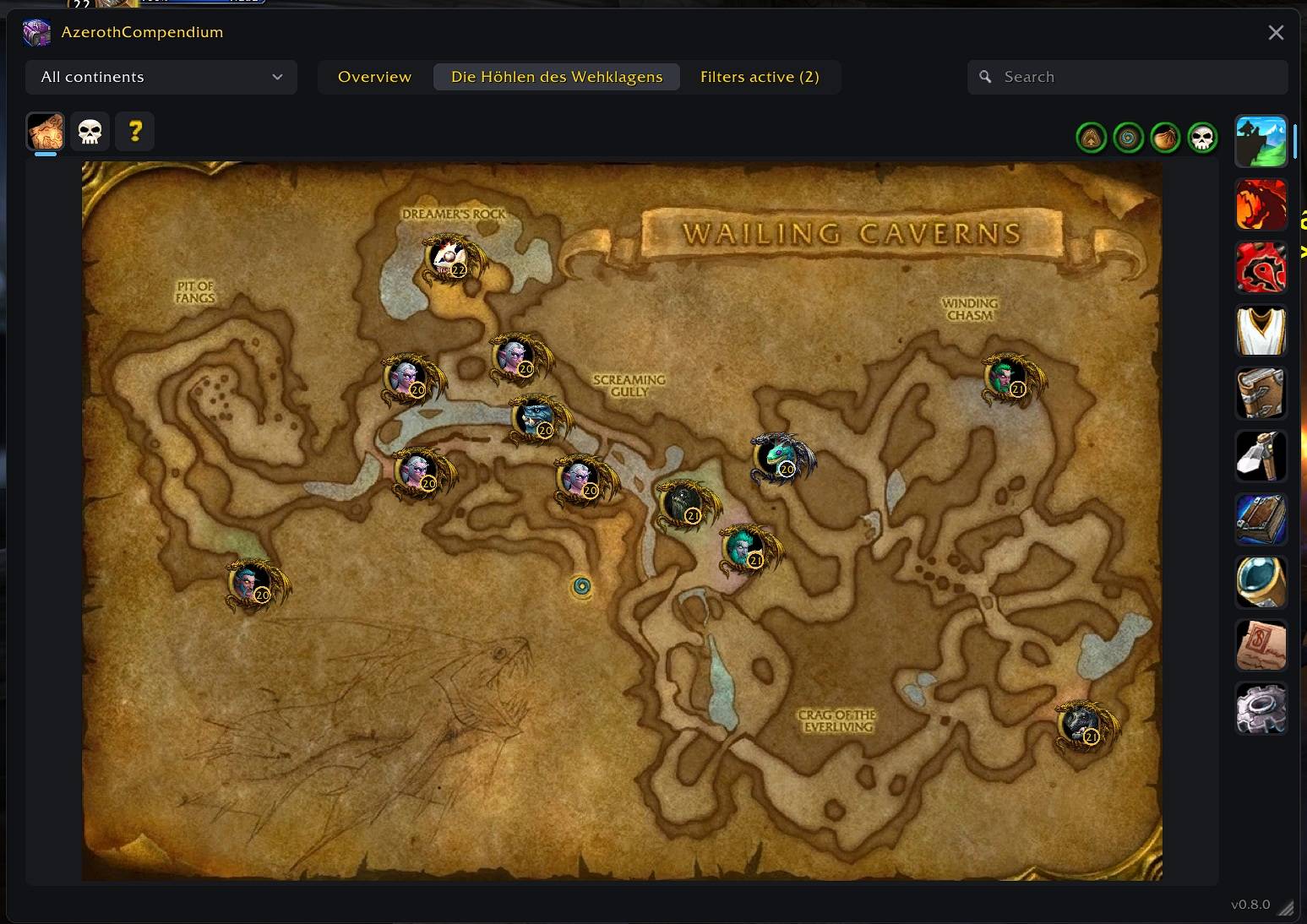
Description
Feedback/Ideas/Bugs: https://discord.gg/k35hthYBAj
Azeroth Compendium brings a searchable, encounter and reward journal.
Dungeon Map (with Bosses, Quest-Items, Dungeon Entrance, …):
Dungeon/Raid Quests:
Optional Modern Design:
Features
- Browse Classic dungeons and raids by instance and encounter.
- Switch each dungeon and raid between boss and quest lists, filtered by faction and sorted by quest level, with minimum acceptance levels and standard quest-difficulty colors.
- Display quest chains as a hierarchical, family-tree-style structure; click a quest to see its locations, objectives, and rewards.
- Place world-map waypoints on quest givers and quest objectives when coordinates are available.
- View interactive dungeon and raid maps with clearly marked boss positions.
- Show instance entrances and meeting stones on the world map.
- View boss loot, drop chances, abilities, and 3D models.
- Navigate between quests, bosses, loot, maps, and their rewards.
- Browse PvP honor rewards and battleground faction rewards.
- Browse reputation rewards grouped by faction and standing.
- Browse world-drop quest-starting items with their quest and known source; verified sources have a world-map waypoint button.
- Search the entire item database in the All Items tab and see each item's sources, including bosses, dungeons, quests, reputation, and PvP.
- Save items to an account-wide wishlist and jump back to their source.
- Search instances, bosses, factions, and items.
- Choose between the classic Default design and a Modern design.
- Show TrainerSpells class and profession tabs inside the compendium to see trainers, available spells, and training information in one place (requires the TrainerSpells addon).
- Switch the compendium between the complete Forever data, the Classic Era data, and the TBC data.
- Filter loot to items usable by the current class.
- Show or hide drop chances.
- Open the compendium from a minimap button or slash command.
- Resize the compendium with the grip in its bottom-right corner and scale it from 50% to 150%; both values are remembered.
- Use localized interface text for all supported game languages.
Usage
- Left-click the minimap button to open the compendium.
- Right-click the minimap button to open the settings.
- Use
/azerothcompendiumor/acto open the compendium. - Use
/azerothcompendium settingsor/ac settingsto open the settings. - Right-click an item to add it to or remove it from the wishlist.
- Open the Wishlist tab and left-click an item to jump to its category, instance, and boss.
- Right-click an item in the Wishlist tab to remove it.
- Open World Drop Quest Items and click a map icon to mark a verified item source.
- Use the Flavor dropdown in the settings to show all Forever data, only Classic Era content, or TBC content. On Classic Era and TBC clients the flavor is fixed to that client.
- Use the Design dropdown in the settings to switch between the Default and the Modern design.
The Only my class option is shared between the compendium and the settings window. Changing it in either place updates the other checkbox immediately.
Data
The addon ships with a static database and does not record loot while playing.
- Classic instance, encounter, loot, and ability data is based on the CMaNGOS Classic database.
- Curated dungeon trash loot is based on AtlasLootClassic data.
- Dungeon quest IDs, levels, factions, and fallback names are based on Wowhead Classic and Forever zone pages; Classic minimum acceptance levels are supplemented by QuestieDB.
- World of Warcraft: Forever additions are based on publicly available Forever data.
- Classic world-drop quest-item sources and coordinates are based on Wowhead Classic. Forever entries without a published source are explicitly marked as undocumented and do not show a pin.
- Item names, icons, faction names, standing labels, and instance names are localized by the game client whenever possible.
Forever content can change during development. New or changed encounters may therefore have incomplete loot or ability data until reliable information becomes available.
Feedback/Ideas/Bugs: https://discord.gg/k35hthYBAj
AzerothCompendium (DungeonJournal Alternative) (Forever) Team
Owner