AzerothCharts
- By
Auction price history and tooltip charts, price indicators on items, a customizable auction sniper, and gold tracking. Sync community market data with AzerothCharts Companion.
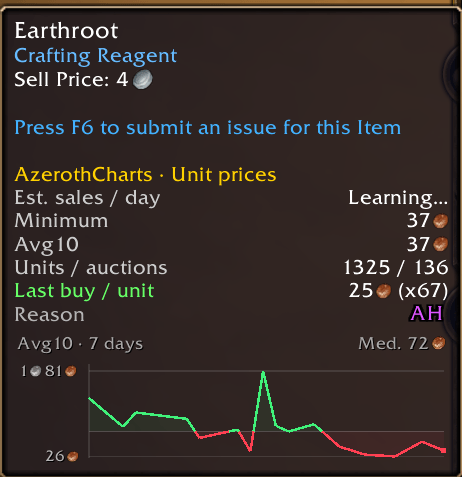
1. Tooltip with chart
Capture d'écran 2026-10-11 120734.png
Capture d'écran 2026-10-11 120844.png
Capture d'écran 2026-10-11 120826.png
Capture d'écran 2026-10-11 120924.png
Description
AzerothCharts adds auction price history, interactive charts, item valuations, and customizable shopping rules to World of Warcraft Forever. It helps you understand the market on your realm, compare buying opportunities, and keep track of your gold and auction activity.
Whether you gather materials, craft equipment, search for bargains, or simply want to understand what your loot is worth, AzerothCharts brings that information into the game.
What can you do with AzerothCharts?
- Explore prices with interactive charts.
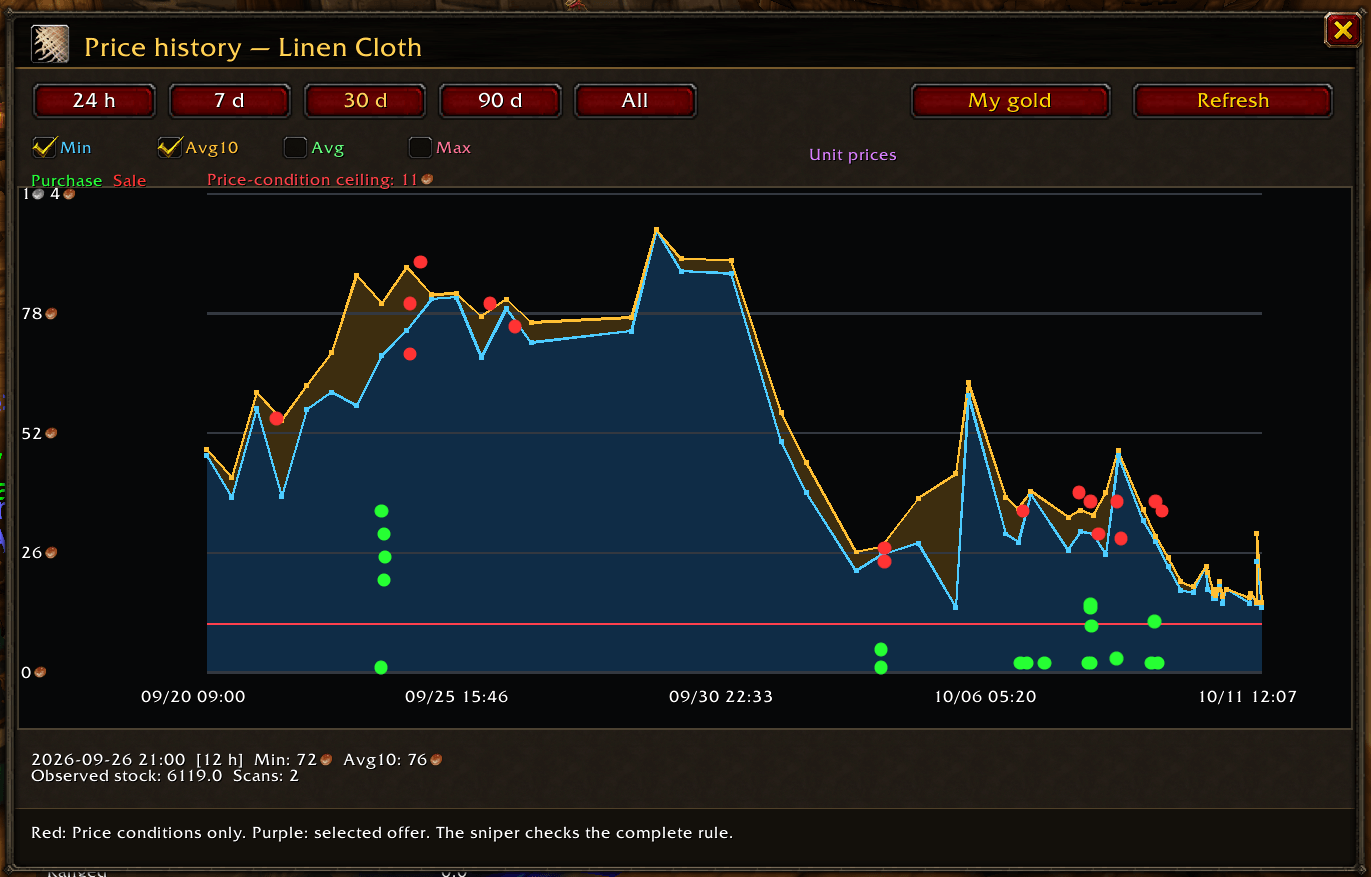
Open an item’s chart to compare its minimum price, average price, and lower-priced listings across different periods. Hover over the chart to inspect individual values. For example, check whether today’s herb prices are unusually high compared with the prices you recorded earlier in the week. - See useful market information directly in item tooltips.
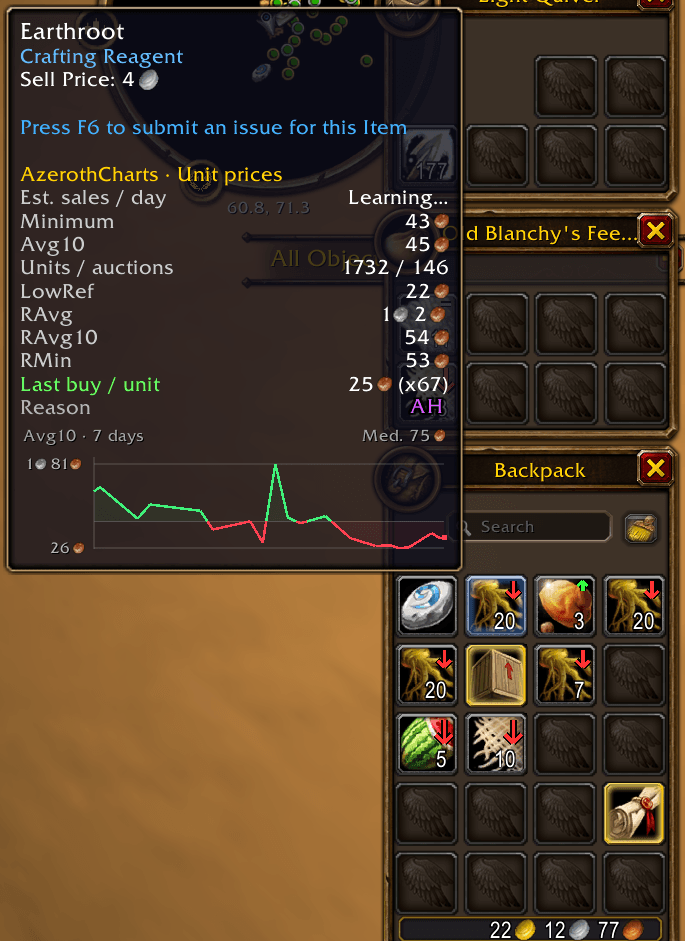
View price references and a compact history chart while inspecting items. You can check an item’s recorded value from your bags or an item link without returning to the Auction House. Customize which information appears to keep your tooltips as simple or detailed as you prefer. - Scan the Auction House and build your own price history.
Run a full scan to record available auctions and update your price references. Repeated scans let you follow changes over time and compare current listings with previous observations. This can help you decide when to buy crafting materials, restock supplies, or list your own items. - Organize items into groups and create your own buying rules.
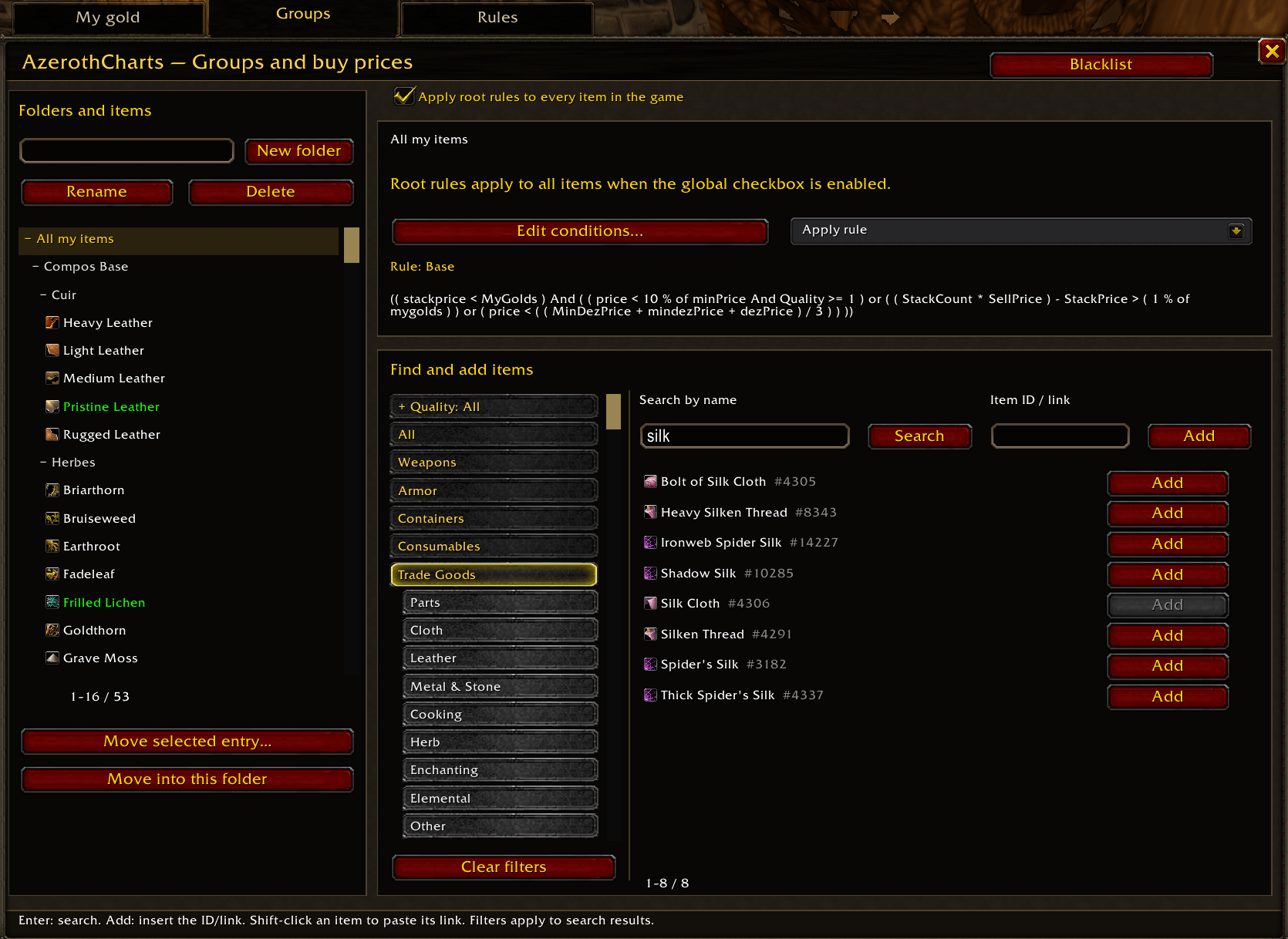
Build groups for materials, recipes, equipment, or any collection you want to follow. Assign rules to individual items or entire groups using price thresholds, quality, quantity, and other conditions. For example, watch a group of crafting materials for listings below a chosen percentage of your recorded reference price. The rule editor includes suggestions and examples to help you get started. - Find auctions that match your criteria.
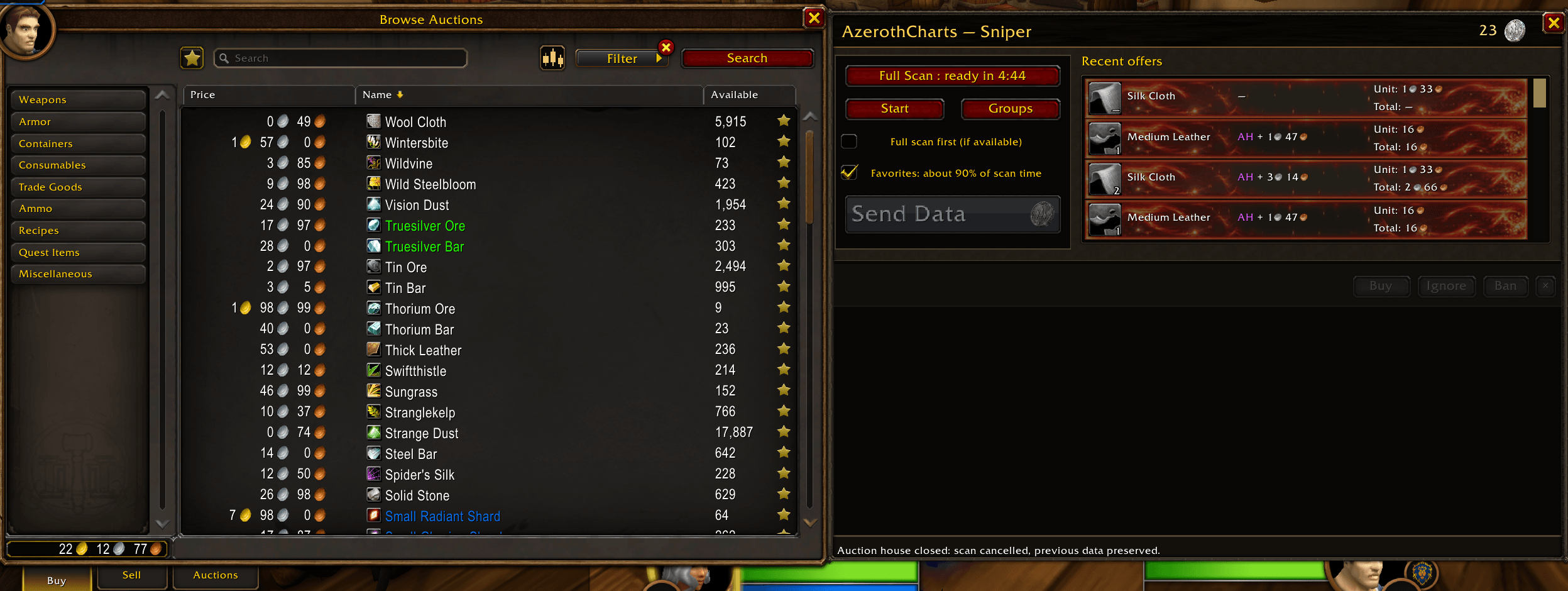
Start the sniper search while the Auction House is open to look for offers matching your rules. Review matching listings, use favorites to follow selected items, and exclude unwanted items with the blacklist. Configurable alerts help draw your attention to relevant offers. You remain in control of each purchase. - Compare ways to sell or use your items.
Inventory indicators and tooltip information help you compare an item’s auction value, vendor value, and estimated disenchant value when the required data is available. Price markers can also show how the current reference compares with its recent historical median. These tools help you decide which items deserve a closer look before selling or disenchanting them. - Follow your gold and recorded transactions.
The gold history window shows how your character’s available gold changes over time. You can also display the listed value of your active auctions separately from your available gold. Recorded purchases, sales, and supported money movements provide context for reviewing your trading activity. - Adjust the interface to your preferences.
Customize tooltip information, chart periods, inventory indicators, sounds, and window behavior. The interface supports English, French, German, Spanish, and Russian.
Getting started
- Install AzerothCharts and enable it in the character selection screen.
- Visit the Auction House and open the AzerothCharts panel.
- Run a Full Scan, keeping the Auction House open until it finishes.
- Hover over items to inspect their prices, open their charts, or create your first item group and buying rule.
Useful commands include:
/ac options— Open the addon settings./ac scan— Start a full Auction House scan./ac sniper— Open the sniper window./ac groups— Manage item groups and rules./ac gold— Open your gold history./ac stop— Stop the current scan or sniper search.
AzerothCharts builds its local market information from the auctions it observes. Regular full scans keep those references current. Auction valuations and disenchant values are estimates based on the available data.
The addon is designed for the World of Warcraft Forever beta client. Its scanning, charts, rules, and local history work independently of other auction addons.
AzerothCharts Team