AzerothBuddy
- By
A lightweight World of Warcraft companion for character management, delve companion guidance, Omnium presets, transmog tracking, combat meters, and action bar profiles.
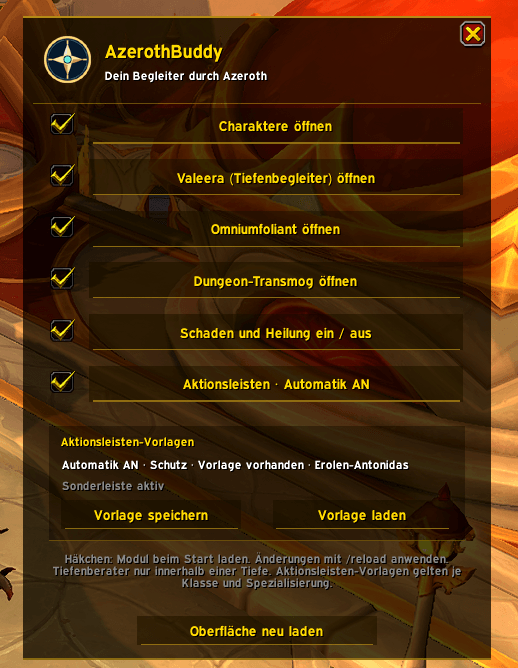
Standard Window
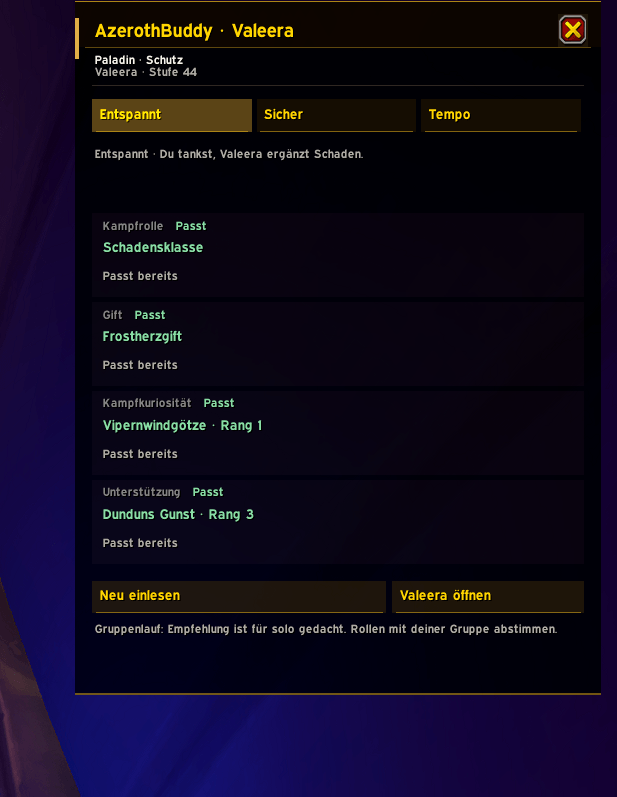
Delf Helper
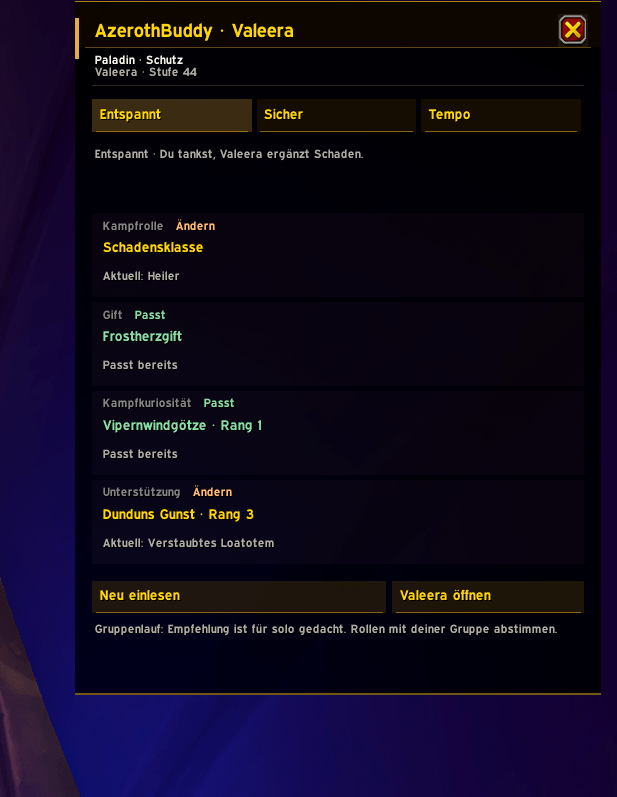
Delf Helper (Position 1 + 4 dosent match -> press "Entspannt" again for correction
Bildschirmfoto vom 2026-11-08 09-46-37.png
Description
AzerothBuddy
Your lightweight companion for World of Warcraft Retail.
AzerothBuddy brings useful quality-of-life features together in one convenient interface. Manage your characters, configure your delve companion, organize Omnium presets, track dungeon transmog, and manage your action bar layouts.
Designed to keep your gameplay organized without requiring additional addons.
Features
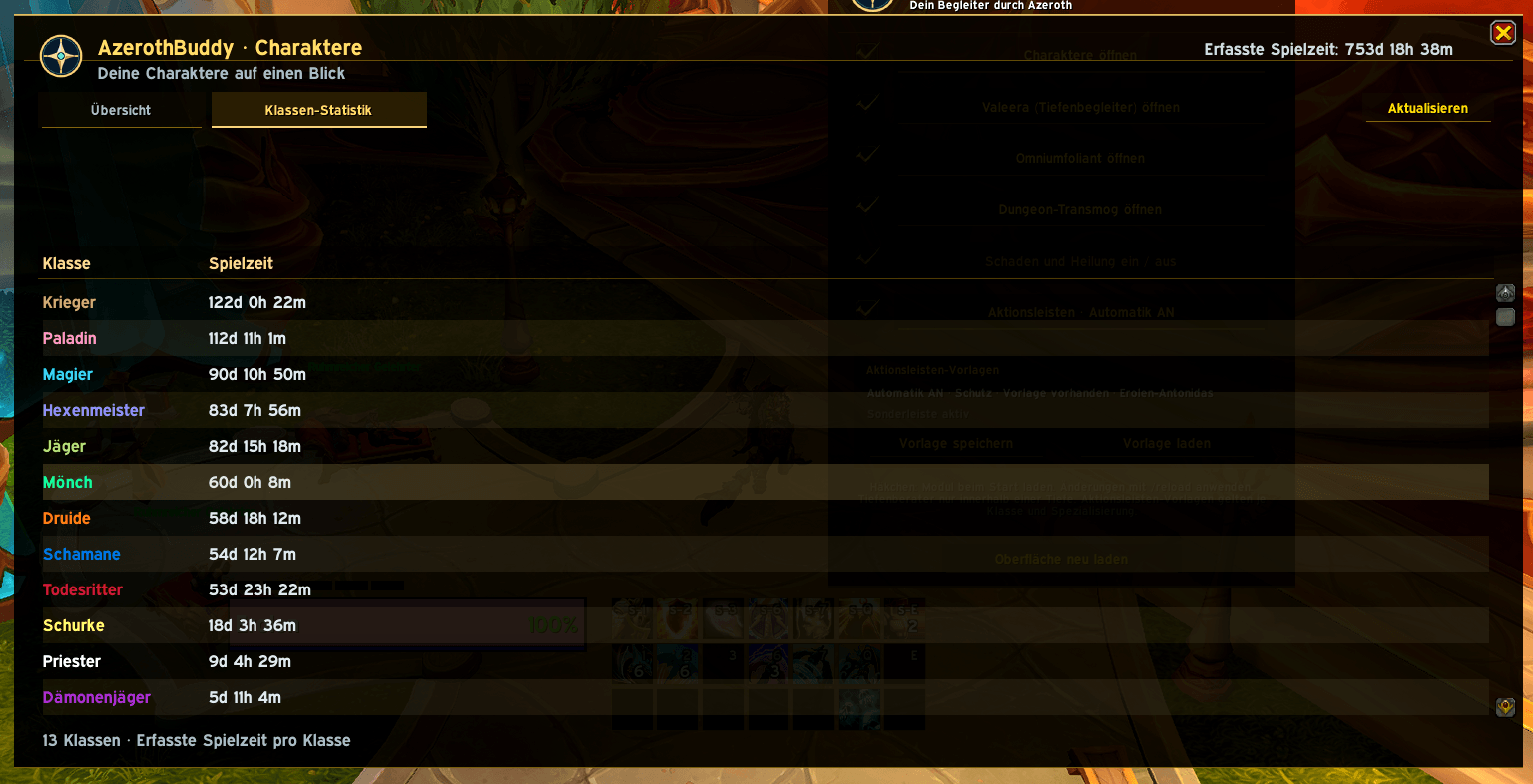
Character Overview
Keep track of your characters in one convenient overview.
Access character information directly from the addon.
Open the interface through the minimap compass.
Delve Companion
Get role-based recommendations for your delve companion.
Manage companion abilities, curios, and poison selections.
Use dedicated configurations for different roles.
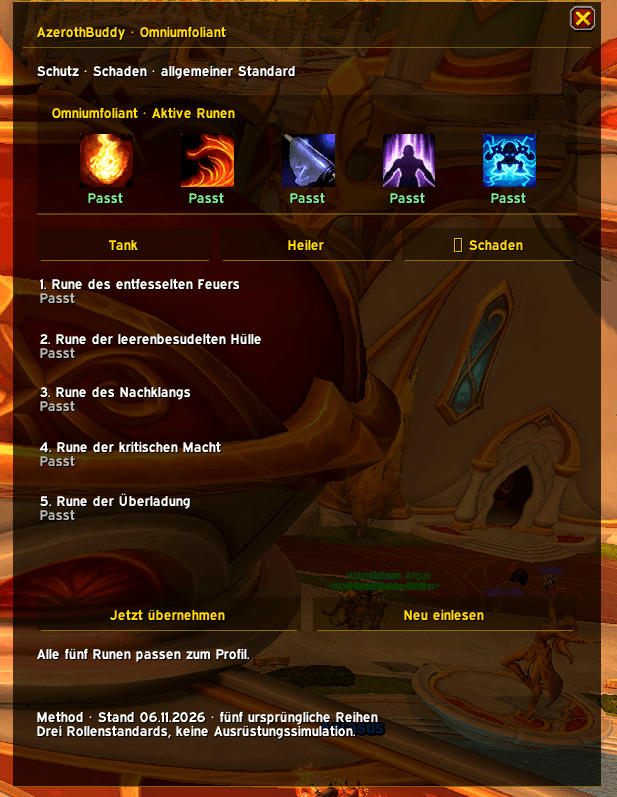
Omnium Presets
Access presets for Tank, Healer, and Damage roles.
Quickly find recommended configurations.
Transmog & Combat Meters
Track dungeon transmog information.
View damage and healing statistics.
Action Bar Profiles
Save action bar layouts for your characters.
Restore layouts for different classes and specializations.
Keep your interface consistent across characters.
Installation
-
Install AzerothBuddy using CurseForge or download the latest release from GitHub.
-
Make sure the
AzerothBuddyfolder is located inside your World of WarcraftInterface/AddOnsdirectory. -
Enable the addon in the game's addon list.
Commands
/ab — Open AzerothBuddy.
/ab chars — Open the character overview.
/ab tiefen — Open the delve companion module.
/ab bars — Open action bar management.
Compatibility
World of Warcraft Retail
Standalone addon — no additional addons required.
Source Code & Feedback
AzerothBuddy is developed and maintained by norushflow.
Source code, releases, and issue reports are available on GitHub:
AzerothBuddy Team