


Azeroth Stillframe
- By
Capture the world, not the interface.
Azeroth is full of breathtaking landscapes, incredible architecture, memorable characters, and moments worth capturing. Azeroth Stillframe is a lightweight photography add-on for World of Warcraft that helps you compose beautiful screenshots without the distractions of the game's interface.
Whether you're documenting your adventures, capturing scenic landscapes, taking character portraits, or experimenting with in-game photography, Azeroth Stillframe makes it easy to focus on the shot.
Features
Distraction-Free Photography Mode
Enter photography mode with a single keyboard shortcut. Azeroth Stillframe automatically hides the game interface, player names, NPC names, and nameplates, giving you a clean view of the world.
When you're finished, your original interface and name settings are restored.
Photography Composition Guides
Compose your screenshots using guides inspired by traditional photography techniques:
- Rule of Thirds — The classic 3×3 grid for balanced compositions.
- Golden Triangle — Diagonal guides for dynamic scenes and interesting angles.
- Phi Grid — Golden-ratio-based guides for harmonious compositions.
- Golden Spiral — A curved composition guide for naturally leading the viewer's eye.
- No Overlay — A completely unobstructed view.
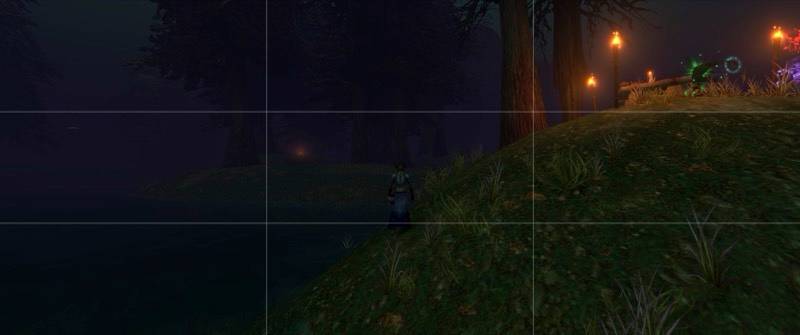
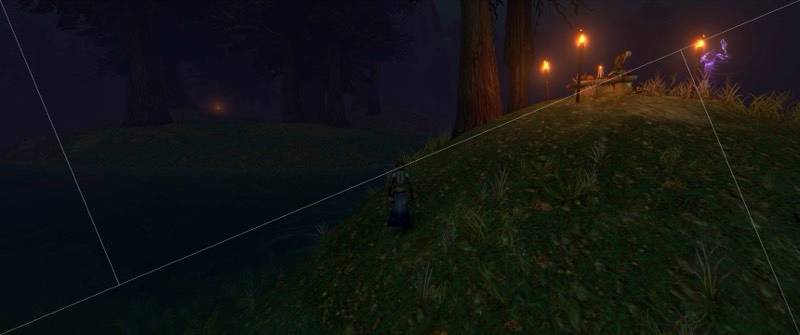
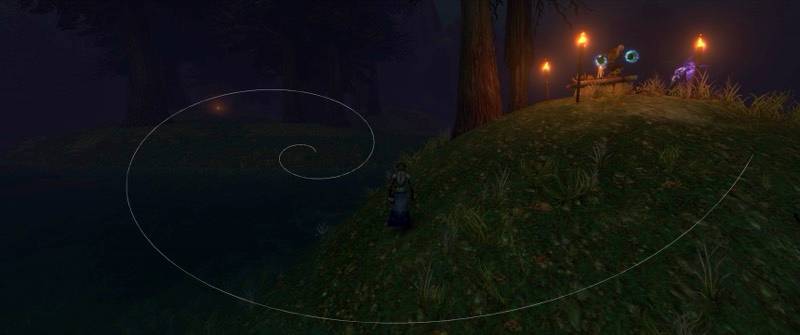
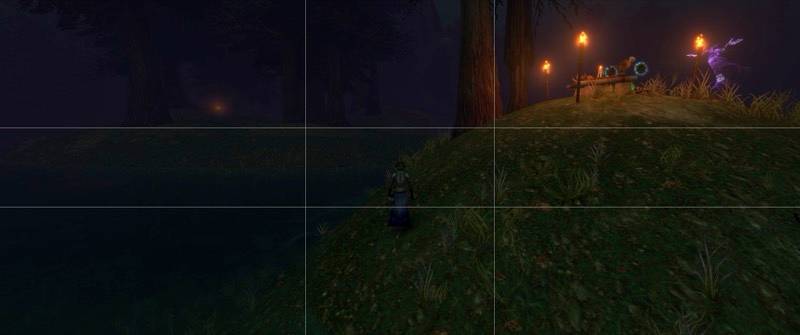
Cycle between guides using a configurable keyboard shortcut. Asymmetric guides also support multiple orientations.
Clean Screenshots
Your composition guides automatically disappear during screenshot capture and return afterward.
Take multiple screenshots in one photography session without repeatedly toggling your interface.
Lightweight and Customizable
- Configurable keyboard shortcuts
- Automatic UI and nameplate hiding
- Automatic restoration of original settings
- Persistent composition preferences
- Simple slash commandsNo external applications or dependencies required
All commands work with /as or /stillframe; /ad and /darkroom remain supported as aliases.
/asor/as toggletoggle photography mode/as shot(or/as capture) capture a clean screenshot. If photo mode is off, it is entered for the shot and exited afterward./as namestoggle automatic hiding of character names and nameplates (applies immediately while in photo mode)/as overlayor/as overlay nextcycle through thirds -> triangle -> phi -> spiral -> off/as overlay thirds|triangle|phi|spiral|offselect a composition guide/as orient(or/as rotate,/as mirror,/as overlay orient) cycle the orientation of the triangle or spiral through original, horizontal flip, vertical flip, and both. The spiral has four distinct orientations. The triangle looks the same rotated 180°, so it alternates between its two diagonals (each appears twice in the cycle)./as gridlegacy shortcut: turns guides off if any guide is showing, otherwise selects the thirds guide/as off(or/as exit) exit photography mode. Pressing Esc or Alt+Z to bring the UI back also exits photo mode./as helpshow help
The selected guide, orientation, and name-hiding preference are saved between sessions.
Azeroth Stillframe Team
