


Azeroth Odometer
- By
Screenshot 2026-11-08 152846.png
Screenshot 2026-11-08 152919.png
Screenshot 2026-11-08 153004.png
Screenshot 2026-11-08 153024.png
Screenshot 2026-11-08 153045.png
Description
How far has your character really travelled?
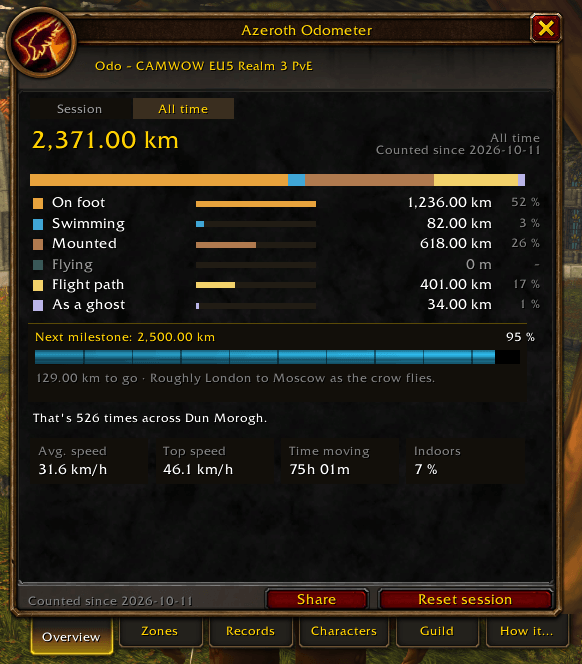
Azeroth Odometer counts every yard your character moves and turns it into a travel log: per movement type, per zone, per level and per character. It hits milestones from a 10K run to once around the Earth, keeps records and puts the numbers into perspective – including how many times you could have crossed your favourite zone.
Features
- Six movement types – on foot, swimming, mounted, flying, flight path and as a ghost, each with its own colour.
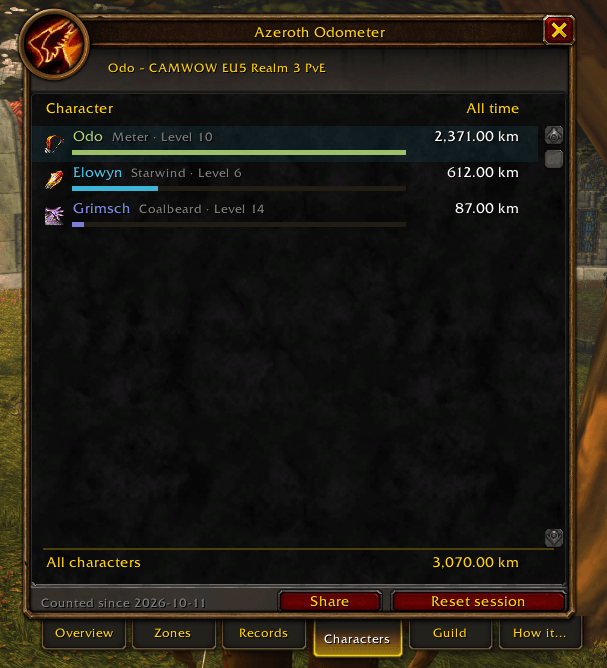
- Session and all time – per character, plus a total for all your characters.
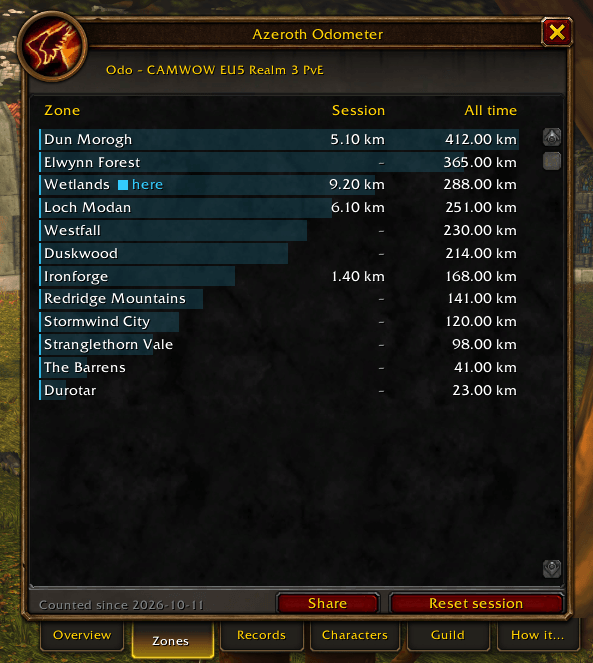
/reloaddoes not reset the session. - Zones – where you travelled most. Caves count towards the zone around them, dungeons count as their own zone.
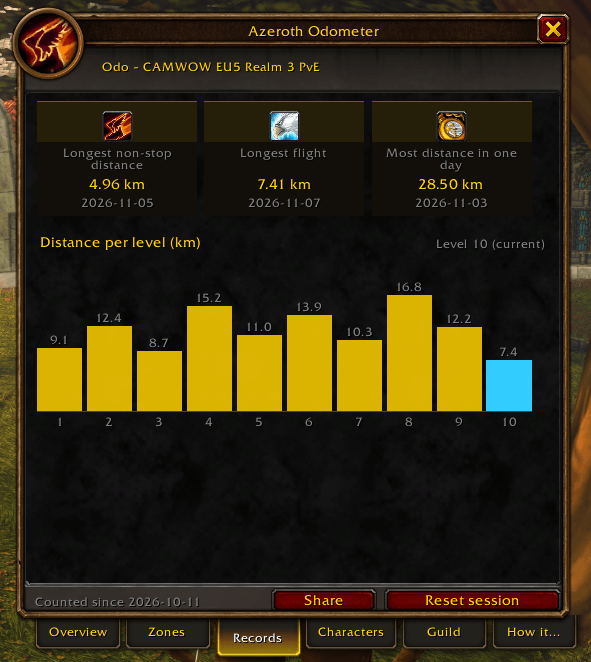
- Records – longest non-stop distance, longest flight and best day, with date.
- Distance per level – a small bar chart of your last ten levels.
- 11 milestones – from a 10K run and a marathon to once around the Earth, each with a real-world comparison and an optional banner with sound.
- Azeroth comparisons – "That's 37 times across Dun Morogh", calculated from the game's real map sizes.
- Speed stats – average speed (only while moving), top speed, time on the move and share indoors.
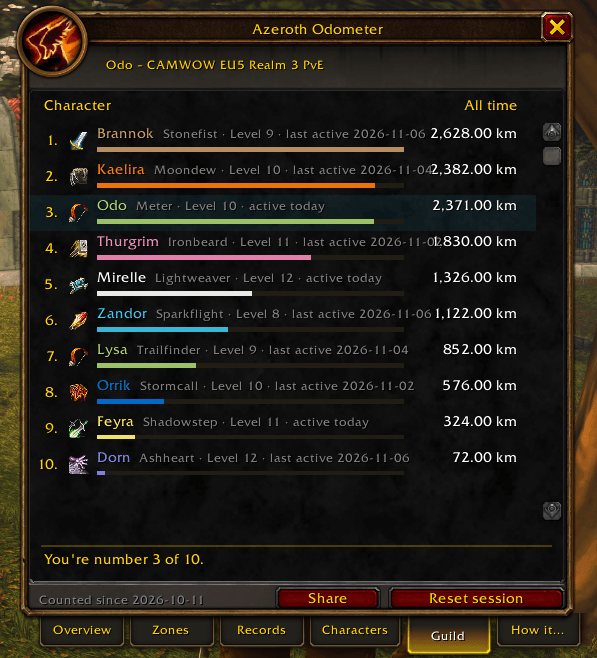
- Guild ranking – a "Guild" tab ranks everyone in your guild who also uses Azeroth Odometer, with class colours and levels. Optional: switch it off in the settings.
- Share it –
/km shareposts a one-line summary to your guild or group (or/km share say). - Minimap button with a live tooltip and progress bar to the next milestone, plus an optional movable distance bar.
- LibDataBroker feed – shows your session distance in Titan Panel, ElvUI, ChocolateBar and other broker displays.
- Metric or imperial – chosen automatically from your game language, switchable in the settings.
- 7 languages – English, Deutsch, Français, Español, Italiano, Português and Русский.
Commands
/km– summary in chat/km window– details window/km config– settings/km share– share in guild or group (say,guild,party)/km reset– start a new session
Left-click the minimap button for the details window, right-click for the settings.
How it measures
The add-on reads your movement speed many times per second and turns it into distance, so it works everywhere, including dungeons. Boats, zeppelins and the tram are not counted (your character stands still there), and neither are teleports, portals or the hearthstone. In combat the game hides your speed from add-ons; Azeroth Odometer then estimates with the last known value and records no new top speed.
Running against a wall does not count either: outside dungeons the add-on compares the counted distance with your real position twice a second.
Game versions
One package for Retail, Classic Era, Anniversary and WoW Forever. Settings use Blizzard's own settings panel – no extra libraries apart from LibDataBroker and LibDBIcon for the minimap button.
Privacy
Everything is saved on your computer in your saved variables. Only two things leave it: for the guild ranking, your total distance, class and level are sent quietly to your guild (switch this off in the settings), and /km share posts a chat line when you type it. Nothing is ever sent outside the game.
Translations
English and German are written by hand. French, Spanish, Italian, Portuguese and Russian were translated with machine help – corrections are very welcome in the comments.
Feedback
Found a bug or have an idea? Leave a comment – please mention your game version and, for bugs, the error message.
Deutsch
Azeroth Odometer zählt jeden Meter, den deine Figur zurücklegt – zu Fuß, schwimmend, beritten, fliegend, per Flugroute und als Geist. Dazu gibt es Zonen, Rekorde, Strecke je Stufe, Meilensteine mit Banner und Vergleiche wie „So weit wie 37-mal quer durch Dun Morogh". Der Reiter „Gilde“ zeigt eine Rangliste aller Gildenmitglieder mit dem Add-on (abschaltbar), und mit /km share teilst du deine Strecke im Chat. Das Add-on spricht Deutsch, sobald dein Spiel auf Deutsch läuft, und speichert alles auf deinem Rechner; an die Gilde gehen nur Gesamtstrecke, Klasse und Stufe.
Azeroth Odometer Team
