Azeroth Fighters
- By
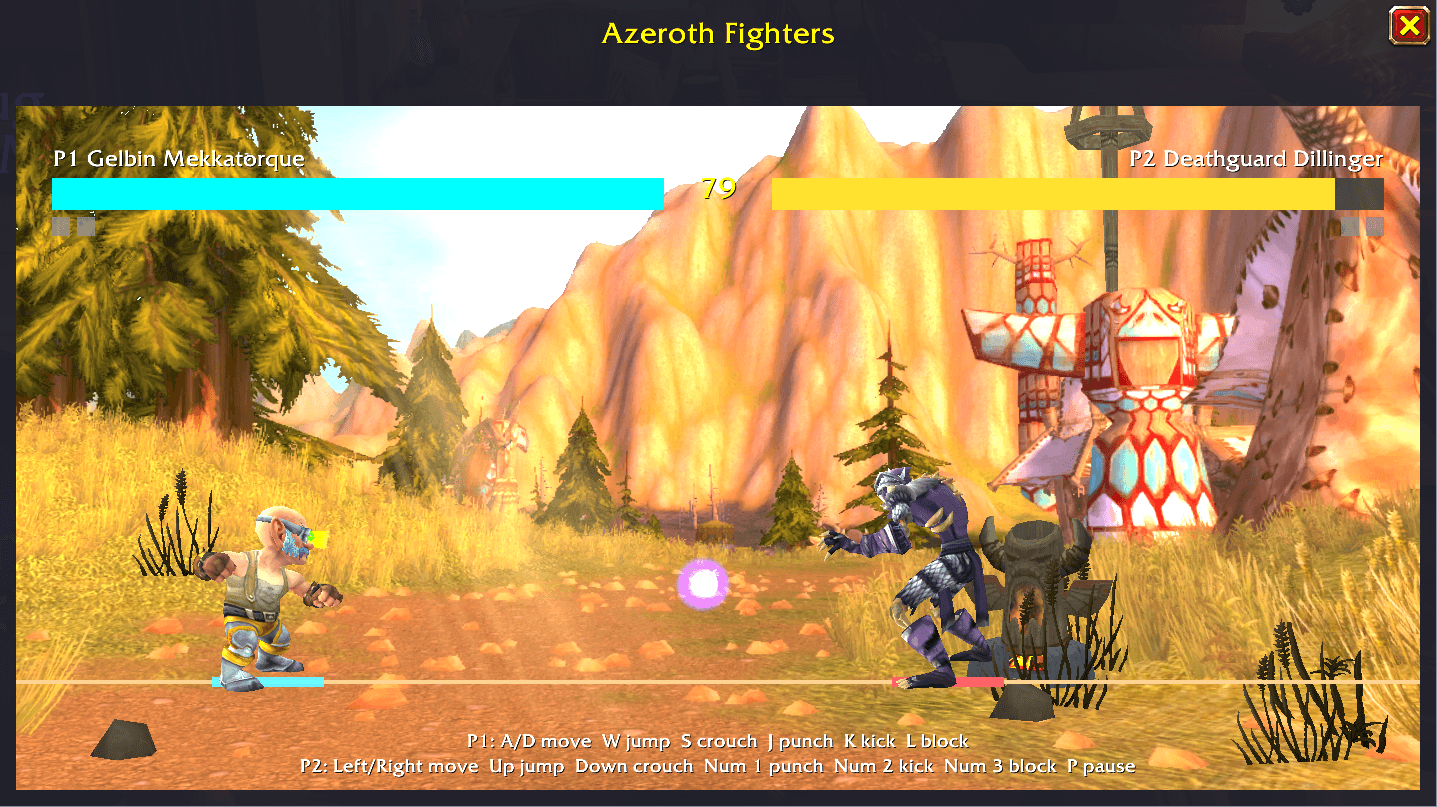
07-two-player-spark.png
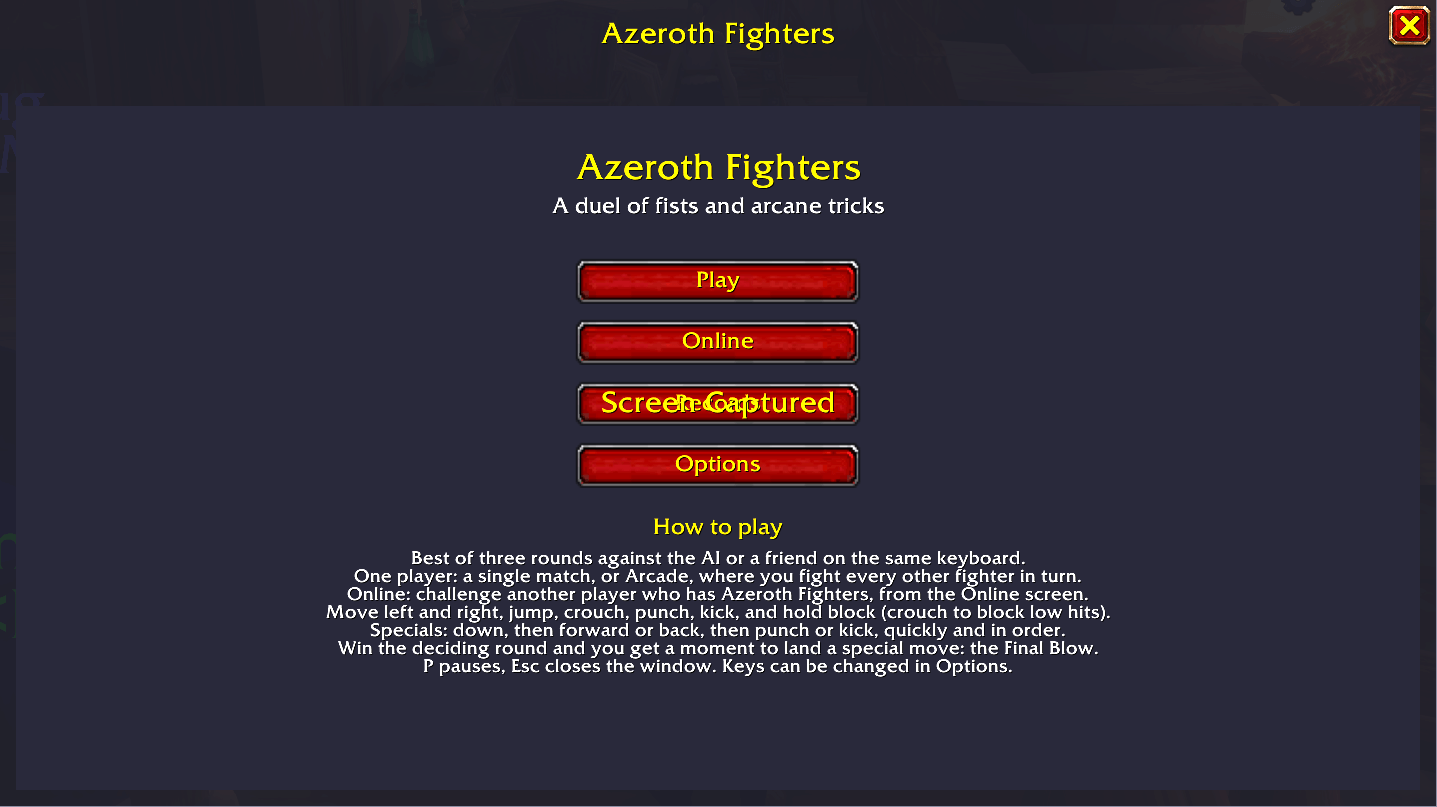
01-title-screen.png
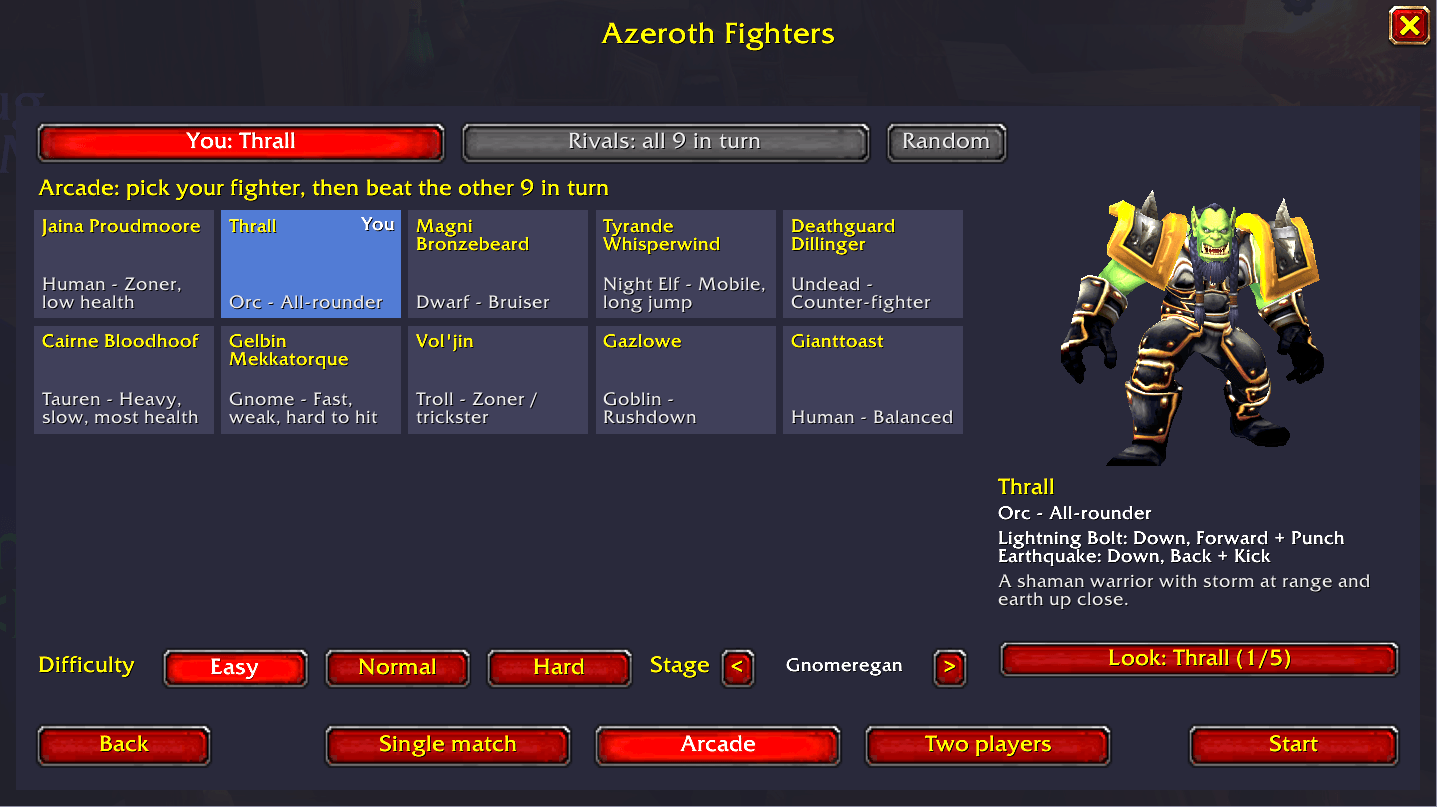
02-fighter-select-arcade.png
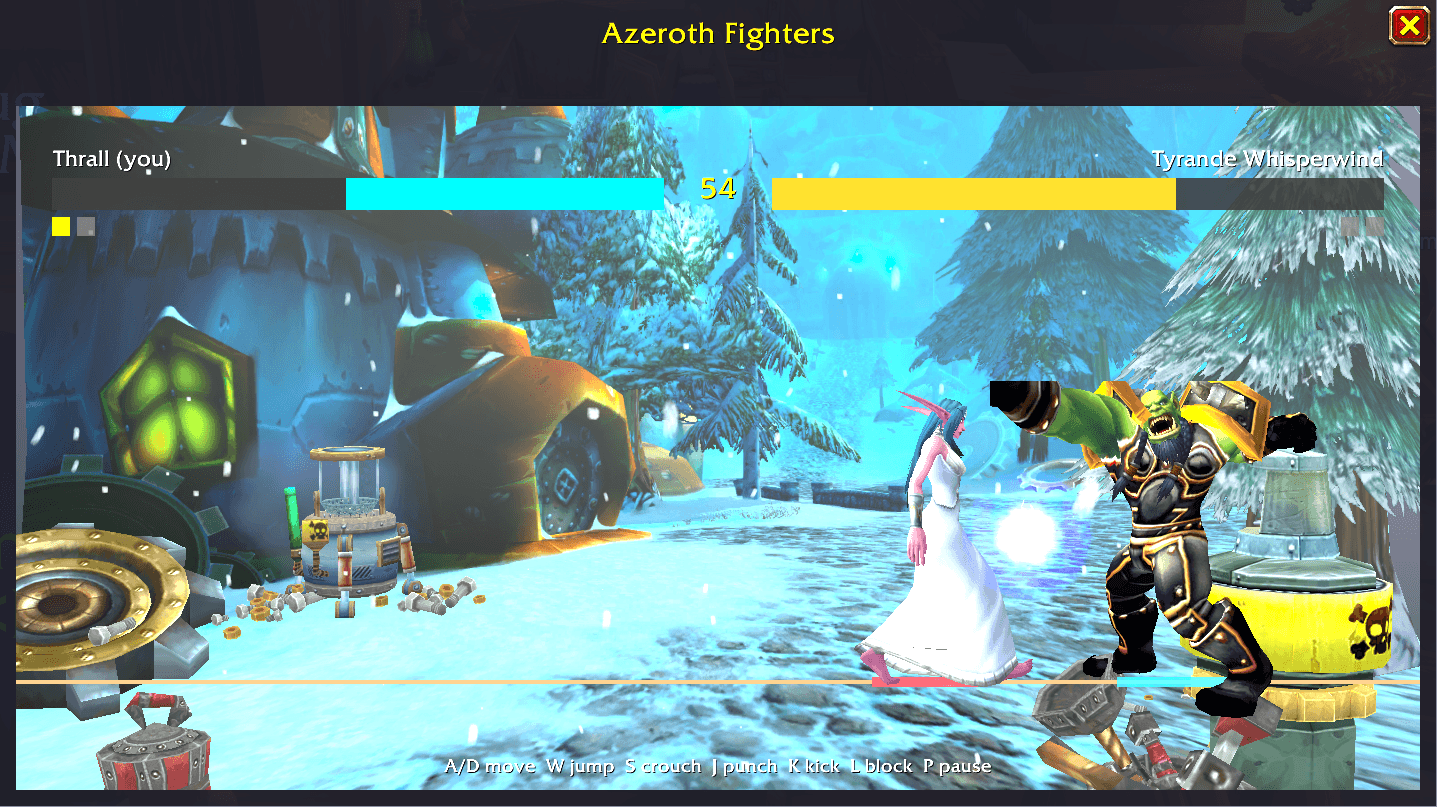
04-fight-thrall-hits-tyrande.png
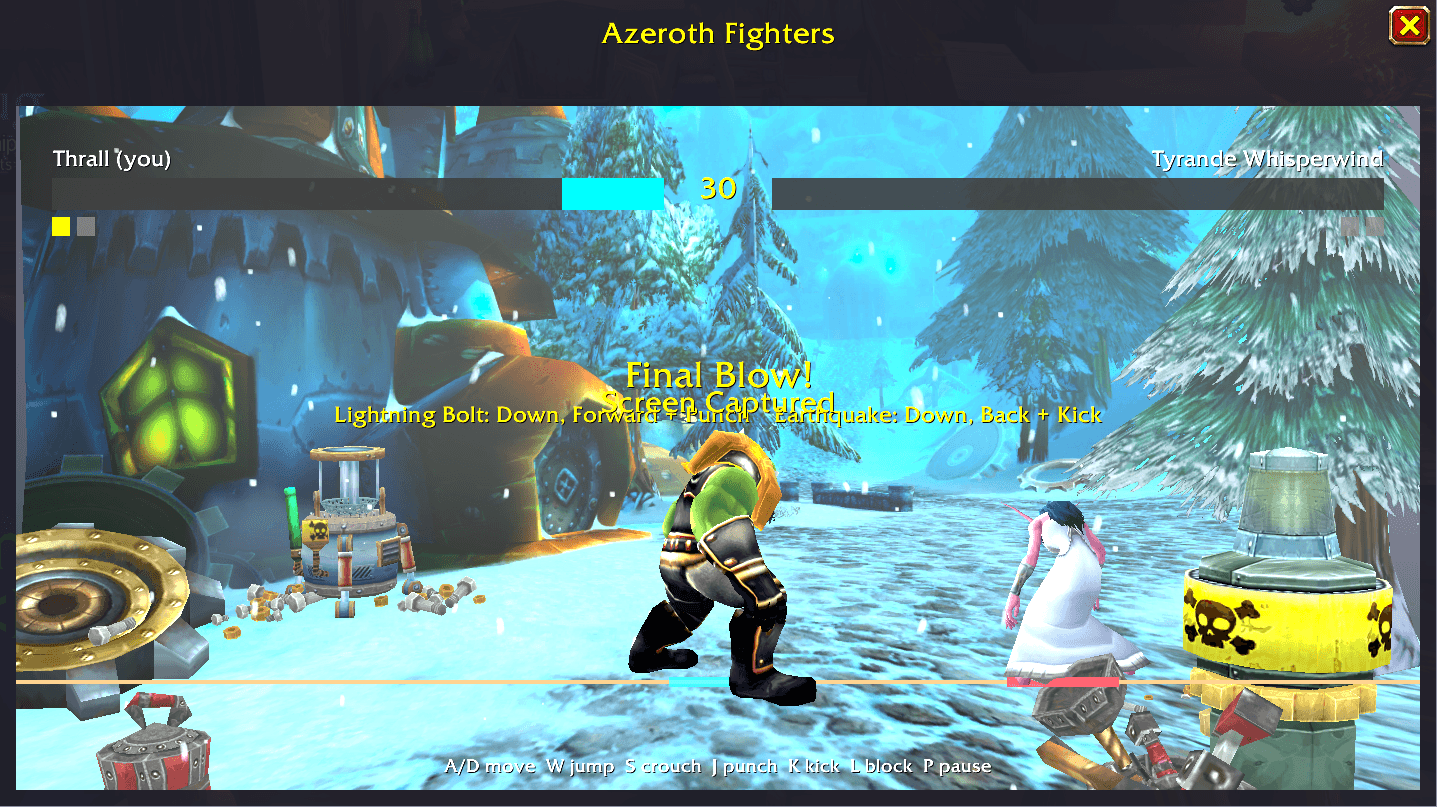
05-final-blow-prompt.png
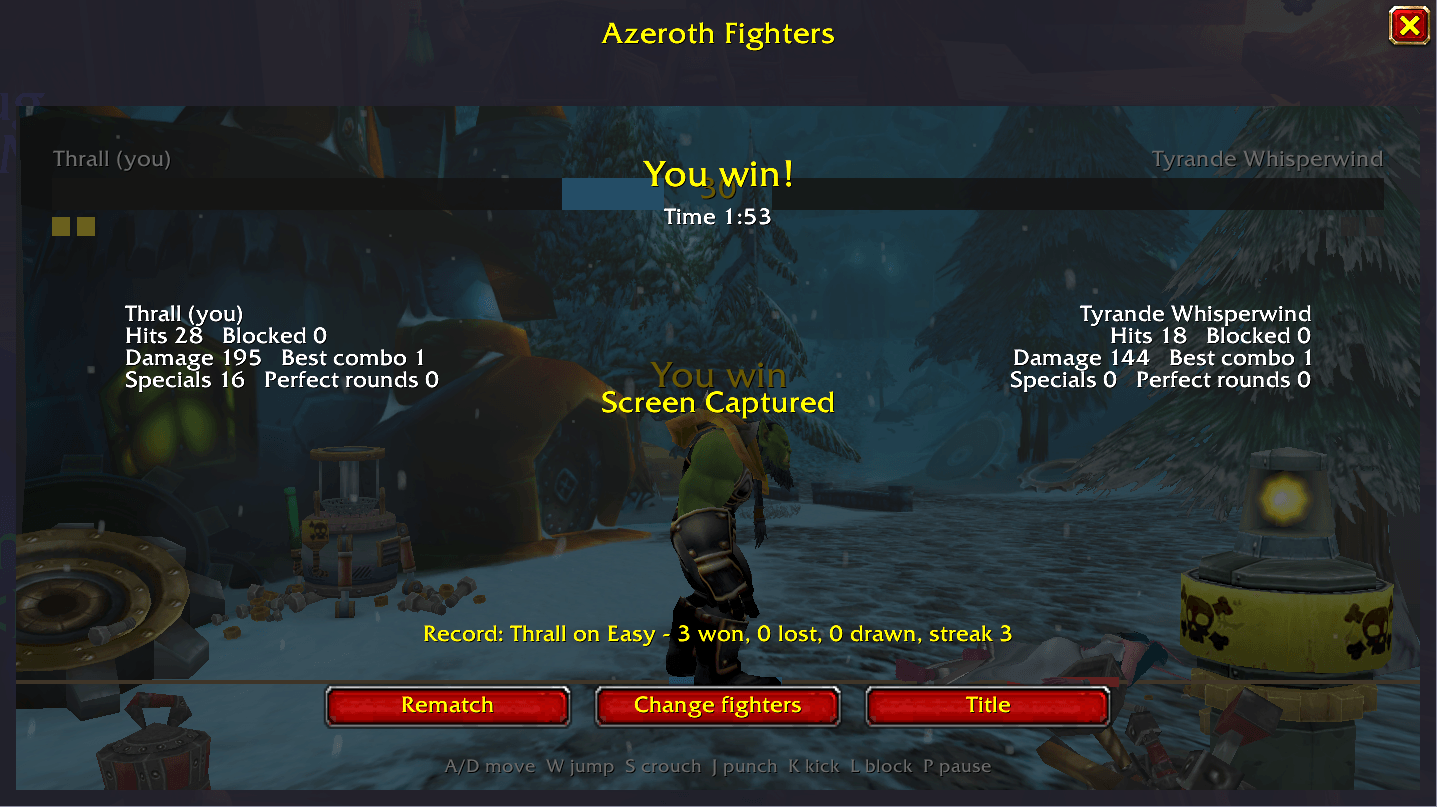
06-result-you-win.png
Description
Overview
Azeroth Fighters is a 2D fighting minigame that you play in a window inside the game. Pick a fighter, a rival and a difficulty, then duel the AI, a friend on the same keyboard, or another player who has the addon. Matches are best of three rounds.
Every fighter has two special moves, the same two motions for everyone. Win the deciding round and you get a chance at the Final Blow: press the keys shown, in order, before time runs out. Your records are saved between sessions, so you can track wins, streaks and fastest wins for each fighter and difficulty.
Features
- Ten fighters, including one that is your own character, with specials from your class and a body from your race
- Alternate looks for most fighters, picked on the select screen
- Two special moves per fighter, and three body sizes
- Spell effects: missiles, impacts and bursts drawn with game spell models (or simple shapes if you switch them off)
- Game sounds, and fighter voices that follow each fighter's race and sex
- The Final Blow: after the deciding round, press a row of keys in order against the clock (a wrong key only costs time) and your fighter finishes the dazed rival with a special
- Three AI difficulty levels: Easy, Normal and Hard
- Single match and arcade modes against the AI; an arcade run moves to a new stage every fight
- Two players on one keyboard
- Online matches against another player who has the addon, in real time, with your opponent's own character on screen when they play as themselves and are nearby
- Six stages with music
- Records per fighter and difficulty, and a separate online record
- Rebindable keys for both players
- Options for sound, sound channel, screen shake, spell effects, and who may challenge you online
Fighters
Every fighter's Special 1 is Down, Forward + Punch and Special 2 is Down, Back + Kick. Every fighter also has a throw: Punch + Kick.
- Jaina Proudmoore (human, medium): a zoner with low health who keeps foes at a distance with frost.
- Frostbolt: Down, Forward + Punch
- Frost Nova: Down, Back + Kick (a ring of ice along the ground: block it crouching)
- Thrall (orc, medium): an all-rounder with storm at range and earth up close.
- Lightning Bolt: Down, Forward + Punch
- Earthquake: Down, Back + Kick
- Magni Bronzebeard (dwarf, medium): a short-reach bruiser who hits hard.
- Shoulder Charge: Down, Forward + Punch
- Thunder Clap: Down, Back + Kick
- Tyrande Whisperwind (night elf, medium): mobile, with a long jump, arrows and moonlight.
- Searing Arrow: Down, Forward + Punch
- Moonfire: Down, Back + Kick
- Deathguard Dillinger (undead, medium): a counter-fighter who waits for a mistake.
- Grave Lunge: Down, Forward + Punch
- Bone Rise: Down, Back + Kick
- Cairne Bloodhoof (tauren, large): heavy and slow, with the most health.
- Horn Charge: Down, Forward + Punch
- War Stomp: Down, Back + Kick
- Gelbin Mekkatorque (gnome, small): fast and weak, and hard to hit.
- Spark: Down, Forward + Punch
- Cog Slide: Down, Back + Kick
- Vol'jin (troll, medium): a zoner and trickster with slow hexes and a low slide.
- Hex Bolt: Down, Forward + Punch
- Serpent Slide: Down, Back + Kick
- Gazlowe (goblin, small): a pushy rushdown fighter.
- Rocket Rush: Down, Forward + Punch
- Dynamite: Down, Back + Kick
You (your own character): shown under your character's name, and fighting as your class and race. Your class gives the two specials and the throw; your race gives the body (gnomes and goblins small, tauren large, the rest medium) and one small trait, such as a little more health for a dwarf or a longer jump for a night elf. The select screen shows your pair, for example "Tauren Warrior", with its move list.
Class Down, Forward + Punch Down, Back + Kick Throw Warrior Charge Thunder Clap Overpower Paladin Hammer of Justice Consecration Crusader Toss Hunter Aimed Shot Explosive Trap Wing Clip Rogue Shadowstep Kidney Shot Garrote Priest Smite Psychic Scream Mind Control Shaman Lightning Bolt Fire Nova Earth Grip Mage Fireball Arcane Explosion Arcane Grip Warlock Shadow Bolt Howl of Terror Drain Life Druid Wrath Feral Charge Maul Death Knight Death Coil Death Strike Death Grip Monk Flying Serpent Kick Leg Sweep Tiger Toss Demon Hunter Fel Rush Chaos Nova Fel Toss Evoker Living Flame Fire Breath Wing Buffet A class or race the addon does not know gives the plain You: Rush (Down, Forward + Punch) and Rising Strike (Down, Back + Kick), medium body.
Choosing fighters
Click Play. One grid of ten tiles picks one side at a time: your fighter, then the rival (or Random); in two-player mode Player 1, then Player 2. The two buttons at the top switch sides. A preview on the right shows the fighter under the mouse with its style and move list, and a Look button cycles the fighter's alternate looks. Then pick a difficulty and a mode and click Start.
How to play
Type /azf (out of combat) to open the window. /azerothfighters also works. Matches are best of three rounds, 99 seconds each.
Default keys
| Action | Player 1 | Player 2 |
|---|---|---|
| Left | A | Left arrow |
| Right | D | Right arrow |
| Jump | W | Up arrow |
| Crouch | S | Down arrow |
| Punch | J | Numpad 1 |
| Kick | K | Numpad 2 |
| Block (hold) | L | Numpad 3 |
| Throw | J + K | Numpad 1 + Numpad 2 |
- P pauses the match. R restarts the match. Esc closes the window, and the match is paused and waits for you.
- Hold block to guard. Crouch while blocking to stop low hits.
- Throw: press Punch and Kick together, close to your opponent and standing. A throw cannot be blocked, so it beats an opponent who only holds block, and knocks them down. Jumping or attacking first avoids it, and a missed throw leaves you open. If both players throw at once, the throws cancel out.
- Specials: for every fighter, Special 1 is down, then forward (towards your opponent), then Punch; Special 2 is down, then back, then Kick. Do it quickly and in order, within a quarter of a second.
- Specials chip a blocking opponent, but never take their last point of health. A punch or standing kick that hits can be cancelled into a special: enter the special's motion straight away.
- Player 2 keys are only used in two-player matches. Otherwise they reach the game as normal.
- While a menu is showing, the game keeps your keys, so you can still chat and move.
Online
Both players need the same version of Azeroth Fighters, and must be out of combat and outside instances.
- On the title screen click Online. Target the other player and click "Challenge your target", or type their name (with "-Realm" if needed) and click "Challenge". A challenge lapses after 35 seconds without an answer.
- They see "<your name=""> challenges you to a duel" with Accept and Decline, even with their window closed.</your>
- Both pick a fighter within 15 seconds and press Ready. The challenger plays on the left, on the challenger's stage.
- You always play with your Player 1 keys. There is no pause. Closing the window or entering combat leaves the match, which counts as a loss for you.
- After the match, Rematch asks the other player and Leave goes back to the Online screen.
If your opponent plays as their own character ("You"), you see their character when the game can show it: they must be your target or in your party or raid, and close enough to be visible. Otherwise you see your own character with a red tint and a small red marker above it, so the two sides can be told apart.
The line under the health bars shows the connection: the delay and how much the game had to correct itself. Green is good, yellow is playable, red is poor. If the other player's inputs stop for 5 seconds the match ends as "Connection lost", which is not a win or a loss.
Who may challenge you is the Options setting "Accept challenges from": Nobody, Guild members (the default) or Anyone. While it is not Nobody, the addon listens for challenges with the window closed. This is the only thing it does while the window is closed. Set it to Nobody to switch it off.
Online play uses addon messages sent by whisper between the two players. Only key presses are sent, never chat text.
Slash commands
/azfopens or closes the window./azf restartrestarts the match./azf pausepauses or resumes the match./azf debugtoggles the hitbox overlay.- Any other text after
/azfprints the list of commands.
Known limits
- Online play is new and has not been tried by two real players yet. It may not work, or may fall out of sync.
- Online play is not available in combat or inside instances.
- If an online match ends because the connection dropped, the two players may record different results.
- Showing the opponent's own character online is untested. The red tint may not show in this client; the red marker above the fighter always does.
- Some animations are cut off at the edge of the fighter's frame, most often on tall fighters.
- Fighter looks and sizes, spell effects, animations, sounds and voices are first choices that may need tuning.
- Up to 0.5.1 the addon was called Duel Forever (
/duelf). Remove the oldDuelForeverfolder when you install this one. Your settings and records are kept if you copyWTF\Account<account>\SavedVariables\DuelForever.luatoAzerothFighters.luain the same folder before you start the game. - Spell effect models may be the wrong way round, the wrong size or at the wrong height. The first use of each model may pop in late. If a model does not load, the simple shapes are used. Options has "Spell effects: Simple" to switch the models off.
- Voices are untested: the sound files come from a community listing and some may be wrong or silent.
- If a fighter's look does not load, the fighter is shown as your own character.
- Saved settings and records for the old fighters (Brakka, Sylwen, Kestrel) still load; their records are hidden.
- After updating from an older version, restart the game client;
/reloadis not enough for the new file. - The window closes when you enter combat and cannot be opened during combat.
- Two-player mode needs both players on one keyboard.
- The Player 2 key names are untested in the client and may need rebinding in Options.
Azeroth Fighters Team