


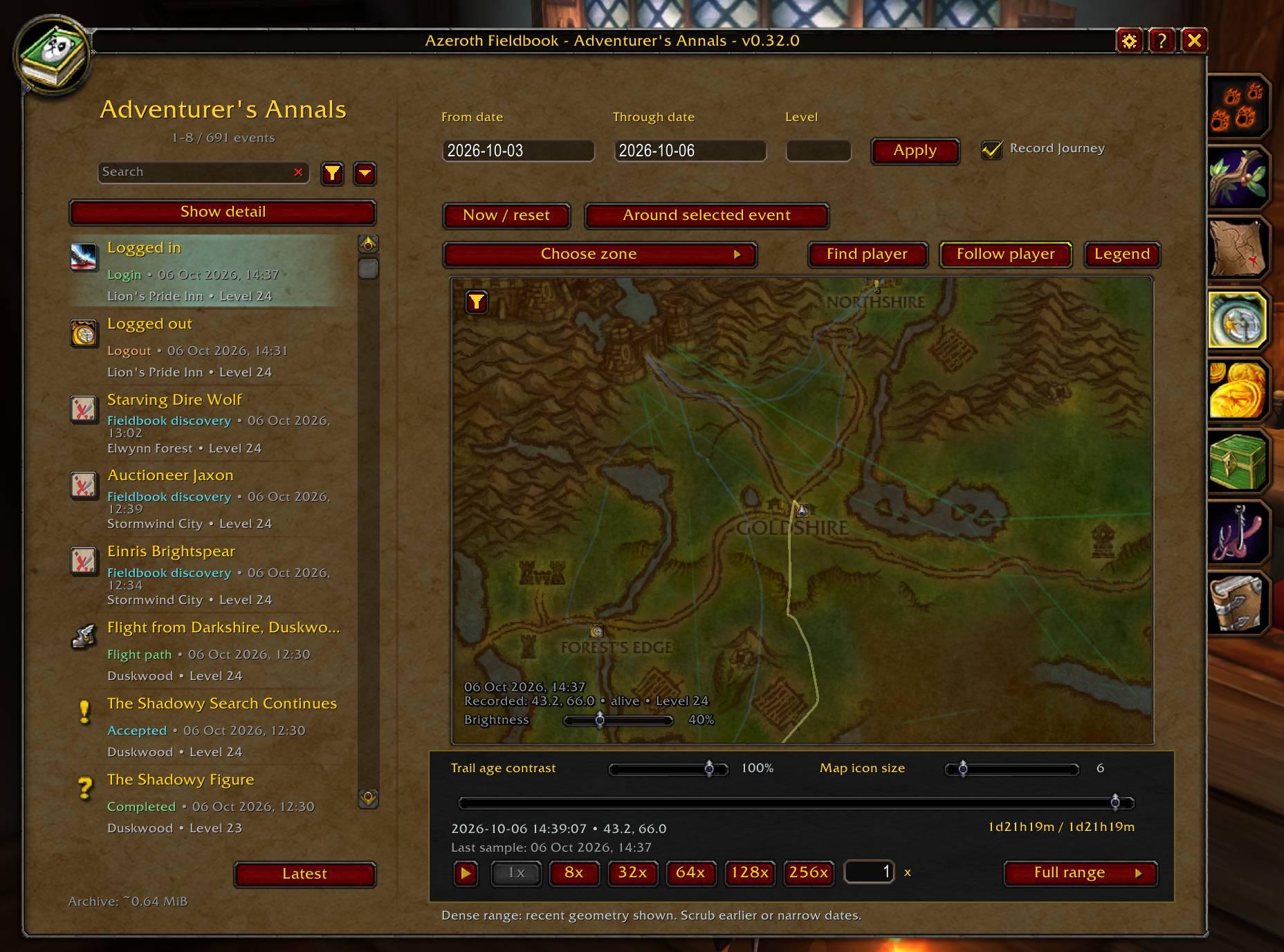
The Adventurer's Annals give a detailed overview of your journey through Azeroth.
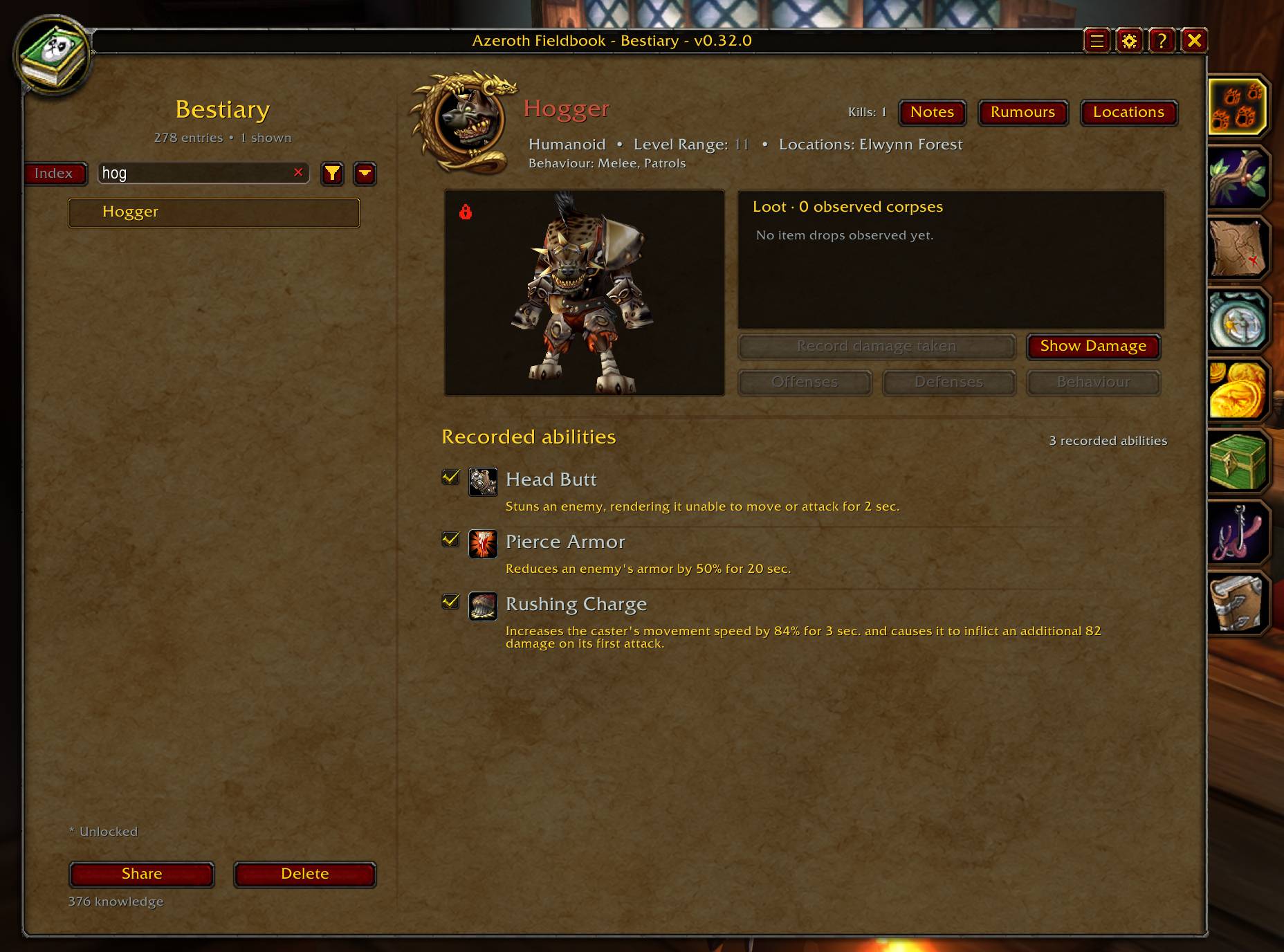
Bestiary showing an Elite creature
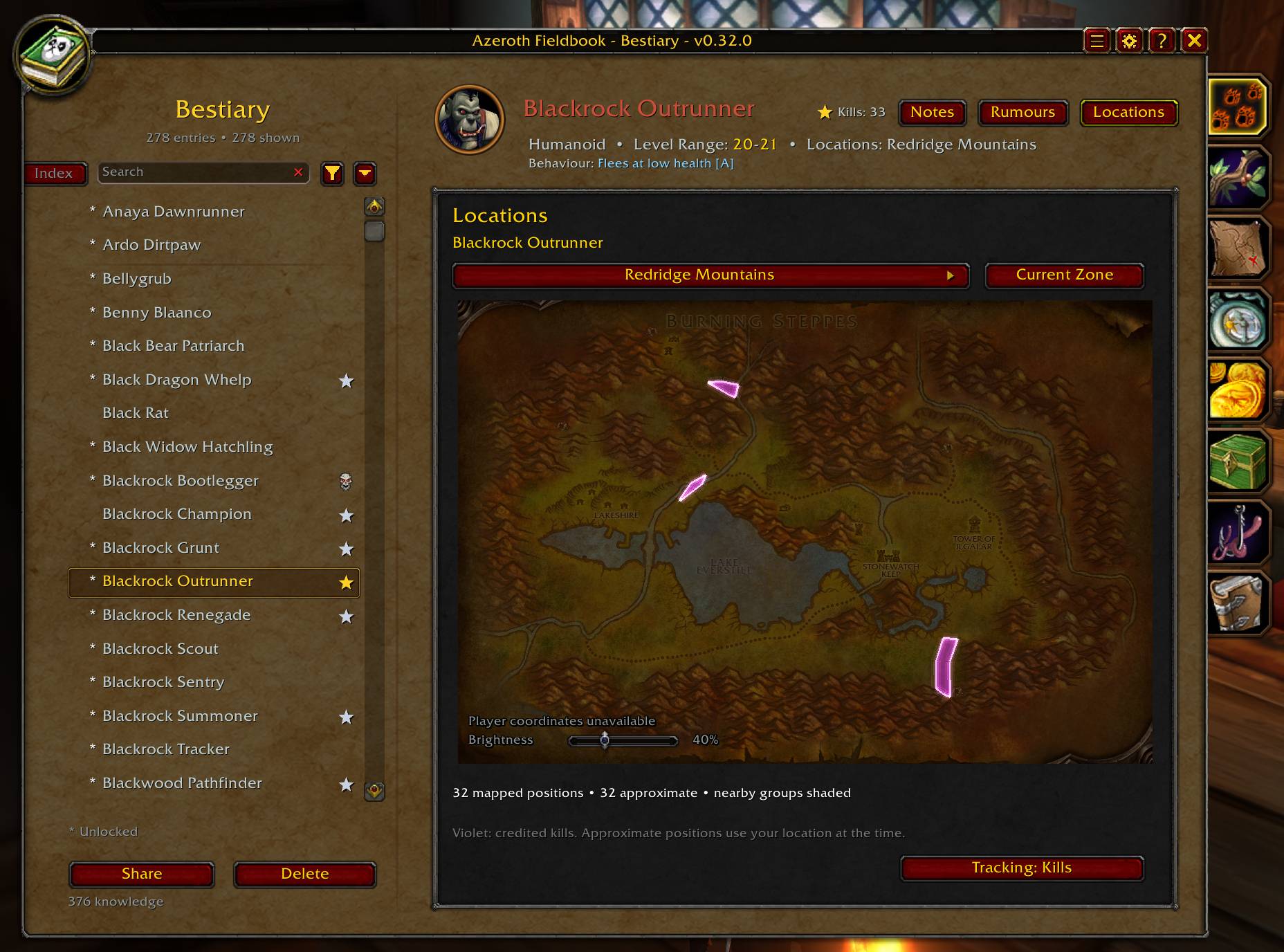
The Bestiary's location map.
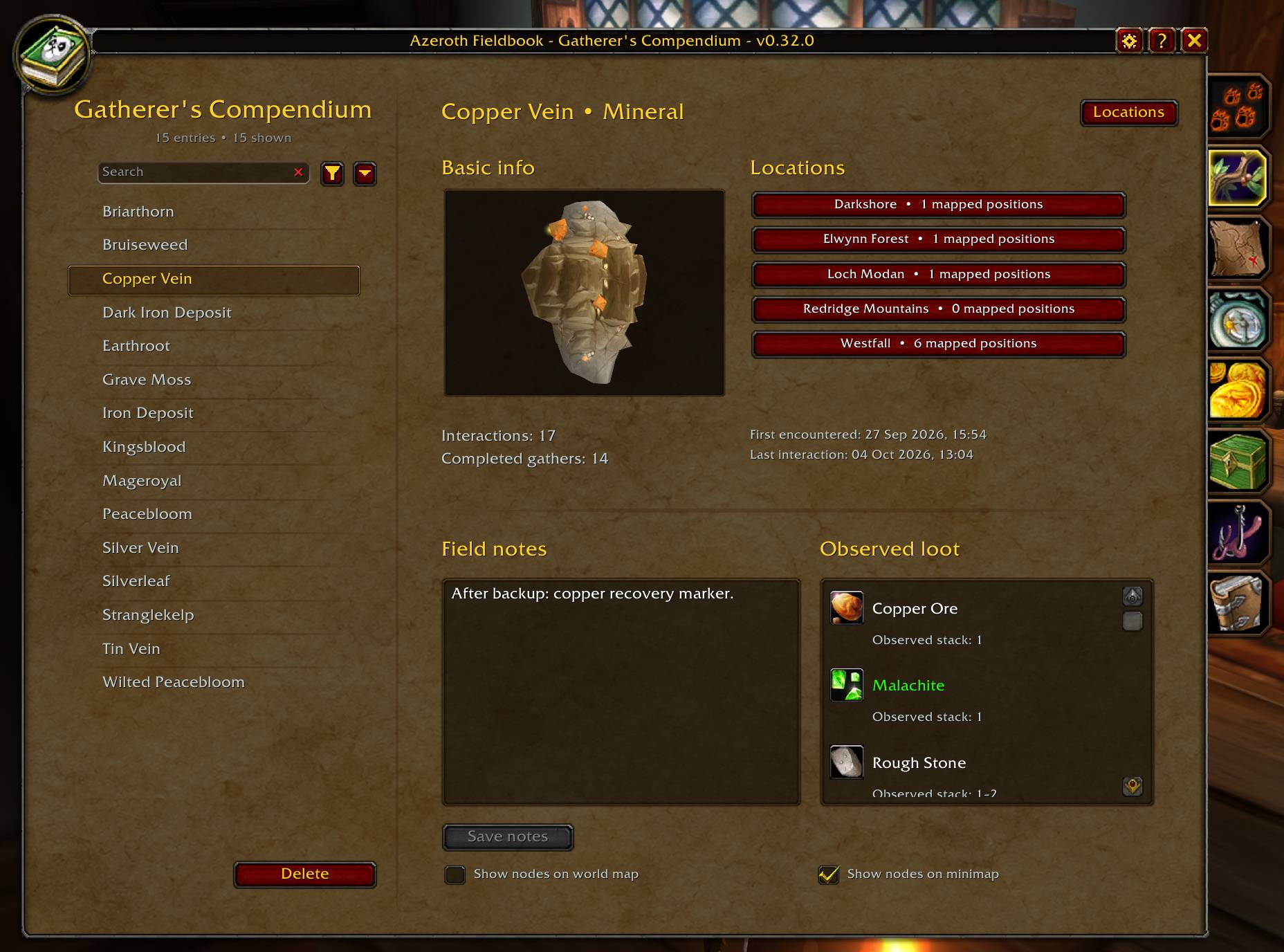
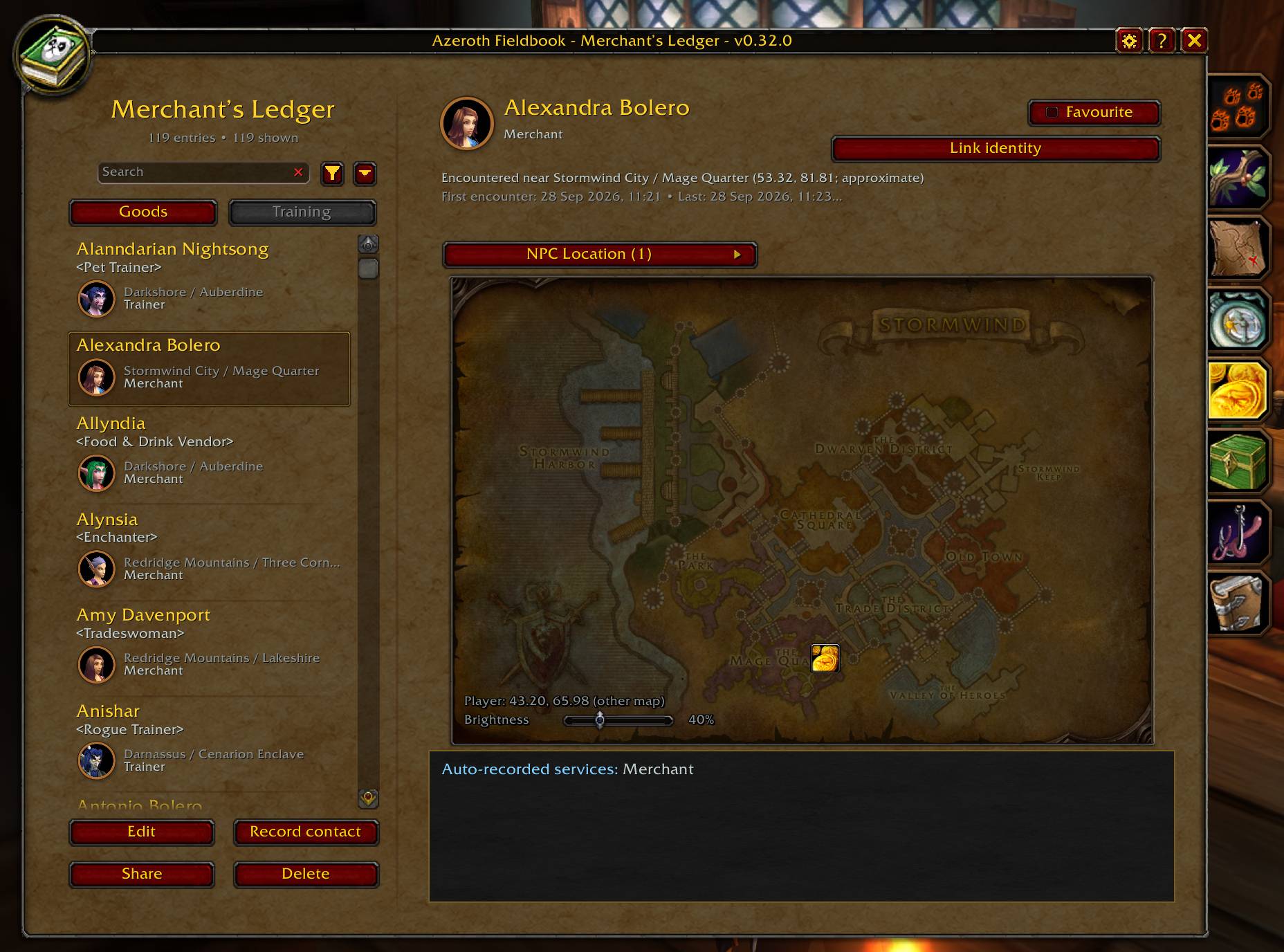
The Merchant's Ledger will track service NPCs you meet, including thier locations, goods, and training.
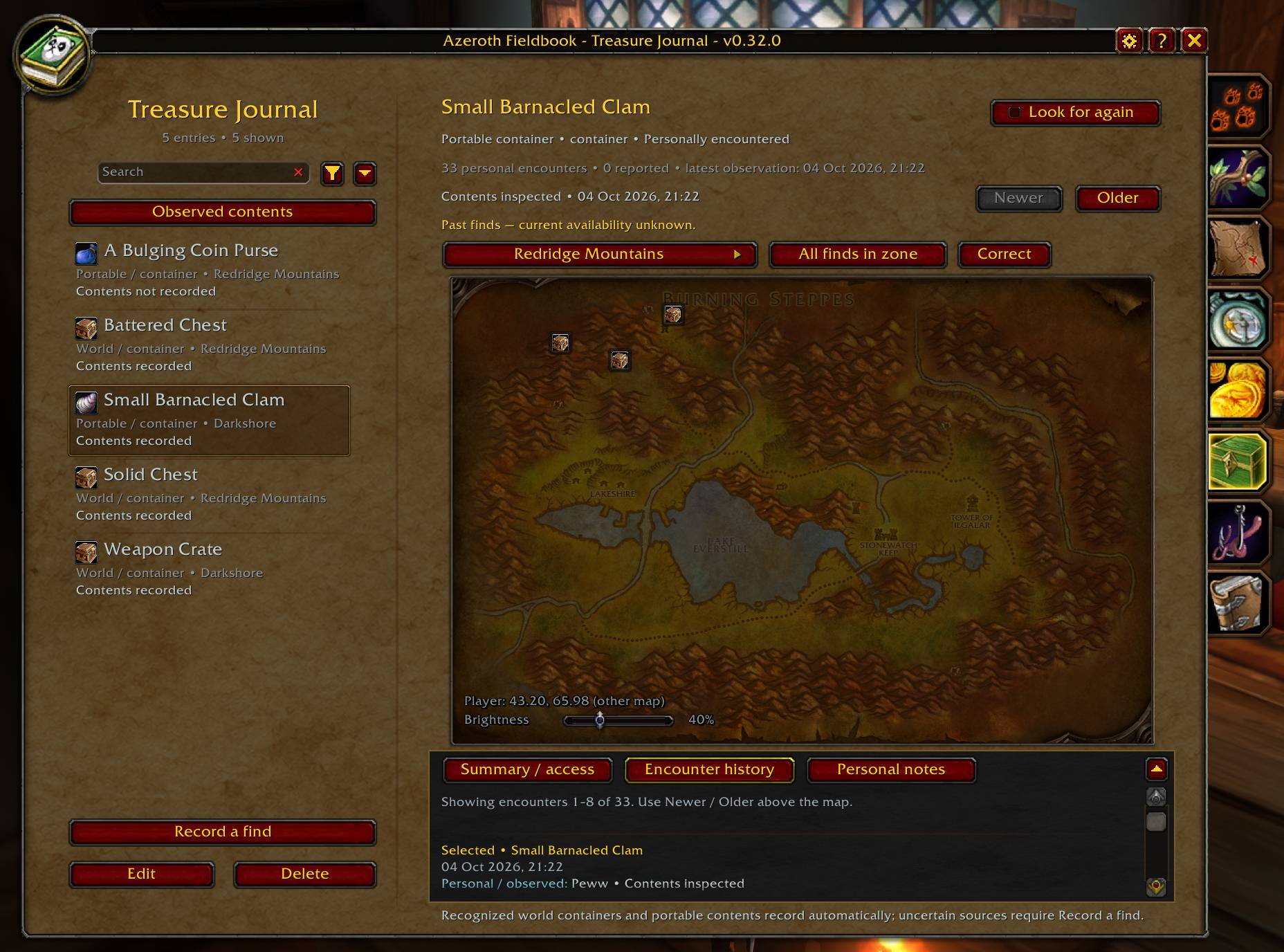
The Treasure Journal tracks opened containers from the world or your inventory.
Description
A personal field journal for World of Warcraft.
Azeroth Fieldbook grows through your encounters, exploration and observations. Its eight journals help you remember creatures, resources, places, fishing waters, useful contacts, treasure and lore. Your journals begin empty, ready for your discoveries, notes and accepted reports from other players.
Open Fieldbook with /fieldbook, its optional minimap button or an assigned keybinding. Hover over the journal tabs to see their names.
Adventurer's Annals: Take your journal with you from the beginning
I am proud to present the Adventurer's Annals. This feature creates a logged journal of your entire journey. It will track:
- Accepted quests, their quest text, and their potential rewards
- Abandoned / removed quests
- Completed quests, their quest text, and your selected reward
- Azeroth Fieldbook discoveries
- Flights
- Deaths
- Hearths / Recalls / Teleports / Portals
- Cross-continent crossings
- Battleground transfers
- Instance entry / exit
- Logout / Login
- Mounted (both 60% and 100%) movement
And it will provide detail where possible.
This allows Azeroth Fieldbook to offer you a live view of your journey through Azeroth. Adventurer's Annals will display a real-time or accelerated depiction of your journey on the map, complete with the milestones listed above.
Bestiary: Learn through encounters
Target or mouse over an attackable NPC to record readable details such as its name, creature type, observed level range, location and model.
- Search and filter creatures by type, location, rank and review state.
- Track credited kills and observed loot, including quantities and corpse drop percentages.
- Record abilities, spell schools, resistances, immunities and behaviour.
- Add personal notes, spell links and damage observations.
- Browse maps of credited kills and positions recorded while targeting creatures.
- Locations are tracked within 40 yards of a creature (and not near zone edges)
Automatic ability recording depends on readable information from the game client. Supported observations can confirm abilities or become pending entries for review. You can confirm, reject or add information manually.
Lock an entry when you are satisfied with it. Locks protect manual editing, but fresh client-verified observations can still update the entry. Optional automatic locking is enabled by default after ten credited kills without recorded-information changes.
Loot percentages use readable loot-source observations, rather than total kills. Map positions may be approximate and describe recorded encounters.
Knowledge, sharing and Rumours
Earn Knowledge from credited kill milestones. Silver stars, gold stars and crowns mark later milestones. Elite and rare creatures apply reward multipliers.
Spend Knowledge to offer creature information to another player. Basic information has a base cost of one Knowledge, waived if the recipient already knows it. Each selected ability or trait claim adds one. Elite and rare multipliers also apply to sharing costs.
Recipients can preview, accept or decline. Received ability and traits from players become Rumours for verification or rejection. Reports exclude personal notes, damage observations, kill totals and detailed location maps.
Both players must use the same addon version. Receiving information is free and does not award Knowledge. Incoming offers can be blocked in Options.
Manual observation tools
Optional spell-ID displays, creature-specific ID Logs and Notes, and retained aura tooltips help you record information that automatic observation misses. These tools depend on what the client makes readable; protected creature-buff tooltips cannot be retained.
Known Beast Lore support is implemented for readable revealed information and separate, free lore offers.
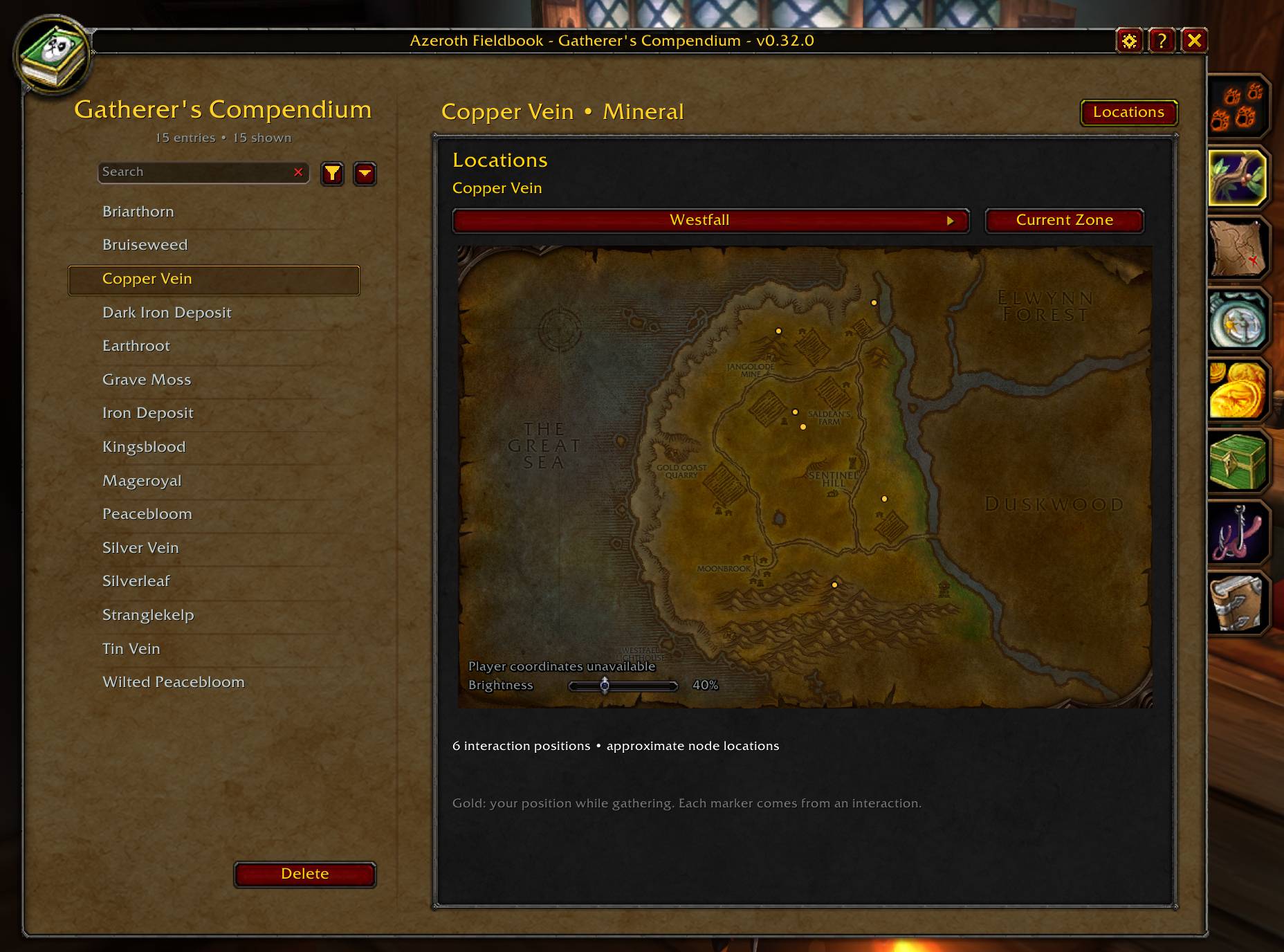
Gatherer’s Compendium: Remember herbs and minerals
Discover readable resource names, types and zones by hovering over world tooltips, even without Herbalism or Mining.
- Search and filter discoveries, add notes and view available resource models.
- Track gathering interactions and completed gathering casts.
- Browse recorded locations and optionally show them on the world map and minimap.
Hovering records discovery information; coordinate markers require an interaction. Starting a gathering cast, or a matching profession or skill error, can record an approximate position. Completed gathers count successful casts, not harvested quantities. Markers show past observations, not currently available nodes.
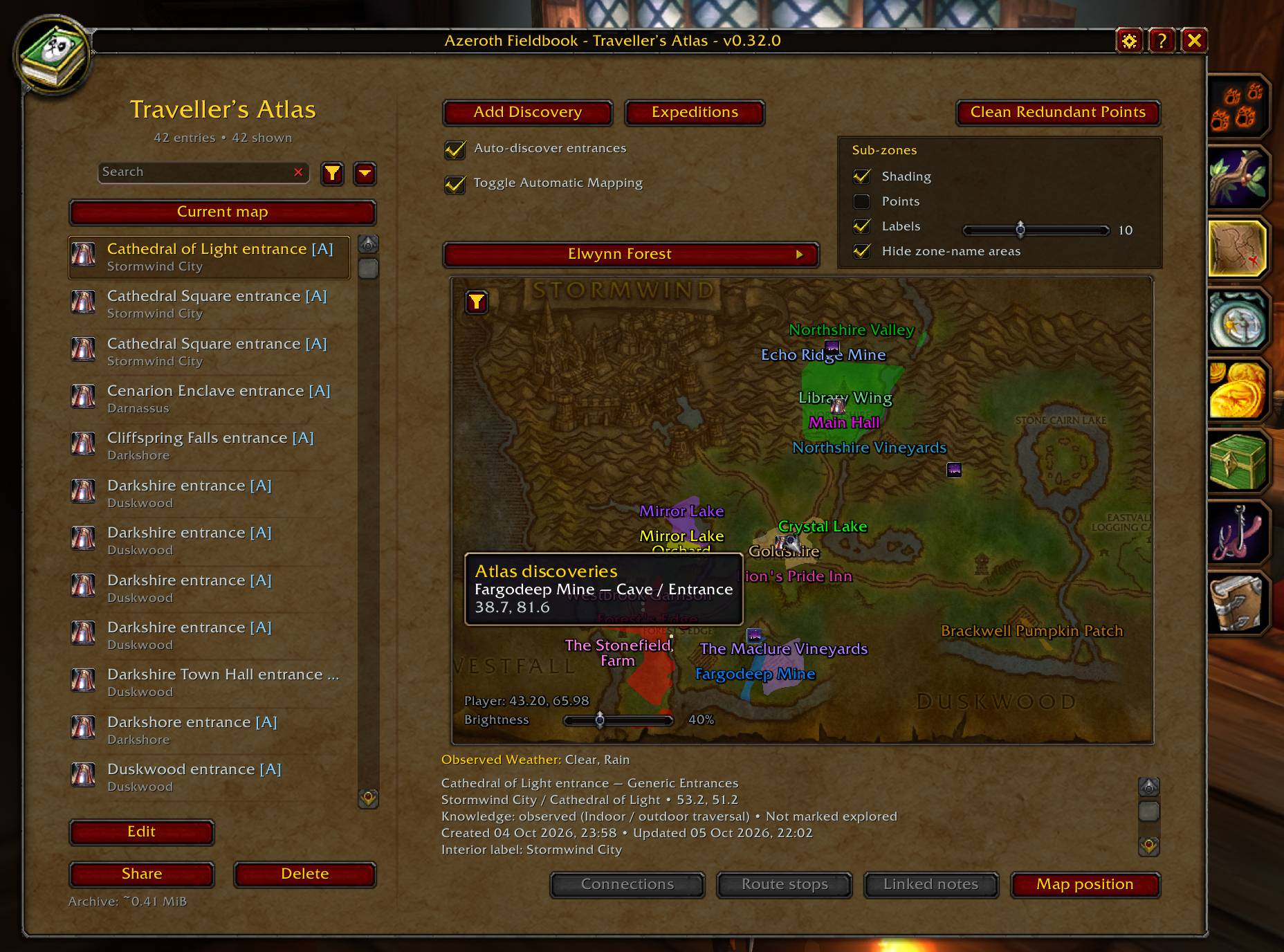
Traveller’s Atlas: chart your journeys
Build a geographical journal of caves, ruins, crossings, routes and useful places.
- Add named discoveries with categories, notes and optional coordinates.
- Use your current position or deliberately choose a map point.
- Build routes with ordered stops, including stops across zones.
- Write expedition journals and connect related records.
- Record readable weather and collect sub-zone observations.
- The addon can automatically add entrances by determining outdoor to indoor crossovers. It will attempt to infer the type of entrance from the name.
Search your discoveries and control which categories appear on the map.
Sub-zone shading estimates sub-zones with good accuracy, and will automatically re-evaluate areas. These zones can be toggled, and are available as filters in the main map.
Regional field-report drafts can be prepared and previewed. Sending and importing Atlas reports are not yet available through the interface.
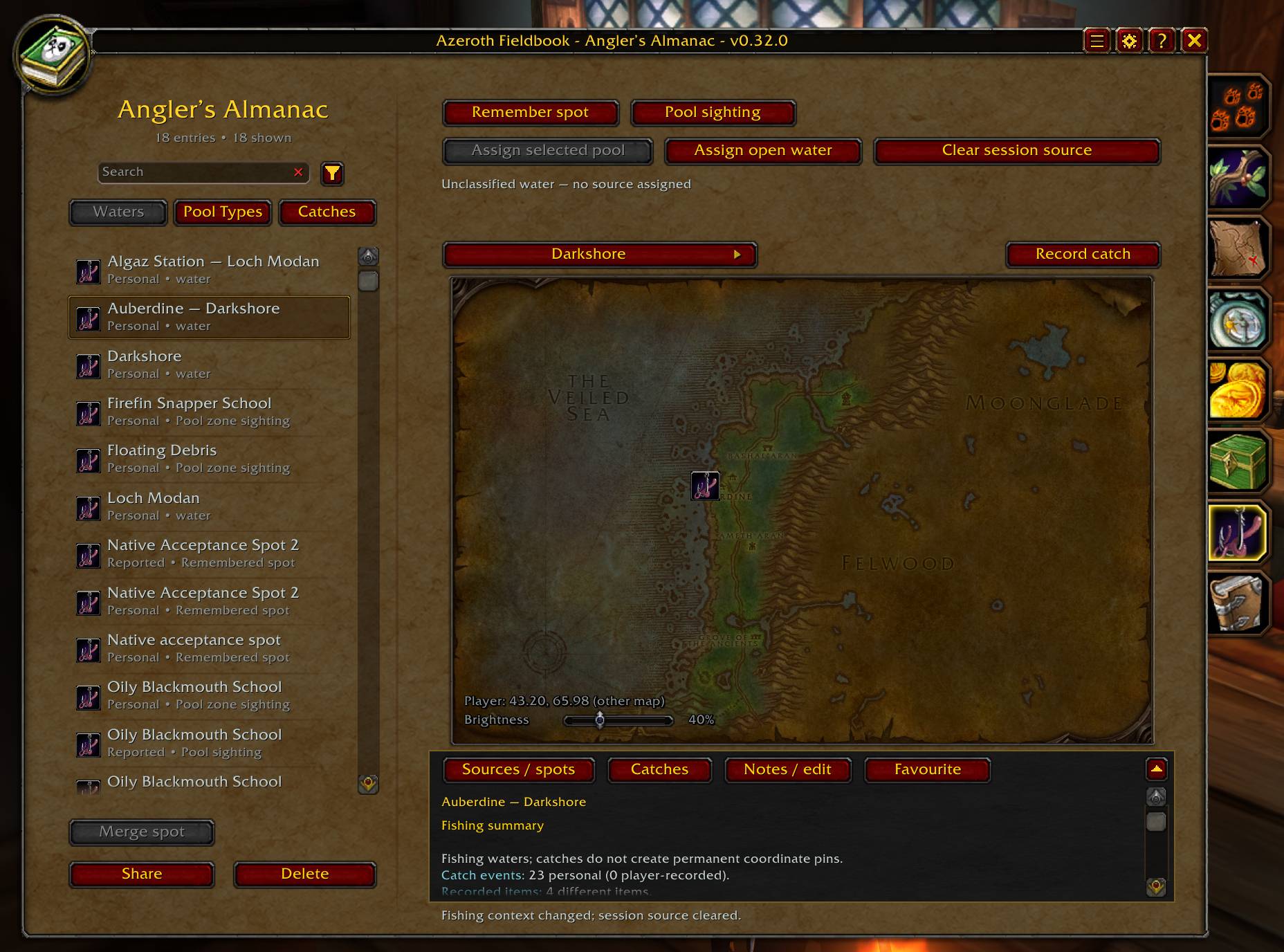
Angler’s Almanac: Build your fishing knowledge.
Explore connected Waters, Pool Types and Catches views.
- Automatically record acquired fishing loot where readable evidence is available, including non-fish catches.
- Track item quantities separately from catch occurrences.
- Discover recognizable pool types by hovering over their tooltips.
- Remember fishing spots and deliberately record pool sightings.
- Assign a selected pool or open water as your fishing source.
- Find recorded sources for an item, add notes and favourites, or manually record a missing catch.
Uncertain sources remain unclassified. Recorded successful skill does not establish a minimum fishing requirement, and remembered spots do not promise an active pool.
Fishing reports support copy-and-paste export, preview and acceptance. Imported information remains labelled as reported knowledge and does not increase personal catch totals. Private notes are excluded by default.
Merchant’s Ledger: Remember useful contacts
Keep a directory of encountered merchants, trainers and services.
Search known goods, recipes, lessons and contacts; add notes and favourites; and review recorded encounter locations. Prices, stock and availability describe what you observed at the time.
Selected-contact reports support copy-and-paste sharing, with a preview before acceptance. Imported facts remain separate from personal observations, and private notes are excluded by default.
Treasure & Salvage: Keep a history of your finds
Record world containers, portable containers and salvage, with separate encounters for sightings, access attempts, acquisitions and inspections.
Use Record a find to add a manual observation. You can record a location, access details, contents and notes, including observed and recovered quantities.
- Search recorded names, locations, items and notes.
- Review, correct or remove individual encounters.
- Add a Look for again bookmark as a personal reminder.
- Browse historical map markers for world finds and explicitly recorded acquisition locations.
Readable openable items in your bags can be recorded automatically. When the client clearly identifies a matching portable container’s loot, Fieldbook can also save a partial contents observation. Automatic recording does not confirm that you collected those contents.
World finds, acquisition details, access conditions and recovered quantities require manual recording. Missing contents do not mean a container was empty, and markers do not indicate current availability.
Treasure report sharing, import and export are not yet available through the interface.
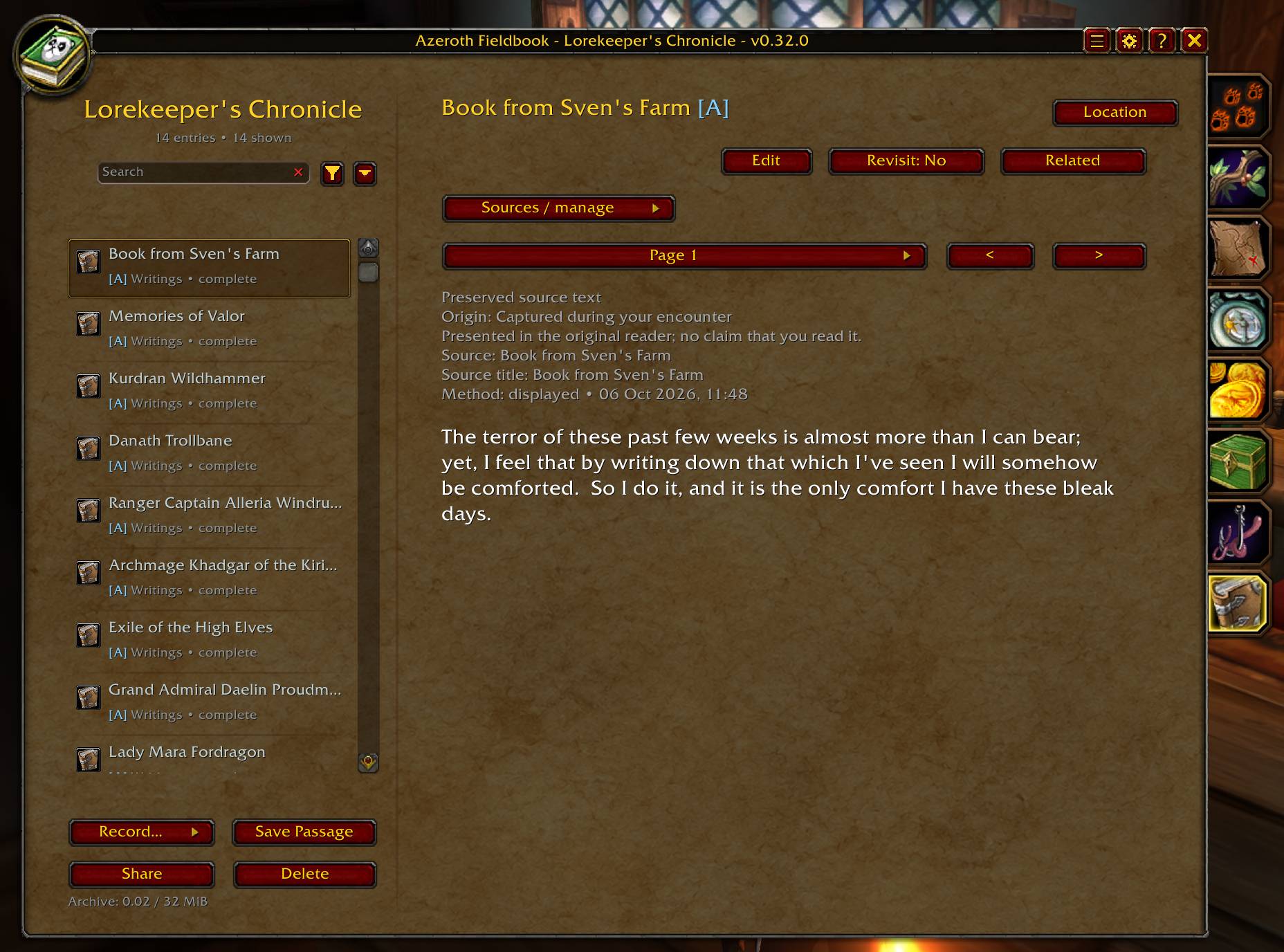
Lore & Landmarks: Preserve stories and questions
Keep an archive of writings, significant places, noteworthy people and personal mysteries.
Open a supported readable source to preserve its displayed text, then return to it later in Fieldbook. By default, Automatically archive readable lore and Only archive pages I open are both enabled.
To attempt whole-book archiving, turn off Only archive pages I open and keep the source open while capture runs. This requires supported page navigation and may leave a partial archive. Manual capture and transcription are available when automatic recording cannot preserve a source.
- Read saved pages away from their original source.
- Record people and deliberately save supported displayed gossip or quest passages.
- Add landmarks and review their map positions before saving.
- Keep personal notes and interpretations separate from source text.
- Create mysteries with a question, theory, next step and progress status.
- Link related records already known to your journals.
A reading location records where you opened a source, not necessarily where you found it. Preserved statements and received reports retain their origins; saving them does not establish that they are true.
Lore reports support copy-and-paste export, preview and acceptance. Private annotations are excluded by default, and received material remains separate from personal evidence. Lore reports do not charge or award Knowledge.
Storage, backups and everyday use
Account-wide tracking is enabled by default for all seven journals. You can turn it off in Options and reload to use separate character journals.
Existing character journals import into the shared account journals once. Original character journals remain available when you switch back; subsequent changes are not continually synchronized between the two modes.
Bestiary backup tools include five recent manual backups, portable text export/import and a preview before restoration. These backups cover the Bestiary only. Other journals remain independent of Bestiary backups and resets.
Windows support dragging, remembered positions and adjustable UI scale. Use /fieldbook notes for creature notes, /fieldbook debug for diagnostics and /fieldbook wipe to begin the Bestiary reset confirmation. The legacy /bestiary command remains available.
Development and feedback
Azeroth Fieldbook is in active development for World of Warcraft: Forever. Automatic capture depends on readable client information, and compatibility continues to evolve.
Bug reports and feedback are welcome on GitHub.
Created by Spinkler.
Developed with AI-assisted coding tools, with design, direction, testing and final development decisions by the author.
Support Azeroth Fieldbook
Azeroth Fieldbook is free and always will be.
If you enjoy the addon and would like to support its development, you can leave a small tip on Ko-fi. There are no paid features, perks, or locked content - it’s simply a way to support the time that goes into the project.
Support Azeroth Fieldbook on Ko-fi
Azeroth Fieldbook Team
