


Azeroth Creature Compendium
- By
An in-game personal Pokédex style journal for WoW Classic that automatically catalogs creature drop tables, basic combat info, and immunities as you explore, fight, and loot.
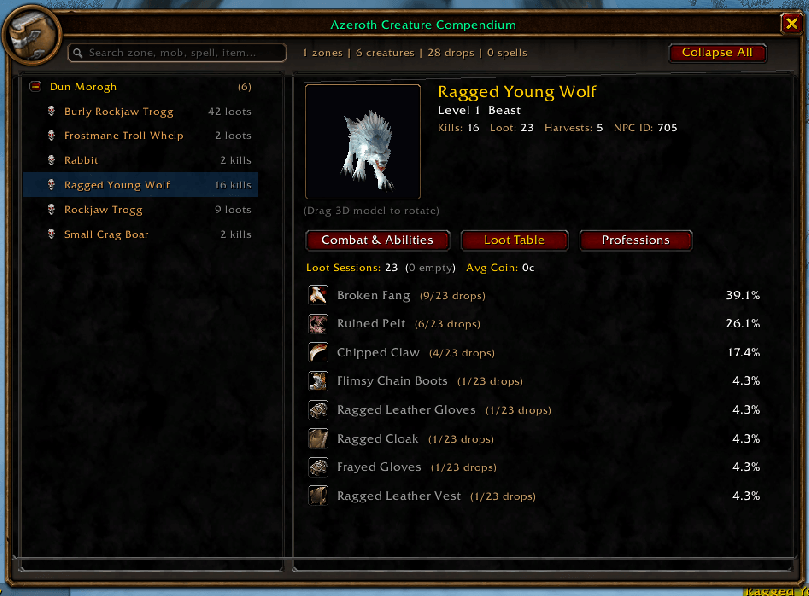
Example Screenshot 1 - compendium window.png
Description
Azeroth Creature Compendium (ACC)
A personal Pokédex for every creature you encounter across World of Warcraft Classic.
Core Philosophy: Journey Before Destination
While there are addons with every drop table baked in, and you can always look up answers on Wowhead, the Azeroth Creature Compendium was created in the true spirit of Classic exploration.
ACC functions like an adventurer’s field journal that you organically write as you play. You won't have all the answers on day one—but as you explore, fight, loot, and skin, your personal compendium grows into a comprehensive record of your unique journey across Azeroth.
What Does It Do?
As you travel through Azeroth, the compendium dynamically observes, catalogs, and indexes every creature you fight or loot:
- Mob Metadata & Badges: Level ranges, creature families (Beast, Undead, Humanoid, Dragonkin, etc.), and distinctive visual badges:
- Rare Spawns: Polished silver styling with persistent map coordinates recorded upon discovery.
- Elites: Authentic gold dragon styling highlighting dangerous encounters.
- Combat Profiles & Auto-Attacks: Records melee swing ranges (min, max, average) and damage school.
- Spells & Abilities: Catalogs every ability cast by the creature, complete with spell icons, damage/healing values, and cast frequency. Hovering over any spell shows the full Blizzard spell tooltip!
- Verified Immunities: Automatically verifies creature immunities during combat—including Spell Schools (Fire, Frost, Nature, Shadow, Arcane, Holy, Physical) and Mechanics (Taunt, Bleed, Stun, Polymorph, Fear, Snare, Silence, Sleep, Poison).
- Loot Tables & Drop Rates: Calculates exact percentage (%) drop chances, sample sizes (e.g.
4/28 drops), empty loot occurrences, and average coin drop.* Profession Corpse Harvesting: Dedicated tracking for corpse gathering—Skinning, Mining, Herbalism, and Engineering—with independent drop rates and harvest counts.
Key Features
1. The Pokédex Browser (
/acc)Type
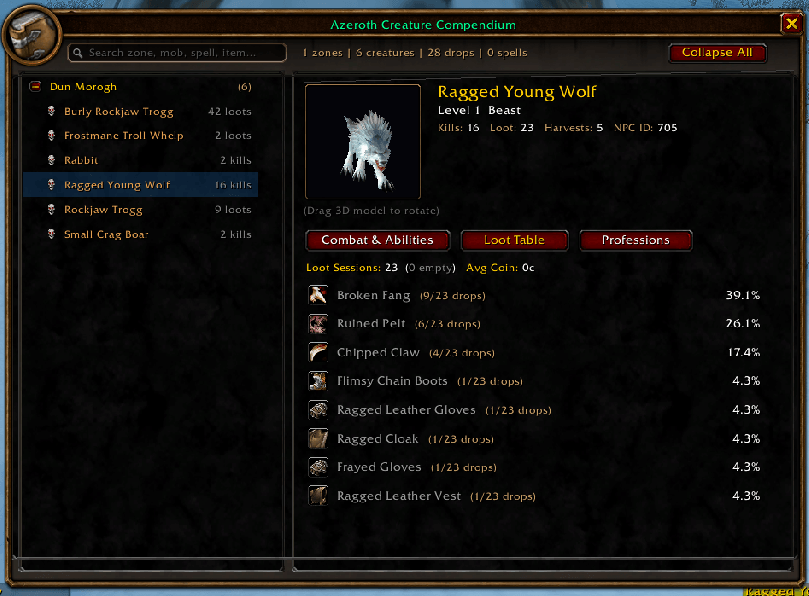
/accor click the minimap button to open your creature journal:
- Interactive 3D Model: View creatures in full 3D with 360-degree mouse drag rotation.
- Zone & Creature Index: Fast, searchable list categorized by zone and creature name.
- Three Dedicated Detail Tabs:
- [Combat & Abilities]: Review melee damage, spell casts, and color-coded immunity badges.
- [Loot Table]: Full scrollable drop table with item quality colors, drop percentages, and chat linking (
Shift-Click).- [Professions]: Dedicated corpse-harvest table tagged with required gathering skills.
- Live Filter Search: Instantly search across Zone names, Creature names, Spells, or Items.
2. Three Companion Sidecar Tooltips
Hold a modifier key while hovering over any mob in the world to summon floating sidecars docked cleanly next to Blizzard's default tooltip:
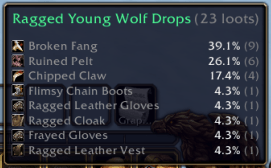
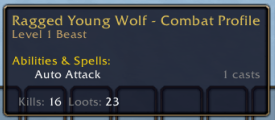
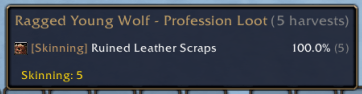
[SHIFT]Loot Tooltip: Quick view of the mob's recorded drop table, drop percentages, and average coin.[CTRL]Combat Tooltip: Displays known immunities, auto-attack swing ranges, and recorded spells.[ALT]Profession Tooltip: Displays gathered materials and harvest rates (Skinning, Mining, etc.).- Multi-Docking: Hold multiple modifier keys at once to display sidecars side-by-side with zero overlap! Hotkeys can be customized or set to always show.
3. Draggable Minimap Tome
- A classic golden tome framed in warm bronze.
- Left-Click: Open the Compendium Browser.
- Right-Click: Open Addon Options.
* Left-Drag: Move around the minimap rim.
Slash Commands
Use
/acc,/compendium, or/pokedex:
Command Description /accOpen / Close the Pokédex Compendium Browser /acc optionsOpen settings in Blizzard Interface Options /acc minimapToggle the minimap tome button /acc statusPrint database summary (recorded creatures, spells, drops) /acc lootkey <SHIFT|CTRL|ALT|NONE>Configure modifier hotkey for the Loot Tooltip /acc combatkey <SHIFT|CTRL|ALT|NONE>Configure modifier hotkey for the Combat Tooltip /acc profkey <SHIFT|CTRL|ALT|NONE>Configure modifier hotkey for the Profession Tooltip |
/acc lookup <name>| Quick lookup of a recorded creature in chat |Lightweight & Safe
- Zero Combat Taint: Designed using clean, unrestricted client events. Safe to use in raids, dungeons, and battlegrounds without causing action button lockups.
- Lean SavedVariables: Coordinates are strictly recorded for Rare spawns only, keeping your saved data lightweight even after months of play.
The Azeroth Creature Compendium Team
