AzerLingo
- By
Play in your own language, read guides in English: item, NPC, quest, spell and zone names in English – everything else stays in your language.
compare_stormwind.png
feature_ctrlc.png
compare_elwynn.png
feature_vendor.png
feature_commands.png
Description
AzerLingo
Play WoW Forever in your own language – and still follow English guides.
✅ Made for WoW Forever · ✅ No other addons required · ✅ English names right where you look – tooltips, nameplates, quests, zones
Most guides, videos and Wowhead comments use English names. If your client is in German, French, Spanish, Portuguese, Italian or Russian, finding "Copper Vein", "Peacebloom" or "The Defias Brotherhood" in your game is a pain.
AzerLingo shows the official English names right where you need them – your game, quests and descriptions stay in your language.
Features
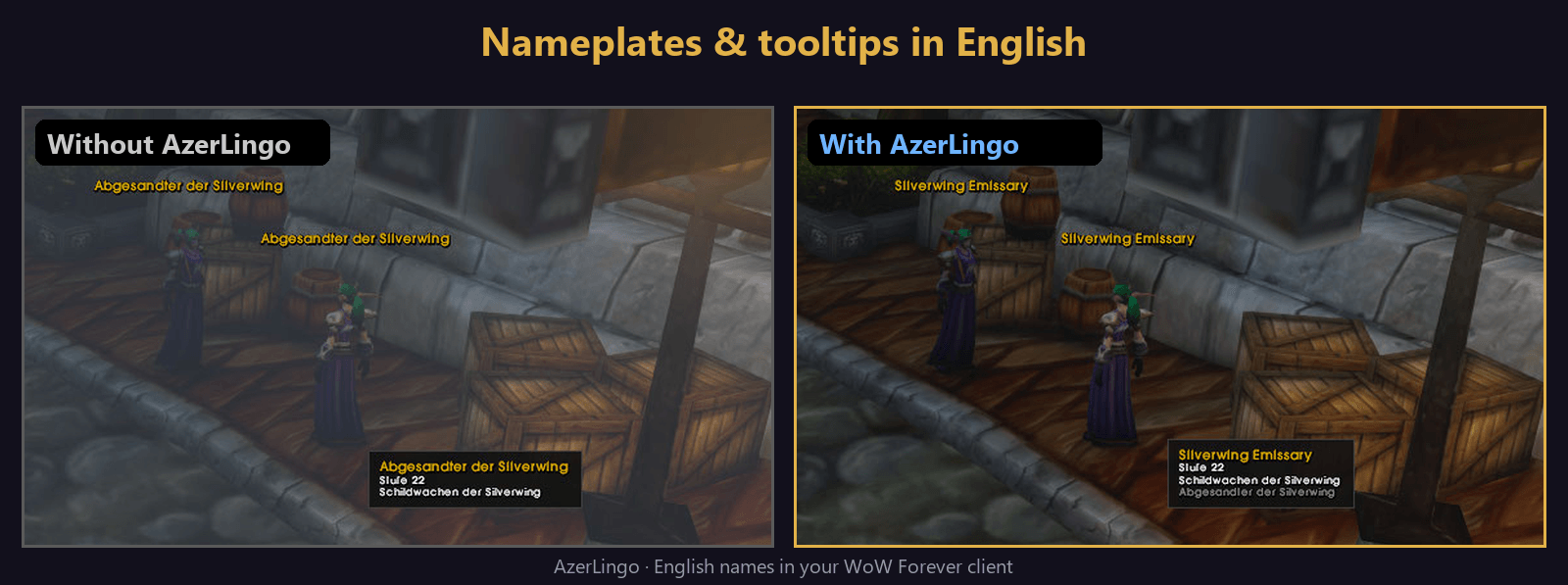
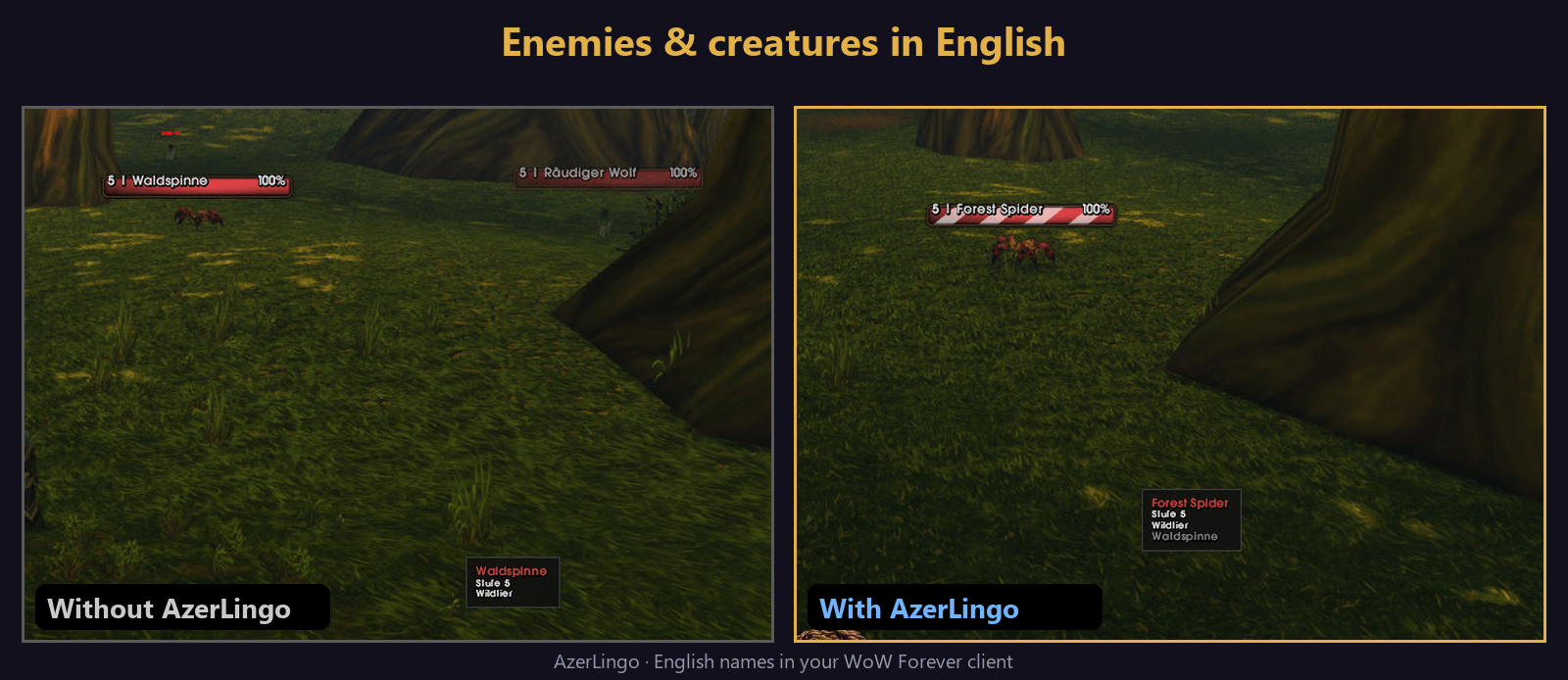
- Tooltips: English names for items, spells, buffs/debuffs, NPCs, enemies, herbs, ore and chests – the description stays in your language. The original name is shown below in grey (handy for the auction house).
- Names above heads: English NPC and enemy names on nameplates – works with Blizzard nameplates and addons like EllesmereUI.
- Quests: English quest titles in the quest log, the quest tracker (incl. EllesmereUI) and the quest text window.
- Zones: English zone names on the minimap and when you enter a new area.
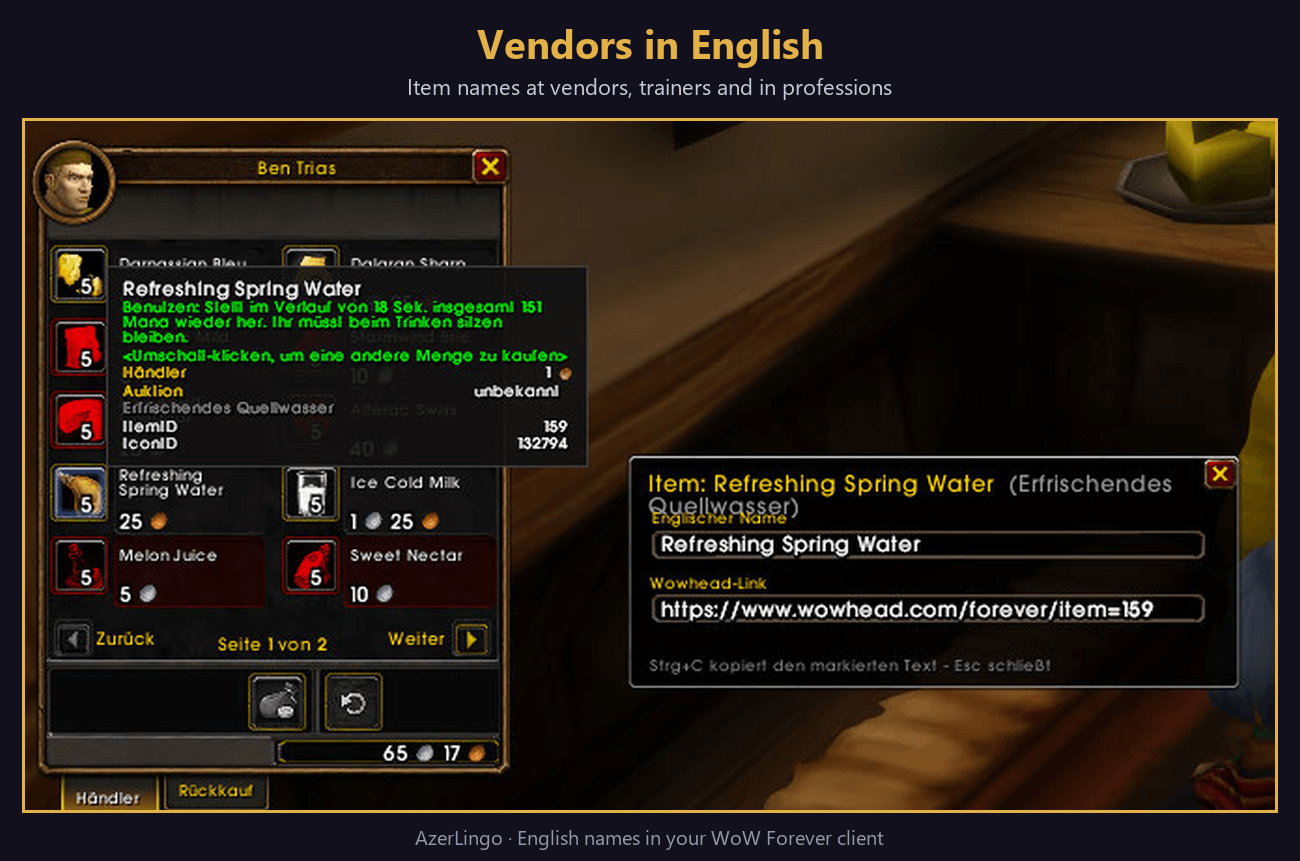
- Vendors, trainers & professions: English names directly in the lists.
- Chat: item, spell and quest links get the English name added: [Silberblatt] (Silverleaf).
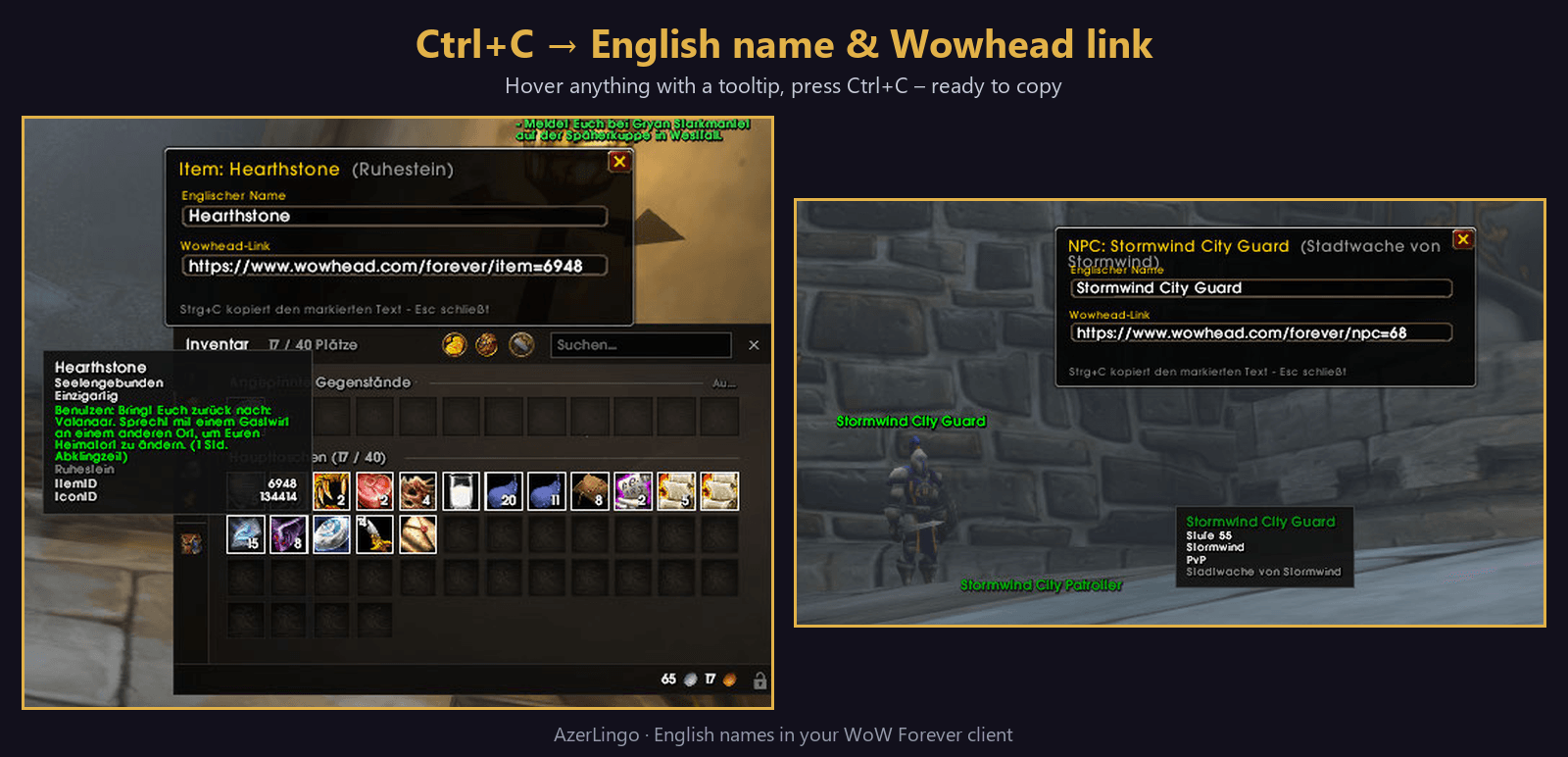
- Ctrl+C over any tooltip: opens a small window with the English name and the Wowhead link, ready to copy.
- Dictionary: search any name in your language or English (/azl find peacebloom).
- Hold Alt to briefly see the names in your game language again.
- Settings window under Options → AddOns → AzerLingo, available in 7 languages.
Guide language (optional language packs)
English is built in. Want French, Spanish, Portuguese, Italian, Russian or German names instead? Install the language pack (e.g. AzerLingo – Language Pack) and choose it under Guide language.
Why AzerLingo?
- Built for WoW Forever (1.60.x) – data comes from the Forever game files and the Forever database, including Forever-only NPCs and quests.
- Works on its own – no Questie, no base panel, no external program. Install, log in, done.
- Shows names where you need them – not only in a lookup window, but directly in tooltips, above heads, in the quest log and tracker, on the minimap, at vendors and trainers and in chat.
- Your guide language – English by default, or French, Spanish, Portuguese, Italian, Russian or German via language packs.
- The successor to EnglishNames – completely rebuilt from scratch.
Compatibility
- Works with every client language.
- Tested with EllesmereUI, NodeSight and Questie.
- No external tools, no /reload needed – all names are included in the addon.
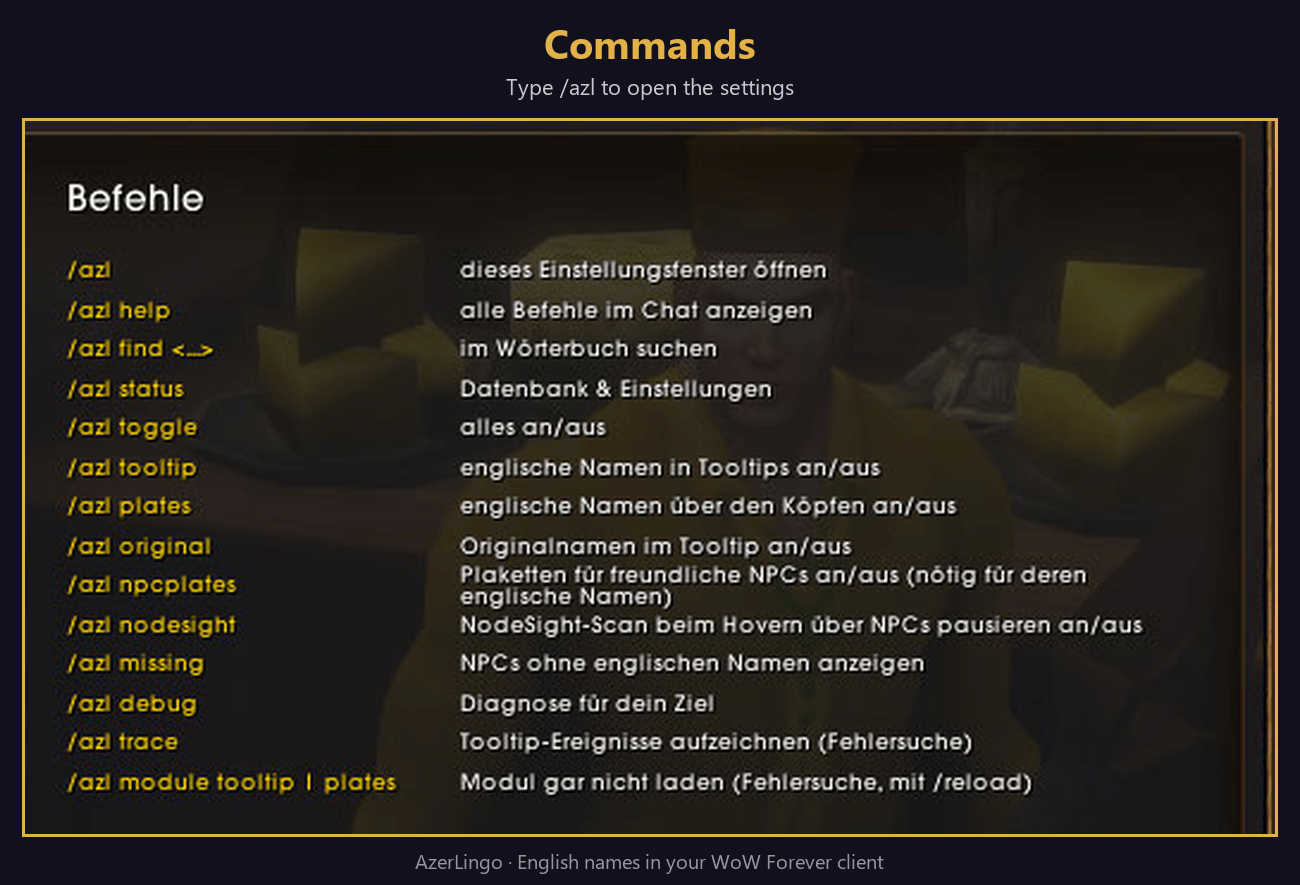
Commands
| /azl | open the settings |
| /azl find <name> | search the dictionary |
| /azl status | database & settings |
| /azl missing | NPCs/objects without an English name – please report them! |
| /azl help | all commands |
Good to know
- Names that the game itself draws above friendly NPCs (without a nameplate) can't be changed by any addon. Turn on nameplates for friendly NPCs in AzerLingo's settings to see those in English too.
- Missing a name? Type /azl missing and post the list in #missing-names on our Discord (or in the comments) – it will be added in the next update.
- Discord: help, bug reports and suggestions → https://discord.gg/HHXV982ed7
Credits
- Names: World of Warcraft: Forever game data, Wowhead (Forever database), cmangos classic-db (GPL-3.0).
- AzerLingo is licensed under GPL-3.0.
- World of Warcraft is a trademark of Blizzard Entertainment, Inc. AzerLingo is a fan project and not affiliated with Blizzard.
AzerLingo Team