Screenshot 2026-08-23 052750.png
Screenshot 2026-08-23 052702.png
Screenshot 2026-08-23 052714.png
Screenshot 2026-08-23 052729.png
Screenshot 2026-08-23 052809.png
Description
Description
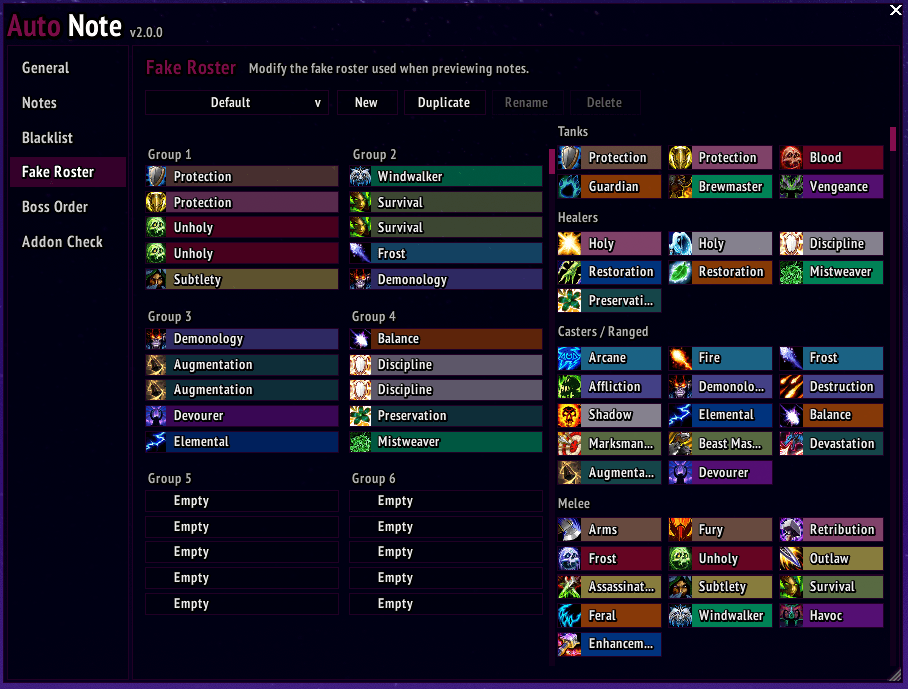
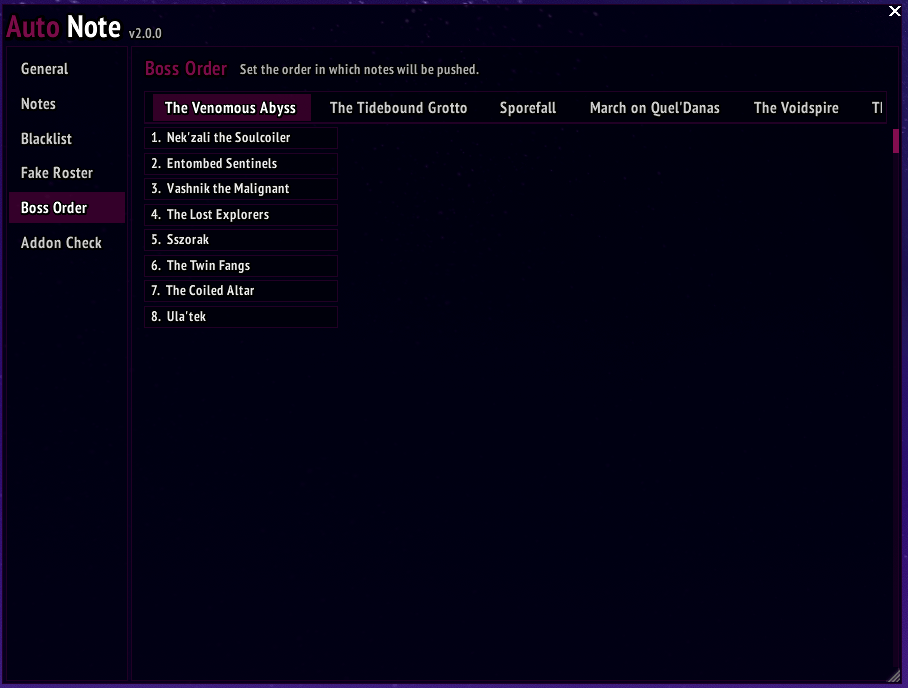
Tracks the classes, roles, and specs of the members in your raid group and fills out template NSRT notes accordingly. Automatically swaps notes any time an encounter is successfully completed. Notes are updated any time changes occur in the raid (spec swaps, roster changes, etc.)
How To Use
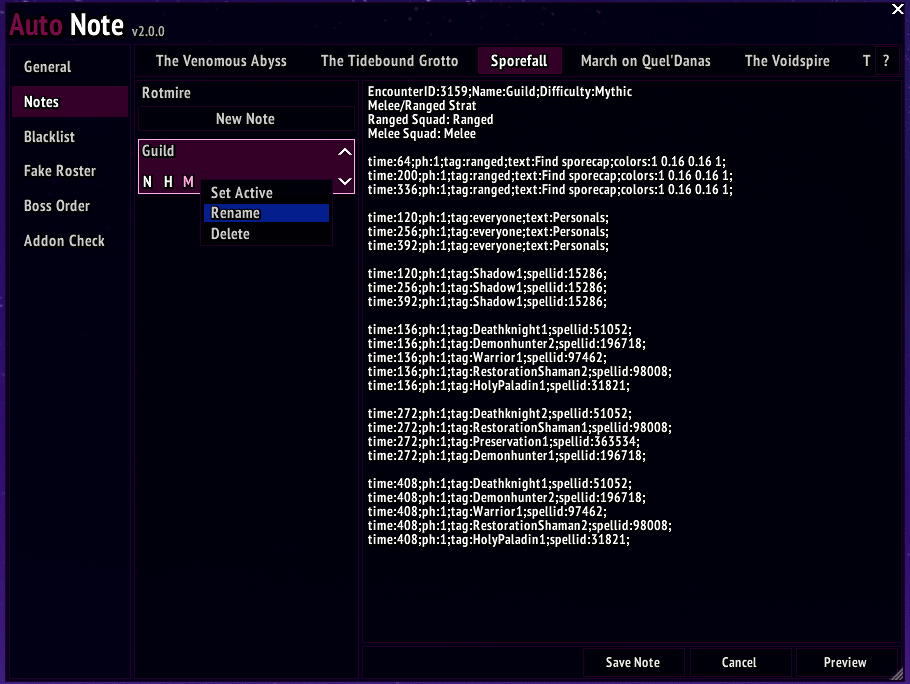
In the notes tab, click "New Note", add a name, and select the difficulty. In the text box, place your template note for the encounter and click "Save Note". Right click the note to edit the name, activate the note, or delete the note. The first note for a boss is automatically activated. If you wish to select a different note to be used for that boss, then you will need to set it to active.
Sample template which assigns the first Death Knight in the raid to use AMZ at 2:16:
time:136;ph:1;tag:Deathknight1;spellid:51052;
Use lowercase color codes to avoid any potential conflicts with tag replacement!
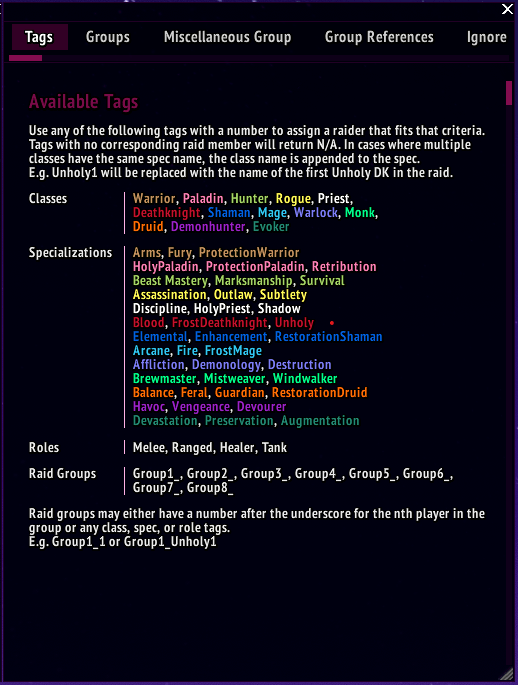
Available Tags
Use any of the following tags with a number to assign a raider that fits that criteria. Tags with no corresponding raid member will return N/A. In cases where multiple classes have the same spec name, the class name is appended to the spec.
E.g. Unholy1 will be replaced with the name of the first Unholy DK in the raid.
| Tag Type | Tag |
|---|---|
| Classes | Deathknight, Druid, Evoker, Hunter, Mage, Monk, Paladin, Priest, Rogue, Shaman, Warlock, Warrior |
| Specializations | Blood, FrostDeathknight, Unholy Balance, Feral, Guardian, RestorationDruid BeastMastery, Marksmanship, Survival Devastation, Preservation, Augmentation Arcane, Fire, FrostMage Brewmaster, Windwalker, Mistweaver HolyPaladin, ProtectionPaladin, Retribution Discipline, HolyPriest, Shadow Assassination, Combat, Subtlety Elemental, Enhancement, RestorationShaman Affliction, Demonology, Destruction Arms, Fury, ProtectionWarrior |
| Roles | Melee, Ranged, Healer, Tank |
| Raid Groups | Group1_, Group2_, Group3_, Group4_, Group5_, Group6_, Group7_, Group8_ |
Raid groups may either have a number after the underscore for the nth player in the group or any class, spec, or role tags.
E.g. Group1_1 or Group1_Unholy1
Ignoring Replacements
Occasionally some undesired text may get caught in the pattern matching. If this happens, place the text noReplace at the beginning and end of your text to force ignore any replacement.
Example:
| Raw Note | Populated Note |
|---|---|
| noReplace|cfff5d442Yellow|rnoReplace | Yellow |
Hiding Text
If for some godforsaken reason you need assignments to be calculated on the back-end without displaying, you can hide them by wrapping them in the hideStart and hideEnd tags.
Example:
| Raw Note | Populated Note |
|---|---|
| hideStart noDuplicateStart groupStart 2 Melee1, Ranged1, Melee2, Ranged2, Melee3, Ranged3, Melee4, Ranged4, Melee5, Ranged5 {triangle} - {{}} {cross} - {{}} {square} - {{}} groupEnd hideEnd alternateGroupStart 1 Melee1, Ranged1, Melee2, Ranged2, Melee3, Ranged3, Melee4, Ranged4, Melee5, Ranged5 {circle} - {{}} {skull} - {{}} {diamond} - {{}} alternateGroupEnd noDuplicateEnd |
{circle} - Melee4 {skull} - Ranged4 {diamond} - Melee5 |
Priority-based Assignments
Linear
Assigns raid members to each group contained within the groupStart and groupEnd tags.
Line 1 indicates how many raiders to assign to each group. You can either provide a single number or a comma-delimited list of numbers where each number corresponds to the number of raiders to assign to that group.
Line 2 is the list of tags which you would like to be assigned to each group.
Any remaining lines are considered a group where {{}} is where the assigned groups will be placed.
Example:
| Raw Note | Populated Note |
|---|---|
| groupStart 3, 3, 2 Hunter1, Hunter2, Hunter3, Hunter4, Mage1, Mage2, Mage3, Rogue1, Rogue2, Rogue3, Unholy1, Unholy2, Unholy3 Soak Group 1 - {{}} Soak Group 2 - {{}} Soak Group 3 - {{}} groupEnd |
Soak Group 1 - Hunter1 Hunter2 Mage1 Soak Group 2 - Mage2 Mage3 Rogue1 Soak Group 3 - Rogue2 Unholy1 |
Alternating
Assigns raid members alternating between each group contained within the alternateGroupStart and alternateGroupEnd tags.
Line 1 indicates how many raiders to assign to each group. You can either provide a single number or a comma-delimited list of numbers where each number corresponds to the number of raiders to assign to that group.
Line 2 is the list of tags which you would like to be assigned to each group.
Any remaining lines are considered a group where {{}} is where the assigned groups will be placed.
Example:
| Raw Note | Populated Note |
|---|---|
| alternateGroupStart 4 Hunter1, Hunter2, Hunter3, Hunter4, Hunter5, Hunter6, Hunter7, Hunter8, Arms1, Arms2, Arms3, Arms4, Elemental1, Elemental2, Elemental3, Warlock1, Warlock2, Warlock3 Group 1 - {{}} Group 2 - {{}} alternateGroupEnd |
Group 1 - Hunter1 Arms1 Arms3 Elemental2 Group 2 - Hunter2 Arms2 Elemental1 Warlock1 |
Group Sizes
When assigning groups, instead of using numbers to designate the size of the groups, you can use either #RaidSize and #EvenSplitN.
#RaidSize will return the number of raid members and can be used with basic arithmetic such as #RaidSize/3.
#EvenSplitN will attempt to split the raid evenly into N groups.
Forced Assignments
In the previous group assigns, any tag placed within the {{}} tag will force fill that role in the tag while still counting it towards the number of players assigned to the group.
Example:
| Raw Note | Populated Note |
|---|---|
| groupStart 3 Hunter1, Hunter2, Hunter3, Hunter4, Mage1, Mage2, Mage3, Rogue1, Rogue2, Rogue3, Unholy1, Unholy2, Unholy3 Soak Group 1 - {{Tank1}} Soak Group 2 - {{}} Soak Group 3 - {{Tank2, Healer1}} groupEnd |
Soak Group 1 - Tank1 Hunter1 Hunter2 Soak Group 2 - Mage1 Mage2 Mage3 Soak Group 3 - Tank2 Healer1 Rogue1 |
No Duplicates
When using the above group assigns, you may have multiple tags which a single raider can fit the criteria for.
E.g. a hunter may fit the tags Hunter1, Marksmanship1, and Ranged1.
Any group assigns between the noDuplicateStart and noDuplicateEnd tags will avoid assigning the same raider twice to those groups.
Example:
| Raw Note | Populated Note |
|---|---|
| noDuplicateStart alternateGroupStart 3 Arms1, Arms2, Arms3, Arms4, Unholy1, Unholy2, Unholy3, Unholy4, Enhancement1, Enhancement2, Enhancement3, Enhancement4, Windwalker1, Windwalker2, Rogue1, Rogue2, Feral1 {skull} - {{}} {cross} - {{}} alternateGroupEnd alternateGroupStart 3 Melee1, Melee2, Melee3, Melee4, Melee5, Melee6, Melee7, Melee8, Melee9, Melee10, Melee11, Melee12, Melee13, Melee14, Melee15 {square} - {{}} {star} - {{}} alternateGroupEnd noDuplicateEnd |
{skull} - Arms1 Arms3 Unholy2 {cross} - Arms2 Unholy1 Unholy3 {square} - Enhancement1 Windwalker1 Rogue2 {star} - Enhancement2 Rogue1 Feral1 |
Group References
When using the previous group assigns, you can later reference a group assign by using the format #GroupName:PlayerTag.
The group name is determined by the text left of a colon. To reference it, make sure to remove all white space.
In addition to the typical class, spec, or role tags, you can also use a plain number to reference the nth person assigned to that group. Each tag is specific to that group, so #Left:Unholy1 refers to the first unholy in the left group.
You can reference all members of a group by using #GroupName:Everyone.
Example:
| Raw Note | Populated Note |
|---|---|
|
noDuplicateStart time:50;ph:1;tag:#Group1-Left:Unholy1;spellid:51052;
|
Left {square} - Unholy1, Unholy3 time:50;ph:1;tag:Unholy1;spellid:51052;
|
It's important to note that if you have a group such as "Group 1: Unholy1", that #Group1:Unholy1 refers to the first unholy in this group. It does NOT refer to the first unholy in raid group 1. That is referenced by "Group1_Unholy1".
AutoNote Team