
AutoMod AI Profiles
- By
Keep Your Controls Consistent
Stop rebuilding macros, action bars, and key bindings for each control setup. AutoMod AI Profiles saves these choices as profiles that you can review and apply.
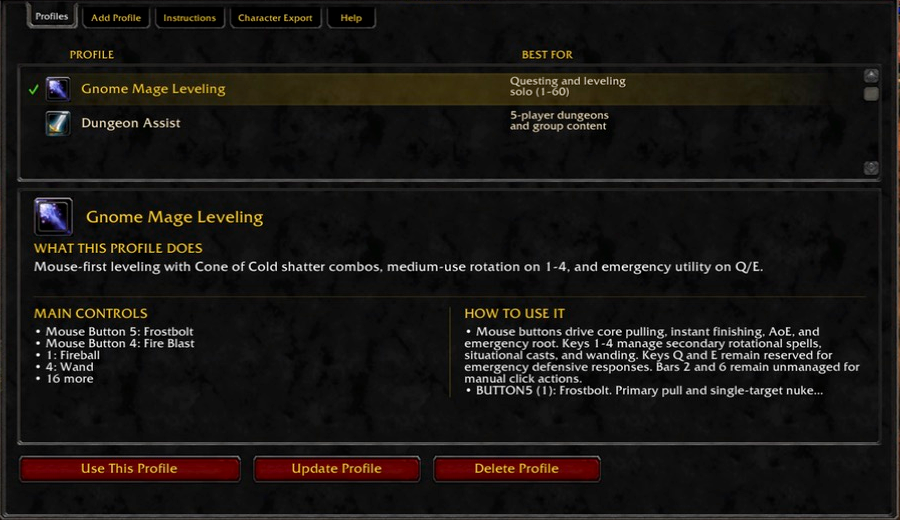
AutoMod AI Profiles supports World of Warcraft Classic Era. Each character keeps its own profiles. A profile can:
- Create or update macros.
- Place known spells and managed macros on supported action-bar slots.
- Assign keys to supported action-bar slots.
- Set Always Show Action Bars and Auto Loot.
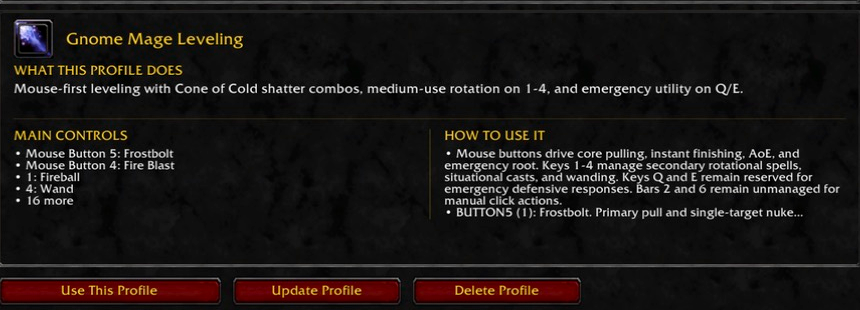
- Include notes that explain the controls and their use.
Enter /automod to open AutoMod AI Profiles. Add a profile, select it, and
review every proposed change. Choose Use This Profile, review the plan, and
choose Apply Changes when you are ready.
Create Profiles With an AI Assistant
AutoMod AI Profiles prepares instructions that you can copy to the AI assistant of your choice. The instructions include the current character, known abilities, action bar, keys, and saved preferences. You copy the final profile definition back into AutoMod AI Profiles for review.
The Character Export tab creates a copyable snapshot for questions about your character. It can include character progress, equipment, inventory, quests, abilities, talents, professions, reputation, effects, action bars, keys, and macros.
Review and Recovery
AutoMod AI Profiles applies profile changes outside combat. It saves affected values before each apply operation and restores them when an operation fails. If the restore cannot finish, AutoMod AI Profiles keeps the remaining repair steps available.
AutoMod AI Profiles parses profile definitions as data and validates them before
use. It rejects unsupported settings, duplicate keys, unsafe replacements, and
macros that use /run, /script, /dump, /console, or /click.
Character Export can briefly open and close profession windows to refresh missing recipe data. It does not cast combat abilities or control your character.
Avatar Note
The project avatar is illustrative artwork. It does not show the in-game interface.
Support and Source
Report problems or request features through the AutoMod AI Profiles issue tracker.
View the source code in the AutoMod AI Profiles repository.
AutoMod AI Profiles Team
