


AutoMarkAssist
- By
General.png
Database.png
About.png
Description
AutoMarkAssist
AutoMarkAssist is a WoW Classic addon that automatically marks mobs in dungeons and raids. It ships with a built-in database of dungeon and raid mobs with preferred mark assignments and danger classifications, detects your group's CC composition, and intelligently allocates kill and crowd-control marks. When high-value targets die, marks dynamically cascade so the group always has a clear kill order.
A first-run walkthrough opens the first time you log in. Replay it any time with /ama tutorial, or read the full reference on the Tutorial tab in options (/ama tutorial tab).
How Marking Works
Every 0.5 seconds (in proximity mode) or on each mouseover, the addon:
- Collects all visible hostile mobs in range.
- Scores each mob by danger — database kill targets, danger-classified healers/summoners, elites, and unknowns all receive different priority scores. Your current target gets a small tie-break bonus so Skull lands where the tank is already looking.
- Sorts the pack highest-to-lowest.
- Allocates marks in order: the most dangerous mob gets Skull, the next gets Cross (or a CC mark depending on difficulty), and so on down the list.
This means the addon evaluates the whole pack at once before assigning any marks, rather than marking mobs one-at-a-time as they appear. The result is consistent, predictable marking that feels like a set-and-forget experience for tanks and pull leaders.
Allocation Priority
For each mob in the sorted pack:
Normal dungeons: DB preference → Skull → Cross → CC by creature type
Heroic dungeons: DB preference → Skull → CC by creature type → Cross
CC marks are only assigned when:
- The corresponding CC class is in your group
- The mob's creature type is compatible with the CC ability (e.g. Sap only on Humanoids)
- The mob is not flagged as CC-immune
When multiple CC classes can handle the same creature type, the most specific ability wins — Sap (Humanoid only) beats Polymorph (Humanoid/Beast/Critter) beats Trap (six types).
Bringing more than one of the same CC class assigns more than one CC mark. Each class claims its usual icon first; extra casters borrow a spare icon from a CC class that is not in your group (and still enabled), so two Mages get two Polymorph targets, two Warlocks two Banish targets, and so on.
Danger Classification
The database classifies high-priority mobs:
- Critical (3) — Healers, summoners, reinforcement callers. These score highest and receive Skull first.
- High (2) — AoE casters, fear mobs, interrupt-priority targets.
- Normal — Standard mobs with no special classification.
Cascade on Death
When marked mobs die, marks promote automatically:
- Skull dies → Cross promotes to Skull
- Cross freed → the highest-scoring CC-marked mob promotes to Cross
The promotion uses the same scoring system, so the most dangerous surviving mob always becomes the next kill target. A mob still locked down with more than 3 seconds of CC remaining is not promoted, so the group does not break a fresh sheep.
Mark Assignments
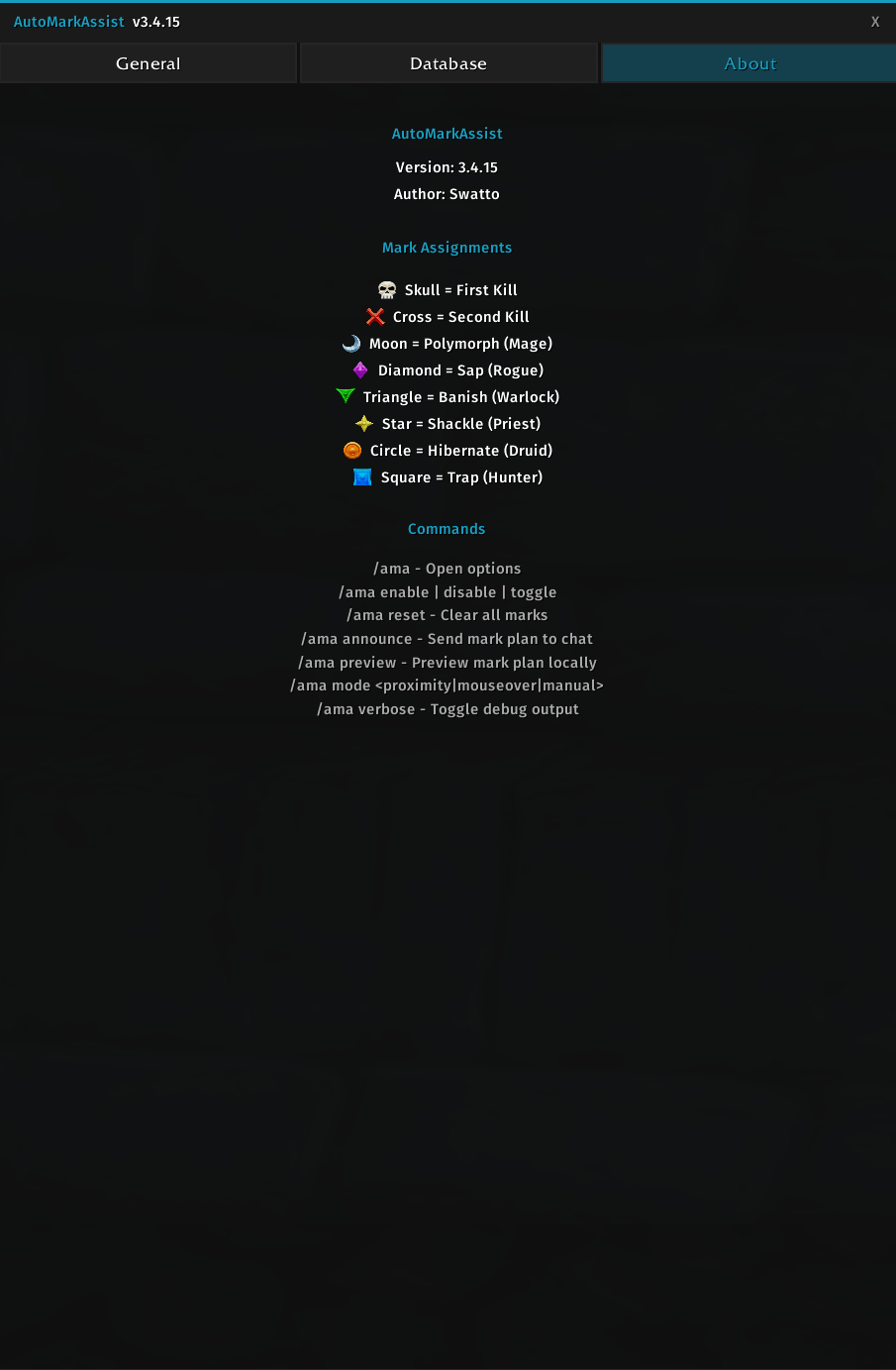
- Skull = First Kill
- Cross = Second Kill
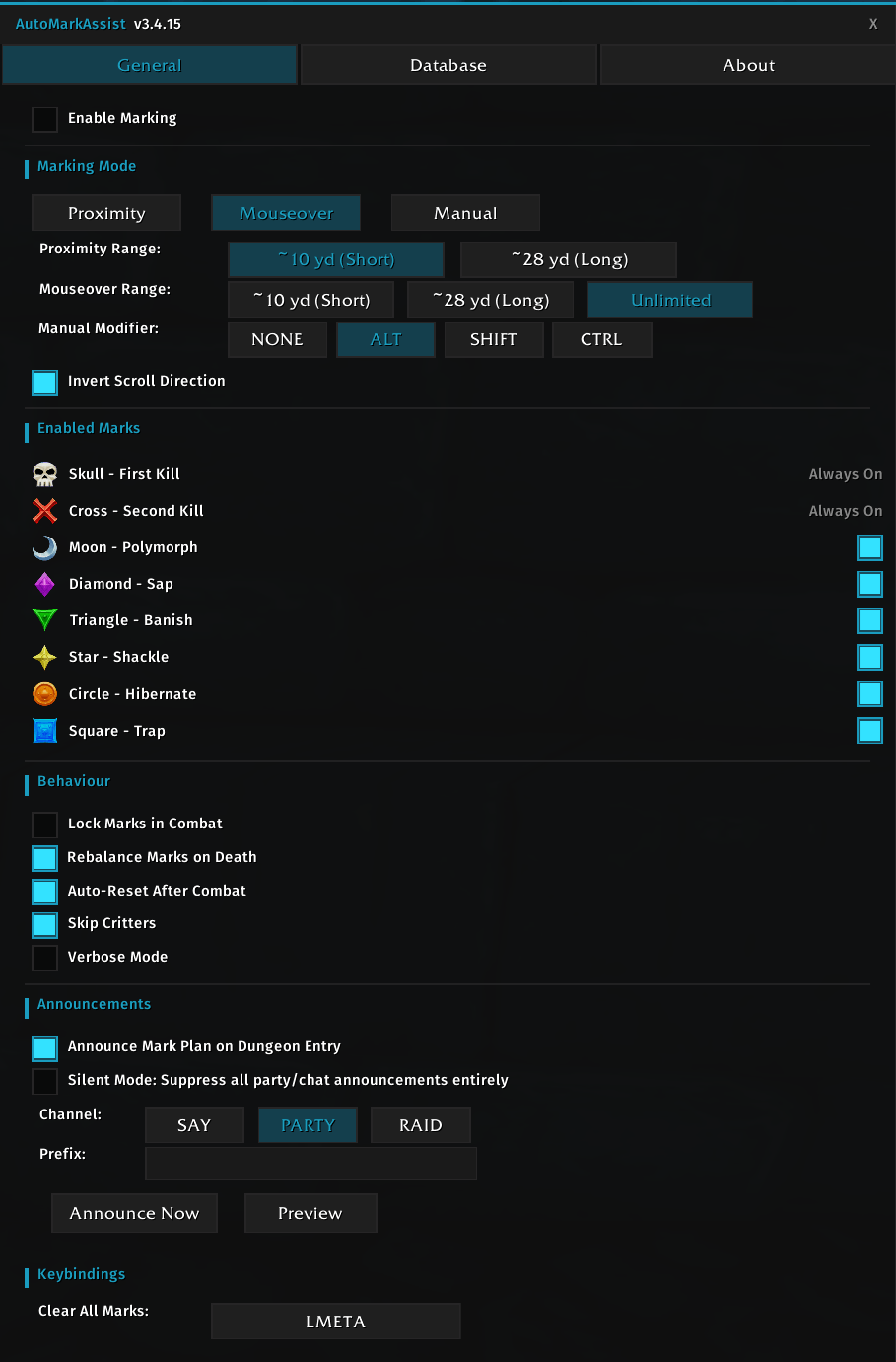
- Moon = Polymorph (Mage) — Humanoid, Beast, Critter. Paladin Repentance (TBC+) shares this icon; Mage keeps Moon when both are present.
- Diamond = Sap (Rogue) — Humanoid
- Triangle = Banish (Warlock) — Demon, Elemental
- Star = Shackle (Priest) — Undead
- Circle = Hibernate (Druid) — Beast, Dragonkin
- Square = Trap (Hunter) — Humanoid, Beast, Demon, Dragonkin, Giant, Undead
Skull and Cross are always kill targets. CC marks activate only when the matching class is in your group. Unused CC marks become extra kill targets.
Three Marking Modes
Proximity (default)
Auto-marks hostile mobs within range on a 0.5s scan timer. Scans the entire visible pack, scores every mob, and assigns marks in priority order. Fully automatic — just pull and the addon handles the rest.
Mouseover
Marks when you hover over a mob. The hovered mob is allocated with the normal kill/CC priority (database preference, then Skull, Cross, and matching CC), so a filler mob does not steal Skull just because you hovered it first. Range can be short (~10 yd), long (~28 yd), or unlimited.
Manual
Hold a modifier key (configurable, or choose "NONE" for no modifier) and scroll your mouse wheel over a target to open a mark picker HUD. Scroll to select, release to apply. No automatic logic runs — you have full control. Inside instances, your choices are saved to the database so future auto-marking (when you switch back to proximity or mouseover) uses your preferences.
Only one mode is active at a time.
Per-Mob Mark Database
The addon includes a built-in database covering Classic, TBC, WotLK, Cata, and MoP dungeons and raids. Each mob entry stores a preferred mark, creature type, CC immunity flag, and danger level.
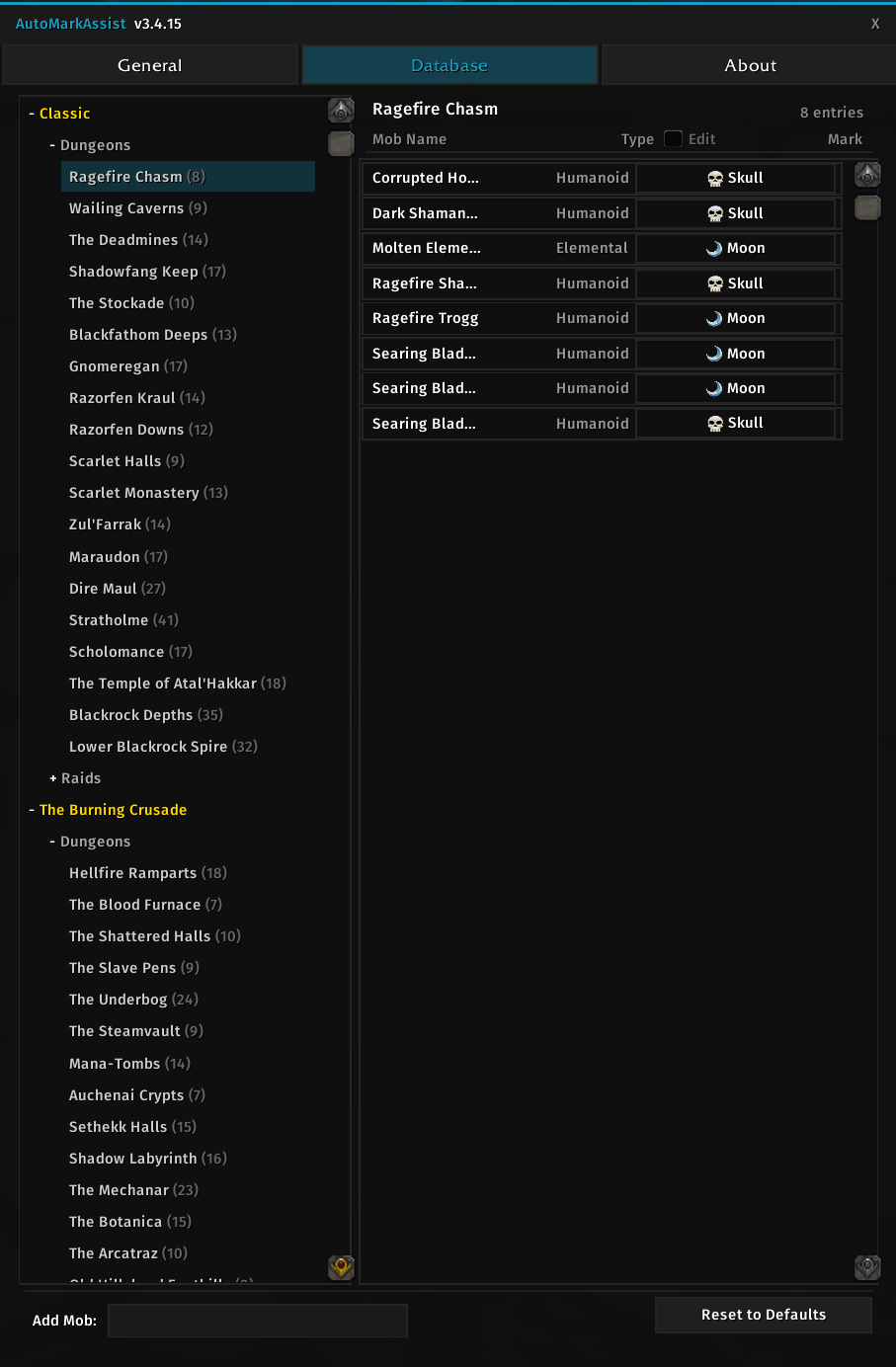
You can customise per-mob marks in the Database tab of the config panel. The tab features a full zone browser organised by expansion and instance type (Dungeons / Raids), so you can browse and edit marks for any zone without being inside it. A Type column shows each mob's creature type, and enabling the Edit checkbox lets you cycle types manually. Drag the grip in the bottom-right of the options window to resize it — the Database name column grows with the window, and the size is remembered between sessions.
Self-Learning Database
The addon enriches its database as you play:
- Creature type capture — When a mob is marked and its database entry lacks a creature type, the addon reads the live value from the game and saves it.
- CC immunity detection — When a CC spell (Polymorph, Sap, Banish, Shackle, Hibernate, Freezing Trap, Repentance) is resisted with IMMUNE, the mob is permanently flagged as CC-immune in your personal database.
- Manual mode learning — Marking a mob manually inside an instance saves your preference for future auto-marking.
- Player overrides — Your personal database overrides the built-in one. The addon preserves danger classifications from the built-in DB even when you override a mob's mark.
In-Game Tutorial
A guided overlay walks through the mark key, modes, scoring, crowd control, cascade, the database, announcements, and commands. It opens once on first login (Skip / Finish / Escape prevent it from returning). Replay it with /ama tutorial, the Launch Tutorial button on the About tab, or Replay walkthrough on the Tutorial tab. /ama tutorial tab opens the full chaptered reference.
Reset Marks
The reset function (/ama reset or keybind) clears all 8 marks regardless of who set them, whether the marked mobs are visible, in range, or even on screen. It works by briefly assigning each mark to the player (which steals it from whatever holds it) then immediately clearing it. After reset, the addon's tracking state is fully wiped so the next scan re-evaluates the pack from scratch with all mark slots available.
Auto-reset on leaving combat uses a lighter approach that only clears marks the addon placed, preserving marks set by other players.
Usage
Type /ama or /automarkassist to open the configuration panel.
Other commands:
/ama tutorial— Guided walkthrough (addtabfor the Tutorial tab)/ama enable/disable/toggle/ama reset— Clear all marks/ama mark <skull|cross|moon|…>— Stamp a mark on your current target (/ama skull,/ama cross,/ama unmark)/ama announce— Post mark plan to party chat/ama preview— Preview mark plan locally/ama mode <proximity|mouseover|manual>/ama verbose— Toggle debug output/ama help
Good fit for
- Tanks or pull leaders who want consistent kill order without manually re-marking every pack.
- Groups running Classic dungeons or raids where the same dangerous mobs appear repeatedly.
- Players who want manual control first, then want the addon to learn their preferred marks over time.
Notes and limitations
- Retail is not supported.
- If Blizzard does not allow your character to place a raid icon in the current group, the addon cannot mark and will suppress announcements.
- Auto-reset on leaving combat only clears marks the addon set — marks placed by other players are preserved.
Source and support
- GitHub repository: https://github.com/Swatto86/AutoMarkAssist
- Bug reports and feature requests: https://github.com/Swatto86/AutoMarkAssist/issues
Supported game versions
- Classic Era / Vanilla
- TBC Classic / Anniversary
- Wrath Classic
- Cata Classic
- MoP Classic
AutoMarkAssist Team
