AutoMacros
- By

AutoMacros
Draggable macros for your consumables that always use the best item in your bags. Works in WoW Forever, Classic Era, TBC Anniversary, MoP Classic and retail.




AutoMacros keeps one macro for each kind of consumable (health and mana items, food, water, bandages, buffs and more) pointed at the best item you carry. Put the macros on any action bar you like: no extra bar to place, unlike AutoBar.
Versions starting with
0.are still in development, so expect changes. See the changelog for what changed in each version.
Features
- One macro per kind of item, always using the best one you carry (the highest level you can use). Macros are only rewritten out of combat.
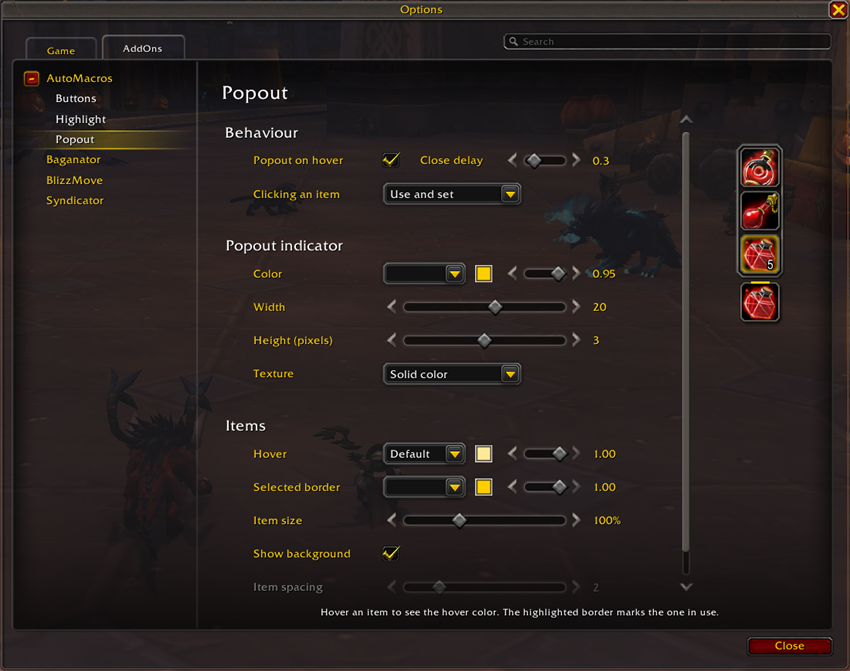
- Popout: hover a button to see every item it can use. Click one to use it, make it the button's item, or both (your choice); this works in combat too. Each popout opens toward the middle of the screen, or the way you set it.
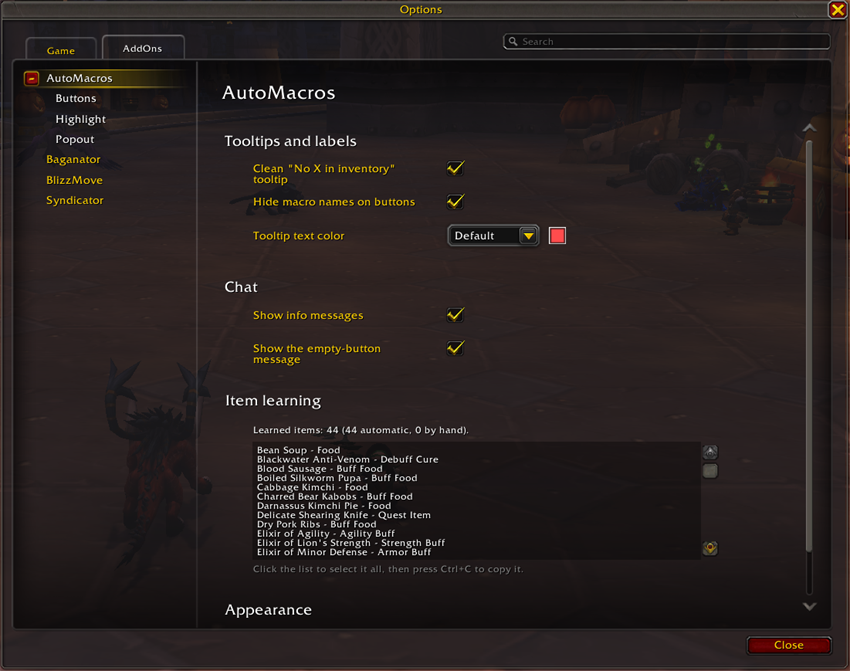
- Learns your items: consumables are sorted onto the right button by themselves, from what the game says about them. Each item is checked once and again only if the game changes it.
- Makes what you're missing: Restore Health and Restore Mana conjure a Healthstone or mana gem when you can make one and carry none.
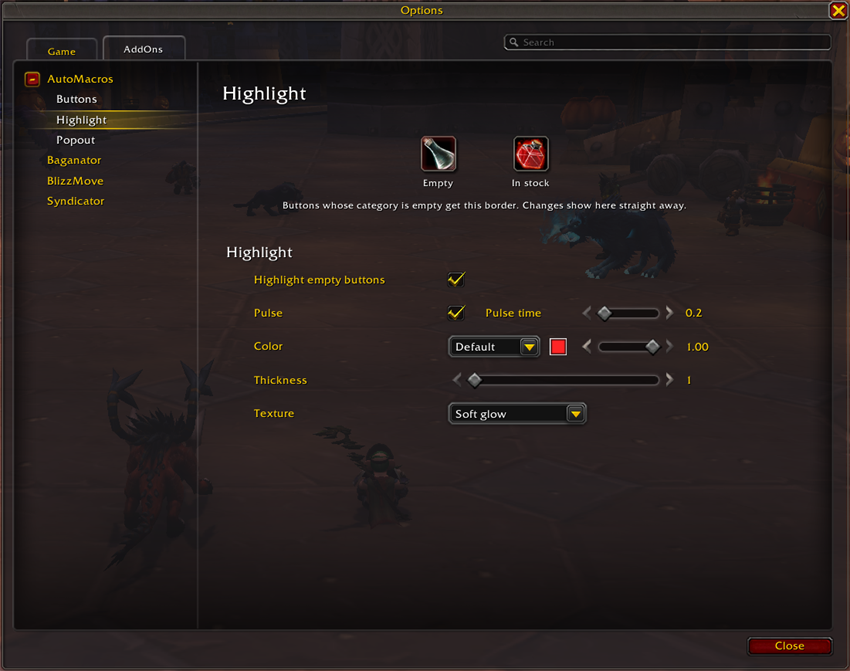
- Empty buttons stay useful: when you run out, the button keeps a placeholder icon, gets a highlight (a solid border or a soft glow, in your color), and its tooltip says what's missing.
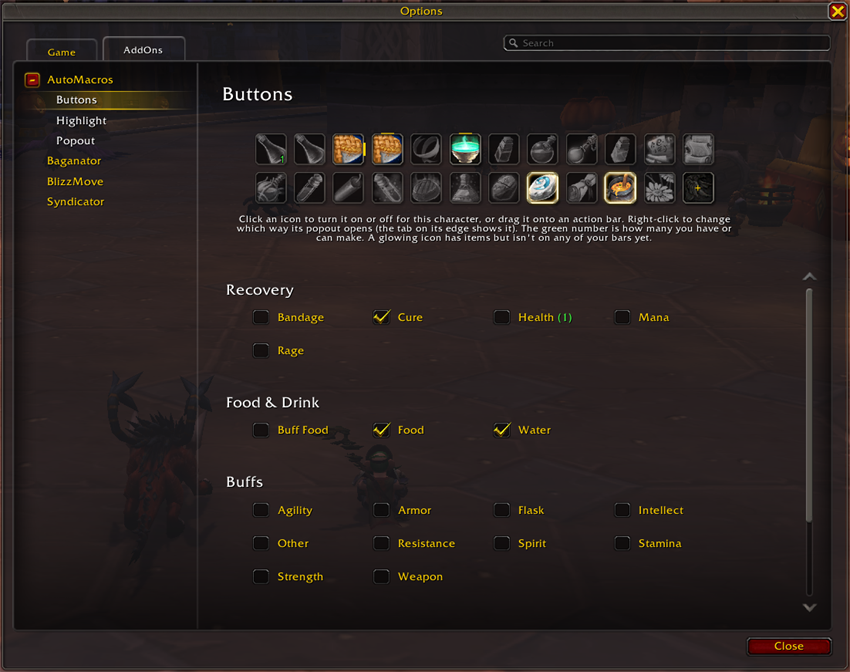
- Your own buttons: drop any items or spells onto the + on the Buttons page.
- Works with any action bar addon: the buttons are ordinary macros, so they go on Blizzard's bars or any bar addon's (Bartender, Dominos, ElvUI, EllesmereUI and others). The popout and highlight find the buttons wherever they are.
- Saves macro slots: class buttons go in the character macro tab, everything else in the shared tab.
- Settings in Esc > Options > AddOns > AutoMacros, with live previews. On game versions that EllesmereUI supports, the settings also appear inside EllesmereUI's own settings window, in its style, and the popout can match your EllesmereUI action bars.
- Lightweight: no libraries needed. Work happens when your bags or bars change, not on a timer.
Buttons
| Recovery | Food & drink | Buffs | Utility | Class |
|---|---|---|---|---|
| Restore Health | Food | Agility, Intellect, Stamina, Strength, Spirit | Hearth/Teleport | Mage portals |
| Restore Mana | Water | Armor, Resistance | Quest Item | Mage Comprehend scrolls |
| Rage Potion | Buff Food | Other Buffs | Explosives | |
| Bandage | Flask | Professions | ||
| Debuff Cure | Weapon Buff | Tracking |
A button turns itself on the first time you carry (or know) something for it, and stays on
after that. Switch buttons on or off on the Buttons page, or with /amac add / /amac remove.
Screenshots
Buttons: turn buttons on, drag them onto your bars, make your own
Popout: how it opens, what a click does, how it looks
Highlight: how empty buttons stand out
General: tooltips, chat messages, learned items
Installing
Install it with the CurseForge app (AutoMacros on CurseForge), or by hand:
- Download
AutoMacros-<version>.zipfrom the Files tab on its CurseForge page or from GitHub Releases. - Extract it into your AddOns folder, so you end up with
World of Warcraft\_forever_\Interface\AddOns\AutoMacros\AutoMacros.toc(or the same under_classic_era_,_anniversary_,_classic_or_retail_for the other games). - Log in. A welcome window shows the buttons found for you: drag them onto your bars, or later from the Buttons page in the settings.
Commands
/amac and /automacros both work.
| Command | What it does |
|---|---|
/amac |
Update now and print what each macro is using |
/amac options |
Open the settings |
/amac welcome |
Show the welcome window again |
/amac list |
List every button and whether it is on |
/amac add <name> / /amac remove <name> |
Switch a button on or off (off deletes its macro) |
/amac assign <item> <name> |
Put an item on a button by hand (item ID or shift-click link) |
/amac unassign <item> |
Take an item off the button it was learned for |
/amac learned |
Show the items learned so far |
/amac next |
Mages: switch to the next untranslated scroll |
/amac popout |
Switch the hover popout on or off |
/amac names |
Show or hide the macro names on buttons |
/amac glow |
Switch the empty-button highlight on or off |
/amac tooltip |
Clean or stock tooltip on empty buttons |
/amac style reset |
Put the look back to its defaults |
/amac status |
Saved-data and EllesmereUI status |
/amac debug |
What the addon sees on your bars (handy for bug reports) |
Reporting problems
Open an issue on GitHub with what you
did, what happened, and what /amac debug printed.
Lua errors are printed once in chat with the part of the addon they came from.
License
MIT: free to use, change and share, as long as the copyright notice comes along.
AutoMacros Team