


AutoMacroBuilder
- By
Simple macro preprocessor to conditionally include lines in the resulting macro
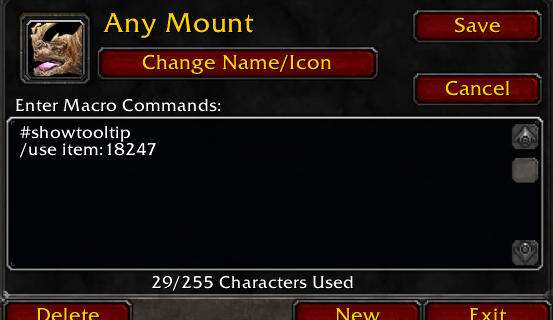
amb - mount - result.png
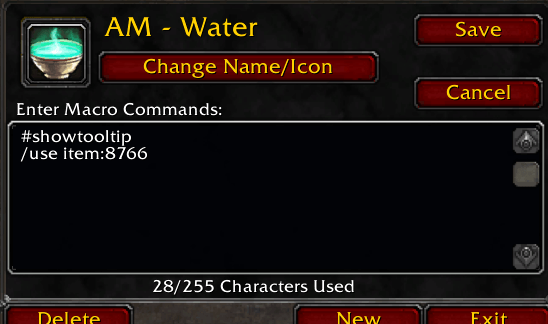
amb - water - result.png
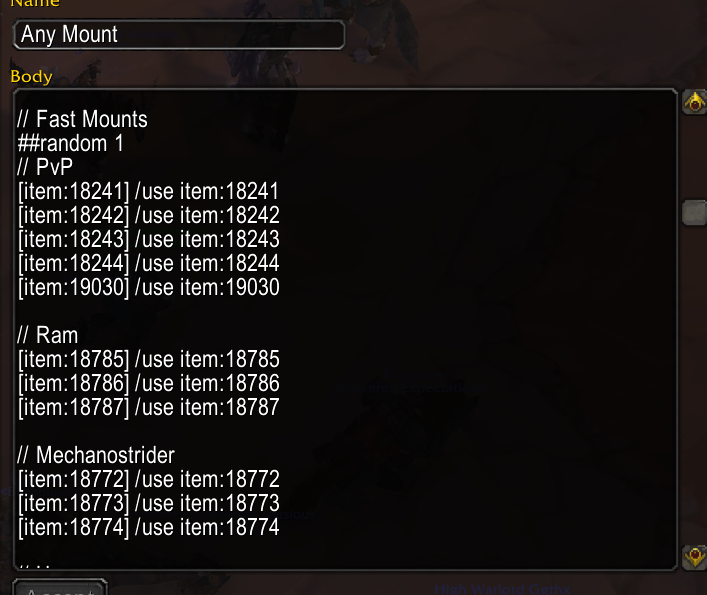
amb - mount.png
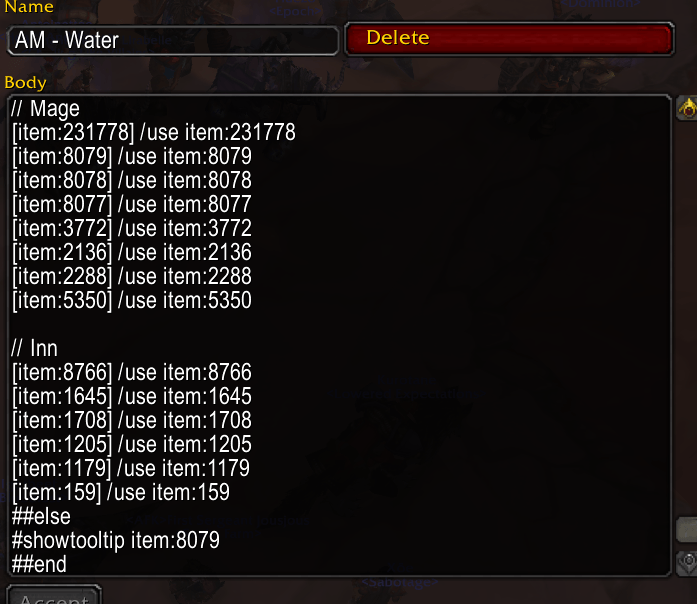
amb - water.png
Description
Simple macro preprocessor to conditionally include lines in the resulting macro.
Prefix lines of an automacro with conditions. Only lines whose condition is passing will be added to the resulting macro. This allows you to build convenient macros that update themselves based on your current environment or inventory.
Simple example is water macro will automatically update to inn water or mage water based on your level and what is in your inventory
How to use
/ambto open the AutoMacro window.- Create a new macro or edit an existing one by selecting an option in the left pane.
- Prefix any macro line with one of the below conditionals to only include that line when that condition is true (evaluation is done when out of combat)
[item:<ITEM_ID|NAME>]- Requires the item with the specified id or name be in the players inventory and the player's level is at least high enough to use the item[class:<NAME>]- Requires the player's class to match - locale specific (does a tolower to both the condition and the class returned by the game)[zone:<NAME>]- Requires the player's zone to match the condition (does a tolower and removes all whitespace when comparing)[battleground]- Requires the player to be in a battleground[arena]- Not implemented
##limit <NUMBER>- Start a limit block. Limit the number of lines from the block to be added##random <NUMBER>- Start a random block. Randomly pick from the##else- If no lines were added from the limit block, run conditions for the lines following this##end- End a limit block. Resume normal condition checking for lines after this// <ANYTHING>- Any line that starts with a double forward slash is ignore and not included in the final macro
AutoMacroBuilder Team
