


AutoFitQuickChannel
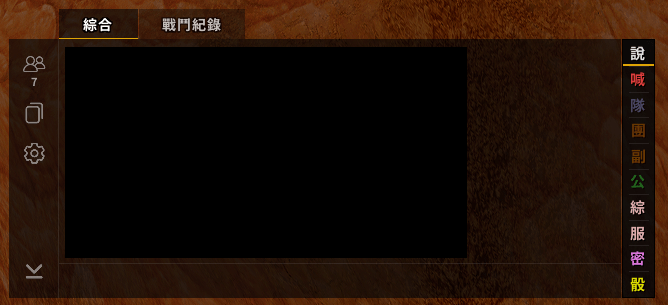
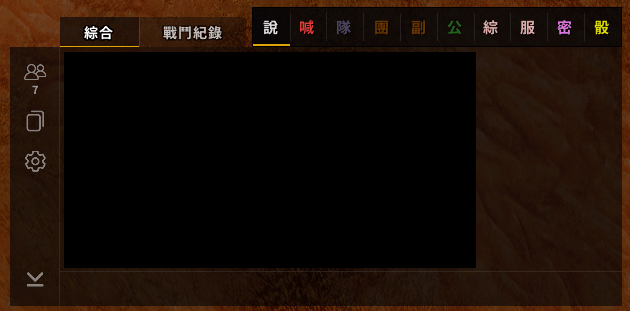
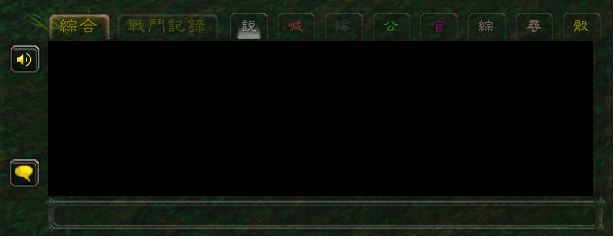
One-click chat channel buttons with modern and classic chat-tab styles that can dock to the EllesmereUI chat panel.
æªå1.png
æªå2.png
æªå3.png
Description
QuickChannel
One-click chat channel buttons. Click a button to open the chat input on that channel and start typing right away.
Features
- Buttons: Say, Yell, Party, Raid, Instance, Guild, Officer, Reply whisper, Roll (1-100)
- Automatic channel detection: a button is created for every numbered channel you have joined (General, Trade, LookingForGroup, custom channels…). Buttons appear or disappear when you
/joinor/leave - Channel colors: each button uses your in-game chat color for that channel and updates automatically
- Smart dimming: unavailable channels are dimmed (not in a group, no guild, Trade outside cities, etc.)
- Current channel indicator: the channel your chat input is on is highlighted
- Two styles
- Modern – flat dark buttons with 1px borders, EllesmereUI-like
- Classic – Blizzard's native chat tab look
- Dock to chat: works with both the EllesmereUI chat panel and the default Blizzard chat frame
- Positions: beside the chat tabs (same row), top, bottom, left or right
- Auto-sized to the chat (input box included) and follows it when moved or resized
- Fades together with the chat
- Free placement: Shift+drag to move, adjustable scale, button size, horizontal or vertical layout
- Font size, spacing, background opacity and per-button visibility are all configurable
Settings
- ESC → Options → AddOns → QuickChannel
- or right-click any button, or type
/qc
Commands
| Command | Action |
|---|---|
/qc |
Open settings |
/qc reset |
Reset position |
/qc lock |
Lock / unlock dragging |
/qc hide / /qc show |
Hide / show the bar |
/qc debug |
Show which chat frame is being tracked |
Supported clients
- Retail (Midnight 12.x)
- WoW Forever
Note: button labels and the settings panel are currently in Traditional Chinese.
AutoFitQuickChannel Team
