


AutoBiographer
- By

Duel and grouped time information will be shown on friendly players.
Description
AutoBiographer
AutoBiographer automatically records your adventures, creating a personal journal of events, statistics, and memories -- with notes and reminders to help you along the way.
Features at a glance
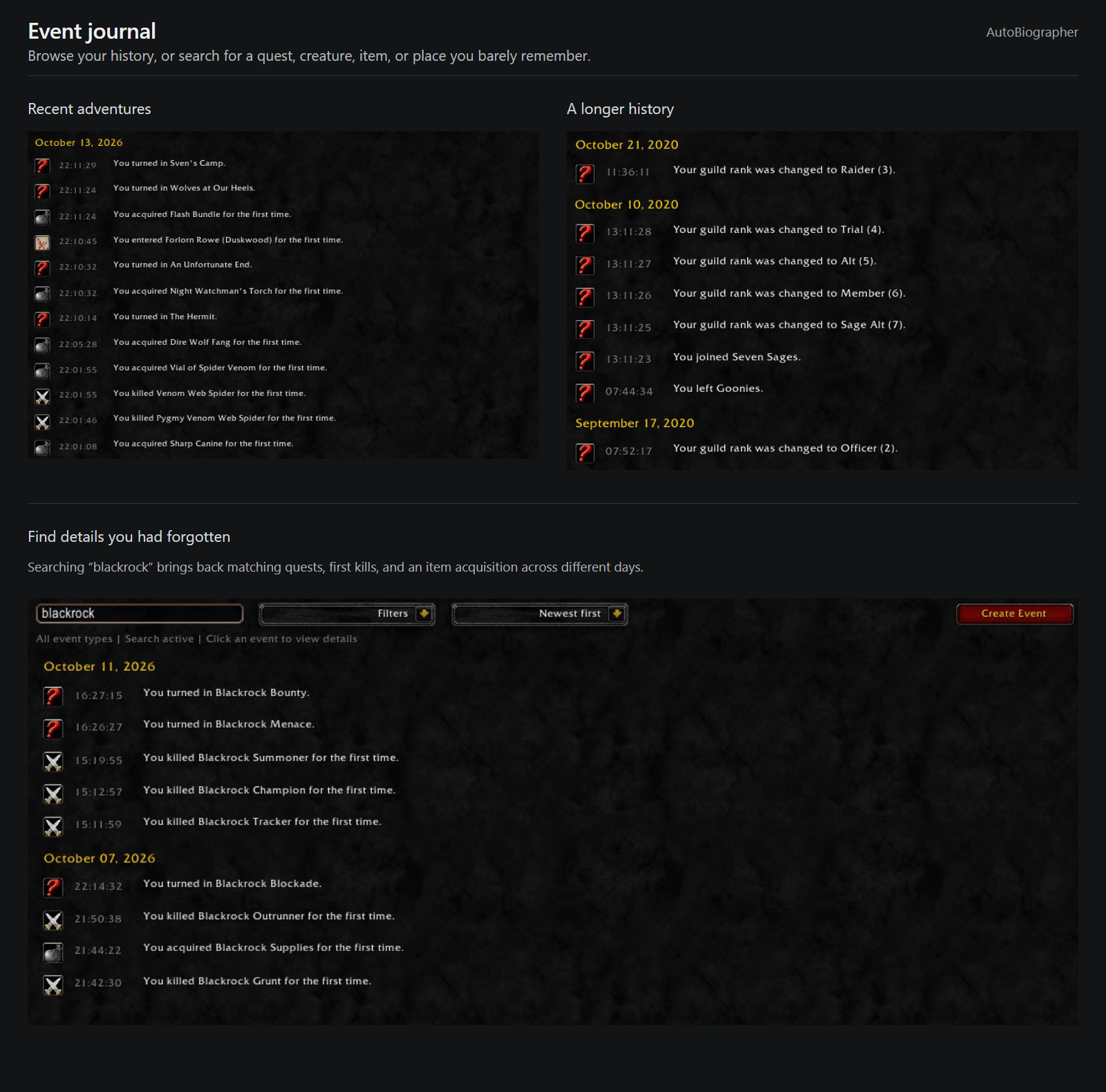
- Adventure journal: Keep a searchable history of your character’s achievements and experiences.
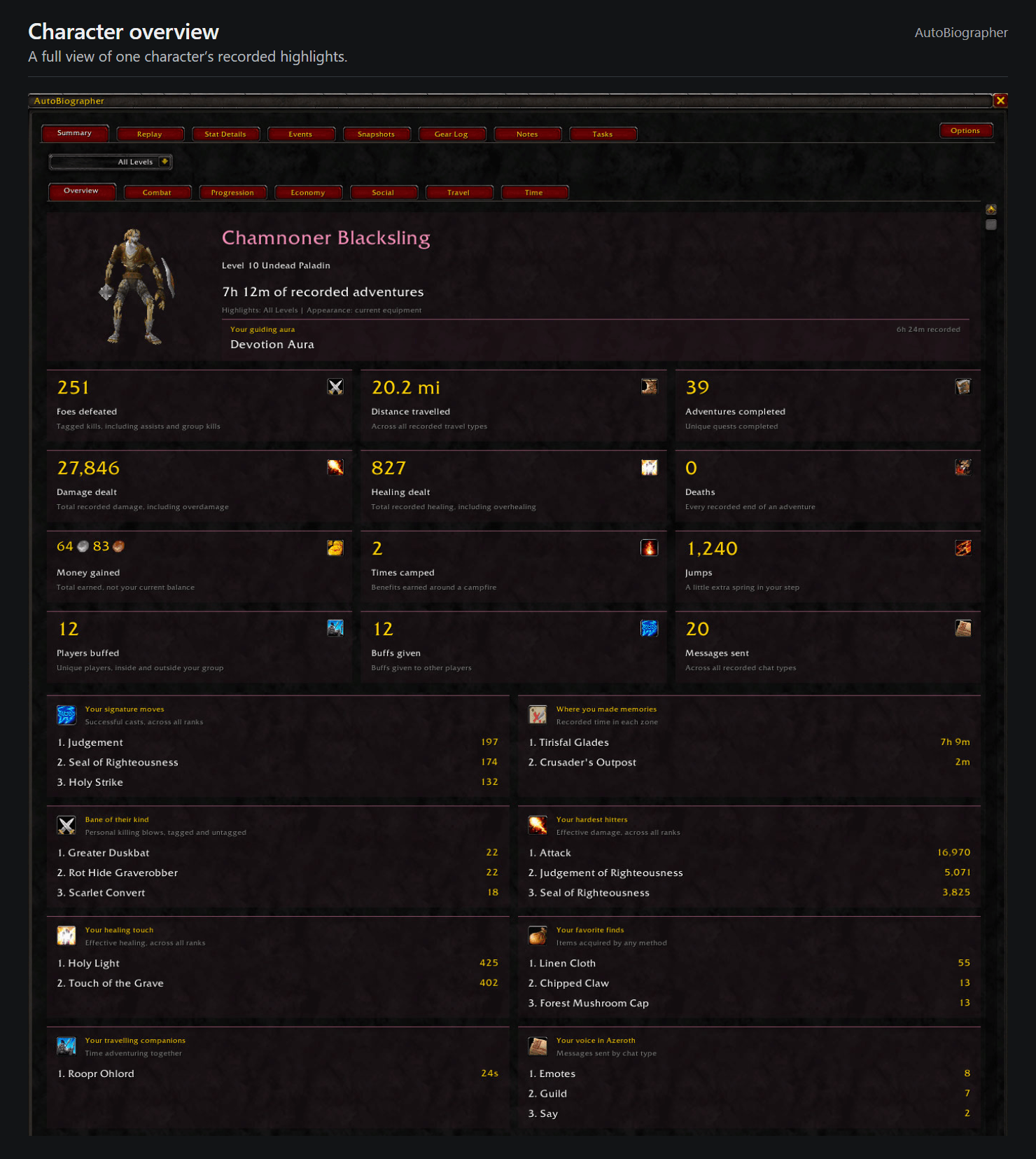
- Statistics and summaries: Explore combat, progression, economy, social, travel, and class-specific statistics.
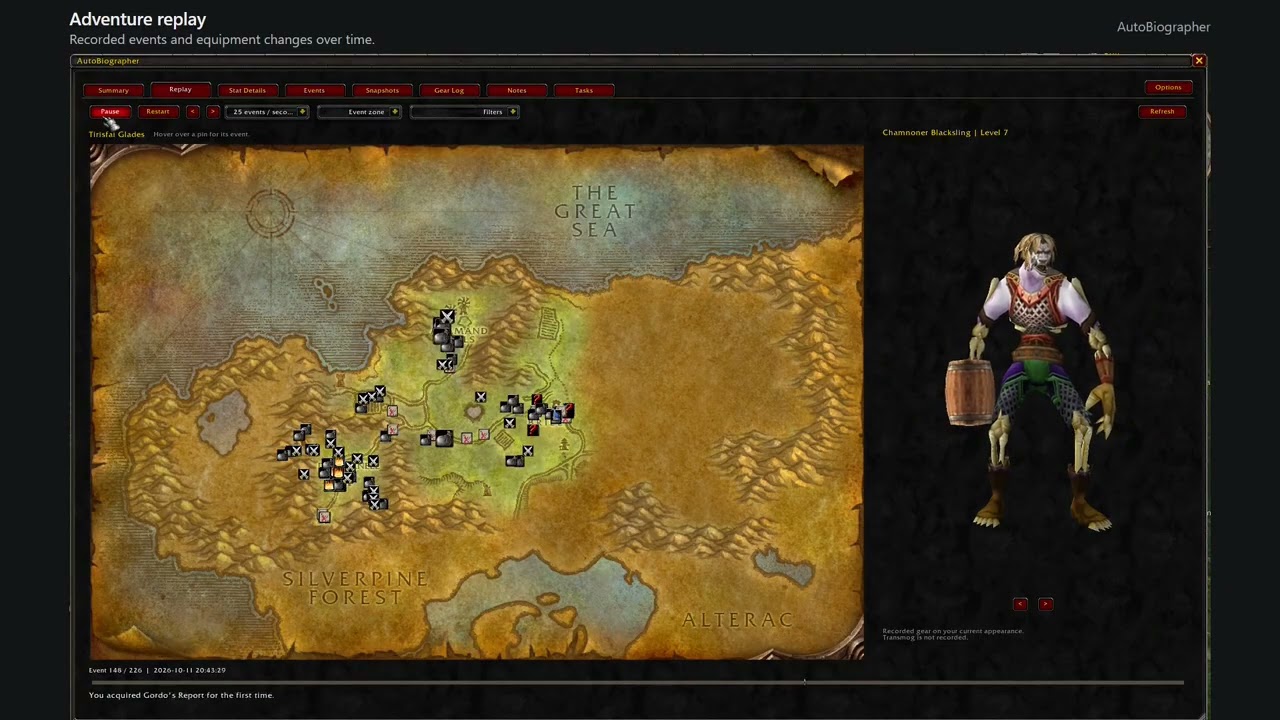
- Map replay: Watch your recorded journey unfold on a map and see how your character's appearance has evolved throughout that journey.
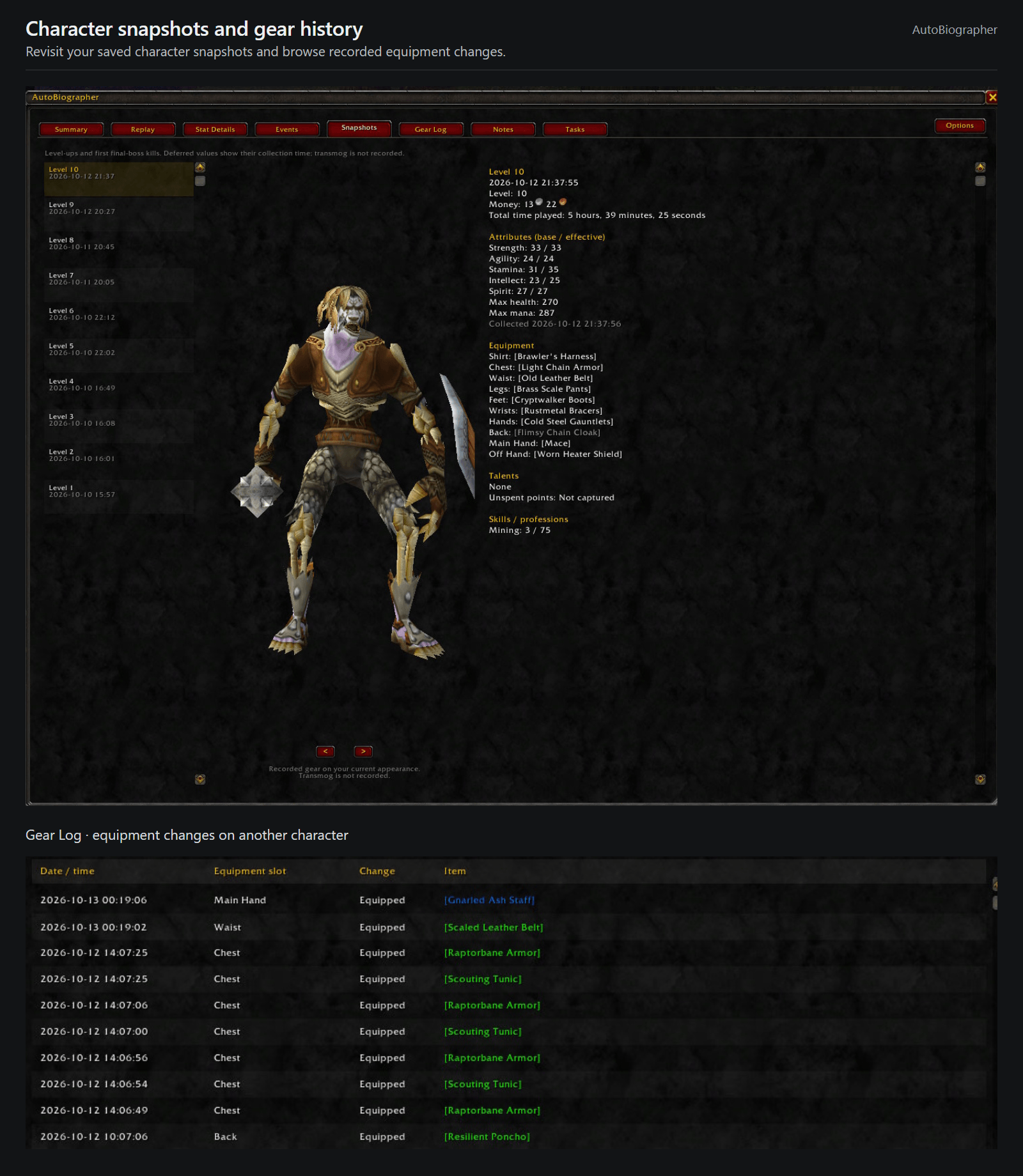
- Gear history and snapshots: Revisit your equipment changes and character builds.
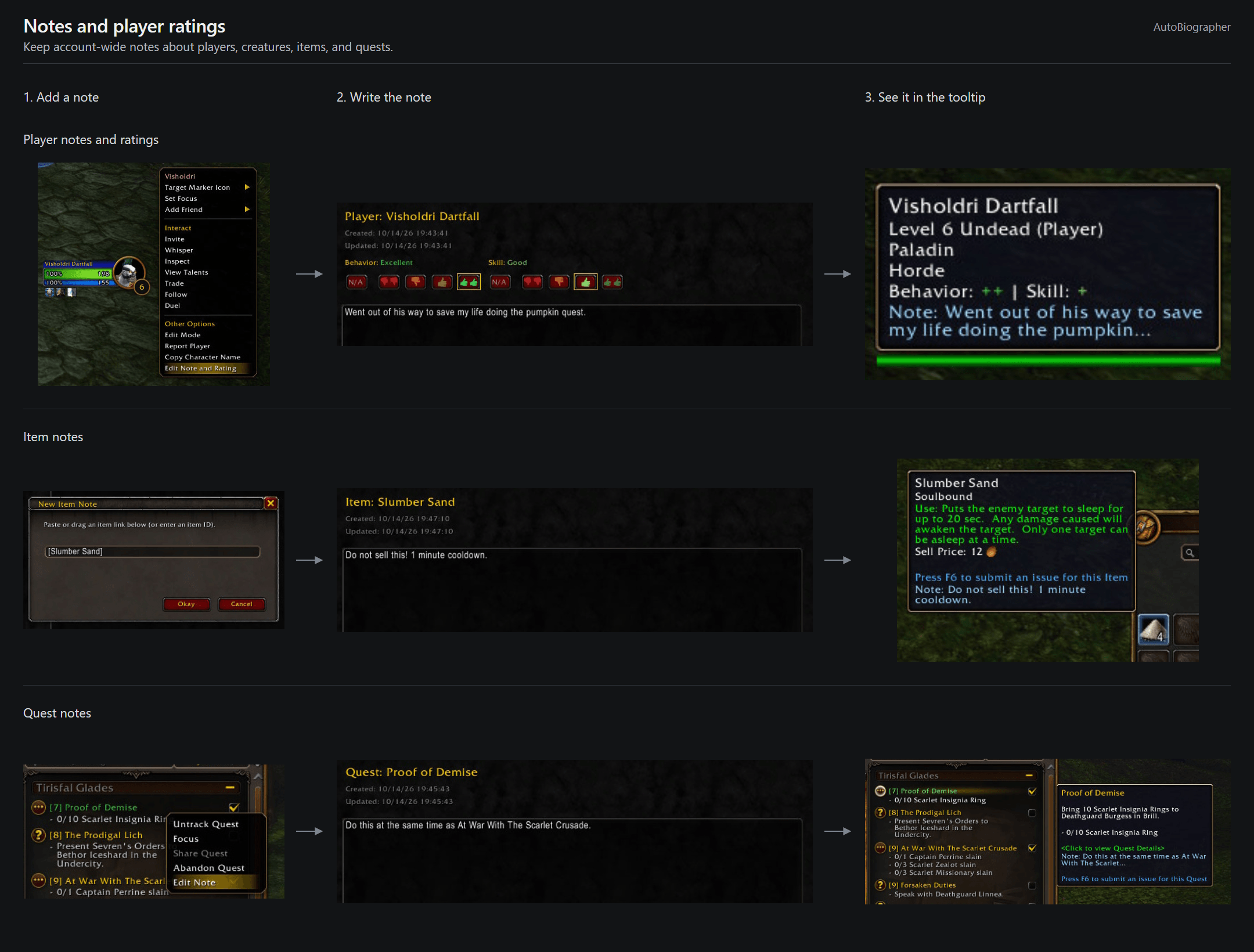
- Notes and player ratings: Keep account-wide notes about players, creatures, items, and quests, with note previews and player ratings in tooltips.
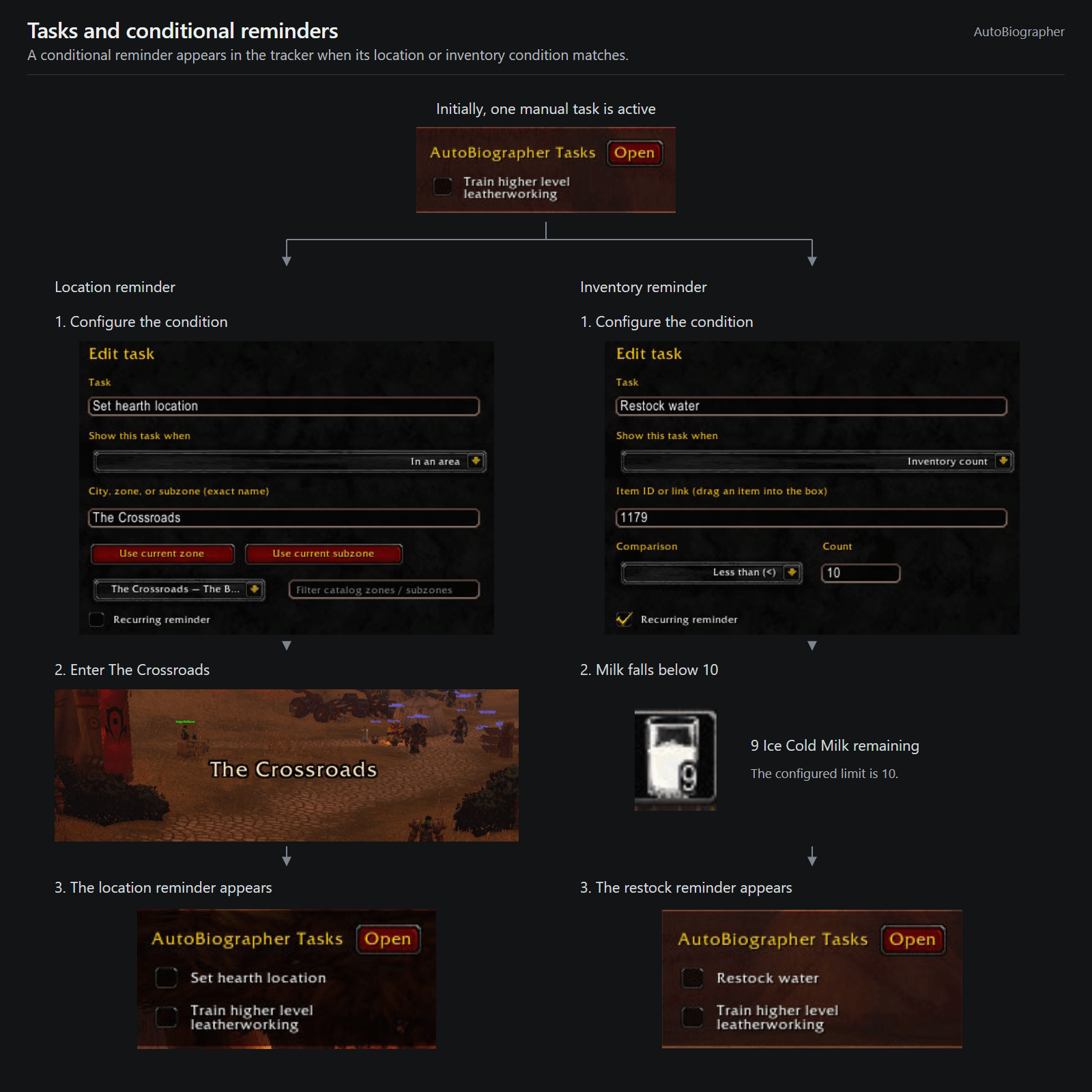
- Tasks and reminders: Create a personal checklist with inventory-based and location-based reminders.
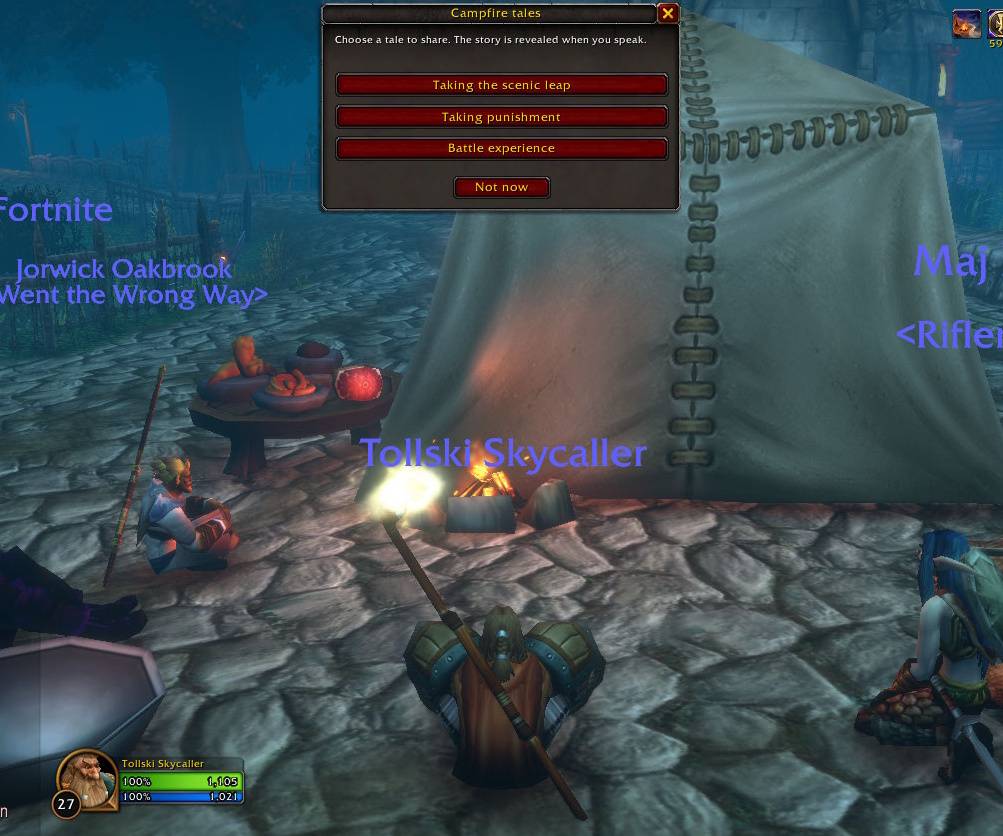
- Milestones and storytelling: Celebrate milestones as they happen, and share stories about your accomplishments while resting at campfires.
- Automatic screenshots: Capture level-ups, boss kills, and achievements.
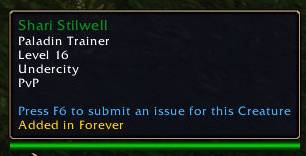
- Forever content indicators: Identify items and creatures added in WoW Forever through their tooltips.
- Unit history tooltips: See your recorded kill count for enemies, or your duel record and time grouped with friendly players.
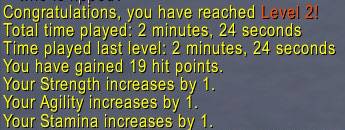
- Level-up messages: See time spent at the previous level and your health, mana, and attribute gains.
Feature details
Adventure journal
Automatically record important moments in your character’s journey:
- Level-ups.
- Quest completions.
- Newly learned spells.
- Boss kills and the first time you kill each creature type.
- Deaths, including the killer and their level when identifiable.
- First visits to zones and subzones.
- First acquisition of an item.
- Reputation rank changes and skill milestones.
- Joining or leaving a guild and guild rank changes.
- Arena and battleground participation and results, where supported.
- Major statistic milestones.
Search and filter your journal, inspect individual event details, and create custom events for memories you want to record yourself.
Statistics and summaries
Browse a personalized Overview highlighting your signature spells, greatest enemies, favorite locations, memorable finds, and other accomplishments.
Dedicated Summary views and searchable detail tables provide deeper breakdowns:
- Combat: Damage dealt and taken, healing dealt and taken, and pet damage taken. View damage and healing by spell, with ranks combined or separated, and damage taken by enemy or spell.
- Kills and deaths: Killing blows, assists, group kills, kills by creature type, and deaths by source—including separate falling and drowning counts.
- Progression: Experience from kills, quests, and exploration; available rested and group bonuses; quest completions; and spells started and successfully cast.
- Economy: Items acquired by source, items crafted, money gained by source, and money spent.
- Social: Duel results, time grouped with individual players, and outgoing message counts by chat type. In Forever, also track buffs given and unique players buffed, separately for players inside and outside your group.
- Time: Recorded play time, combat, casting, grouping, AFK, death/ghost time, flights, and Gamepad UI use.
- Travel: Estimated distance travelled on foot, mounted, swimming, on flight paths, as a ghost, and in supported class forms.
- Class activity: Time in forms, stances, stealth, Ghost Wolf, Shadowform, Feign Death, Mind Control, paladin auras, and alongside hunter pets or warlock demons, where supported.
- Camping: Successful camping actions in Forever.
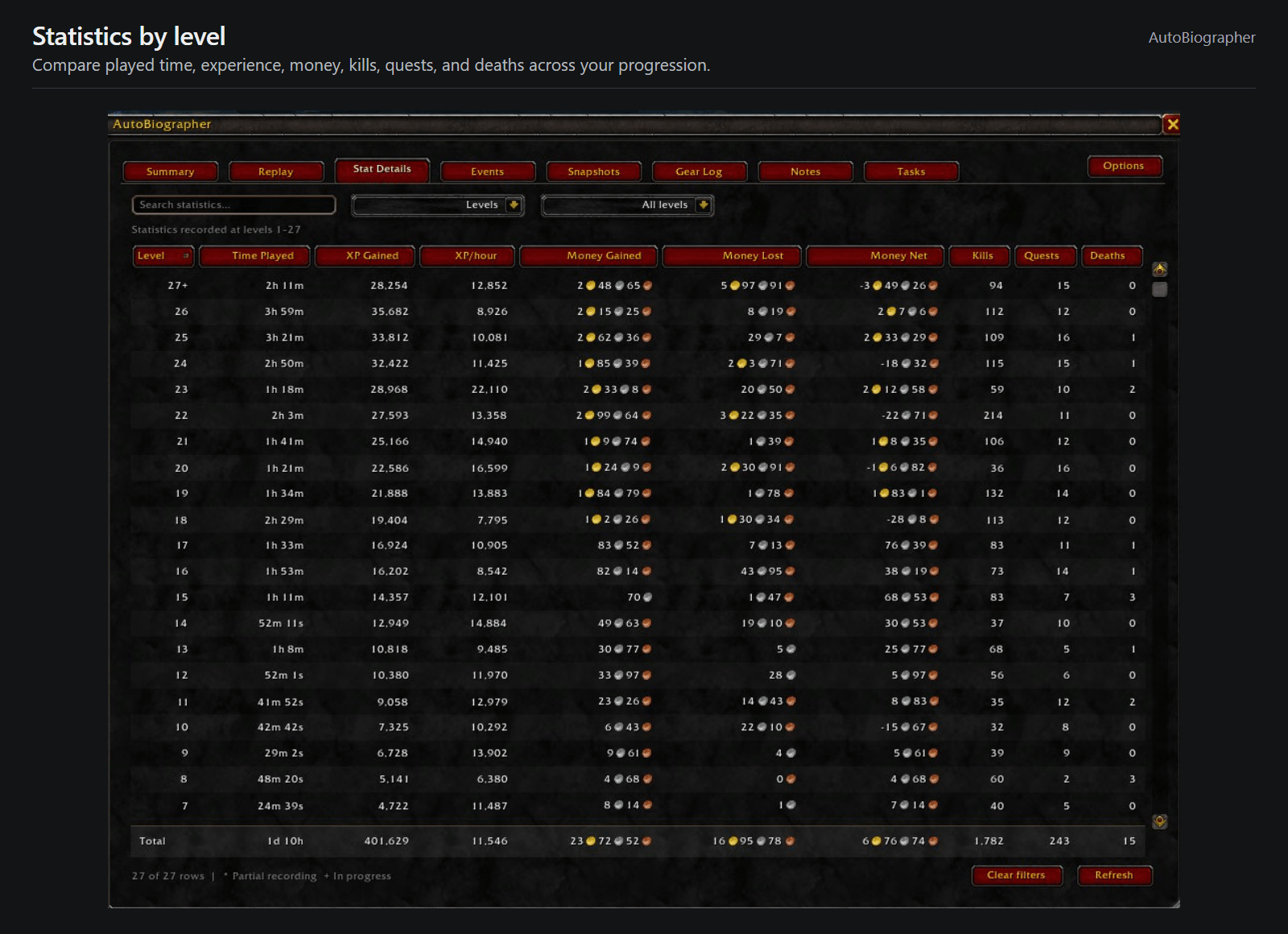
Filter statistics by all levels, the current level, or a custom range. The Levels detail view compares played time, experience, money, kills, quests, and deaths across your character’s progression.
Map replay
Watch your recorded adventures unfold on an interactive map.
- Play, pause, restart, or move through events individually.
- Adjust playback speed and filter which event types appear.
- Read event details as you progress through the timeline.
- See your character’s name, historical level, and recorded equipment alongside the map.
Replay uses events with recorded map coordinates and reconstructs your equipment from character snapshots and the Gear Log. Events can also be displayed on the world map where supported.
Gear history and snapshots
The Gear Log records when you equip or unequip items, including equipment changes detected when you log in.
Character snapshots preserve:
- Equipped items and enchants.
- Talents and unspent talent points.
- Attributes, maximum health, and maximum mana.
- Skills and professions.
- Money and played time.
Snapshots are created at level-ups and upon the first defeat of final raid bosses.
Browse snapshots alongside a character preview wearing the recorded equipment.
Notes and player ratings
Keep account-wide notes that are available across your characters.
- Create general notes or attach notes to players, creatures, items, and quests.
- Rate a player’s behavior and skill independently using N/A or one/two thumbs up or down.
- See color-coded player ratings and short note previews in tooltips.
- Open player and creature notes from supported portrait menus.
- Create item notes using item links.
- Select quests from your quest log or recently completed quests when creating quest notes.
- Search, filter, and sort your notes.
Tasks and reminders
Maintain a separate task list for each character, with three ways to activate tasks:
- Until manually completed: Keep a task visible until you check it off.
- Inventory condition: Show a reminder when an item count matches a condition—for example, when your water supply falls below a chosen amount.
- Location condition: Show a reminder when you enter a specified zone or subzone.
Conditional tasks can recur: after completion, they remain hidden until their condition stops matching and later matches again.
Reorder tasks, search your list, view incomplete or all tasks, and display active tasks in a compact, movable tracker.
Milestones and storytelling
Receive personal announcements when your statistics reach milestones, from kills and quests to damage, healing, crafting, travel, and more. Major milestones are also recorded in your journal.
Choose whether to automatically announce shareable milestones in guild chat, offer click-to-send emotes, or both. A small prompt asks for your sharing preferences after you reach an eligible milestone.
In Forever, resting at a campfire can offer three personalized story categories based on your recorded accomplishments. Choose one to share a flavorful message about your adventures—from your most-hunted creatures to your crafting specialties or journeys across Azeroth.
Automatic screenshots
Automatically capture memorable moments:
- Leveling up.
- Killing a boss.
- Earning an achievement.
Enable each category independently, and optionally limit boss screenshots to your first kill of each boss.
Forever content indicators
Identify items and creatures added in WoW Forever through an “Added in Forever” label in their tooltips.
This feature can be enabled or disabled in the addon’s options.
Unit history tooltips
See your recorded history with units without opening the addon:
- Enemies: View your recorded kill count for that creature type.
- Friendly players: View your duel record and the time you have spent grouped with that player.
Saved note previews and player ratings also appear in relevant tooltips. Kill-count and friendly-player history displays can be toggled independently.
Level-up messages
Optionally display your total played time and the time spent at the level you just completed.
In Forever, also display increases to maximum health, maximum mana, and base attributes. If attributes are temporarily unreadable during combat, the addon waits until it can read them before calculating the changes.
AutoBiographer Team


