AutoAesthetic: Smart Mount Summoning & Appearance Effects
- By
Summon the right mount for your character's aesthetic, plus the appearance that completes your look.
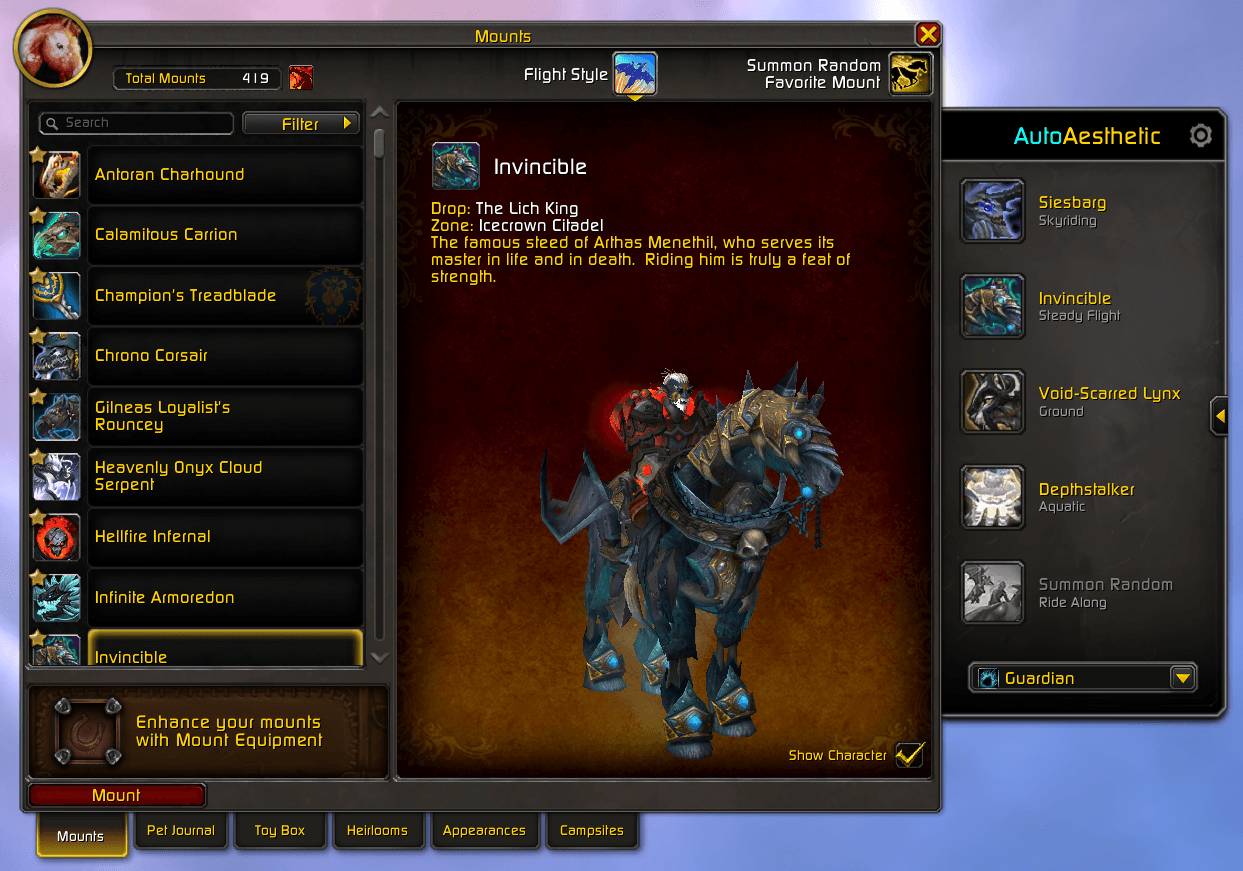
AutoAesthetic Mount Panel UI
Screenshot 2026-08-09 183856.png
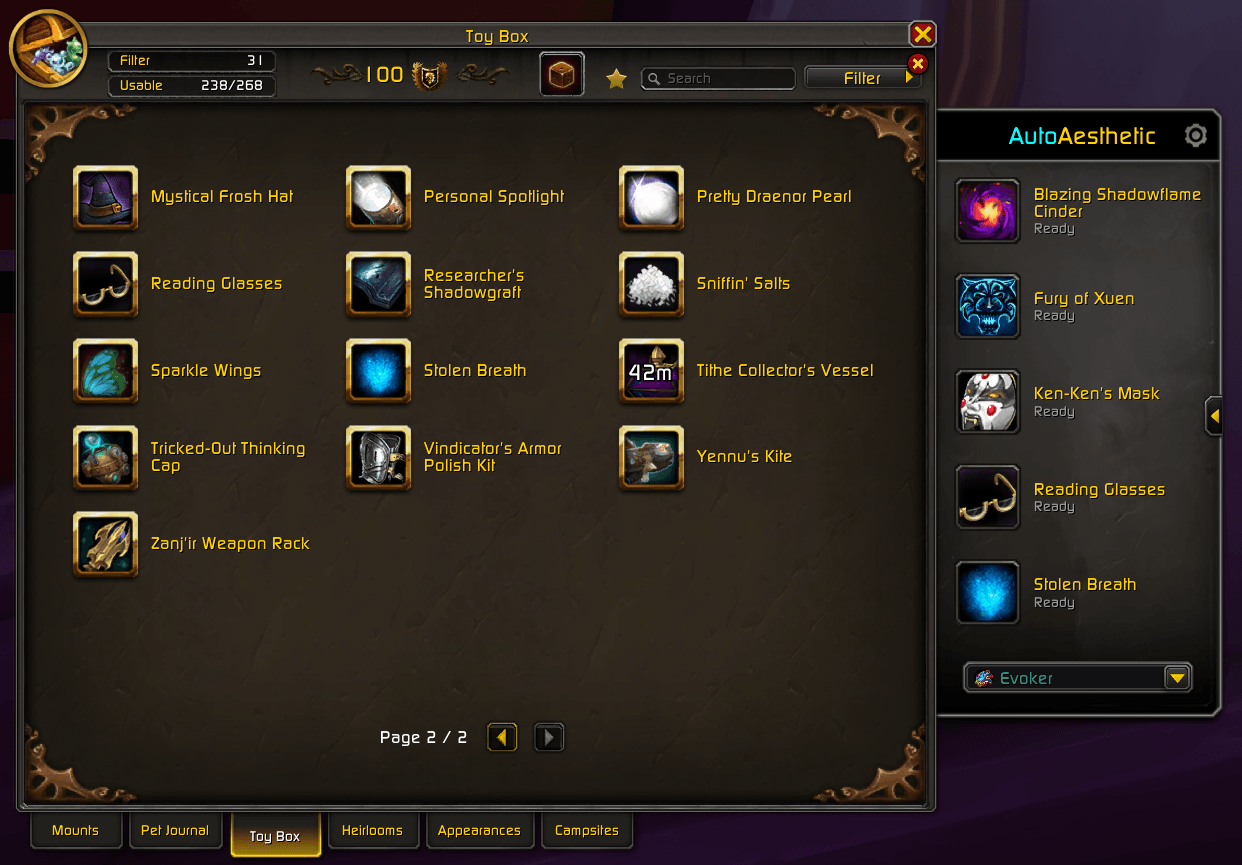
AutoAesthetic Toy Box Panel UI
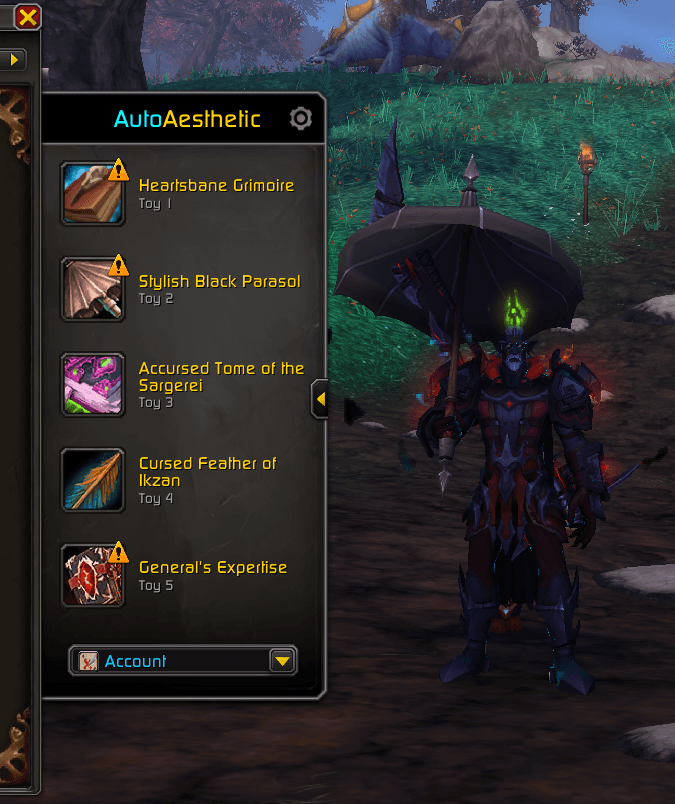
AutoAesthetic Toy Box Panel UI Close-Up
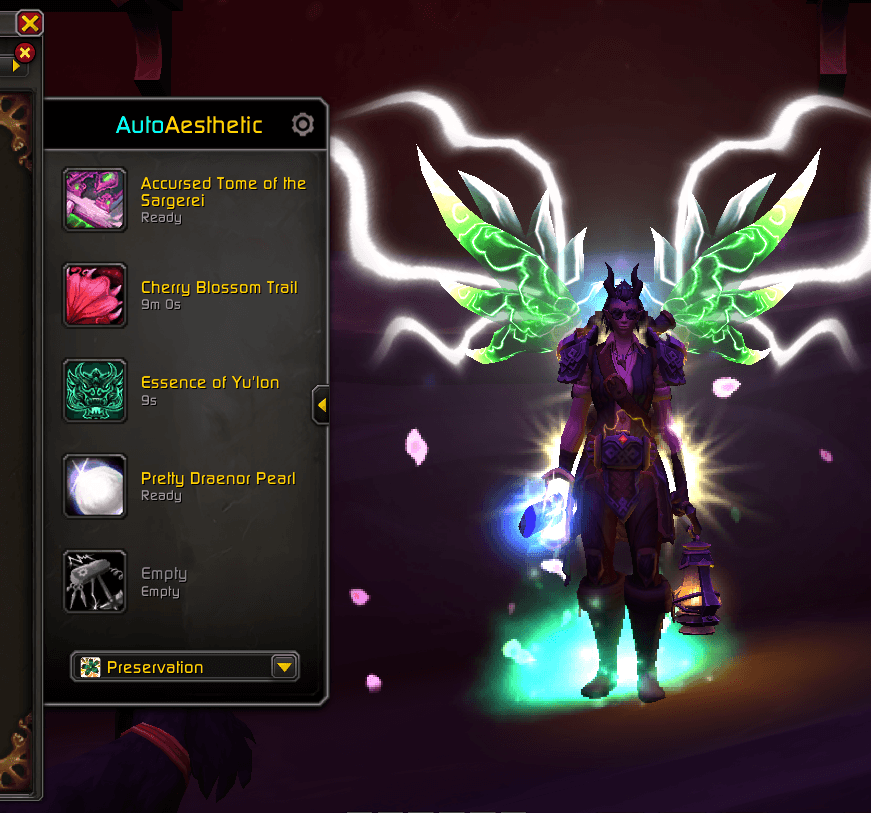
AutoAesthetic Toy Box Panel UI Close-Up 2
Description
💠 AutoAesthetic by Aerrek
One keybind. The right aesthetic. Everywhere you go.
Set a favorite mount for each kind of travel, then press one button. AutoAesthetic reads where you're standing — open sky, no-fly zone, underwater, carrying a friend — and summons the mount that fits, along with the toys that finish the look. No journal scrolling, no macro spaghetti, no dismounting because you picked the wrong one.
🔹 Five Travel Slots
| Slot | When it fires |
|---|---|
| 🐉 Skyriding | Dynamic-flight zones |
| 🪽 Steady Flight | Zones with static flight |
| 🐎 Ground | No-fly zones and indoors |
| 🌊 Aquatic | While swimming |
| 🤝 Ride Along | Targeting a friend in your group |
Drag a mount from your collection onto a slot to claim it, right-click to clear it. Leave a slot empty and it summons a random favorite suited to the terrain — so the button always works, even before you've filled everything in.
🔹 Appearances
Five toy slots fire in the same keypress, right before your mount. Instant toys apply every summon; cast-time toys spread across presses and re-arm whenever you change zones or die — no babysitting, no separate macro.
🔹 Profile Sets
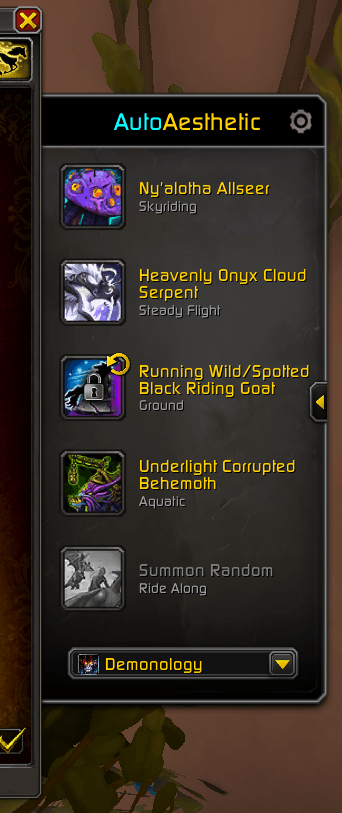
Mounts and toys each keep their own profile, so your appearance doesn't have to follow your mounts:
- 🌐 Account — one set for everyone
- 🛡️ Class — shared across every character of a class
- ⚔️ Specialization — a different loadout per spec
Your Death Knight on something bone-plated. Your Druid on something feral. Switch specs and the right set loads itself, instantly.
🔹 Options
- 🎭 Copy Target's Mount — summon what another player is riding, if you own it
- 🔧 Vendor Mount — press again while mounted to swap to your repair mount, chosen from the list
- ✨ Character Abilities — if your class has a unique travel ability, use it instead of a mount on the terrains you pick
🔹 Blizzard UI Style
AutoAesthetic rides the edge of your Collections Journal as a collapsible panel built entirely from real Blizzard art. It follows whichever tab you're on, collapses out of the way with a click, and the ⚙️ gear flips the whole panel over to Options in place. No clashing skin, no floating window to manage. 🎨
🔹 Getting Started
- Open your Collections Journal — the panel is on the right edge.
- Drag mounts into the slots and pick your Profile Set at the bottom.
- Click the ⚙️ gear and bind a key.
- Press it and ride.
✨ A guided tour walks you through it on first launch, or replay it anytime with /aa tutorial.
AutoAesthetic: Smart Mount Summoning & Appearance Effects Team