Auto Controller Forever - Gamepad Button Sets, Quick Chat and Automation
Quality of life and automation for WoW Forever, built for controller players: extra gamepad button sets, a quick chat radial, auto repair, sell junk, quests, invites, skip movies, gear upgrade arrows, and item, gold and quest tracking across characters.
Description
Auto Controller Forever
Quality of life and automation for WoW Forever, built for players who use a controller (or just want to automate the tedious parts of the game). Based on the retail addon Auto Controller.
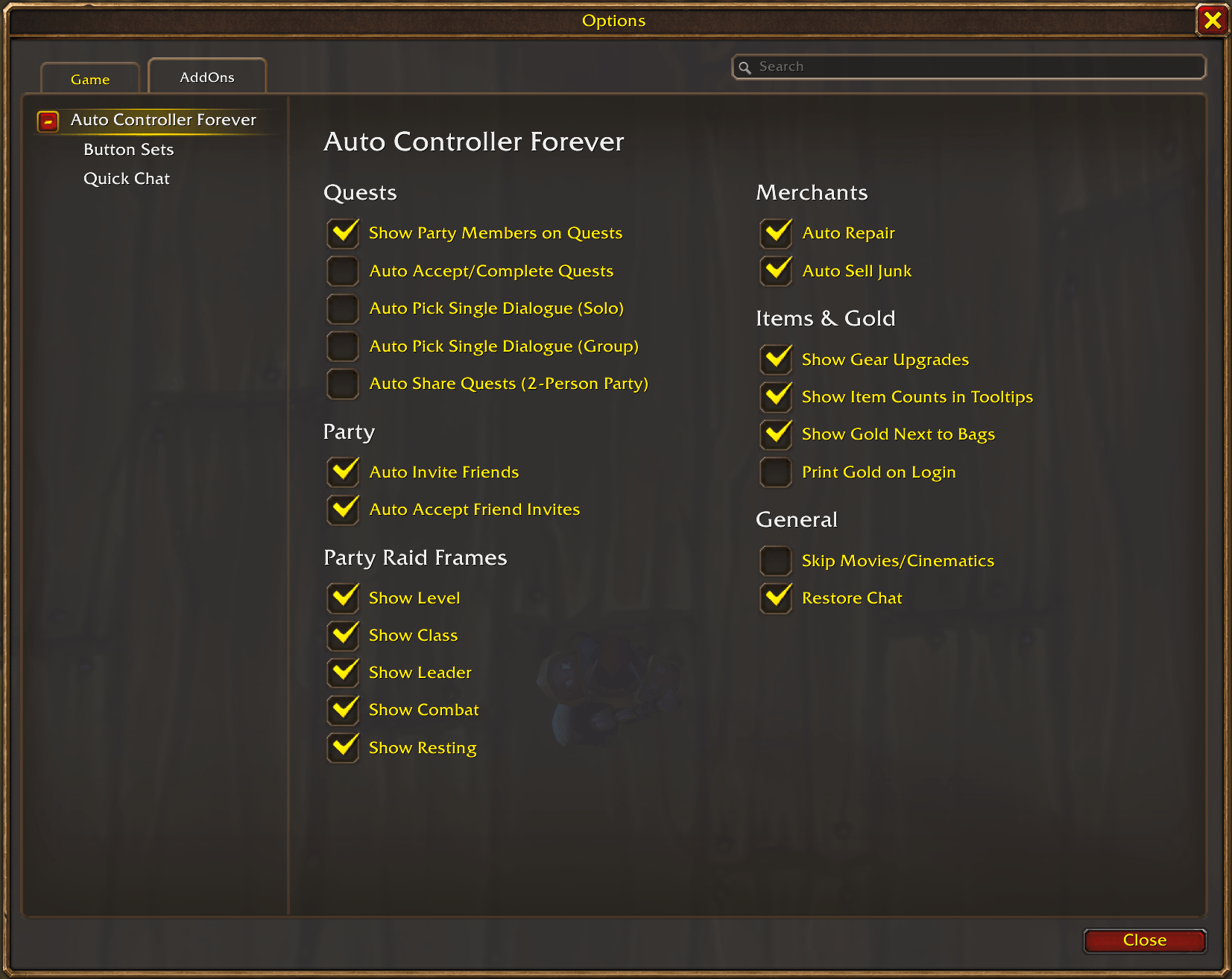
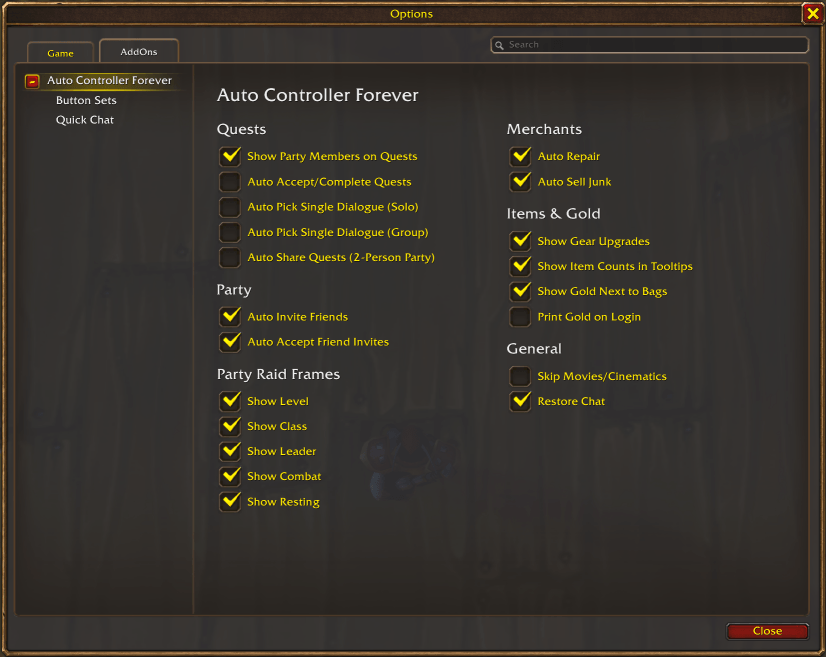
Everything is optional and configured from one settings panel: Esc > Options > AddOns > Auto Controller Forever, or type /acf.
Gamepad
Button Sets
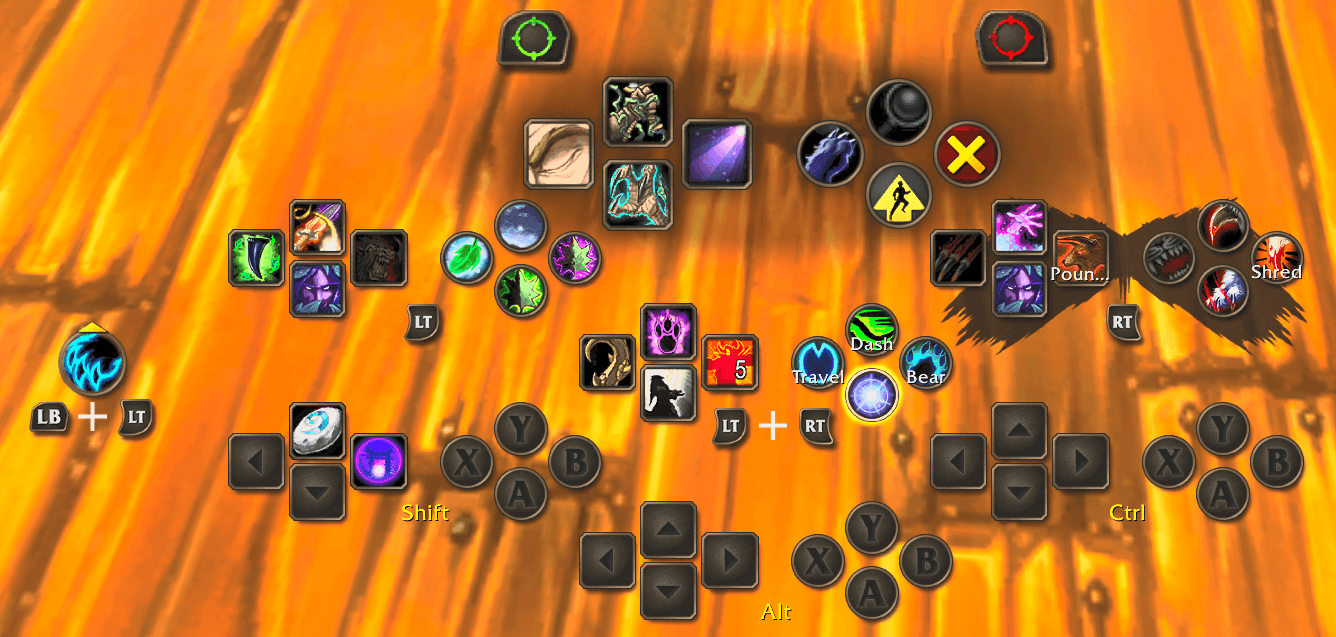
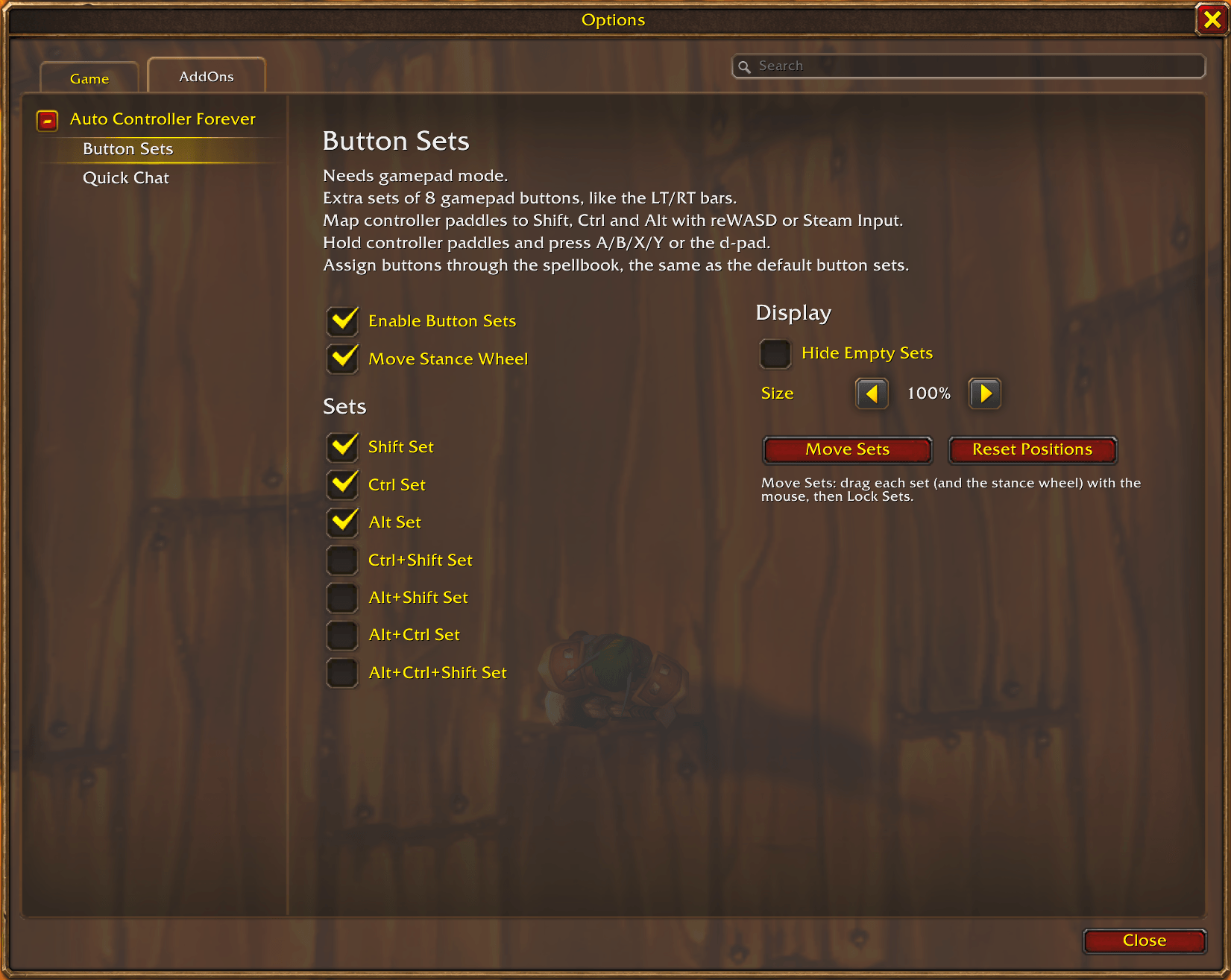
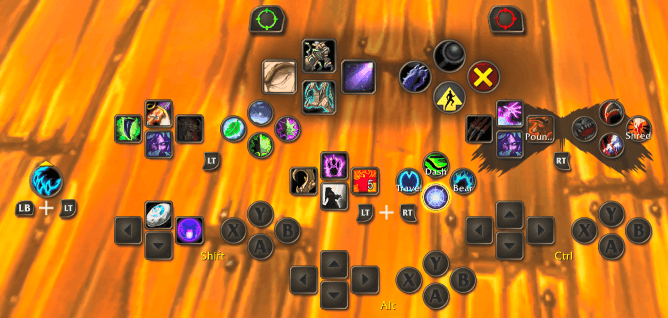
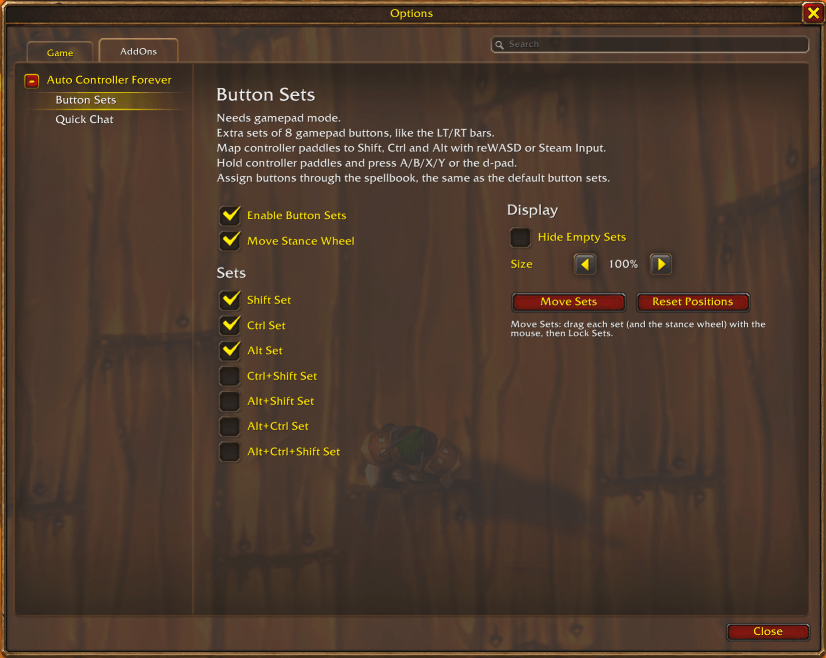
Extra action bars for your controller, on top of Blizzard's own. Hold a modifier and press A / B / X / Y or the d-pad to fire a different set of actions.
- Up to seven sets: Shift, Ctrl, Ctrl+Shift, Alt, Alt+Shift, Alt+Ctrl and Alt+Ctrl+Shift
- Assign abilities the normal way, through the gamepad assign screens (modifier + button)
- Drag the sets and the stance wheel where you want them (Move Sets), resize the buttons, hide empty ones
- Cast, channel, targeting and interrupt glows on the buttons, with gamepad button art
- Hides itself outside gamepad mode, and in vehicles, pet battles and override/possess bars
Needs a modifier key held with the face buttons. The addon reads Shift/Ctrl/Alt, so your controller needs something that sends them: back paddles or extra buttons mapped with reWASD, Steam Input, DS4Windows or similar. Works with Xbox, PlayStation and other controllers alike, as long as a modifier can be held.
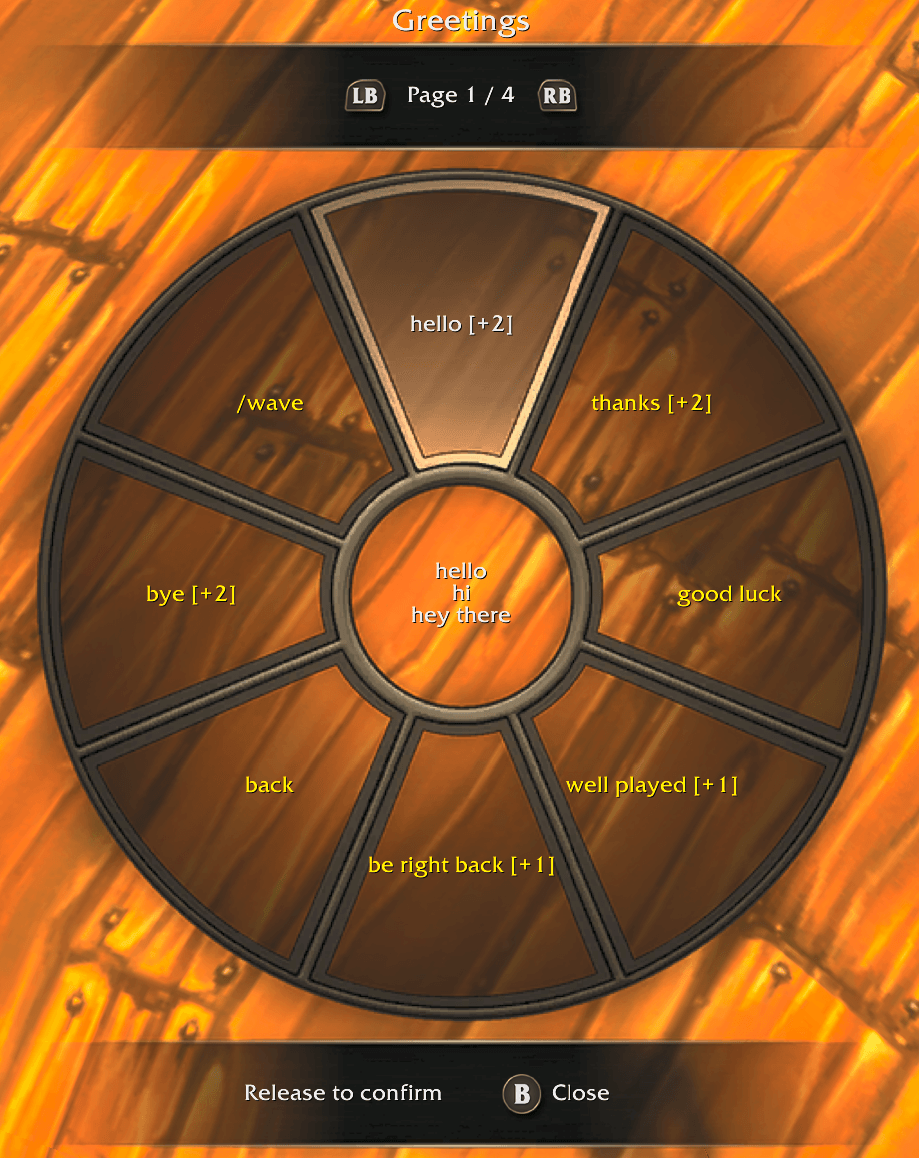
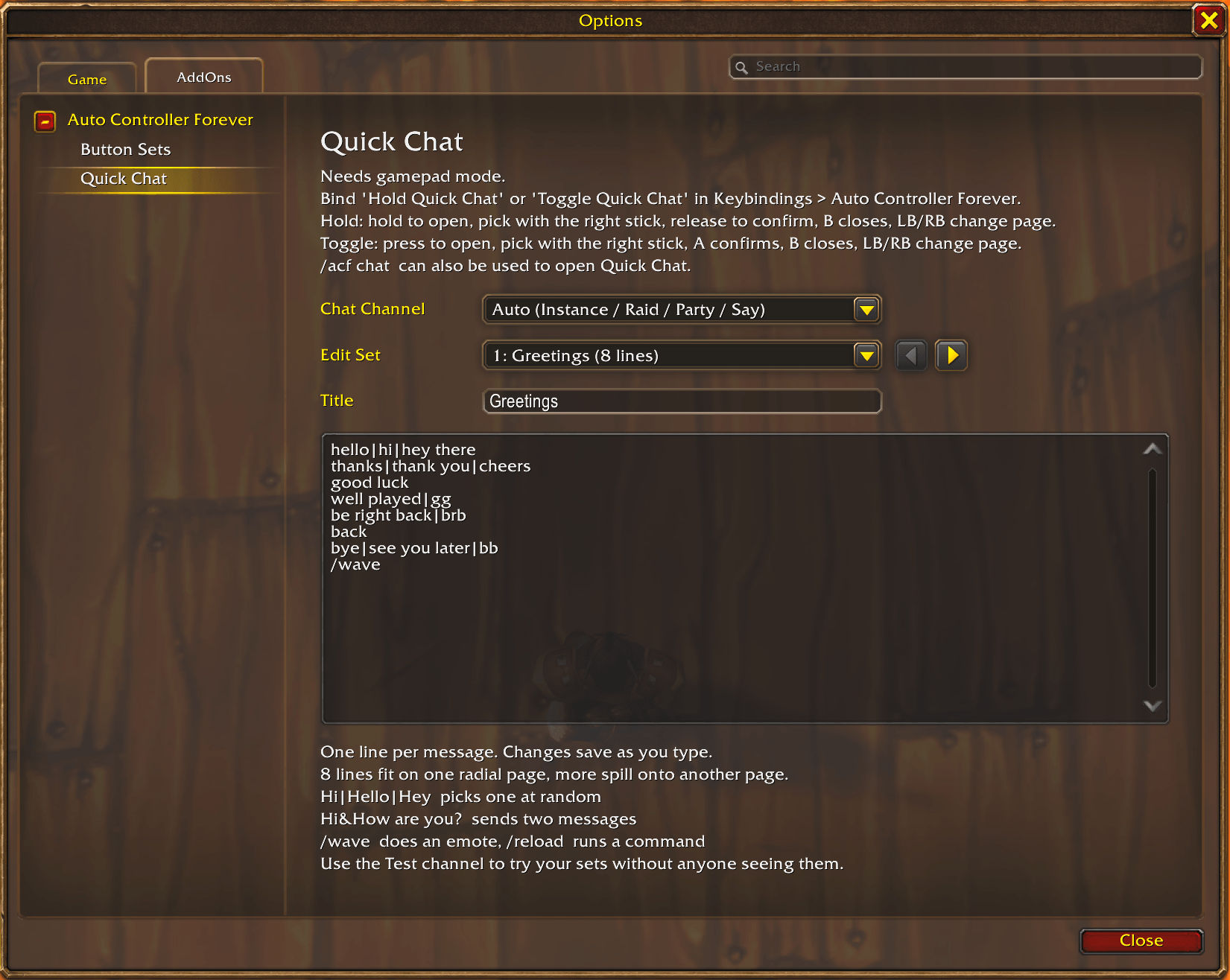
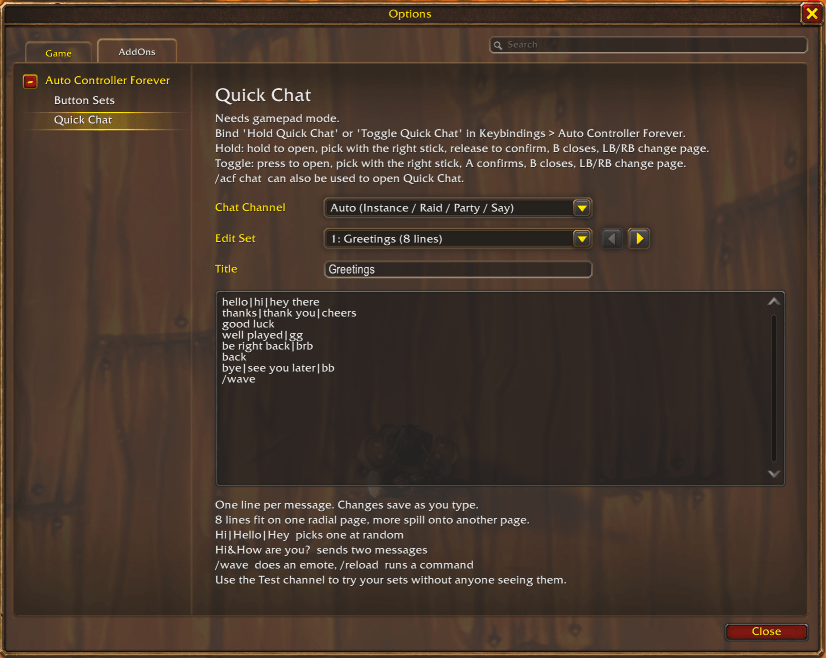
Quick Chat radial
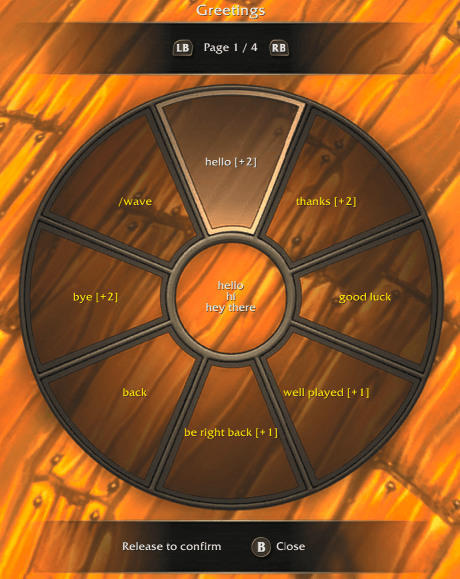
A radial wheel for sending your saved say / party / raid phrases without a keyboard. Bind it to hold or toggle, pick a phrase with the stick. Your left stick still moves you while it is open.
Automation
- Auto repair, at any vendor that can repair
- Auto sell junk when you open a vendor
- Auto quests: accept and turn in quests, pick single dialogue options, and share quests in a two-person party
- Auto invite: invite friends and accept their invites, including Battle.net friends
- Chat restore: your main chat window is saved on logout and restored on login
- Skip movies
Tracking and info
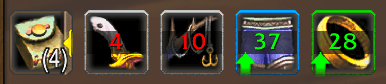
- Gear upgrades: item levels and upgrade arrows in bags, bank, quest rewards and vendors
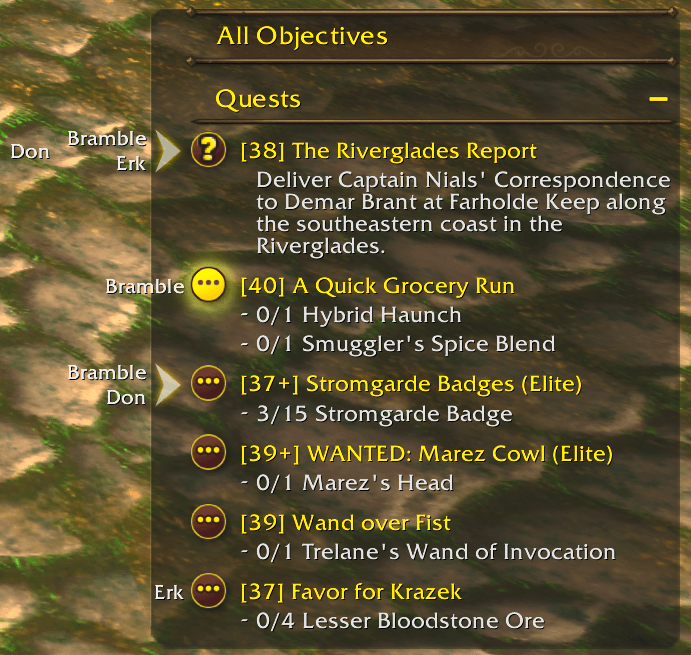
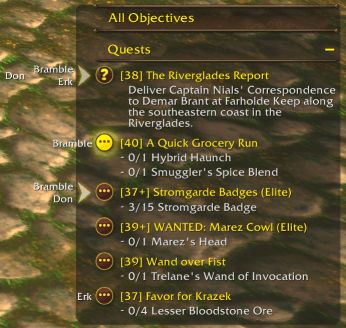
- Party quest tracking: see which party members share your tracked quests
- Item and currency counts for all your characters, in tooltips
- Gold on all your characters, next to your bags and in chat
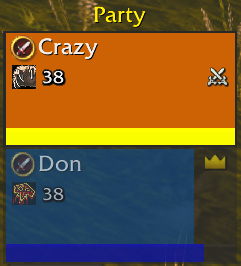
Party raid frames
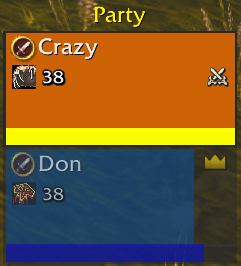
Extra info on Blizzard's raid-style party frames (turn them on in Edit Mode > Party > Use Raid-Style Party Frames):
- Level and class icon for each member, next to the role icon
- Leader crown, shown only when it fits beside the name
- Combat and resting icons on your own frame
- Each one has its own checkbox under Party Raid Frames in the settings
Key bindings
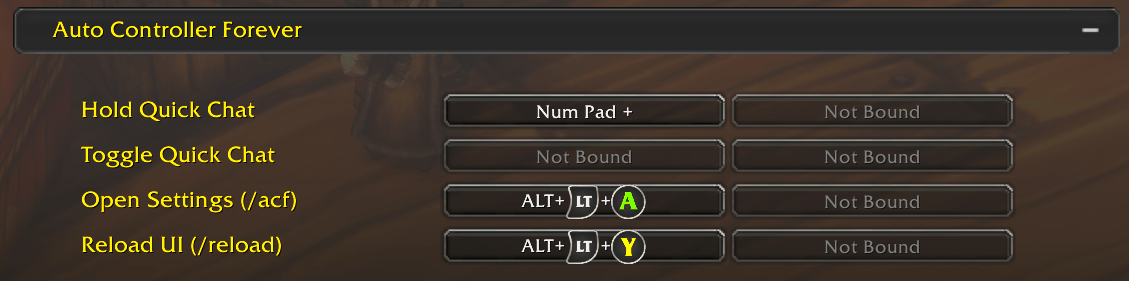
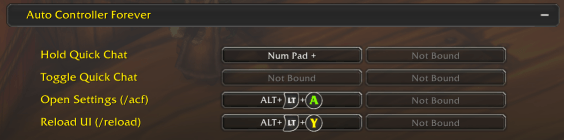
Under Options > Key Bindings > Auto Controller Forever: quick chat (hold / toggle), open settings, and reload UI.
Settings screens
Slash commands
/acfopens the settings/acf buttonsets move/resetmoves or resets the button sets/acf chat,/acf gold,/acf sell,/acf items resetfor the matching features
Feedback
Found a bug or want a feature ported from Auto Controller? Leave a comment or open an issue.
Auto Controller Forever - Gamepad Button Sets, Quick Chat and Automation Team